Nativescript: Strange Android Back nav behavior
Please, provide the details below:
Did you verify this is a real problem by searching [Stack Overflow]
Yes
Tell us about the problem
Video: https://www.screencast.com/t/1hXgziXKy2oo
So you can see when I navigate back I am clicking around on the items in the Listview (and the events do trigger actually), but no navigation is at all possible. Clicking the back button multiple times though seems to like send me BACK to the "Next" page, like it's freaking out or something.
Also of note if I use the app and navigate DEEPER (it's almost like a wizard, like 10 steps deep) the back and forward always works fine, it's just the one particular simple view that causes the problem... almost like it only happens with 1 item in the navstack.
I even tried doing something like
if(page.isBackNavigation()){
 //frame module code to send them back to home with cleared history
}
...but nothing happens, like I said, all nav functionality freezes ONLY ON BACK
Which platform(s) does your issue occur on?
Android
Please provide the following version numbers that your issue occurs with:
- CLI: 3.2
- Cross-platform modules: 3.2
- Runtime(s): 3.2
Please tell us how to recreate the issue in as much detail as possible.
I can provide a private zip of the project if required... I would GUESS
Is there code involved? If so, please share the minimal amount of code needed to recreate the problem.
See above, can provide privately
Want to back this issue? Post a bounty on it! We accept bounties via Bountysource.
 sitefinitysteve
All 9 comments
Hi @sitefinitysteve,
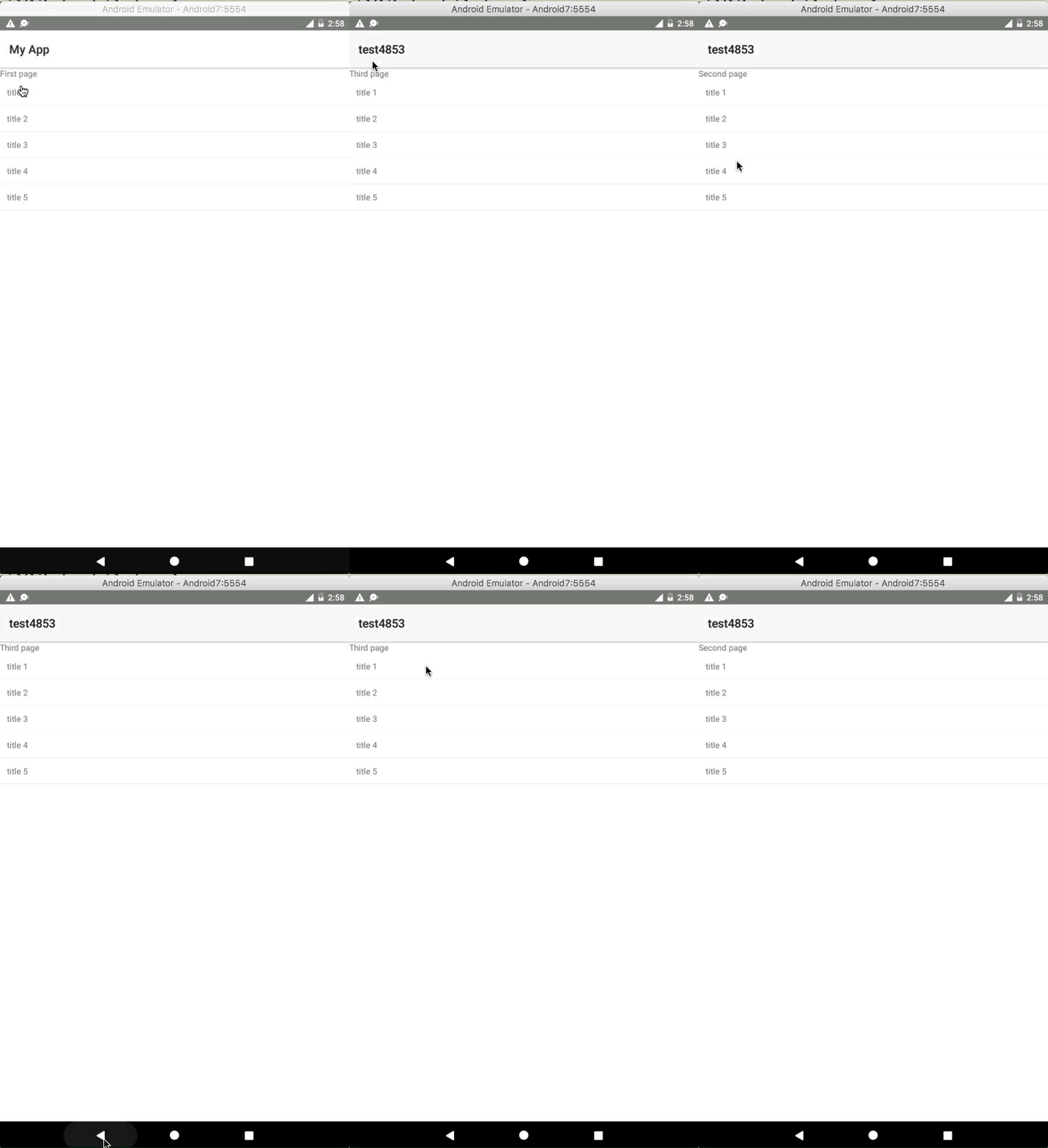
I tested the described scenario while following the attached video, however, was unable to recreate this problem on my side. For your convenience, I am attaching GIF file from the Android emulator, which I used for testing and sample project. Could you review it and make the needed changes, which will allow me to reproduce the issue.
It would also help if you provide an info, whether you are using a pure NativeScript template or NativeScript angular one.
Archive.zip
 tsonevn
on 20 Sep 2017
tsonevn
on 20 Sep 2017
Its pure js, never encountered this before, and again it works in the child
child views just fine.
Can you contact me here https://www.sitefinitysteve.com/contact
And I'll just send it to you directly?
On Sep 20, 2017 8:14 AM, "Nikolay Tsonev" notifications@github.com wrote:
Hi @sitefinitysteve https://github.com/sitefinitysteve,
I tested the described scenario while following the attached video,
however, was unable to recreate this problem on my side. For your
convenience, I am attaching GIF file from the Android emulator, which I
used for testing and sample project. Could you review it and make the
needed changes, which will allow me to reproduce the issue.It would also help if you provide an info, whether you are using a pure
NativeScript template or NativeScript angular one.
Archive.zip
https://github.com/NativeScript/NativeScript/files/1317658/Archive.zip
[image: screencast 2017-09-20 at 2 58 55 pm]
https://user-images.githubusercontent.com/17448734/30643094-452687e2-9e16-11e7-969c-f167b748f000.gif—
You are receiving this because you were mentioned.
Reply to this email directly, view it on GitHub
https://github.com/NativeScript/NativeScript/issues/4853#issuecomment-330832761,
or mute the thread
https://github.com/notifications/unsubscribe-auth/ABeI6IdpHfm3Qh1P1FZG5pH80HsyHr0jks5skQGKgaJpZM4PcuIa
.
sitefinitysteve
on 20 Sep 2017
Hi @sitefinitysteve,
I sent you a message as you mentioned while using the contact form, however, I still have no answer from you. Were you able to resolve the problem?
tsonevn
on 27 Sep 2017
Hi sorry yes, I've been away at the progess fitc booth for you guys the
last few days, i do have it zipped just didn't get a chance to send, give
me a couple hours and I'll get the link! :)
On Sep 27, 2017 7:04 AM, "Nikolay Tsonev" notifications@github.com wrote:
Hi @sitefinitysteve https://github.com/sitefinitysteve,
I sent you a message as you mentioned while using the contact form,
however, I still have no answer from you. Were you able to resolve the
problem?—
You are receiving this because you were mentioned.
Reply to this email directly, view it on GitHub
https://github.com/NativeScript/NativeScript/issues/4853#issuecomment-332486615,
or mute the thread
https://github.com/notifications/unsubscribe-auth/ABeI6JEfH0BBVTL2MOpe6e6RFxFLGnlnks5smivVgaJpZM4PcuIa
.
sitefinitysteve
on 27 Sep 2017
Here we go, sorry about the "size" I left in the platforms so everything
would be exactly the same
https://www.dropbox.com/s/4ehs7sru5k7wfj2/Archive.zip?dl=0
cd apps
cd macdot
the app.ts needs to start on this item
moduleName: utils.isLoggedIn() ? "./views/home" : "./views/login/login"
Login needs to be
2010fake.[email protected]
passpasstest123
On Wed, Sep 27, 2017 at 7:04 AM, Nikolay Tsonev notifications@github.com
wrote:
Hi @sitefinitysteve https://github.com/sitefinitysteve,
I sent you a message as you mentioned while using the contact form,
however, I still have no answer from you. Were you able to resolve the
problem?—
You are receiving this because you were mentioned.
Reply to this email directly, view it on GitHub
https://github.com/NativeScript/NativeScript/issues/4853#issuecomment-332486615,
or mute the thread
https://github.com/notifications/unsubscribe-auth/ABeI6JEfH0BBVTL2MOpe6e6RFxFLGnlnks5smivVgaJpZM4PcuIa
.
sitefinitysteve
on 27 Sep 2017
Hi @sitefinitysteve,
Thank you for the attached sample project and for the description.
I reviewed it, however, I after I login with the above-mentioned credentials, the following error is logged in the console:
JS: firebase.init done
JS: Logged out from firebase
JS: Make sure you've uploaded your SHA1 fingerprint(s) to the Firebase console
JS: Has the SHA1 fingerprint been uploaded? Sign-in status: Status{statusCode=DEVELOPER_ERROR, resolution=null}
The error prevents me from debugging the project on my side.
Could you verify, whether the SHA1 key is setup properly on the firebase platform
tsonevn
on 28 Sep 2017
Okay yeah firebase isn't needed,
1) Set the loading page in app.ts to "./views/home"
2) Open views\add\step-rotation and set the onNavigatingTo code to
exports.onNavigatingTo = function (args) {
    (<any>global).startTime = new Date();

    indicator = new LoadingIndicator();
    indicator.hide();

    newObservation = new NewObservation();
    page = args.object;

    model = {
        data: new ObservableArray()
    };
    utils.consoleLog("onNavigatingTo");

    model.data.length = 0;
    /*
    Data.GetRotations().then((result) => {

    });*/

    var result = [{ "Id": 1, "Name": "Anesthesiology", "Rotation": { "Id": 6, "Name": "Anesthesiology" } }, { "Id": 6, "Name": "Emergency Medicine", "Rotation": { "Id": 19, "Name": "Emergency Medicine" } }, { "Id": 7, "Name": "Family Medicine", "Rotation": { "Id": 22, "Name": "Family Medicine" } }, { "Id": 9, "Name": "Internal Medicine", "Rotation": { "Id": 15, "Name": "Internal Medicine" } }, { "Id": 10, "Name": "Obstetrics and Gynecology", "Rotation": { "Id": 46, "Name": "Obstetrics & Gynecology" } }, { "Id": 11, "Name": "Orthopedic Surgery", "Rotation": { "Id": 47, "Name": "Orthopedic Surgery" } }, { "Id": 12, "Name": "Pediatrics", "Rotation": { "Id": 54, "Name": "Pediatrics" } }, { "Id": 13, "Name": "Psychiatry", "Rotation": { "Id": 26, "Name": "General Psychiatry" } }, { "Id": 8, "Name": "Selectives", "Rotation": { "Id": 60, "Name": "Selective" } }, { "Id": 14, "Name": "Surgery", "Rotation": { "Id": 27, "Name": "General Surgery" } }];
    for (var i = 0; i < result.length; i++) {
        model.data.push(result[i]);
    }

    page.bindingContext = model;

    utils.consoleLog("Stack length: " + frameModule.stack().length);
    utils.consoleLog("Navigation Context: " + JSON.stringify(page.navigationContext));
}
3) In step2-observation just change the onNavigatingTo to this
exports.onNavigatingTo = function(args) {
    page = args.object;
    indicator = new LoadingIndicator();
    indicator.show();
    newObservation = page.navigationContext;

    model = {
        ClerkshipName: newObservation.ClerkshipName,
        data: new ObservableArray()
    };
/*
    Data.GetTypes(newObservation.ClerkshipId).then((result) => {
        for(var i=0;i<result.length;i++){
            model.data.push(result[i]);
        }
        indicator.hide();
    });
*/
    indicator.hide();
    page.bindingContext = model;
}
WOnt be any callbacks and it replicates
sitefinitysteve
on 28 Sep 2017
Hi @sitefinitysteve ,
After the research, we found that that the issue is related to a problem with the transition.
Some of the transitions will not be executed properly and this will lead to the issue with the navigation.
Regarding that, you could keep track on the issue for further info.
In the meantime, as a temporary solution, you could change the transition type to flip. For example:
  var navigationEntry = {
        moduleName: "/views/add/step2-observation/observation",
        context: newObservation,
        animated: true,
        transition: {
            name: "slideLeft",
            duration: 200,
            curve: "flip"
        }
    };
Another solution could be to set up the animated property to false.
  var navigationEntry = {
        moduleName: "/views/add/step2-observation/observation",
        context: newObservation,
        animated: false,
        transition: {
            name: "slideLeft",
            duration: 200,
            curve: "easeIn"
        }
    };
Closing as no longer reporducible
 NickIliev
on 11 Dec 2019
NickIliev
on 11 Dec 2019
Related issues
 pocesar
·
3Comments
pocesar
·
3Comments
 rogangriffin
·
3Comments
tsonevn
·
3Comments
rogangriffin
·
3Comments
tsonevn
·
3Comments
 valentinstoychev
·
3Comments
valentinstoychev
·
3Comments
 nirsalon
·
3Comments
nirsalon
·
3Comments