Nativescript: Custom component's CSS isn't loaded from the 2nd level and on
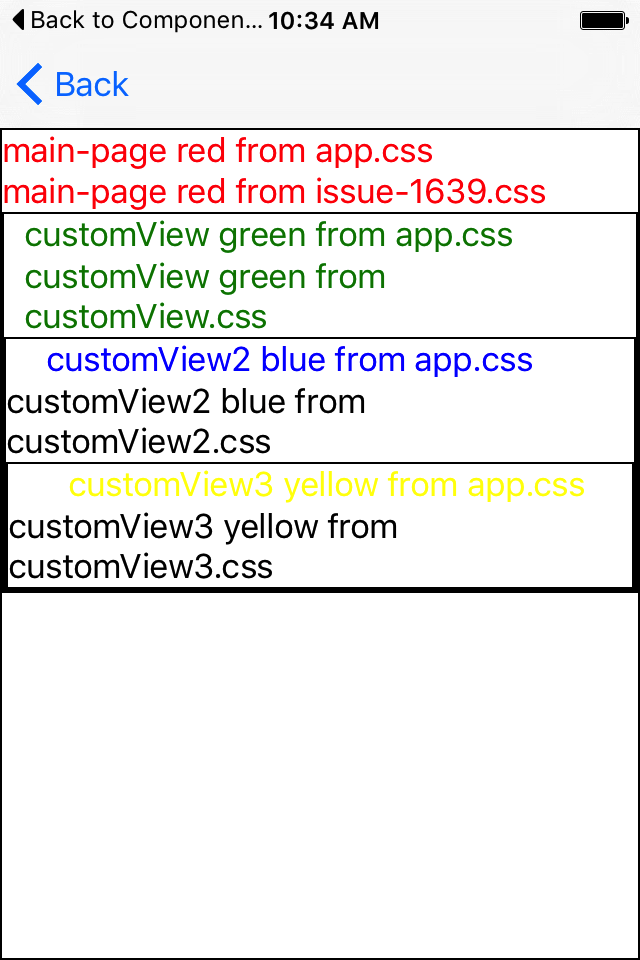
This is an old issue #1639 that was marked fixed and closed, but still isn't working right. When you nest components into components, starting with the 2nd level, the CSS files aren't loaded and "Error: CSS file found but no page specified. Please specify page in the options!" is shown in the logs. The test for this is already built into NS "apps" app, under issues and 1639.
$ tns info
All NativeScript components versions information
┌──────────────────┬─────────────────┬────────────────┬─────────────┐
│ Component        │ Current version │ Latest version │ Information │
│ nativescript     │ 3.0.3           │ 3.0.3          │ Up to date  │
│ tns-core-modules │ 3.0.1           │ 3.0.1          │ Up to date  │
│ tns-android      │ 3.0.1           │ 3.0.1          │ Up to date  │
│ tns-ios          │ 3.0.1           │ 3.0.1          │ Up to date  │
└──────────────────┴─────────────────┴────────────────┴─────────────┘
 sserdyuk
All 8 comments
@sserdyuk confirming this as a bug for nested custom components from the 2nd level and below.
As a temporary workaround, you can set the styles for your deeply nested components in the main app.css file.
Related to https://github.com/NativeScript/NativeScript/issues/1639
 NickIliev
on 19 Jun 2017
NickIliev
on 19 Jun 2017
@NickIliev I confirm that this issue happens also with the latest version of Nativescript with angular.
There isn't still a solution ?
 giorgiopiatti
on 10 Nov 2017
giorgiopiatti
on 10 Nov 2017
Facing the same issue when the custom component is in a Repeater...
This doesn't work
<ScrollView height="100%">
    <Repeater items="{{ mediaList }}">
        <Repeater.itemsLayout>
            <StackLayout />
        </Repeater.itemsLayout>
        <Repeater.itemTemplate>
            <mediaListItem:MediaListItem data="{{ media }}" />
        </Repeater.itemTemplate>
    </Repeater>
</ScrollView>
But this one works and show the CSS
<ScrollView height="100%">
    <mediaListItem:MediaListItem data="{{ media }}" />
</ScrollView>
Using {N} 4.0.0
 na2axl
on 13 Apr 2018
na2axl
on 13 Apr 2018
The issue is reproducible with NativeScript 4.1.
Archive.zip
 tsonevn
on 27 Jul 2018
tsonevn
on 27 Jul 2018
Hello,
I cloned @tsonevn 's archive and was able to reproduce the issue.
This fixes the issue for me:
nestedComponent.xml
<Page loaded="onPageLoaded">
content
</Page>
nestedComponent.ts
import {Page} from "tns-core-modules/ui/page";
import {EventData} from "tns-core-modules/data/observable";

export function onPageLoaded(args: EventData): void {
    let page = <Page>args.object;
    page.addCssFile(pathFromRoot);
}
Important notes
Lets say you have the following structure
(-> = contains)
parent -> child1 -> child2 -> child3
- Parent and last child (child3) css works fine
- child1 and child2 are respectively applying child2 and child3 css for some reason
- The middle nestedcomponents will still have their direct child css applied, but atleast the solution i'm suggesting applies the target css file and overrides the styling on the same tags.
 Yassine-ala
on 27 Jun 2019
Yassine-ala
on 27 Jun 2019
Has this been confirmed that it is still an issue with 6.0 RC? Downloading the archive from @tsonevn and running tns migrate and then running for iOS/android all the 3 labels are colored correctly.
 PeterStaev
on 11 Jul 2019
PeterStaev
on 11 Jul 2019
Hello,
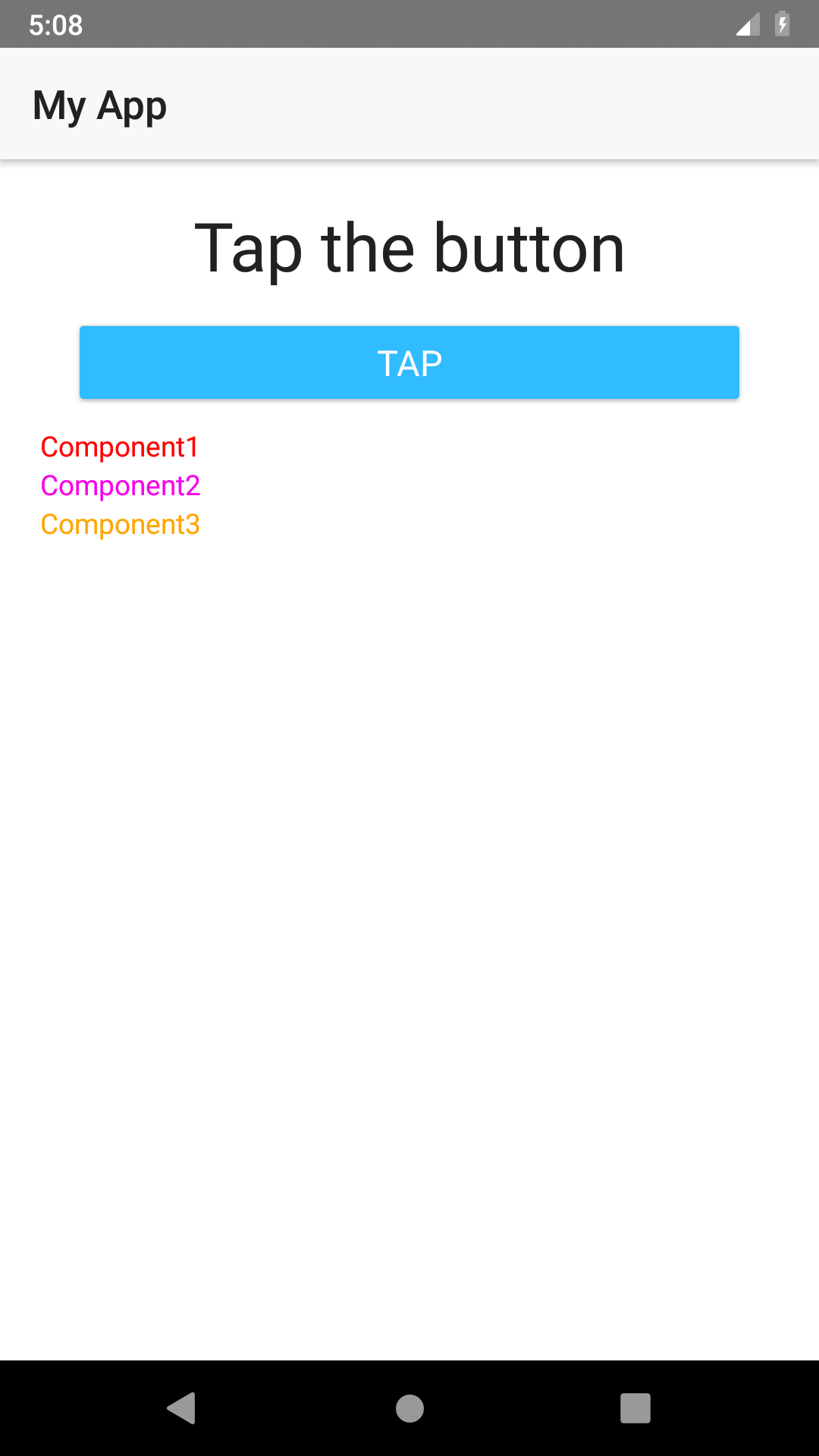
@rdlauer seven days ago, I pushed PR #7523 that fixes and closes this issue. How soon can it be reviewed and merged?
All the child components styled properly as seen in the screenshot below
 hakxru
on 22 Jul 2019
hakxru
on 22 Jul 2019
Hey All,
Thank you for your collaboration.
As @PeterStaev noticed, this has no longer been an issue since 6.0 RC.
It has been addressed and officially released along with the webpack-only efforts by the core team.
I am closing this issue as it is no more.
 vchimev
on 29 Jul 2019
vchimev
on 29 Jul 2019
Related issues
 valentinstoychev
·
3Comments
valentinstoychev
·
3Comments
 dhanalakshmitawwa
·
3Comments
dhanalakshmitawwa
·
3Comments
 OscarLopezArnaiz
·
3Comments
OscarLopezArnaiz
·
3Comments
 dxshindeo
·
3Comments
dxshindeo
·
3Comments
 kn9ts
·
3Comments
kn9ts
·
3Comments