Nativescript: GridLayout do not resize via CSS class name in iOS
Which platform(s) does your issue occur on?
iOS
Please provide the following version numbers that your issue occurs with:
tns --version
3.0.3
- Cross-platform modules: (check the 'version' attribute in the
node_modules/tns-core-modules/package.jsonfile in your project)"version": "3.0.1"
package.json
{
  "description": "NativeScript Application",
  "license": "SEE LICENSE IN <your-license-filename>",
  "readme": "NativeScript Application",
  "repository": "<fill-your-repository-here>",
  "nativescript": {
    "id": "id.my.app",
    "tns-android": {
      "version": "3.0.1"
    },
    "tns-ios": {
      "version": "3.0.1"
    }
  },
  "dependencies": {
    "@angular/animations": "~4.1.0",
    "@angular/common": "~4.1.0",
    "@angular/compiler": "~4.1.0",
    "@angular/core": "~4.1.0",
    "@angular/forms": "~4.1.0",
    "@angular/http": "~4.1.0",
    "@angular/platform-browser": "~4.1.0",
    "@angular/router": "~4.1.0",
    "botframework-directlinejs": "^0.9.7",
    "moment": "^2.18.1",
    "nativescript-angular": "~3.0.0",
    "nativescript-cache": "^1.0.0",
    "nativescript-facebook": "^2.0.0",
    "nativescript-iqkeyboardmanager": "^1.0.1",
    "nativescript-theme-core": "~1.0.2",
    "reflect-metadata": "~0.1.8",
    "rxjs": "~5.3.0",
    "tns-core-modules": "^3.0.1",
    "zone.js": "~0.8.2"
  },
  "devDependencies": {
    "babel-traverse": "6.4.5",
    "babel-types": "6.4.5",
    "babylon": "6.4.5",
    "lazy": "1.0.11",
    "nativescript-dev-typescript": "~0.4.0",
    "typescript": "~2.2.1"
  }
}
Please tell us how to recreate the issue in as much detail as possible.
I have angular component with the following template.
I'm trying to resize the height of GridLayout by using [class.small]="isPreview"
so when I tap on grid container, it changes it's size because togglePreview() updates value of isPreview boolean variable.
This works fine in Android, but doesn't work in iOS.
<GridLayout #grid rows="128,auto,auto,auto" columns="*" class="deal-component border"
            (tap)="togglePreview()"
            [class.small]="isPreview"
            [class.server]="message.from.id === 'neonbot'">
    <Image row="0" col="0" class="img" [src]="attachment.content.images[0].url" width="100%"
           stretch="aspectFill"></Image>
    <Label row="1" col="0" class="title" [text]="attachment.content.title"></Label>
    <Label row="2" col="0" class="subtitle" [text]="attachment.content.subtitle"
           textWrap="true"></Label>
    <Label row="3" col="0" class="text" [text]="attachment.content.text"
           textWrap="true"></Label>
</GridLayout>
SCSS File which is compiled to CSS by IDE
.deal-component {
  margin: 0, 16, 16, 16;
  padding-bottom: 16;
  border-radius: 10;
  background-color: white;
  height: 500;
  &.small {
    height: 234;
  }
}
 poul-kg
All 5 comments
HI @poul-kg,
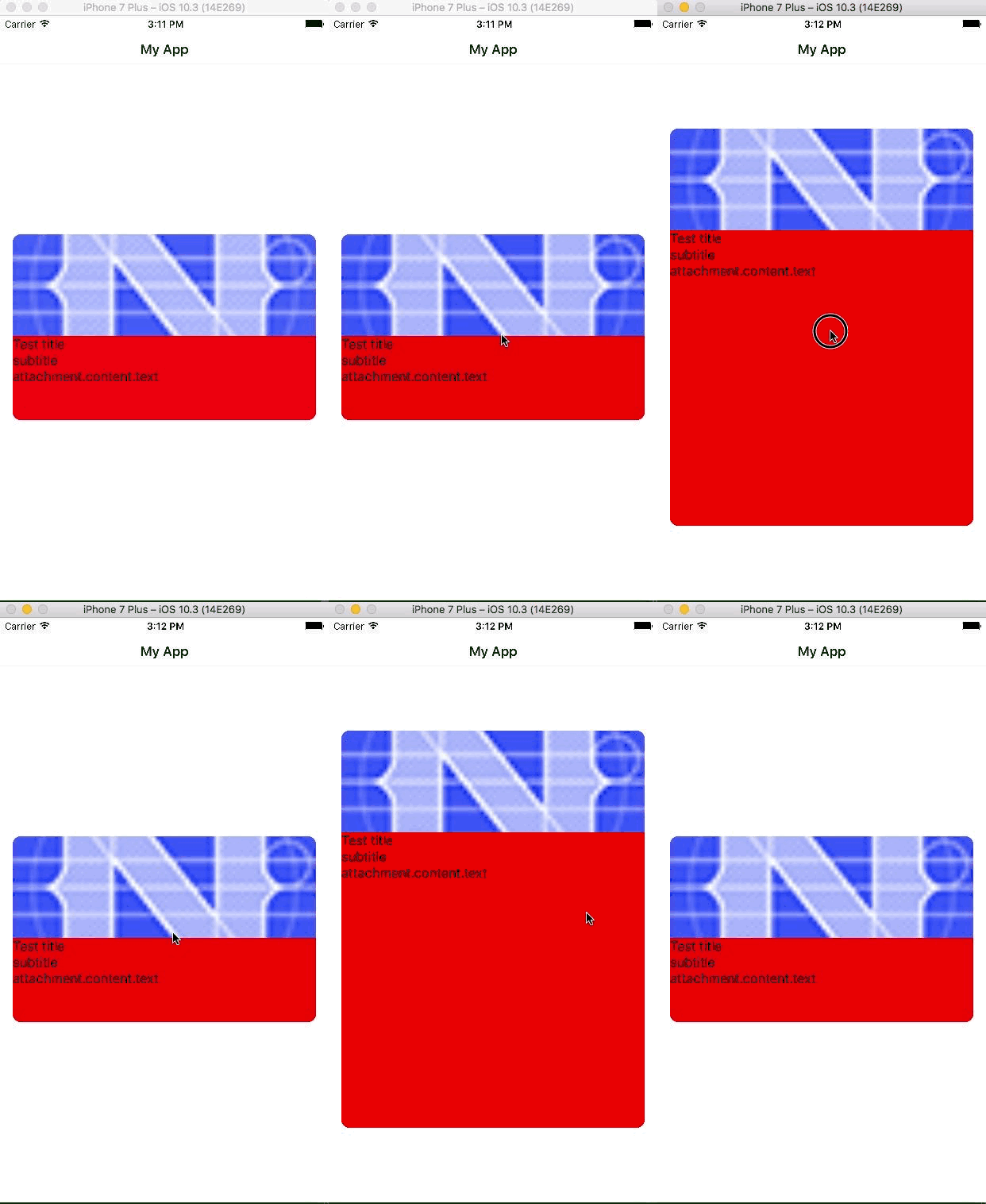
Thank you for the attached sample code. I tested this case on my side, however, the styles seem to be applied properly and the height is changed as expected after a tap on the GridLayout. For your convenience I am attaching sample project, please review it and verify whether I am missing something.
 tsonevn
on 15 Jun 2017
tsonevn
on 15 Jun 2017
Hi @tsonevn
thank you for fast reply and for your sample code.
Indeed your code is working fine in iOS, so I've looked into my project for details I might miss.
In my case GridLayout is inside ListView,
I've created repository from your Archive and added my updates.
It works in Android, but doesn't work in iOS.
https://github.com/poul-kg/nativescript-grid-resize-issue/tree/master
poul-kg
on 16 Jun 2017
Hi @poul-kg,
Thank you for the attached sample project,
I reviewed the code and found that to be able to resize the view in the similar way as it is done in Android, you should call refresh method for the ListView, which will refresh the UI and will apply the changes. for example:
HTML
<ActionBar title="My App" class="action-bar">
</ActionBar>
<GridLayout rows="*" columns="*">


<ListView id="lvid" [items]="messages" [itemTemplateSelector]="templateSelector"
          row="0"  #listView>

    <!-- Tiny Carousel -->
    <ng-template nsTemplateKey="Grid" let-item="item">
        <GridLayout backgroundColor="red" #grid rows="128,auto,auto,auto" columns="*" class="deal-component border"
                    (tap)="onTap($event)"
                    [class.small]="isPreview"
                    [class.server]="id === 'neonbot'">
            <Image row="0" col="0" class="img" [src]="'~/img/icon.png'" width="100%"
                   stretch="aspectFill"></Image>
            <Label row="1" col="0" class="title" [text]="'Test title'"></Label>
            <Label row="2" col="0" class="subtitle" [text]="'subtitle'"
                   textWrap="true"></Label>
            <Label row="3" col="0" class="text" [text]="'attachment.content.text'"
                   textWrap="true"></Label>
        </GridLayout>
    </ng-template>
</ListView>
</GridLayout>
TypeScriptc
import {Component, OnInit} from '@angular/core';
import {Button} from "ui/button"
import {ListView} from "ui/list-view"

import {Item} from './item';
import {ItemService} from './item.service';
import {isIOS} from "platform"

@Component({
    selector: 'ns-items',
    moduleId: module.id,
    templateUrl: './items.component.html',
})
export class ItemsComponent implements OnInit {
    items: Item[];
    id = 'neonbot';
    isPreview = true;
    // Simulate array of messages, just to make 2 list items
    messages = [
        'one',
        'two'
    ];

    constructor(private itemService: ItemService) {
    }

    ngOnInit(): void {
        this.items = this.itemService.getItems();
    }

    onTap(args) {
        console.log('ontap');
        var btn:Button = <Button>args.object;
        var lv:ListView = <ListView>btn.page.getViewById("lvid");
        this.isPreview = !this.isPreview;
        if(isIOS)
            lv.refresh();
    }

    templateSelector(msg: any, index: number, items: any) {
        return 'Grid';
    }
}
@tsonevn Thank you, it is working now.
poul-kg
on 16 Jun 2017
This thread has been automatically locked since there has not been any recent activity after it was closed. Please open a new issue for related bugs.
![lock[bot] picture](https://avatars1.githubusercontent.com/in/6672?v=4&s=40) lock[bot]
on 28 Aug 2019
lock[bot]
on 28 Aug 2019
Related issues
 OscarLopezArnaiz
·
3Comments
OscarLopezArnaiz
·
3Comments
 hshristov
·
3Comments
hshristov
·
3Comments
 vtisnado
·
3Comments
vtisnado
·
3Comments
 nirsalon
·
3Comments
nirsalon
·
3Comments
 dxshindeo
·
3Comments
dxshindeo
·
3Comments
Most helpful comment
Hi @poul-kg,
Thank you for the attached sample project,
I reviewed the code and found that to be able to resize the view in the similar way as it is done in Android, you should call
refreshmethod for the ListView, which will refresh the UI and will apply the changes. for example:HTML
TypeScriptc