Nativescript-cli: Detect Android SDK using ANDROID_SDK_ROOT env var
Environment
Provide version numbers for the following components (information can be retrieved by running tns info in your project folder or by inspecting the package.json of the project):
- CLI: 7.0.7
- Cross-platform modules:
- Android Runtime:
- iOS Runtime:
- Plugin(s):
Describe the bug
On running the command ns doctor, I get this message
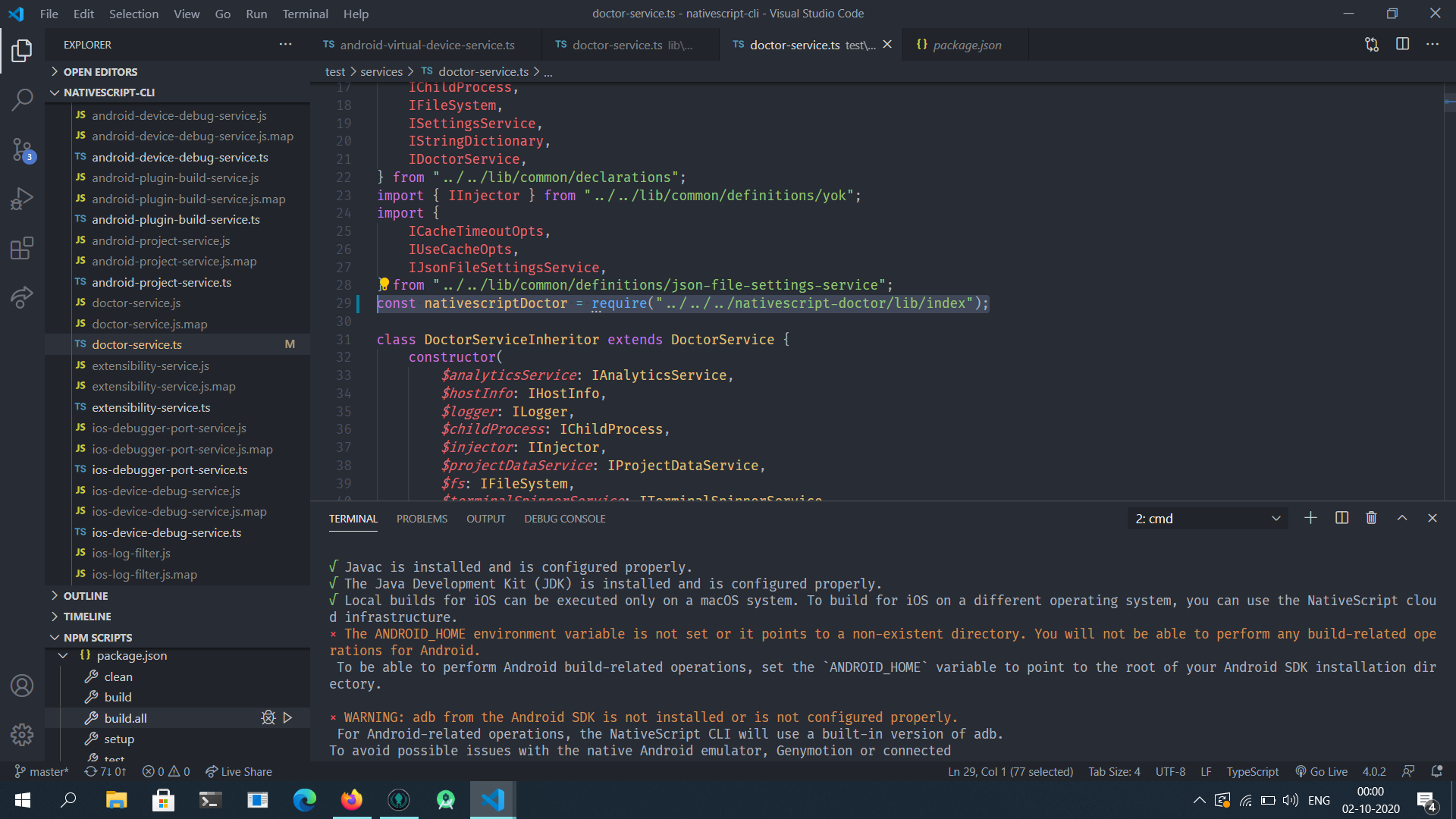
× The ANDROID_HOME environment variable is not set or it points to a non-existent directory. You will not be able to perform any build-related operations for Android.
However, I have the ANDROID_SDK_ROOT env var set which is equivalent to ANDROID_HOME.
To Reproduce
Run ns doctor
Expected behavior
I expected it to detect the Android SDK using the ANDROID_SDK_ROOT env var.
Sample project
Additional context
https://developer.android.com/studio/command-line/variables#envar
The ANDROID_HOME env var is deprecated. Refer to the link above.
Please guide me on how to fix this.
 pavi2410
All 7 comments
Hi @pavi2410 you can find the references to ANDROID_HOME here:
https://github.com/NativeScript/nativescript-cli/search?q=ANDROID_HOME&unscoped_q=ANDROID_HOME
and in the nativescript-doctor repo:
https://github.com/NativeScript/nativescript-doctor/search?q=ANDROID_HOME&unscoped_q=ANDROID_HOME
We should default to reading ANDROID_SDK_ROOT but fall back to ANDROID_HOME - The wording and implementation would need to change in all the files linked above (except the test cases - we would need to add additional test cases to test the new fallback mechanism).
The main place that'd need a change is here: https://github.com/NativeScript/nativescript-doctor/blob/92077dc680dbb4b7430bc8a7c4fef364adc105ec/lib/android-tools-info.ts#L181-L201
 rigor789
on 14 Sep 2020
rigor789
on 14 Sep 2020
We should default to reading
ANDROID_SDK_ROOTbut fall back toANDROID_HOME
@rigor789 We have to do this the other way around
https://developer.android.com/studio/command-line/variables#envar
This link states the following rule
- If ANDROID_HOME is defined and contains a valid SDK installation, its value is used instead of the value in ANDROID_SDK_ROOT.
- If ANDROID_HOME is not defined, the value in ANDROID_SDK_ROOT is used.
- If ANDROID_HOME is defined but does not exist or does not contain a valid SDK installation, the value in ANDROID_SDK_ROOT is used instead.
pavi2410
on 20 Sep 2020
@pavi2410 I was reading the lines above those rules:
ANDROID_HOME, which also points to the SDK installation directory, is deprecated. If you continue to use it, the following rules apply:
But right, looks like even though ANDROID_HOME is deprecated, it still takes priority over ANDROID_SDK_ROOT - which is a bit confusing.
rigor789
on 20 Sep 2020
So, which way should I go with?
pavi2410
on 20 Sep 2020
Either way is fine, don't think it matters too much.
Just to keep it as it is now, look for ANDROID_HOME and then fall back to ANDROID_SDK_ROOT for now - we can always switch this out in the future if we need to.
rigor789
on 20 Sep 2020
How do I use my local nativescript-doctor package from nativescript-cli? I tried to do this, but this didn't work.
pavi2410
on 1 Oct 2020
You could pack the doctor package with npm pack and in the CLI npm install /path/to/nativescript-doctor....tgz.
Not sure how you are running the CLI, the quickest way that I've been using lately is npx grunt watch:ts and then run the CLI with the full path to it /path/to/nativescript-cli/bin/nativescript.js doctor for example.
rigor789
on 1 Oct 2020
Related issues
 charsleysa
·
3Comments
charsleysa
·
3Comments
 NickIliev
·
3Comments
NickIliev
·
3Comments
NickIliev
·
3Comments
NickIliev
·
3Comments
 PeterStaev
·
3Comments
PeterStaev
·
3Comments
 Fatme
·
3Comments
Fatme
·
3Comments