Nativescript-cli: Unable to apply changes on device: emulator-5554. Error is: No space left on device..
Iam a newbie in Nativescript.
Just created a new app using command-
tns create GroceryApp --template nativescript-template-ng-tutorial
cd GroceryApp
tns run android
.....
Project successfully built.
Installing...
Unable to apply changes on device: emulator-5554. Error is: No space left on device..
Executing after-watch hook from /Users/EmaxSoftware/Apps/NSApps/GroceryApp/hooks/after-watch/nativescript-dev-typescript.js
Stopping tsc watch
Executing after-watch hook from /Users/EmaxSoftware/Apps/NSApps/GroceryApp/hooks/after-watch/nativescript-dev-typescript.js
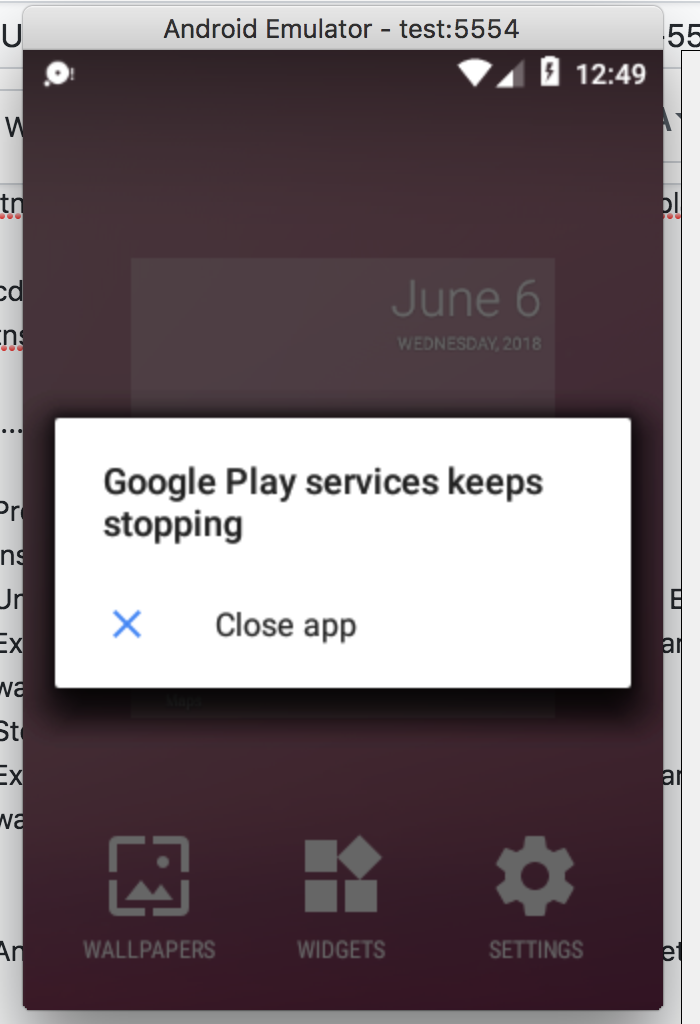
Android Emulator is launched, but this is what iam getting-
 shimjudavid
All 7 comments
i found the solution
shimjudavid
on 6 Jun 2018
How?
 thiagolimacg
on 7 Jun 2018
thiagolimacg
on 7 Jun 2018
Find where the avd are stored, for (macOS) it’s in ~/.android/avd,
every avd has its own directory, with a config.ini file where you can change its config. The parameter you might need to look at is -
disk.dataPartition.size=800M
shimjudavid
on 8 Jun 2018
on Windows path (C:\Android\android-sdk\tools\bin), worked with following command:
emulator @My-emulator-name -partition-size 1024
thiagolimacg
on 8 Jun 2018
The path for Windows that @thiagolimacg gives apparently has changed.
C:\Android\android-sdk\emulator>emulator @My-emulator-name -partition-size 1024
also to get your emulator name:
emulator -list-avds
 daryllabar
on 9 Jan 2019
daryllabar
on 9 Jan 2019
Not working. The same issue
Successfully installed on device with identifier 'emulator-5554'.
Unable to apply changes on device: emulator-5554. Error is: Socket connection timed out..
Stopping tsc watch
Stopping webpack watch
 hideman1975
on 10 Apr 2019
hideman1975
on 10 Apr 2019
Hi @hideman1975,
This is a closed issue for No space left on device while you are getting Socket connection timed out. Please open a new issue following the issue template in order to allow us to investigate it further.
 DimitarTachev
on 10 Apr 2019
DimitarTachev
on 10 Apr 2019
Related issues
 NickIliev
·
3Comments
NickIliev
·
3Comments
 Anilinfo2015
·
3Comments
Anilinfo2015
·
3Comments
 Fatme
·
3Comments
Fatme
·
3Comments
 StevenSeo
·
3Comments
DimitarTachev
·
3Comments
StevenSeo
·
3Comments
DimitarTachev
·
3Comments
Most helpful comment
on Windows path (C:\Android\android-sdk\tools\bin), worked with following command:
emulator @My-emulator-name -partition-size 1024