Nativescript-angular: `flat=true` ActionBar will add blank space to each page
_From @gogoout on November 29, 2018 21:56_
Please take a minute to read our NativeScript Code of Conduct before proceeding with posting issues or discussing. The purpose of this guide is to make communication and cooperation within our forums a pleasure for you and the other members.
Please, provide the details below:
Did you verify this is a real problem by searching the NativeScript Forum?
Yes
Tell us about the problem
When using ng project and having a RadSideDrawer in the root. Set ActionBar flat=true will cause page having a strange offset.
Which platform(s) does your issue occur on?
iOS
Please provide the following version numbers that your issue occurs with:
- Progress NativeScript UI version: "nativescript-ui-sidedrawer": "5.0.0",
- CLI: (run
tns --versionto fetch it) - Cross-platform modules: 5.0.1
- Runtime(s): 5.0.0
Please tell us how to recreate the issue in as much detail as possible.
Start the application
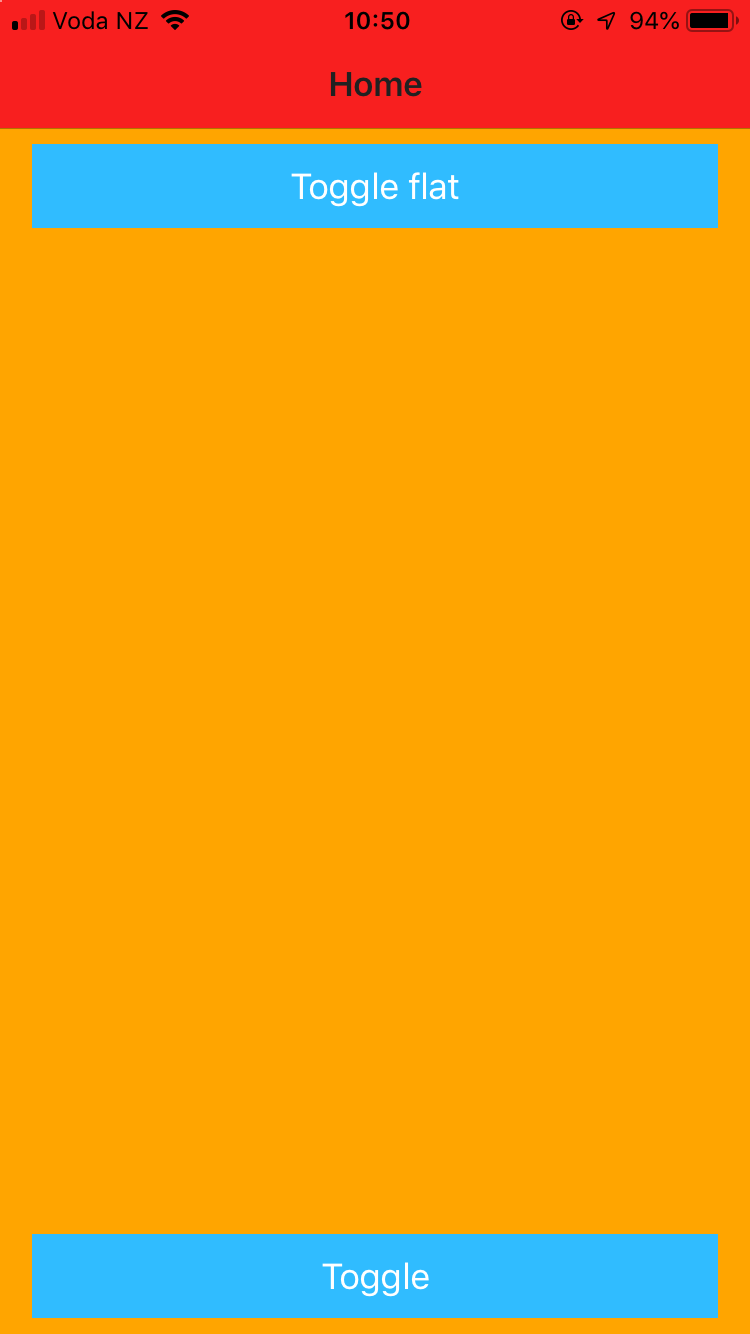
Click Toggle flat, See a blank offset applied to page
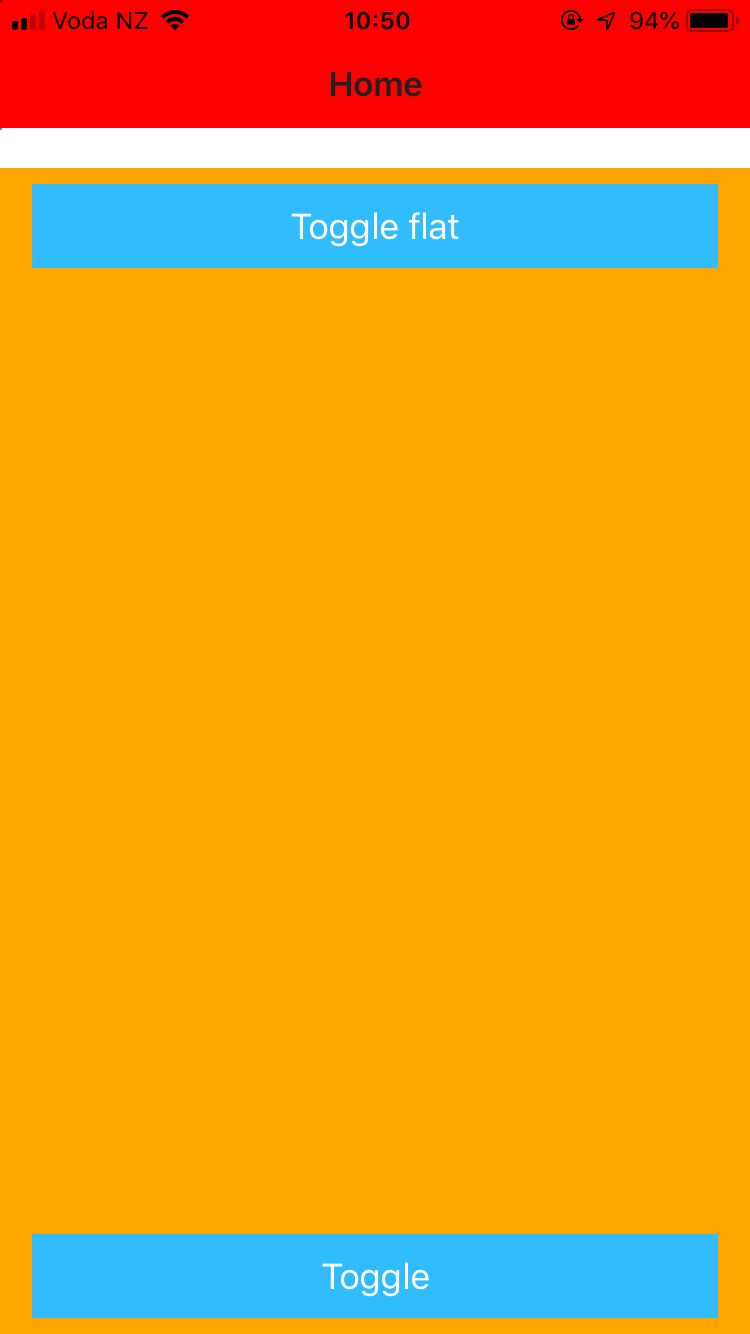
Click Toggle flat again, See the offset still there, but the blank are covered with color
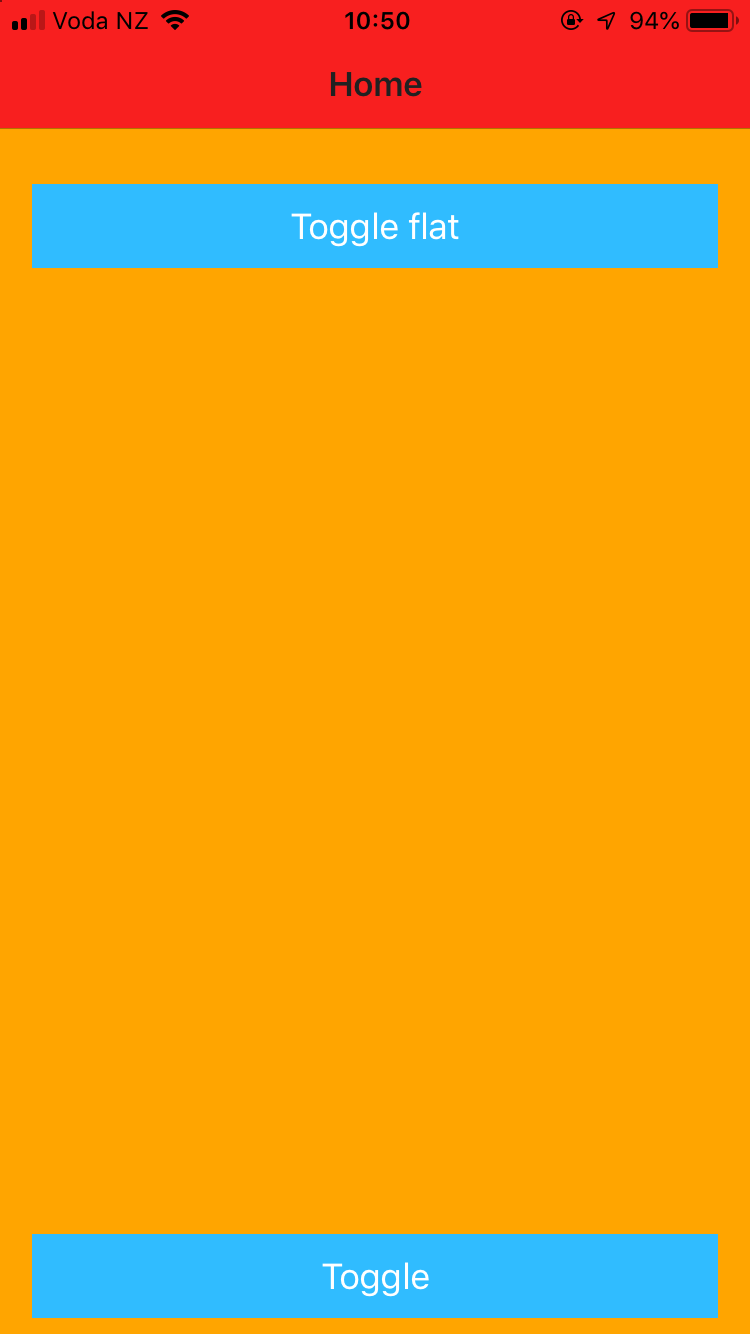
Note this issue is more noticeable with Iphone X, the bigger the safe area is, the more the offset is.
Is there code involved? If so, please share the minimal amount of code needed to recreate the problem.
https://play.nativescript.org/?template=play-ng&id=gD6Uo5&v=2
_Copied from original issue: telerik/nativescript-ui-feedback#952_
 tsonevn
All 12 comments
_From @gogoout on November 29, 2018 22:8_
Maybe related to https://github.com/NativeScript/NativeScript/issues/6063 . Please close the issue if this is not a RadSideDrawer issue
tsonevn
on 30 Nov 2018
Hi @gogoout
The issue doesn't seem to be related to the RadSideDrawer component. The same scenario can be recreated while setting up the page-router-outlet inside StackLayout. For example:
<StackLayout >
    <page-router-outlet></page-router-outlet>
</StackLayout>
@tsonevn is this issue fixed, or just closed in favor of #6684? This issue occurs on older devices (iPhone 6, 7, 8) so it's not strictly related to the safe area, is it?
 yoat
on 18 Dec 2018
yoat
on 18 Dec 2018
Hi @yoat,
The issue still exists. I have closed this one in favour of #6684 because the problem can be reproduced in a non-Angular project as well.
tsonevn
on 19 Dec 2018
Hi there,
@tsonevn, the bug is still present in Nativescript 5.2.2 (tns-core-modules: 5.2.2), and I think is not related to issue #6684 (already closed)... here is a screenshot of broken layout and working layout:


Is it possible to reopen this issue?
Thanks a lot!
Paolo
 Klunk75
on 13 Mar 2019
Klunk75
on 13 Mar 2019
Hi @Klunk75,
Can you send us a sample project, that can be used for recreating the issue?
tsonevn
on 14 Mar 2019
Hi @tsonevn,
sure, you can download it from this link: https://we.tl/t-10Q48yFA8b
Or you can simply create a new project with "tns-template-drawer-navigation-ng" template, add a dark background to the pages, and add "flat=true" on the ActionBar of each page.
Remark: in package.json I updated all the modules to the latest.
Many thanks for feedback!
Paolo
Klunk75
on 14 Mar 2019
Hi @Klunk75,
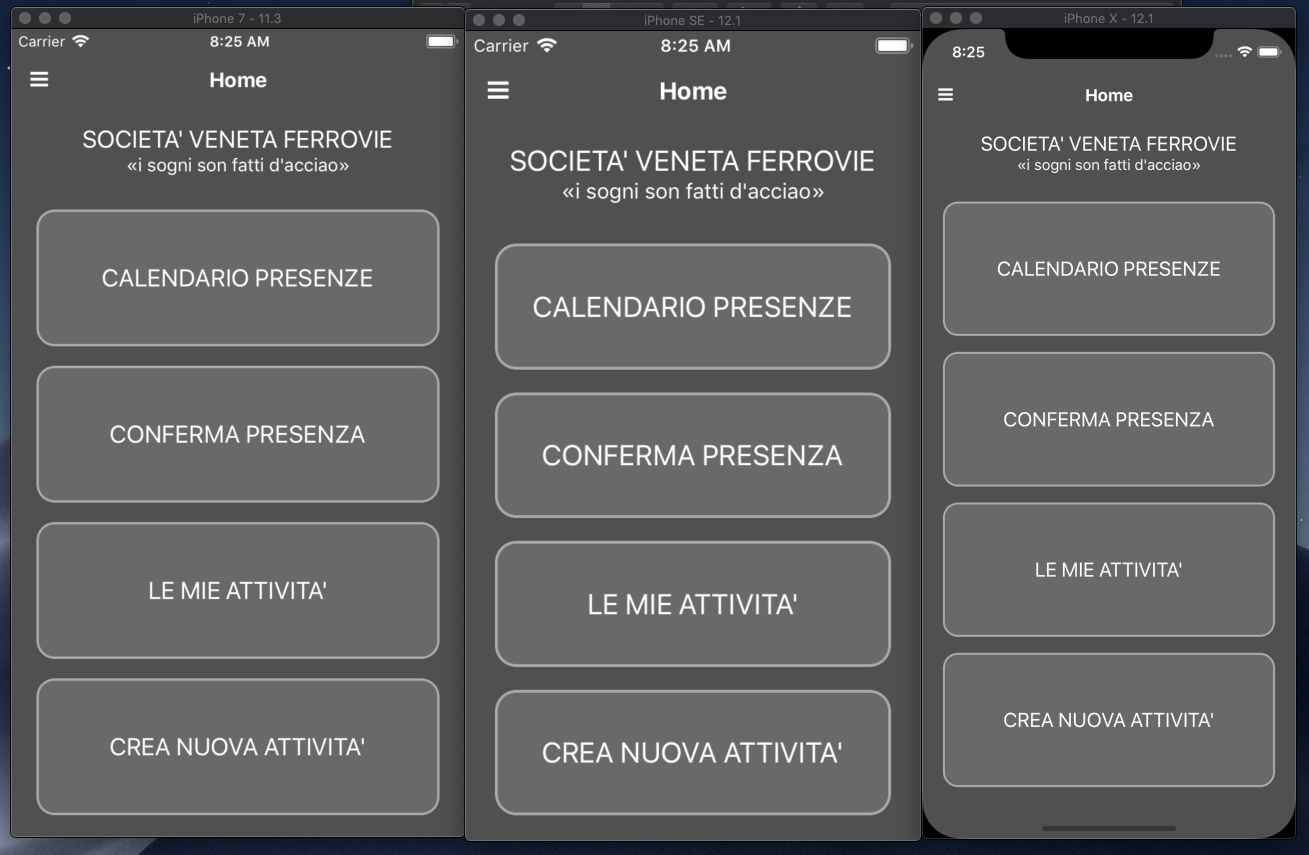
I have just tested your project on my side on several iOS simulators, however, I can not recreate a similar problem. For your convenience, I am attaching a screenshot. On that matter, can you provide more info about your device/simulator, that you are using for testing?
Meanwhile, try to clear up the project by deleting the platforms, node_modules, hooks folders, package-lock.json file and then rebuild the project.
tsonevn
on 19 Mar 2019
I can confirm, that this issue still exists on a project, I've created yesterday with
"tns-ios": {
      "version": "5.3.1"
    }
Removing flat="true" from the ActionBar removes the white space on top.
 ppulwey
on 17 Apr 2019
ppulwey
on 17 Apr 2019
Hi @tsonevn @ppulwey,
sorry for late answer (I'm very busy in this period).
I tried on two different MACs: updated NativeScript to latest version (@next), created a new project (side drawer template with Angular), updated package.json to latest version of all modules, run "npm install", modified flat="true" in ActionBar (on one page only, to test it), added dark backgroung on all pages and ActioBars (via scss).... and "it adds the white space when switching to another page". Tested on iOS simulator (several iPhone models) and real devices (iPhone 5S and 6).
It's easy to recreate, just follow what I wrote, creating a new project (side drawer template with Angular).
I think this issue neeeds to be reopened.
Glad to see @ppulwey confirm this issue is still present.
Thanks!
Klunk75
on 17 Apr 2019
Hi all,
any update?!?
Klunk75
on 2 May 2019
Related issues
 sarvagayatri
·
3Comments
sarvagayatri
·
3Comments
 bhavincb
·
3Comments
bhavincb
·
3Comments
 bnussey
·
3Comments
bnussey
·
3Comments
 okmttdhr
·
3Comments
okmttdhr
·
3Comments
 samuelvisscher
·
3Comments
samuelvisscher
·
3Comments
Most helpful comment
Hi @gogoout
The issue doesn't seem to be related to the RadSideDrawer component. The same scenario can be recreated while setting up the
page-router-outletinsideStackLayout. For example: