Nativescript-angular: Getting error for TNS RUN ANDROID
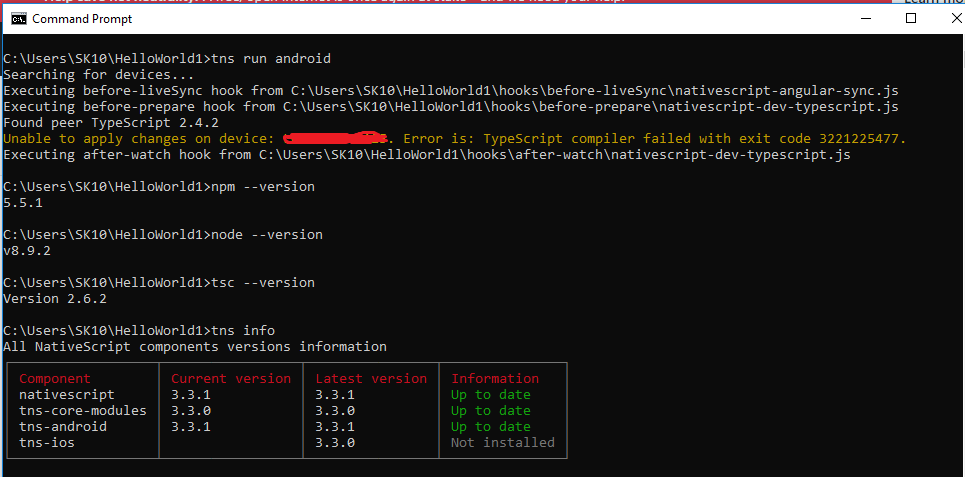
Error Message - Unable to apply changes on device: XXXX. Error is: TypeScript compiler failed with exit code 3221225477.
Please find attached file for more into
 shaileshkadam25
All 9 comments
@shaileshkadam25 can you provide the package.json content of your application.
Try using this versi0ons of TypeScript and nativescript-dev-ttypescript and then rebuilding your project with reset node_modules and platforms folders.
"nativescript-dev-typescript": "~0.5.0",
"typescript": "~2.4.2"
 NickIliev
on 11 Dec 2017
NickIliev
on 11 Dec 2017
This issue was moved to NativeScript/nativescript-cli#3254
NickIliev
on 11 Dec 2017
package.txt
package-lock.txt
tsconfig.txt
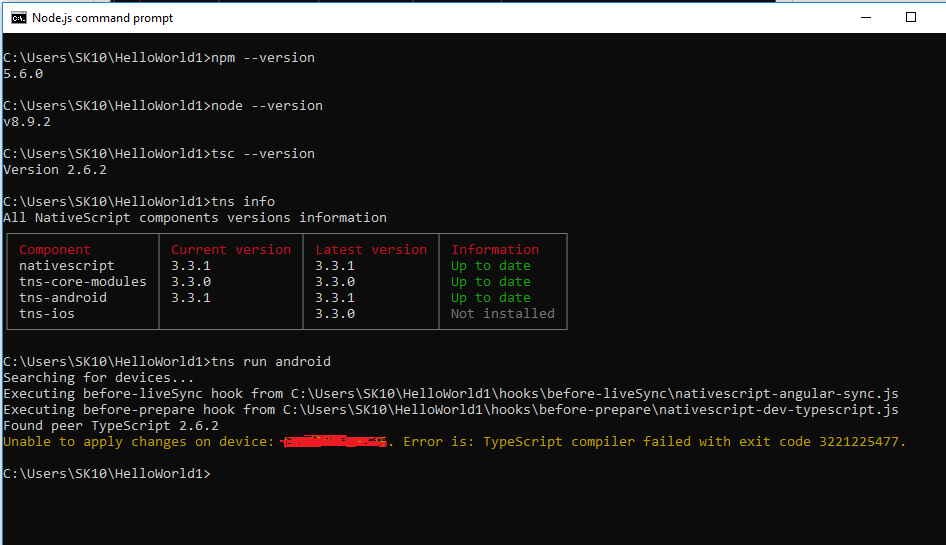
@NickIliev, i have upgraded to latest version on NPM but still getting same error. please find below screenshot and attachd package.json, package-lock.json and tsconfig.json files
shaileshkadam25
on 12 Dec 2017
I have de same thing, I try to update all versions, but I don´t have solutions for this error
 charlbarrera
on 27 Dec 2017
charlbarrera
on 27 Dec 2017
@charlbarrera @shaileshkadam25
I had the same problem before.
This is resolved by editing
[Project Path]\node_modules\nativescript-dev-typescript\lib\compiler.js
Line 28 > var nodeArgs = ['--max_old_space_size=4096', tscPath, '--project', projectDir];
After changing 4096 to 2048, the problem's gone.
(i.e. var nodeArgs = ['--max_old_space_size=2048', tscPath, '--project', projectDir];)
I don't know why it works that way.
Hope this helps people having the same issue.
 ramasas
on 9 Feb 2018
ramasas
on 9 Feb 2018
Thanks!!
El 8 feb. 2018 9:29 p.m., "ramasas" notifications@github.com escribió:
@charlbarrera https://github.com/charlbarrera @shaileshkadam25
https://github.com/shaileshkadam25
I had the same problem before.This is resolved by editing
[Project Path]\node_modules\nativescript-dev-typescript\lib\compiler.js
Line 28 > var nodeArgs = ['--max_old_space_size=4096', tscPath,
'--project', projectDir];After changing 4096 to 2048, the problem's gone.
(i.e. var nodeArgs = ['--max_old_space_size=2048', tscPath, '--project',
projectDir];)I don't know why it works that way.
Hope this helps people having the same issue.—
You are receiving this because you were mentioned.
Reply to this email directly, view it on GitHub
https://github.com/NativeScript/nativescript-angular/issues/1117#issuecomment-364316468,
or mute the thread
https://github.com/notifications/unsubscribe-auth/Ac7dCe2mivMqIXwhUipxvKO6956ecs8-ks5tS62GgaJpZM4Q6gPG
.
charlbarrera
on 9 Feb 2018
@ramasas After wasting entire day in installing and reinstalling Node, Typescript finally your solution saved me. However what is the root cause? Just to share the information, this error was coming only on my 32 bit system and no other 64 bit system where i build was giving this error. Anything related to it?
 phatakrajan
on 13 Mar 2018
phatakrajan
on 13 Mar 2018
@phatakrajan Yes! I do think it is related. I encountered many similar errors when trying React Native, plain NativeScript and NativeScript+Angular with my 32-bit Windows. The tutorials for starters should give people a hint about this.
ramasas
on 14 Mar 2018
@ramasas
Thanks you so much!!
The problem's gone
 arumuganainar73
on 14 Apr 2018
arumuganainar73
on 14 Apr 2018
Related issues
 Sulman633
·
3Comments
Sulman633
·
3Comments
 manojdcoder
·
3Comments
manojdcoder
·
3Comments
 dxshindeo
·
3Comments
dxshindeo
·
3Comments
 tsonevn
·
3Comments
tsonevn
·
3Comments
 leakira
·
3Comments
leakira
·
3Comments
Most helpful comment
@charlbarrera @shaileshkadam25
I had the same problem before.
This is resolved by editing
[Project Path]\node_modules\nativescript-dev-typescript\lib\compiler.js
Line 28 > var nodeArgs = ['--max_old_space_size=4096', tscPath, '--project', projectDir];
After changing 4096 to 2048, the problem's gone.
(i.e. var nodeArgs = ['--max_old_space_size=2048', tscPath, '--project', projectDir];)
I don't know why it works that way.
Hope this helps people having the same issue.