Nativescript-angular: Span renders line break as zero
_From @triniwiz on May 22, 2017 11:26_
In 2.5.x i used the following to get a simple icon above some text design
<Button [nsRouterLinkActiveOptions]="{exact:true }" [nsRouterLinkActive]="['active']" [nsRouterLink]="item.menuLink" textWrap="true">
        <FormattedString>
            <Span [icon]="item.icon" [fontSize]="item.size ? item.size : '14'" fontFamily="icons"></Span>
            <Span [text]="item.label ? '\n\n' : ''"></Span>
            <Span class="menu-text" [text]="item.label"></Span>
        </FormattedString>
    </Button>
result

In 3.0.x it results in the following

tns 3.0.1
tns-ios 3.0.0
core-modules: 3.0.0 and next
_Copied from original issue: NativeScript/NativeScript#4251_
 tsonevn
All 3 comments
Hi @triniwiz,
Thank you for reporting this issue,
I tested this case on my side and indeed this is a real issue in NativeScirpt Angular 2 application. This problem is not reproducible in while using a pure NativeScirpt app.
As a workaround, you could use the below-attached code, where the check, if there is text available, is made on the second span.
Example:
<StackLayout class="page">
    <GridLayout rows="" columns="">
        <Button  textWrap="true">
            <FormattedString>
                <Span fontFamily="FontAwesome" [text]="title" fontSize="14" ></Span>
                <Span class="menu-text" [text]="label ? '\n\n'+label : ''"></Span>
            </FormattedString>
        </Button>
    </GridLayout>
</StackLayout>
@tsonevn Hi . I didn't want to open a new bug but it also happen in other variation with android.
Let's draw :
444
123
Code :

Result ( OK) :
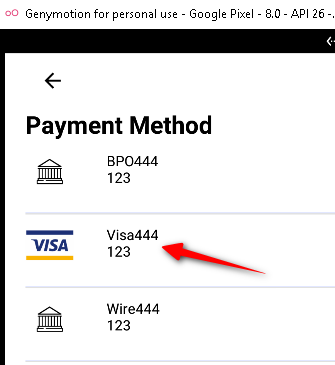
Now let's add :
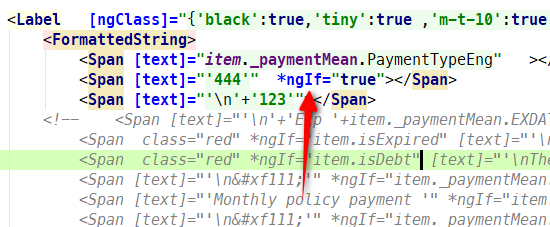
Problem :
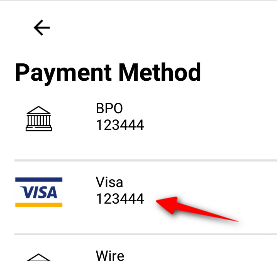
It should be opened as it doesn't respect ngIf.
Update :
seems that putting two ngIf does solve it :
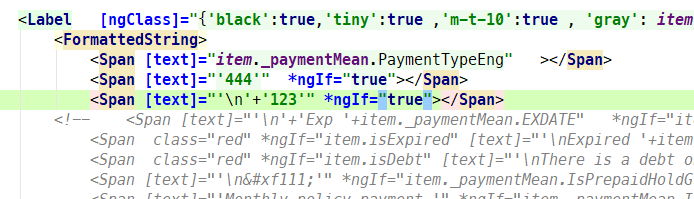
REsult :
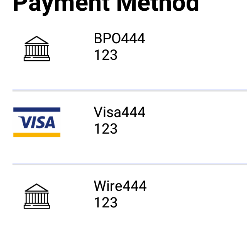
Additional Info

 RoyiNamir
on 29 May 2018
RoyiNamir
on 29 May 2018
@tsonevn Hi . I didn't want to open a new bug but it also happen in other variation with android.
Let's draw :
444
123
Code :
Result ( OK) :
Now let's add :
Problem :
It should be opened as it doesn't respect ngIf.
Update :
seems that putting two ngIf does solve it :
REsult :
Additional Info
That *ngIf problem was exactly what I was facing. Your solution resolved it for me! Thanks!
 ibnYusrat
on 27 May 2019
ibnYusrat
on 27 May 2019
Related issues
 sarvagayatri
·
3Comments
sarvagayatri
·
3Comments
 dxshindeo
·
3Comments
dxshindeo
·
3Comments
 leakira
·
3Comments
leakira
·
3Comments
 okmttdhr
·
3Comments
okmttdhr
·
3Comments
 vakrilov
·
3Comments
vakrilov
·
3Comments
Most helpful comment
Hi @triniwiz,
Thank you for reporting this issue,
I tested this case on my side and indeed this is a real issue in NativeScirpt Angular 2 application. This problem is not reproducible in while using a pure NativeScirpt app.
As a workaround, you could use the below-attached code, where the check, if there is text available, is made on the second span.
Example: