Nativefier: Unable to login: TweetDeck (account with 2FA)
Description
Can't log in to TweetDeck - stuck in Twitter login page.
Steps to reproduce issue
- Nativefy
https://tweetdeck.twitter.com - Click on the blue button: "Log In"
- A Twitter login page will load - enter your credentials and submit: nothing will happen visually.
After the steps above, if your account doesn't have 2FA, when you restart the nativefied app it will appear as logged in. If you _do_ have 2FA, its impossible to log in because the page to enter the code will not load.
Details
- Are you nativefying a public website?
Yes. - Feature request? Have you looked at
nativefier --helpto see if an existing option could fit your needs?
Yes. Maybe--internal-urls- not sure. - Full nativefier command used to build your app:
docker run \
    -v $(pwd):/app/ \
    nativefier \
    --icon /app/icon.png \
    --name TweetDeck \
    -p linux \
    -a x64 \
    "https://tweetdeck.twitter.com" /app/
- Version of Nativefier (run
nativefier --version):
7.4.0 - Version of node.js (run
node --version):
The current used by the docker image available in this repo. - OS:
Ubuntu 17.04 x64 - Error message / stack trace (if any):
N/A
 vegbrasil
All 4 comments
@vegbrasil thanks for the feedback. I doubt --internal-urls is the culprit, it only governs what opens in a tab of your default browser vs. as a nativefier window. Could you dig a little bit more using the bundled DevTools? Ctrl+Shift+I, then have a look at tabs Console (any error?) and Network (any failed requests?).
 ronjouch
on 20 Jul 2017
ronjouch
on 20 Jul 2017
@ronjouch Console shows nothing. Network tab says the request was canceled.
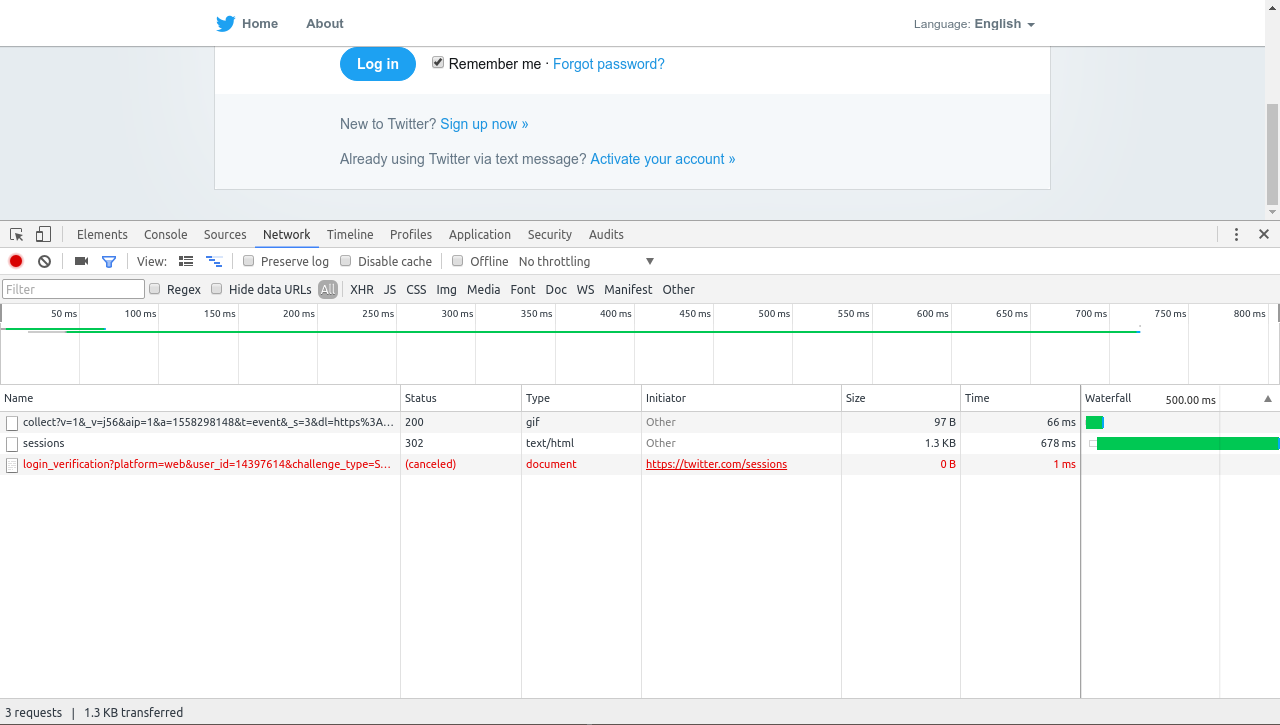
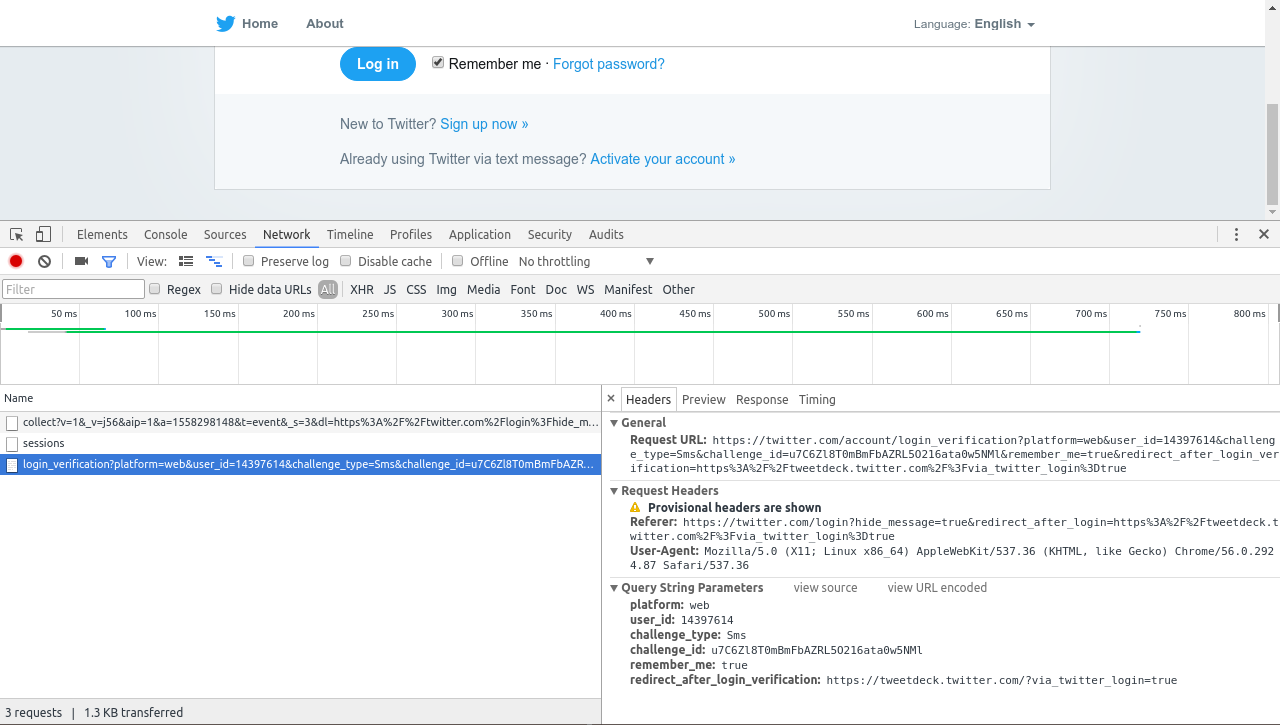
I do receive the SMS token, so the form was submitted.
Thanks!
vegbrasil
on 20 Jul 2017
I've been struggling with the same problem, but I found a workaround. Using the mobile site (you could navigate to the mobile site by using DevTools and entering window.location = "https://mobile.twitter.com"; in the console), you'll be able to fill in your 2FA code and log in. Afterwards, you can navigate back to Tweetdeck and you'll stay logged in.
 leonmelein
on 29 Aug 2017
leonmelein
on 29 Aug 2017
Still an issue on 2017-12-15
 chris-79
on 15 Dec 2017
chris-79
on 15 Dec 2017
Related issues
 raulcraveiro
·
4Comments
raulcraveiro
·
4Comments
 Waitsnake
·
5Comments
Waitsnake
·
5Comments
 danielyli
·
5Comments
danielyli
·
5Comments
 toddself
·
5Comments
toddself
·
5Comments
 simonweil
·
5Comments
simonweil
·
5Comments
Most helpful comment
@ronjouch Console shows nothing. Network tab says the request was canceled.
I do receive the SMS token, so the form was submitted.
Thanks!