Nativebase: Ejected theme folder breaking vscode TS intellisense
"react": "16.8.6",
"react-native": "0.60.4",
"native-base": "^2.13.4",
No Expo
After ejecting the theme as mentioned in this link https://docs.nativebase.io/Customize.html#theaming-nb-headref
Following code is breaking VSCode Typescript intellisense.
import getTheme from '../../theme/components';

const theme = getTheme();
 saggiyogesh
All 11 comments
@saggiyogesh
I also faced the same issue. Vscode intellisense just stopped working and I know the culprit is native base as itwas the last plugin i added. It was very very frustrating.
The solution I found is that, you need to exclude the ejected native base folder 'native-base-theme' from VSCode intellisense by adding it in jsconfig.json file. Also close all the files and restart VSCode.
Example:
{
    "compilerOptions": {
        "target": "ES6",
        "module": "commonjs",
        "baseUrl": ".",
        "paths": {
        }
    },
    "exclude": [
        "node_modules",
        "native-base-theme"
    ]
}
You can find the method here in the official documentation
Happy Coding
 aneesh2693
on 14 Aug 2019
aneesh2693
on 14 Aug 2019
@aneesh2693 Tried already what you've mentioned. I'm developing in TS.
What happens after opening the file which is importing the theme/components, TS IntelliSense and every other VScode smart features stop working.
saggiyogesh
on 17 Aug 2019
@saggiyogesh Unfortunately I was facing this issue again. So the best I did right now is that define the style provider in the project's main index.js file and forget about it. Just don't open that file. My VScode and CPU is stable now.
Try this thing.
aneesh2693
on 25 Aug 2019
@aneesh2693
Did this https://github.com/GeekyAnts/NativeBase/issues/2849#issuecomment-520047638
So now no more calculations by calling getTheme, as json file will get cached in require cache.
saggiyogesh
on 26 Aug 2019
Any word on an official fix coming for this?
Having to do a separate file with theme vars that I can never open or my IDE blows up is a pretty bad solution.
 aaronfg
on 17 Sep 2019
aaronfg
on 17 Sep 2019
Got the same problem with IntelliJ Webstorm: the typescript compiler (run through 'yarn tsc') won't return and it seems it's stuck in a loop.
Excluding the native-base-theme directory and not importing/referencing it from a (compiled/checked) file makes it work again, but is not ideal...
 codelizrd
on 23 Oct 2019
codelizrd
on 23 Oct 2019
Hello @saggiyogesh in vs code add this setting .vscode/settings.json
"typescript.disableAutomaticTypeAcquisition": true
Your issue will be fixed
Cheers
Happy Coding
You are the boss!
 naxir
on 14 Jan 2020
naxir
on 14 Jan 2020
Cool, But now moved to other options like react-native-elements due to its small size.
saggiyogesh
on 14 Jan 2020
After long hours. I found the solution.
In commonColor.js I remove this code.
export const PLATFORM = {
  ANDROID: 'android',
  IOS: 'ios',
  MATERIAL: 'material',
  WEB: 'web'
};
Then replace all PLATFORM.IOS variable by string 'ios'. Then Cmd + Shift + P to restart TS Server
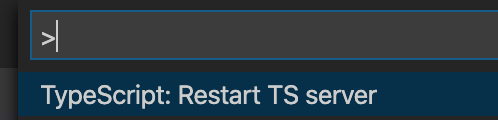
It's work!
 smithkre
on 30 Jan 2020
smithkre
on 30 Jan 2020
A quick fix for me was to just change the StyleProvider snippet to:
<StyleProvider style={getTheme(material as any)}>
Hope that helps.
 madebyclint
on 7 Mar 2020
madebyclint
on 7 Mar 2020
Hi @saggiyogesh , please provide more information regarding the issue like, steps to reproduce and its outcome.
 hanykumar
on 18 Sep 2020
hanykumar
on 18 Sep 2020
Related issues
 Landerson352
·
3Comments
Landerson352
·
3Comments
 inv2004
·
3Comments
inv2004
·
3Comments
 chetnadaffodil
·
3Comments
chetnadaffodil
·
3Comments
 nschurmann
·
3Comments
nschurmann
·
3Comments
 natashache
·
3Comments
natashache
·
3Comments
Most helpful comment
A quick fix for me was to just change the StyleProvider snippet to:
<StyleProvider style={getTheme(material as any)}>Hope that helps.