Nativebase: Android - button transparent in header has no "feedback" when active
I have the following code for my header, when I press the refresh button on ios I correctly have a "feedback" that the button has been pressed, however I don't have this feedback on android.
The button is working correctly, and if I don't put "transparent", I correctly have the feedback on android (but then others thinks looks off as now i have a "real" button on my header bar)
                <Header style={{ marginTop: Constants.statusBarHeight }} >
                    <Left>
                    </Left>
                    <Body>
                        <Title>Home</Title>
                    </Body>
                    <Right>
                        {
                            navigation.getParam('loaded') === true
                            ?
                                <Button
                                    transparent
                                    onPress={navigation.getParam('loadTasks')}
                                >
                                      <Icon name="refresh" />
                                </Button>
                            :
                                <Spinner/>
                        }

                    </Right>
                </Header>
 allan-simon
All 7 comments
Tried your use case, couldn't reproduce though
 SupriyaKalghatgi
on 21 Feb 2019
SupriyaKalghatgi
on 21 Feb 2019
@SupriyaKalghatgi This is perfectly reproducible for me. Symptoms are exactly as described: as long as you have transparent attribute unset, everything works as expected. With transparent attribute button feedback is absent.
Issue affects only Android platform. React Native 0.60.4 and NativeBase 2.13.8.
 xfyre
on 15 Nov 2019
xfyre
on 15 Nov 2019
Workaround (ClojureScript):
[nb/right
[nb/button
{:on-press handler
:style {:background-color "transparent" :border 0 :shadow-offset 0 :shadow-opacity 0 :elevation 0}}
[nb/icon {:name icon}]]
]
That is, if you remove transparent and set everything manually - it works more or less 'as expected'.
xfyre
on 15 Nov 2019
Another workaround:
 [nb/right
  [nb/button
   {:on-press handler :transparent true :rounded true}
   [nb/icon {:name icon}]]
  ]
Apparently, the problem is in this piece of code:
    return (
      <TouchableNativeFeedback
        ref={c => (this._root = c)}
        onPress={this.props.onPress}
        background={
          this.props.transparent
            ? TouchableNativeFeedback.Ripple('transparent')
            : TouchableNativeFeedback.Ripple(
                variables.androidRippleColor,
                false
              )
        }
        {...this.prepareRootProps()}
      >
        <View {...this.prepareRootProps()}>{children}</View>
      </TouchableNativeFeedback>
TouchableNativeFeedback.Ripple('transparent') doesn't work as you'd expect and eliminates ripple effect completely. It looks like it should be this instead (not tested):
    return (
      <TouchableNativeFeedback
        ref={c => (this._root = c)}
        onPress={this.props.onPress}
        background={
          this.props.transparent
            ? TouchableNativeFeedback.Ripple(
                variables.androidRippleColor,
                true
              )
            : TouchableNativeFeedback.Ripple(
                variables.androidRippleColor,
                false
              )
        }
        {...this.prepareRootProps()}
      >
        <View {...this.prepareRootProps()}>{children}</View>
      </TouchableNativeFeedback>
Can confirm this issue and the fix shown by @xfyre.
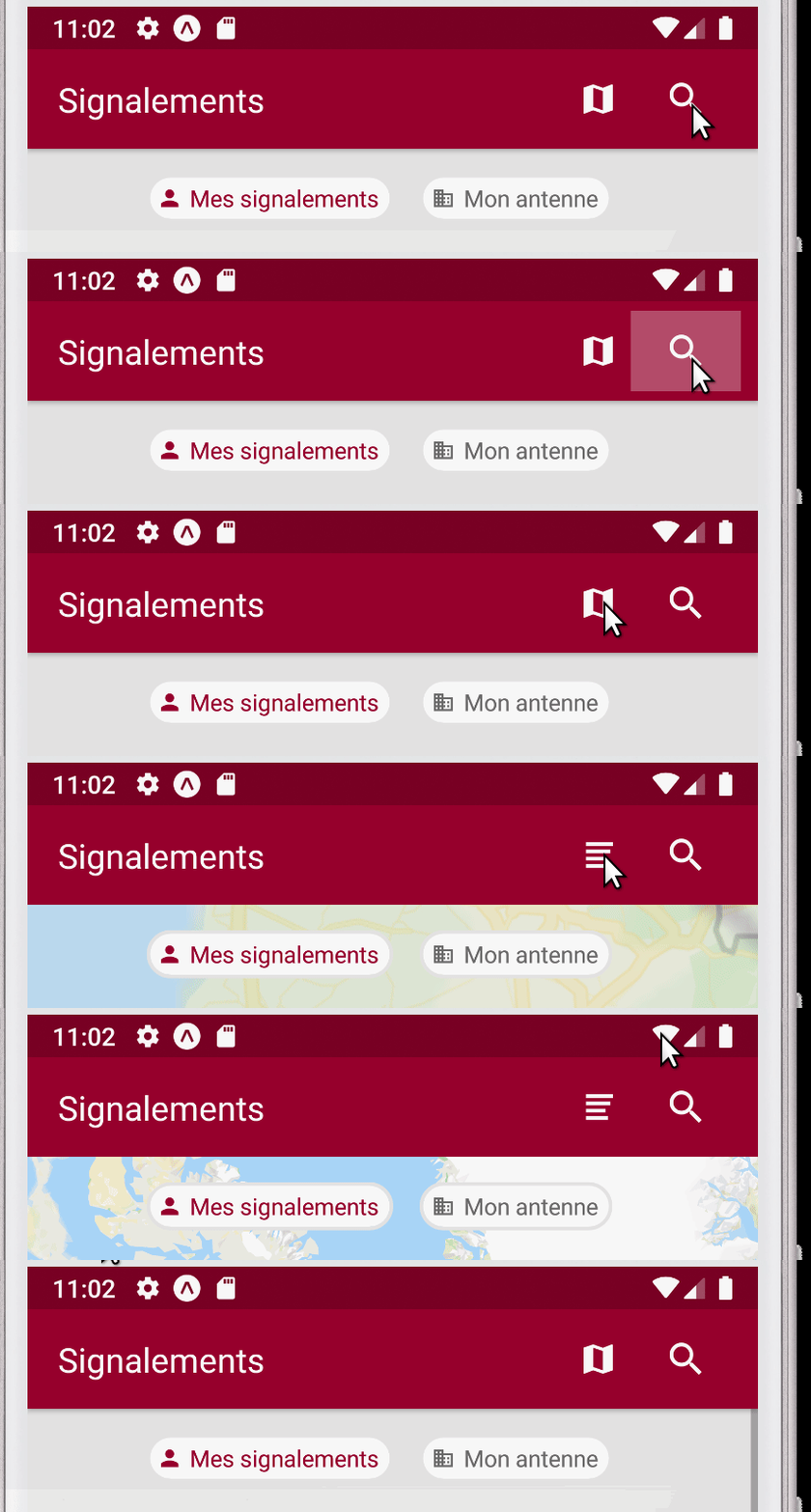
See this gif for example, the left button has transparent prop and the right button has
style={
  backgroundColor: "transparent",
  border: 0,
  elevation: 0
}
 tlenclos
on 17 Jul 2020
tlenclos
on 17 Jul 2020
I confirm - this issue has place to be. No animation on latest react and nativebase.
 Forsakenrox
on 22 Jul 2020
Forsakenrox
on 22 Jul 2020
The issue still exists with latest Expo & NativeBase.
_Edit: it has active effect on iOS, but nothing on Android._
 zoolyka
on 8 Sep 2020
zoolyka
on 8 Sep 2020
Related issues
 natashache
·
3Comments
natashache
·
3Comments
 muthuraman007
·
3Comments
muthuraman007
·
3Comments
 georgemickael-b
·
3Comments
georgemickael-b
·
3Comments
 Cotel
·
3Comments
Cotel
·
3Comments
 maphongba008
·
3Comments
maphongba008
·
3Comments
Most helpful comment
Another workaround:
Apparently, the problem is in this piece of code:
TouchableNativeFeedback.Ripple('transparent')doesn't work as you'd expect and eliminates ripple effect completely. It looks like it should be this instead (not tested):