Nativebase: native-base breaks with RN 0.58.0
I'm seeing an Invariant violation... is not usable as a native method argument exception stemming from native-base's Header component.
I believe the breakage is due to: Public methods of components converted to ES6 classes are no longer bound to their component instance. For ScrollView, the affected methods are setNativeProps, getScrollResponder, getScrollableNode, getInnerViewNode, scrollTo, scrollToEnd, scrollWithoutAnimationTo, and flashScrollIndicators. For CameraRollView, the affected methods are: rendererChanged. For SwipeableRow, the affected methods are: close. Therefore, it is no longer safe to pass these method by reference as callbacks to functions. Auto-binding methods to component instances was a behaviour of createReactClass that we decided to not preserve when switching over to ES6 classes.
I see native-base's component code use a multitude of these breaking functions.
 lone-cloud
All 18 comments
@hoboman313
See if the discussion in #2536 helps you fix your issue...


 suvenduchhatoi
on 30 Jan 2019
suvenduchhatoi
on 30 Jan 2019
Fixed with 2.11.0
 SupriyaKalghatgi
on 31 Jan 2019
SupriyaKalghatgi
on 31 Jan 2019
2.11.0 doesn't fixed.
 ggdegreat
on 1 Feb 2019
ggdegreat
on 1 Feb 2019
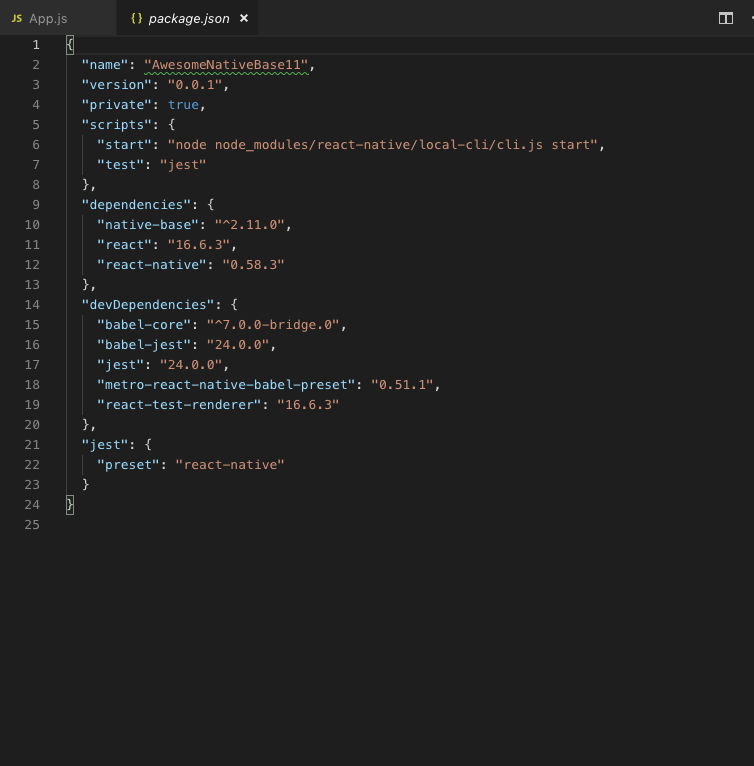
@ggdegreat Let us know what error you are getting... It's working fine...

suvenduchhatoi
on 1 Feb 2019
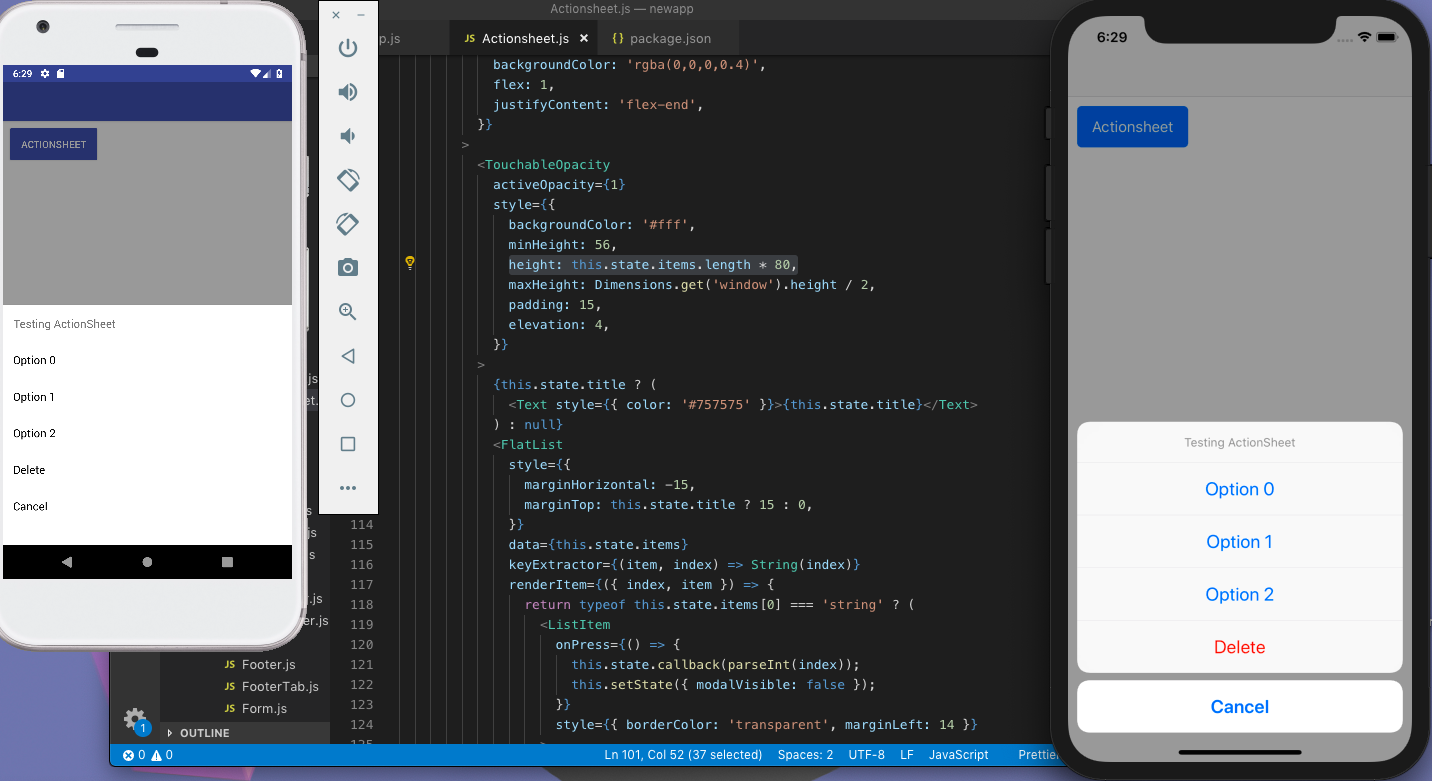
@suvenduchhatoi try Actionsheet
ggdegreat
on 1 Feb 2019
It turned out that my error wasn't related to native-base (I think). I think it might have had something to do with passing null/undefined styles. I got around the issue by tweaking the styles (I ejected native-base component styles). Your specific error message should tell you what is NaN to give you a hint what style you need to change.
lone-cloud
on 1 Feb 2019
2536 was related to, react-timer-mixin which was a problem I was facing. Now that was fixed in 2.11.0 by adding it as a dependency in Native-Base but on a fresh install this new error is shown.
Specially I am seeing an error on IOS which is -
height":"<
> ... is not usable as a native method argument.
It goes on to explain this is coming from the native-base Header component. When I check the ejected Header component I can see this exact line it is referencing in the error log for IOS,
height:
      variables.platform === "ios" && variables.platformStyle === "material"
        ? variables.toolbarHeight + StatusBar.height
        : variables.toolbarHeight,
This is my component which is using the Header component that is throwing the error -
import React from 'react';
import { Body, Button, Header, Icon, Left, Right, Title } from 'native-base';

const AuthHeader = props => {
  return (
    <Header>
      <Left>
        <Button transparent onPress={() => props.navigation.toggleDrawer()}>
          <Icon name="menu" />
        </Button>
      </Left>
      <Body>
        <Title>Header</Title>
      </Body>
      <Right>
        <Button transparent onPress={() => props.navigation.toggleDrawer()}>
          <Icon name="menu" />
        </Button>
      </Right>
    </Header>
  );
};

export default AuthHeader;
I am not using a StatusBar and confident that is what is causing the issue.
When I change the Header component from,
StatusBar.height to 1, this clears the NaN error and the application loads as normal.
This leaves me with the question,
A. Am I supposed to us use a StatusBar with the Native-Base Header component?
B. Or, should there be a check to make sure StatusBar does not exists before relying on it's height in the Native-Base Header component?
 wuno
on 2 Feb 2019
wuno
on 2 Feb 2019
@hoboman313 i didn't do anything. it is just a basic call to ActionSheet.
ggdegreat
on 2 Feb 2019
@ggdegreat https://github.com/GeekyAnts/NativeBase/issues/2534#issuecomment-459706097
https://github.com/GeekyAnts/NativeBase/issues/2545
suvenduchhatoi
on 4 Feb 2019
@wuno https://github.com/GeekyAnts/NativeBase/issues/2534#issuecomment-459931809 We are going through this, please make a separate issue for this...
suvenduchhatoi
on 5 Feb 2019
fixed up with 2.11.0
 aligenc
on 6 Feb 2019
aligenc
on 6 Feb 2019
I'm still seeing this with 2.11.0 🤔
 janpieterz
on 7 Feb 2019
janpieterz
on 7 Feb 2019
This is a different problem than what 2.11.0 fixes. Unless I am missing something here, 2.11.0 adds,
"react-timer-mixin": "^0.13.4" To the package.json.
The problem mentioned in this thread and in the point I was making has to do with the Header component that occurs when using the material theme on IOS it looks like. Possibly more depending on the original posted setup.
If you look at my comment above it shows the exact errorI was getting. I was able to fix it for now by adding a default height to status bar when it does not exist. That way it does not throw an error. This is the only issue I am facing now and was able to fix it till a PR is made.
I would be happy to make a PR but I am not sure what the best long term fix is due to my lack of knowledge of Native Base. This is my first time using it.
wuno
on 8 Feb 2019
@wuno New issue opened in #2581 related to the issue you mentioned. Let's discuss it there
suvenduchhatoi
on 15 Feb 2019
@wuno same issue, https://github.com/GeekyAnts/NativeBase/issues/2647
 kala888
on 27 Mar 2019
kala888
on 27 Mar 2019
Using "react-native": "0.59.8"
I tried 2.11.0 as @SupriyaKalghatgi said but doesn't worked
tried 2.12.0 and 2.12.1 working but height issue in ActionSheet, it is showing something like 20px height no matter even if you manually define height, minHeight, maxHeight and Radio buttons not showing without any error.
BTW, I just love the issue resolving process of git,
@kala888 closed this issue and refer to 2581
Then closed 2581 and ref to 2647
Then closed 2647 and ref to 2720
let see the progress of 2720 OR if this is a Recursion or something else :laughing:
 rajnishcoder
on 16 Jul 2019
rajnishcoder
on 16 Jul 2019
I get Malformed calls from JS: field sizes are different. when trying to open an ActionSheet too. I'm using native-base 2.12.1 and react-native 0.59.8.
[EDIT]
I was just passing something that was not a string as one of the options props items, my bad.
 silvainSayduck
on 17 Jul 2019
silvainSayduck
on 17 Jul 2019
I faced this error with react-native 0.59.4 + native-base 2.12.1 when trying to clear padding on a header containing a search bar:
<Header searchBar style={[{ ,paddingLeft:0,paddingTop:0,paddingBottom:0,paddingRight:0,backgroundColor: "#53bdfd" }, props.headerStyle]}>
Specifically the paddingTop:0 part, if I removed that it ran without issues.
However managed to fix this by upgrading to native-base 2.13.4, which now allows me to fully clear the padding without this runtime error.
 davidfarinha
on 28 Jul 2019
davidfarinha
on 28 Jul 2019
Related issues
 eggybot
·
3Comments
eggybot
·
3Comments
 mcpracht
·
3Comments
mcpracht
·
3Comments
 maphongba008
·
3Comments
maphongba008
·
3Comments
 elnygren
·
3Comments
elnygren
·
3Comments
 bsiddiqui
·
3Comments
bsiddiqui
·
3Comments
Most helpful comment
@suvenduchhatoi try Actionsheet