Nativebase: Items with floatingLabel are broken in release mode
Items with floatingLabels are not rendered correctly when building a release - only a single input is rendered and it looses all properties such as keyboardType, onChangeText, etc
The issue is not present in 2.7.2
node, npm, react-native, react and native-base version, expo version if used
node v10.9.0
npm 6.4.0
react-native 0.56.0
react 16.4.1
native-base 2.8.0
Expected behaviour
I would expect that the item would look and behave the same in dev and release mode
Actual behaviour
Only an input with no properties is rendered in release mode
Steps to reproduce should include code snippet and screenshot. Include code snippet in
minimal example including screenshots:
https://github.com/jalpedersen/native_base_floating
Is the bug present in both iOS and Android or in any one of them?
Both iOS And Android
Any other additional info which would help us debug the issue quicker.
 jalpedersen
All 45 comments
Check commit https://github.com/GeekyAnts/NativeBase/commit/8664ffb75a262df3de336ddff1f6ebe283977cb0
 SupriyaKalghatgi
on 7 Sep 2018
SupriyaKalghatgi
on 7 Sep 2018
As the author of the original PR, I will investigate the exact cause of this break in production mode.
Only reverting the commit will bring back the HOC issue with floating labels.
Its not productive imho.
 gvarandas
on 8 Sep 2018
gvarandas
on 8 Sep 2018
@gvarandas yes, true that
I take the basic functionality of this component i.e., label floats up on click, at highest priority. Than HOC and other functionalities.
You can go ahead and dig into this
SupriyaKalghatgi
on 10 Sep 2018
@SupriyaKalghatgi I've identified the cause of the problem. Should I open a new issue so we can discuss this? A new PR?
gvarandas
on 11 Sep 2018
Is this issue fixed?I a have similar issue in Release APK but floating labels are totally disappearing in Release version
 Sourabhd1164
on 17 Sep 2018
Sourabhd1164
on 17 Sep 2018
@gvarandas yes, true that
I take the basic functionality of this component i.e., label floats up on click, at highest priority. Than HOC and other functionalities.You can go ahead and dig into this
Hi when make a new release? or how i genereted new release in my project? tks
 vauruk
on 17 Sep 2018
vauruk
on 17 Sep 2018
I find new bug, i dont find error in the code ! i need help! tks

vauruk
on 18 Sep 2018
@Sourabhd1164 Yes it is fixed and available on master
SupriyaKalghatgi
on 19 Sep 2018
@vauruk Will release this week
SupriyaKalghatgi
on 19 Sep 2018
@vauruk Can you share code snippet for above screenshot?
Is it in debug or release mode?
Version of NativeBase?
SupriyaKalghatgi
on 19 Sep 2018
@vauruk Can you share code snippet for above screenshot?
Is it in debug or release mode?
Version of NativeBase?
Sorry
@SupriyaKalghatgi , i using version master release,
"Version of NativeBase?" - i download last release!,
"Is it in debug or release mode?" - both
My code:
/**
- Sample React Native App
- https://github.com/facebook/react-native
* - @format
- @flow
*/
import React, { Component } from 'react';
import { connect } from 'react-redux';
import { bindActionCreators } from 'redux';
import { Redirect } from 'react-router-dom';
import { Platform, StyleSheet, Image } from 'react-native';
import logo from '../../../assets/logo.jpg'
import {
Container, Header,
Content, Button, Form,
Item, Input, Label, Text,
Toast, Spinner, Grid, Row, Col
} from 'native-base'
import { I18n, Analytics } from 'aws-amplify';
import { signIn } from '../../../redux/actions/auth'
import styles from '../Theme'
import Loading from '../Loading'
type Props = {};
class Login extends Component
constructor(props) {
    super(props);
    this.state = {
        textEmail: null,
        textPassword: null
    }
}

handleSignIn = () => {
    if (this.state.textEmail && this.state.textEmail.length > 0
        && this.state.textPassword && this.state.textPassword.length) {
        this.props.signIn(this.state.textEmail, this.state.textPassword)
        Analytics.record('SignIn App')
    } else {
        Toast.show({
            text: 'Favor inserir usuário e senha!',
            //buttonText: 'Okay'
        })
    }

}

handleRegister = () => {
    this.props.history.push('/register')
}
handleForgot = () => {
    this.props.history.push('/forgot')
}

render() {
    const { currentUser } = this.props;

    if (currentUser) {
        // console.log('entrou login')
        return <Redirect to="/" />;
    }
    if (this.props.loadingAuth) {
        return (
            <Loading />
        );

    } else {
        return (
            <Container style={styles.container}>

                <Content style={{ padding: 5 }}>
                    <Grid style={styles.centerGrid}>
                        <Image source={logo} />
                    </Grid>
                    <Grid style={styles.centerGrid}>
                        {this.props.message ?
                            <Text style={{ color: 'red' }}>{I18n.get(this.props.message)}</Text>
                            : undefined}
                    </Grid>
                    <Form>
                        <Item floatingLabel >
                            <Label>{I18n.get('Email')}</Label>
                            <Input
                                value={this.state.textEmail}
                                keyboardType='email-address' maxLength={60}
                                onChangeText={(textEmail) => this.setState({ textEmail })} />
                        </Item>
                        <Item floatingLabel >
                            <Label>{I18n.get('Password')}</Label>
                            <Input
                                value={this.state.textPassword}
                                secureTextEntry={true}
                                onChangeText={(textPassword) => this.setState({ textPassword })} />
                        </Item>
                    </Form>
                    <Button block style={{ marginTop: 50 }} onPress={() => this.handleSignIn()}>
                        <Text style={{ color: '#ffffff' }}>{I18n.get('Sign In')}</Text>
                    </Button>
                    <Row>
                        <Col>
                            <Button block transparent onPress={() => this.handleForgot()}>
                                <Text>{I18n.get('Forgot Password')}</Text>
                            </Button>
                        </Col>
                        <Col>
                            <Button block transparent onPress={() => this.handleRegister()}>
                                <Text>{I18n.get('Register')}</Text>
                            </Button>
                        </Col>
                    </Row>
                </Content>
            </Container>
        );
    }
}
}
const mapStateToProps = (state) => ({
currentUser: state.auth.currentUser,
loadingAuth: state.auth.loadingAuth,
message: state.auth.message
});
const mapDispatchToProps = dispatch => bindActionCreators({
signIn
}, dispatch)
export default connect(mapStateToProps, mapDispatchToProps)(Login);
vauruk
on 19 Sep 2018
@SupriyaKalghatgi Awesome! Thanks!
Sourabhd1164
on 20 Sep 2018
@SupriyaKalghatgi @vauruk Yes, checked the master branch just now and Im getting that cut-off bug too on both release and debug modes. Will share the code and screenshot if needed?
Sourabhd1164
on 20 Sep 2018
yes
SupriyaKalghatgi
on 20 Sep 2018
i have same problem. In production mode floating input not working.
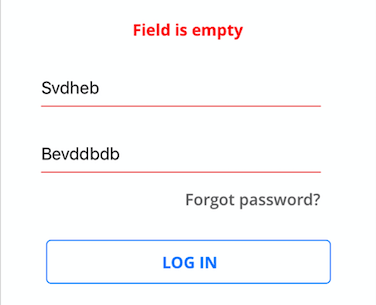
you can see that.. i already add value but its still say empty field, and password field is visible too.
secureTextEntry is not working, onChangeText is broken too. and floating label hide somewhere :)
 ZeroCool00
on 21 Sep 2018
ZeroCool00
on 21 Sep 2018
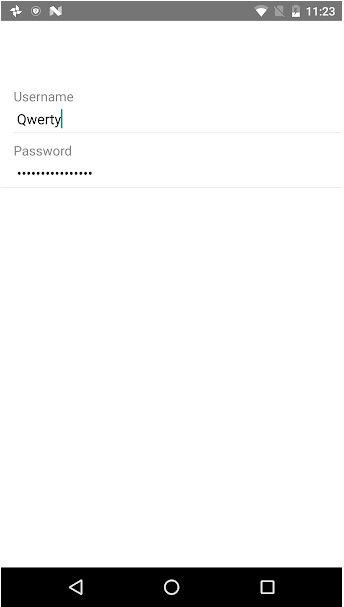
Fixed with commit https://github.com/GeekyAnts/NativeBase/commit/c491eccfa5519d296a05b253f123f7df119eeacf, pushed to master
SupriyaKalghatgi
on 24 Sep 2018
Thanks @SupriyaKalghatgi !
vauruk
on 24 Sep 2018
still have same issue like @jalpedersen described on the top
 digitwo
on 24 Sep 2018
digitwo
on 24 Sep 2018
still have same issue like @jalpedersen described on the top
in mode release in Android!
vauruk
on 25 Sep 2018
You need to eject theme to find the fix related to cropping label
Else you can check the changes made in commit, and make those changes in your ejected theme (if already ejected)
SupriyaKalghatgi
on 25 Sep 2018
@SupriyaKalghatgi nothing change.. i just update native-base.. and make new release .ipa. still same issue. onChangeText, secureTextEntry, floating label, nothing working.
ZeroCool00
on 25 Sep 2018
@ZeroCool00 It is better to read before rushing into the process
https://github.com/GeekyAnts/NativeBase/issues/2264#issuecomment-423882218
SupriyaKalghatgi
on 25 Sep 2018
@SupriyaKalghatgi
Hi, I've reinstalled the latest version and I changed the file src/theme/components/Item.js but the issue still persists.
onChangeText, secureTextEntry and floating label works only in emulator not in release mode.
 MehdiJarraya
on 25 Sep 2018
MehdiJarraya
on 25 Sep 2018
@SupriyaKalghatgi You can downgrade to native-base version "^2.6.0".
This issue exist in native-base version "^2.8.0".
MehdiJarraya
on 25 Sep 2018
A quick workaround for the label cut-off issue,
add {top:someValue} to the label style
 sourabhdadapure
on 26 Sep 2018
sourabhdadapure
on 26 Sep 2018
@MehdiJarraya Tested and committed https://github.com/GeekyAnts/NativeBase/issues/2264#issuecomment-423882218 and https://github.com/GeekyAnts/NativeBase/issues/2264#issuecomment-424196694
Probably cache issue on your side
SupriyaKalghatgi
on 28 Sep 2018
@sourabhdadapure https://github.com/GeekyAnts/NativeBase/issues/2264#issuecomment-425365484
SupriyaKalghatgi
on 28 Sep 2018
@SupriyaKalghatgi when its gonna release ?
ZeroCool00
on 29 Sep 2018
When will it be release in master? If it is taking longer time then can you guide me how do i integrate your commit into existing native base 2.8.0? Kindly help on this.
 pateljaykesh
on 29 Sep 2018
pateljaykesh
on 29 Sep 2018
@pateljaykesh I believe you can do npm install --save native-base@https://github.com/GeekyAnts/NativeBase.git#commit-tag
sourabhdadapure
on 30 Sep 2018
This is still not working in 2.8.0, I have to use a different label layout for my input to work as intended
 jrdn91
on 2 Oct 2018
jrdn91
on 2 Oct 2018
Did not work in 2.8.0. Downgraded to 2.6.1 and it works now.
 anthonye2007
on 2 Oct 2018
SupriyaKalghatgi
on 3 Oct 2018
anthonye2007
on 2 Oct 2018
SupriyaKalghatgi
on 3 Oct 2018
Guys, 2.8.1 still has the cut off floating label. I just downloaded the latest version and on Android (real device and simulator) the floating label is still cut off.
I have tested in on multiple devices and simulator, with the same result.
Can this please be fixed properly?
 udarts
on 16 Oct 2018
udarts
on 16 Oct 2018
@udarts I tried it now, no issues on device
May be you can create a test repo or on snack for me to look into
SupriyaKalghatgi
on 24 Oct 2018
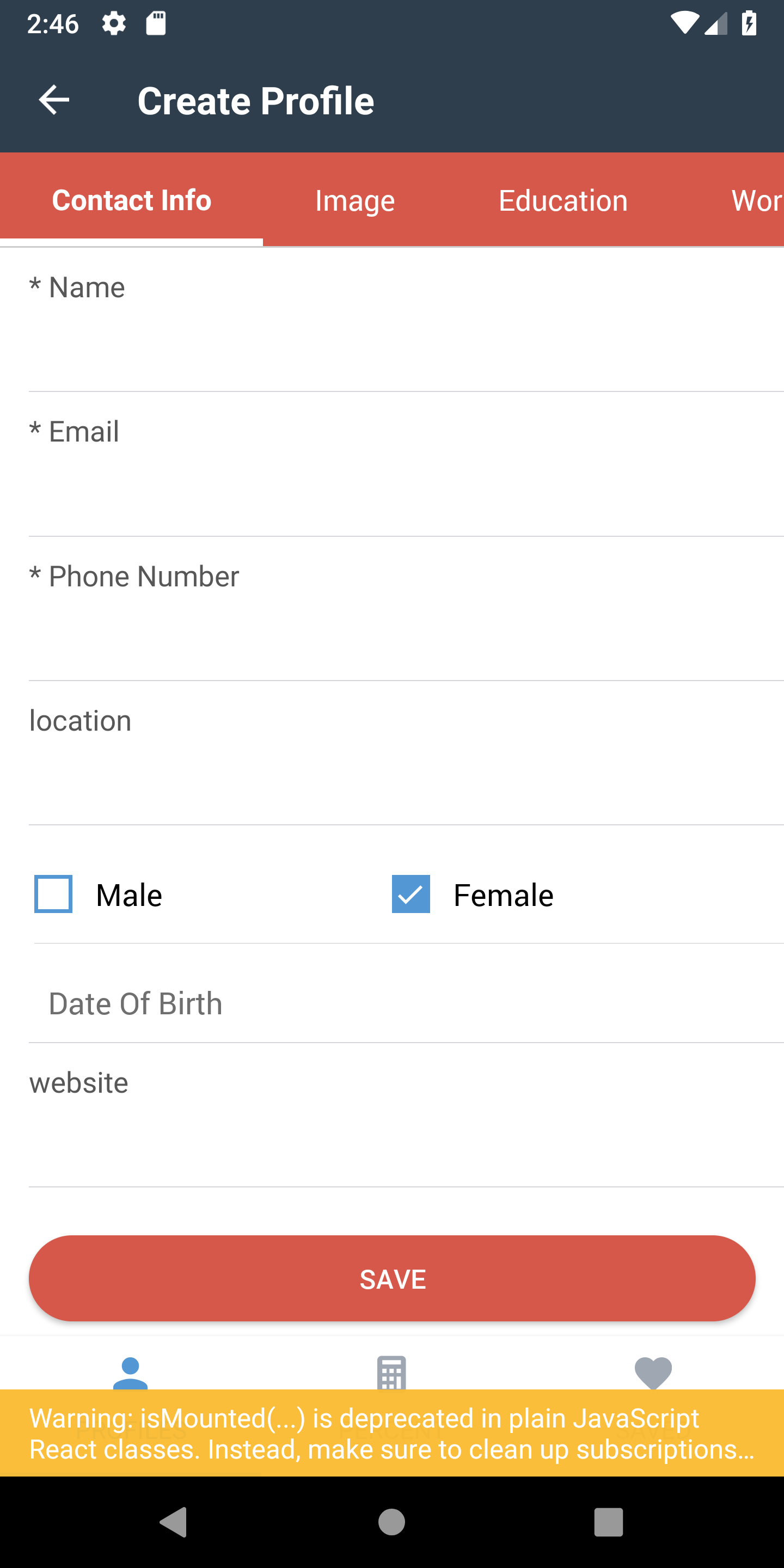
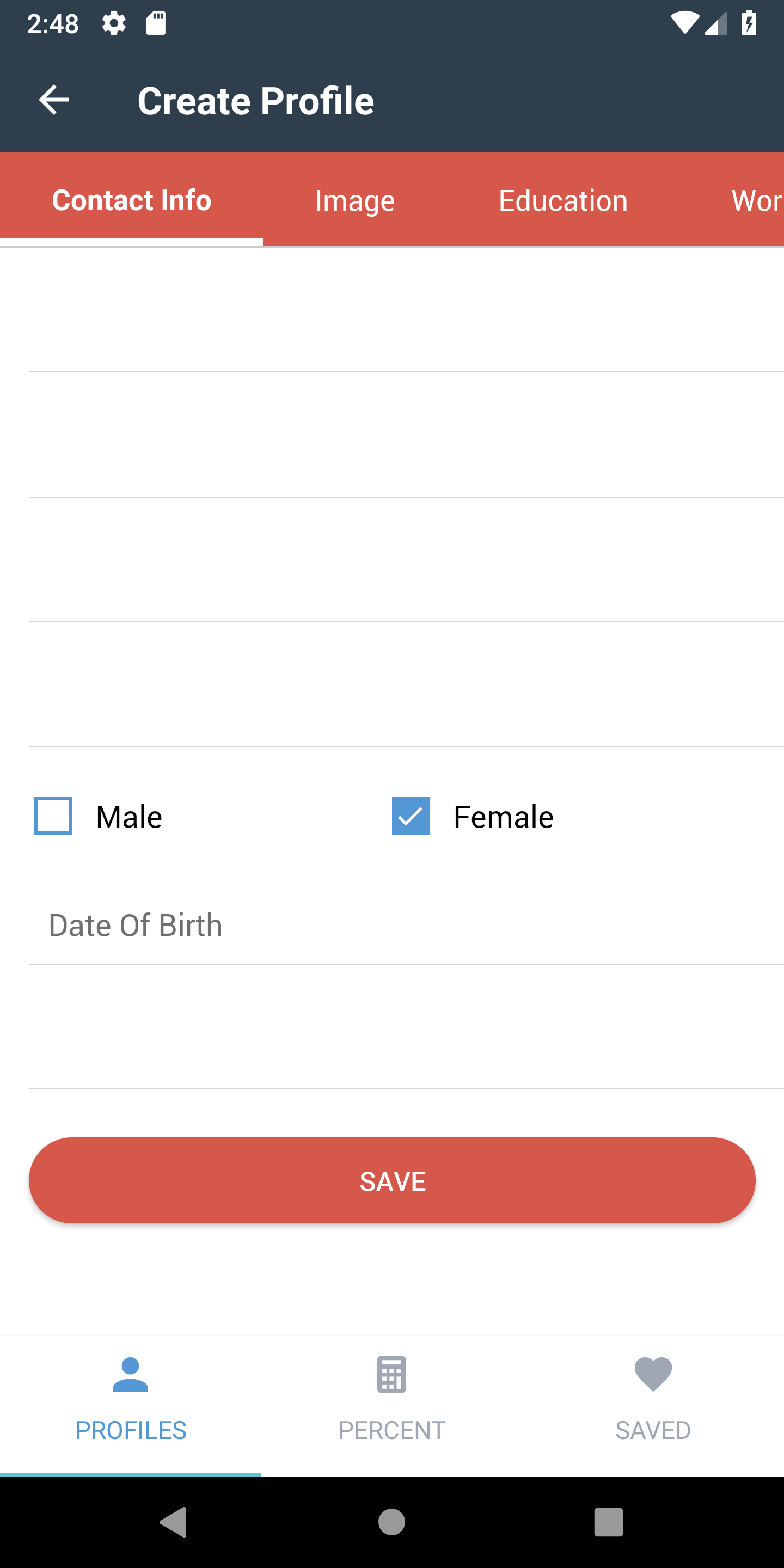
floating labels are broken (not visible) in production mode but working fine in debugging mode in android (native-base 2.8.1)!
update - except date picker no item is showing label irrespective of their type of label!
debugging mode
release mode :(
 anmolmalik97
on 27 Oct 2018
anmolmalik97
on 27 Oct 2018
@anmolmalik97 You can check all my comments above
SupriyaKalghatgi
on 30 Oct 2018
@SupriyaKalghatgi Hi, problem is real.
https://github.com/GeekyAnts/NativeBase/pull/2421
I fix this bug.
The head of problem - Styled components in production named shorter then in development mode.
 Lappintade
on 5 Nov 2018
Lappintade
on 5 Nov 2018
maxLength is not wotking in react-native-floating-labels
 sweetijha
on 29 Dec 2018
sweetijha
on 29 Dec 2018
Floating lable is not accepting padding or margin bottom
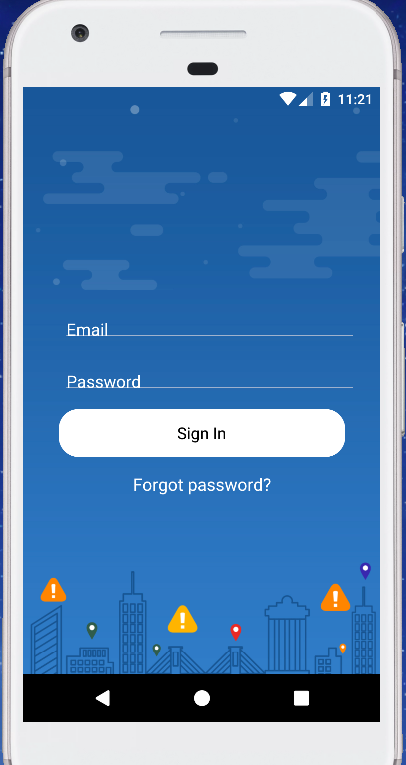
while in ios it is working perfectly
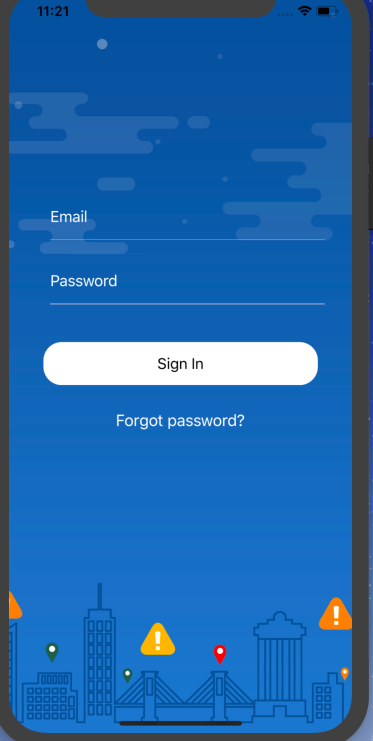
please help
 davekedar
on 18 Jan 2019
davekedar
on 18 Jan 2019
FloatingLabel seems to be working fine in the latest NB version(2.11.0),RN(0.58.3)...both in production and release modes Android & IOS...
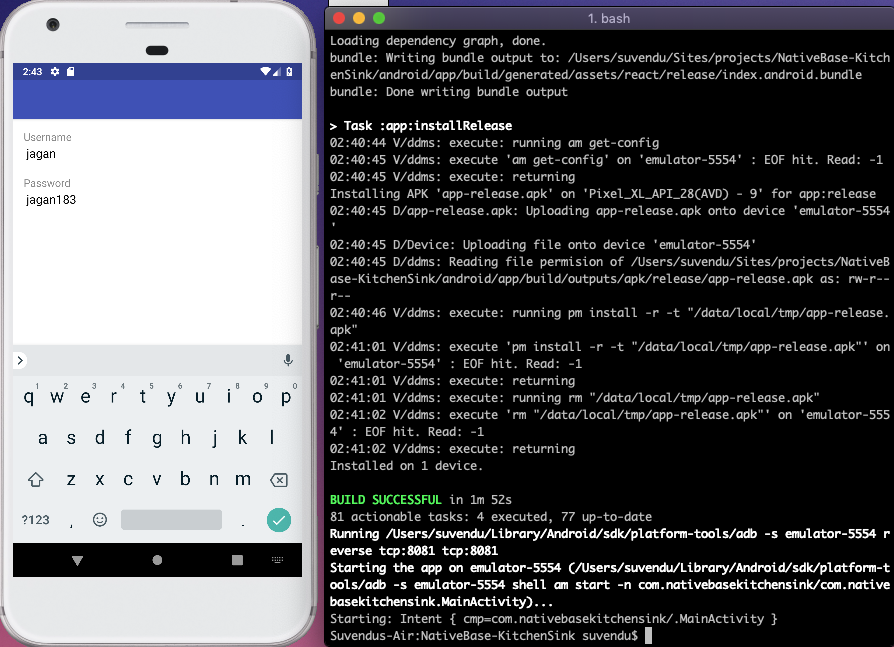
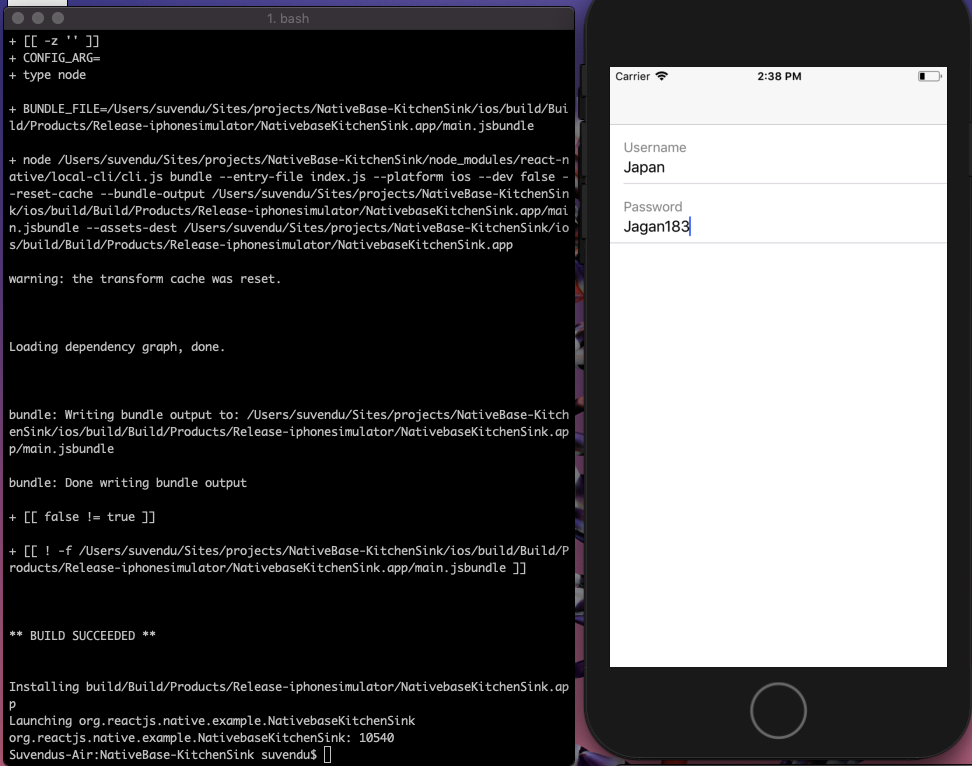
 suvenduchhatoi
on 11 Feb 2019
suvenduchhatoi
on 11 Feb 2019
The issue is still reproduced in NB.2.11 and latest reactnative.
 srinivasmangipudi
on 27 Mar 2019
srinivasmangipudi
on 27 Mar 2019
Has anyone this problem in 0.59/Expo SDK 33 ?
 ariselseng
on 27 Jun 2019
ariselseng
on 27 Jun 2019
The is still in the release mode
 Imran-cse
on 29 Jun 2020
Imran-cse
on 29 Jun 2020
This is still in release mode. Please fix it !!!
 satsuya0114
on 15 Jul 2020
satsuya0114
on 15 Jul 2020
Related issues
 natashache
·
3Comments
natashache
·
3Comments
 aloifolia
·
3Comments
aloifolia
·
3Comments
 agersoncgps
·
3Comments
agersoncgps
·
3Comments
 georgemickael-b
·
3Comments
georgemickael-b
·
3Comments
 omerdn1
·
3Comments
omerdn1
·
3Comments
Most helpful comment
Guys, 2.8.1 still has the cut off floating label. I just downloaded the latest version and on Android (real device and simulator) the floating label is still cut off.
I have tested in on multiple devices and simulator, with the same result.
Can this please be fixed properly?