Nativebase: Possible to handle multiline for button with Icon and Text?
I have a button as below
<Button
   iconLeft
   warning
   block
   large
   onPress={this.someFunc}
>
  <Icon name='ios-browsers' />
  <Text>{flexiTextWidth}</Text>
</Button>
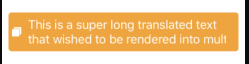
I have the above button which working fine with fixed text, but if the content flexiTextWidth is very long then it will be cutted off. I'm wondering if there is any way where the button can support multi-line? I've tried to set multiline attribute at <Text> but doesnt seems to do anything. Wondering how we can handle the height depending on the text length?
 isaaclem
All 7 comments
Can you give me an example for where this case is used?
 SupriyaKalghatgi
on 20 Aug 2018
SupriyaKalghatgi
on 20 Aug 2018
The flexibility needed is due to flexiTextWidth is a string that supporting multi languages and so we couldn't really guess the length of the value for this variable. And fixing the width would be terrible idea. I'm implementing the scrollView using Content so the height of button can be flexible. Hope that clarifies?
isaaclem
on 20 Aug 2018
I asked you example where a button with long text (text length exceeding screen width) is used
SupriyaKalghatgi
on 20 Aug 2018
render() {
  return(
    <Container>
      <Content padder>
        <Button
            iconLeft
            warning
            block
            large
            style={{
                marginTop: 10,
                marginBottom: 5,
                paddingRight: 10,
                justifyContent: 'space-evenly'
              }}
            onPress={this.someFunc}
          >
            <Icon style={{ fontsize: 19 }} name='ios-browsers' />
            <Text style={{ marginHorizontal: 20, fontSize: 19, color: 'white' }}>This is a super long translated text that wished to be rendered into multiline with flexi height</Text>
          </Button>
      </Content>
    </Container>
  );
}
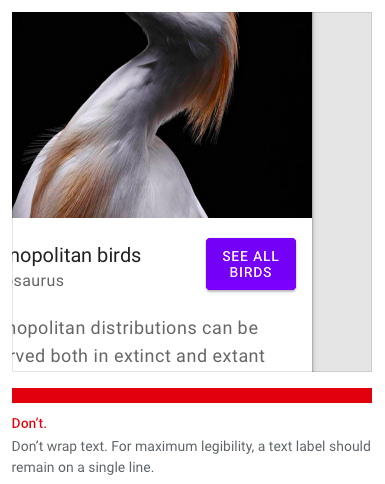
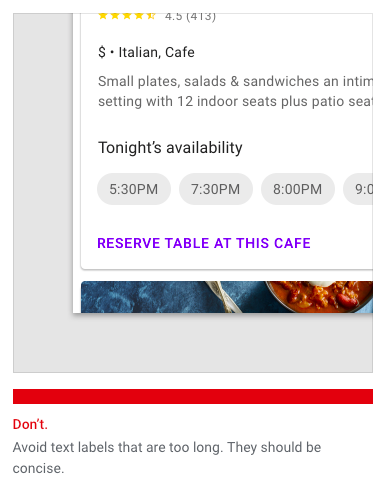
As per design guidelines, text in button should be precise and definitely not multiline
SupriyaKalghatgi
on 21 Aug 2018
Any suggestion on how to handle the translated text with unknown text length? For now I'm manipulating the button height using manual calculation based on number of chars
isaaclem
on 21 Aug 2018

SupriyaKalghatgi
on 21 Aug 2018
Related issues
 muthuraman007
·
3Comments
muthuraman007
·
3Comments
 mcpracht
·
3Comments
mcpracht
·
3Comments
 nschurmann
·
3Comments
nschurmann
·
3Comments
 elnygren
·
3Comments
elnygren
·
3Comments
 bsiddiqui
·
3Comments
bsiddiqui
·
3Comments
Most helpful comment