Nativebase: Can not display correctly when using SafeAreaView
Hi, there. Thank you for a great library.
I have a question about the correspondence of SafeArea.
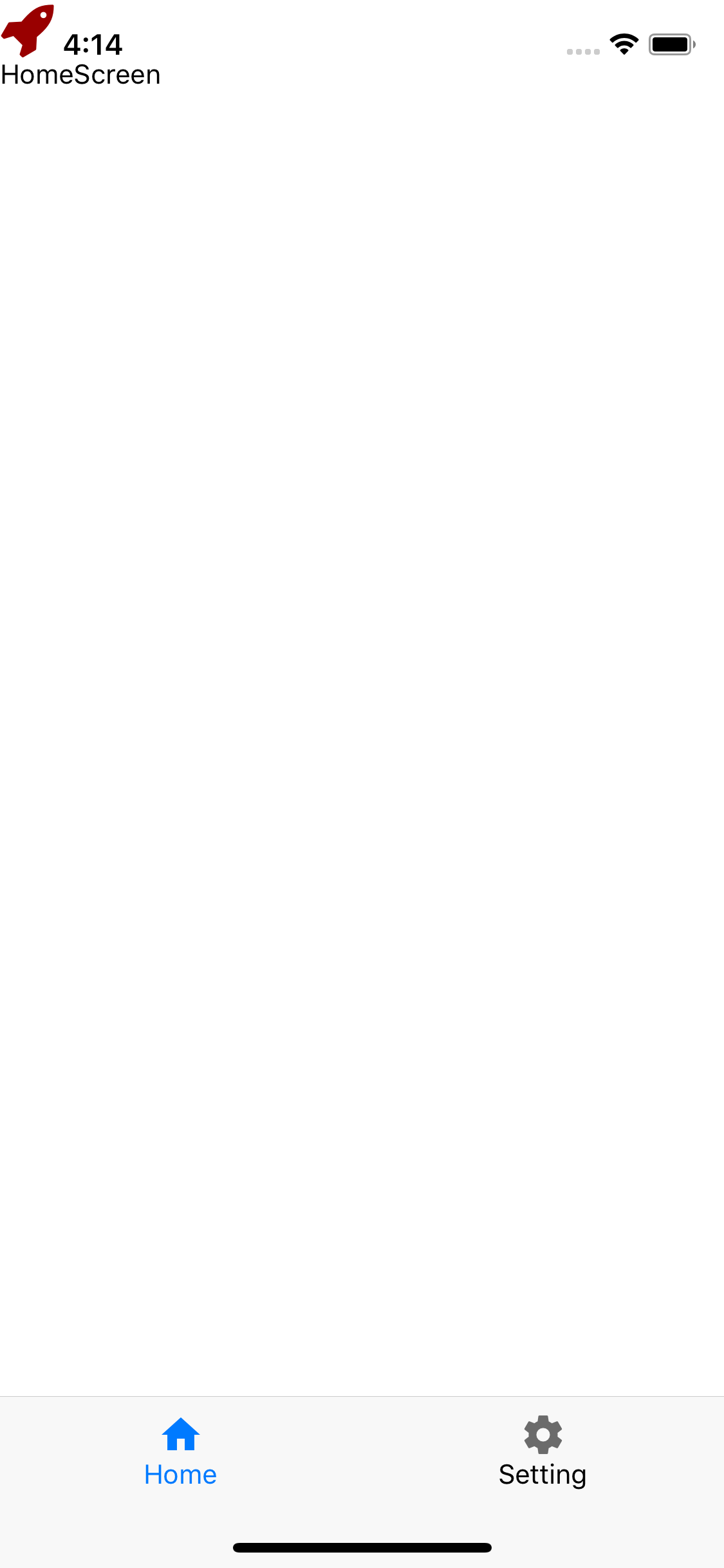
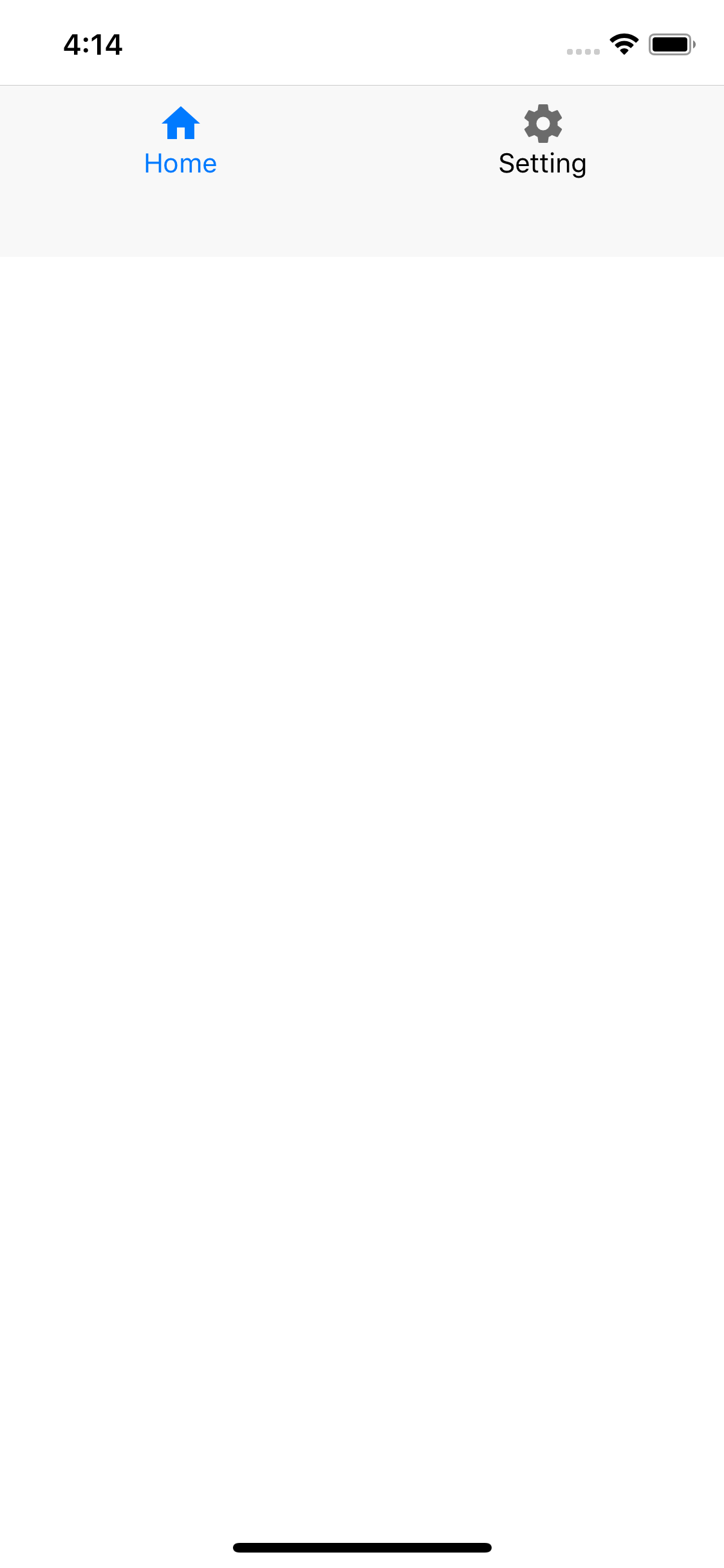
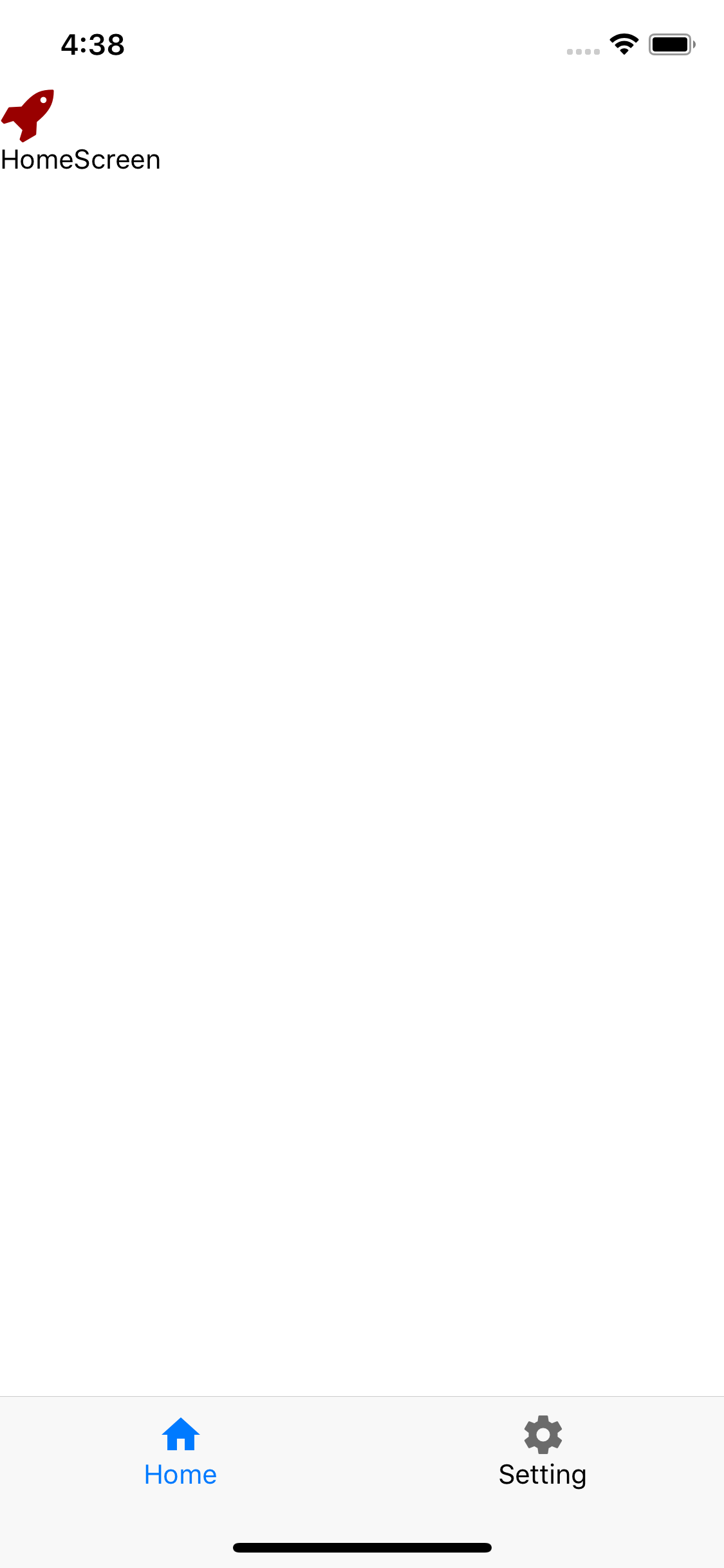
If we place SafeAreaView outside or inside the Container, the Footer will not be placed properly.
I need this for a layout where the Header does not exist, but is there a way?
Code
Case 1.
      <View style={{ flex: 1 }}>
        <StatusBar />
          <Authenticated>
            <Router>
              <Container>
                <Content>
                  <Route exact path="/" component={withErrorBoundary(HomeScreen)} />
                  <Route path="/settings" component={withErrorBoundary(SettingScreen)} />
                </Content>
                <Footer>
                  <FooterTab>
                    <Button vertical full>
                      <Icon type="MaterialIcons" name="home" style={Styles.appleBlue} />
                      <Text style={Styles.appleBlue}>Home</Text>
                    </Button>
                    <Button vertical full><Icon type="MaterialIcons" name="settings" /><Text>Setting</Text></Button>
                  </FooterTab>
                </Footer>
              </Container>
            </Router>
          </Authenticated>
      </View>
Case 2.
      <View style={{ flex: 1 }}>
        <StatusBar />
          <Authenticated>
            <Router>
              <Container>
                <SafeAreaView>{/* <---- */}
                  <Content>
                    <Route exact path="/" component={withErrorBoundary(HomeScreen)} />
                    <Route path="/settings" component={withErrorBoundary(SettingScreen)} />
                  </Content>
                </SafeAreaView>{/* <---- */}
                <Footer>
                  <FooterTab>
                    <Button vertical full>
                      <Icon type="MaterialIcons" name="home" style={Styles.appleBlue} />
                      <Text style={Styles.appleBlue}>Home</Text>
                    </Button>
                    <Button vertical full><Icon type="MaterialIcons" name="settings" /><Text>Setting</Text></Button>
                  </FooterTab>
                </Footer>
              </Container>
            </Router>
          </Authenticated>
      </View>
Case3
      <View style={{ flex: 1 }}>
        <StatusBar />
          <Authenticated>
            <Router>
              <Container>
                <Content>
                  <SafeAreaView>{/* <---- */}
                    <Route exact path="/" component={withErrorBoundary(HomeScreen)} />
                    <Route path="/settings" component={withErrorBoundary(SettingScreen)} />
                  </SafeAreaView>{/* <---- */}
                </Content>
                <Footer>
                  <FooterTab>
                    <Button vertical full>
                      <Icon type="MaterialIcons" name="home" style={Styles.appleBlue} />
                      <Text style={Styles.appleBlue}>Home</Text>
                    </Button>
                    <Button vertical full><Icon type="MaterialIcons" name="settings" /><Text>Setting</Text></Button>
                  </FooterTab>
                </Footer>
              </Container>
            </Router>
          </Authenticated>
      </View>
Snapshot (iPhoneX)
|Case1 (without SafeAreaView)|Case2 (with SafeAreaView)|Case3(SafeAreaView in Content)|Case3 scroll|
|--|--|--|--|
| |
| |
| |
| |
|
Want
- I want to control SafeArea myself.
- I want to use the code of Case2.
- e.g. It display the background also outside the SafeArea, but it display the text only inside.
node, npm, react-native, react and native-base version
- node: v8.9.1
- npm: 6.2.0
- react-native: 0.56.0
- react: 16.4.1
- native-base: 2.7.2
Is the bug present in both iOS and Android or in any one of them?
Both.
 soranoba
>All comments
Sorry, it was my mistake.
It was solved by specifying flex.
              <SafeAreaView style={{flex:1}}>
                <Content>
                  <Route exact path="/" component={withErrorBoundary(HomeScreen)} />
                  <Route path="/settings" component={withErrorBoundary(SettingScreen)} />
                </Content>
              </SafeAreaView>
👍12
❤5
Was this page helpful?
0 / 5 - 0 ratings
Related issues
 kitsune7
·
3Comments
kitsune7
·
3Comments
 omerdn1
·
3Comments
omerdn1
·
3Comments
 inv2004
·
3Comments
inv2004
·
3Comments
 agersoncgps
·
3Comments
agersoncgps
·
3Comments
 bsiddiqui
·
3Comments
bsiddiqui
·
3Comments
Most helpful comment
Sorry, it was my mistake.
It was solved by specifying flex.