Nativebase: scrollable tab bar background color unable to change
react-native, react and native-base version
react-native 0.55.4
react 16.0.0
native-base 2.4.4
Expected behaviour
able to change scrollable tab's background color
Actual behaviour
unable to change the default color #3f51b5.
Steps to reproduce (code snippet or screenshot)
scrollable tab code
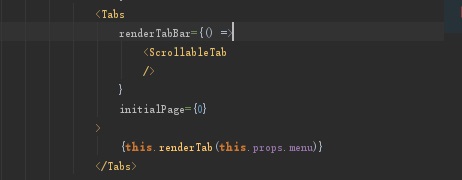
- tried change material theme.
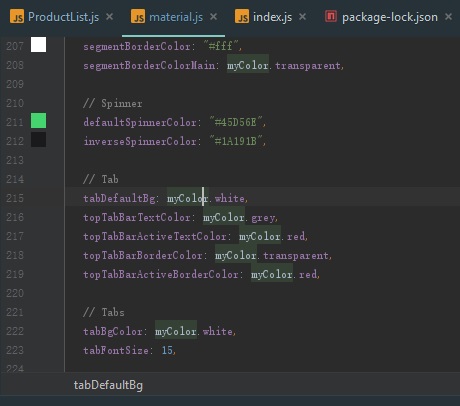
theme imported.
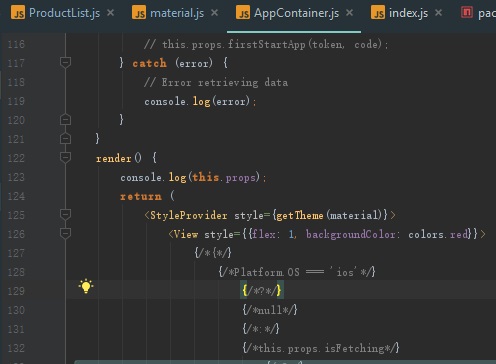
- tried changing tabStyle backgroundColor on tab
Screenshot of emulator/device
here is the result, the blue color unable to change

Is the bug present in both ios and android or in any one of them?
only tried on android
Any other additional info which would help us debug the issue quicker.
no
 HJ29
HJ29
All 6 comments
@HJ29 try setting backgroundColor to ScrollableTab
like
<Tabs renderTabBar={() => <ScrollableTab style={{ backgroundColor: "white" }} />}>
 akhil-geekyants
on 26 Jun 2018
akhil-geekyants
on 26 Jun 2018
👍15
👎13
❤8
🎉7
😄1
@HJ29 Closing this in a day in case of no response
 SupriyaKalghatgi
on 28 Jun 2018
SupriyaKalghatgi
on 28 Jun 2018
@akhil-geekyants Thanks for your help! Your answer is correct and clear.
HJ29
on 30 Jun 2018
Or you can use tabBarBackgroundColor property of <Tabs>
<Tabs tabBarBackgroundColor={'#ffffff'}
 ravirupareliya
on 6 Jul 2018
ravirupareliya
on 6 Jul 2018
👎8
😕1
🎉1
👍1
@HJ29 you can try this code. 'ScrollableTab' and 'TabHeading ' are important.
<Tabs transparent renderTabBar={()=> <ScrollableTab style={{ backgroundColor: "#ccc" }} />}>
    <Tab heading={
        <TabHeading style={{ backgroundColor: "#ccc" }}><Icon name="home"/>
            <Text>Home</Text>
        </TabHeading>}>
       <TabOne/>
    </Tab>
</Tabs>
 egaslan
on 17 Aug 2018
egaslan
on 17 Aug 2018
👍12
❤7
👎5
🎉3
@HJ29 try setting
backgroundColortoScrollableTablike
<Tabs renderTabBar={() => <ScrollableTab style={{ backgroundColor: "white" }} />}>
You saved my life today :100:
 anhhtz
on 6 Feb 2020
anhhtz
on 6 Feb 2020
Was this page helpful?
0 / 5 - 0 ratings
Related issues
 natashache
·
3Comments
natashache
·
3Comments
 Bundas
·
3Comments
Bundas
·
3Comments
 chetnadaffodil
·
3Comments
chetnadaffodil
·
3Comments
 mcpracht
·
3Comments
mcpracht
·
3Comments
 muthuraman007
·
3Comments
muthuraman007
·
3Comments
Most helpful comment
@HJ29 try setting
backgroundColortoScrollableTablike