Nativebase: Tabs demo doesnt render correctly on selecing tab if initialPage not 0
react-native, react and native-base version
"native-base": "^2.4.4",
"react": "^16.3.1",
"react-native": "0.55.4",
"react-navigation": "^2.0.1"
Expected behaviour
replicating demo at https://docs.nativebase.io/Components.html#tabs-def-headref.
The tab view selected using initialPage should render correctly and and the styling should not break for underline style of tab button.
Actual behaviour
https://github.com/GeekyAnts/NativeBase/issues/1815 related to issue but was closed without resolution and just a hacky workaround.
When the initialPage is not 0 the active tab doesnt render. I used initialPage=1 and in total 3 tabs exactly like example in demo.
On selecting a tab that is "before" the initialPage (a tab on the left of tab activated using initialPage count) the tab gets selected and the tab view is rendered but the underlining bar styling the tab doesnt change.
On selecting a tab with initialPage count higher (a tab on the right of tab activated using initialPage count) the underlining bar and the tab get selected and view is rendered correctly. Afterwards on selecting any tab tab view s rendered correctly.
Steps to reproduce (code snippet or screenshot)
Screenshot of emulator/device
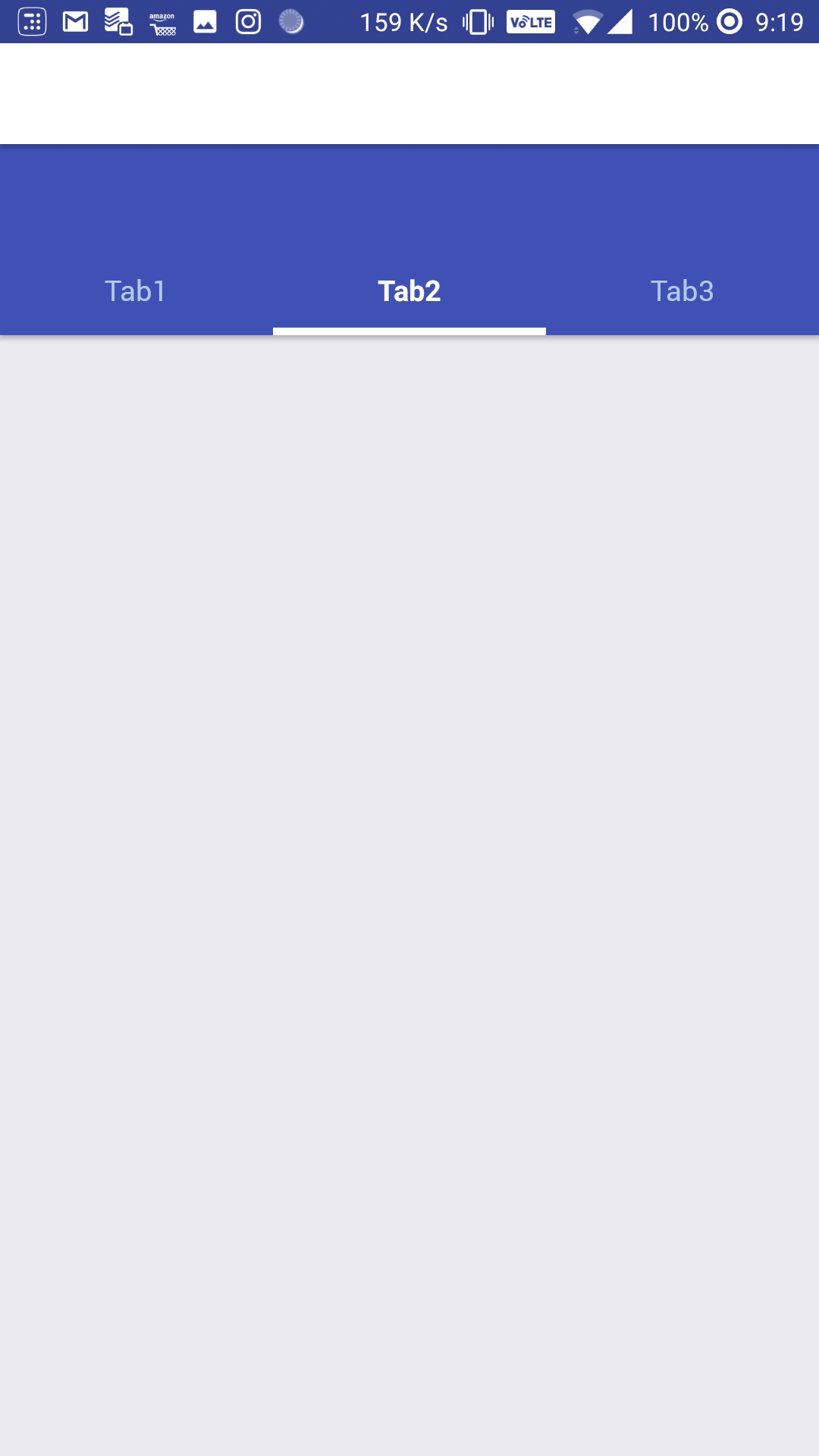
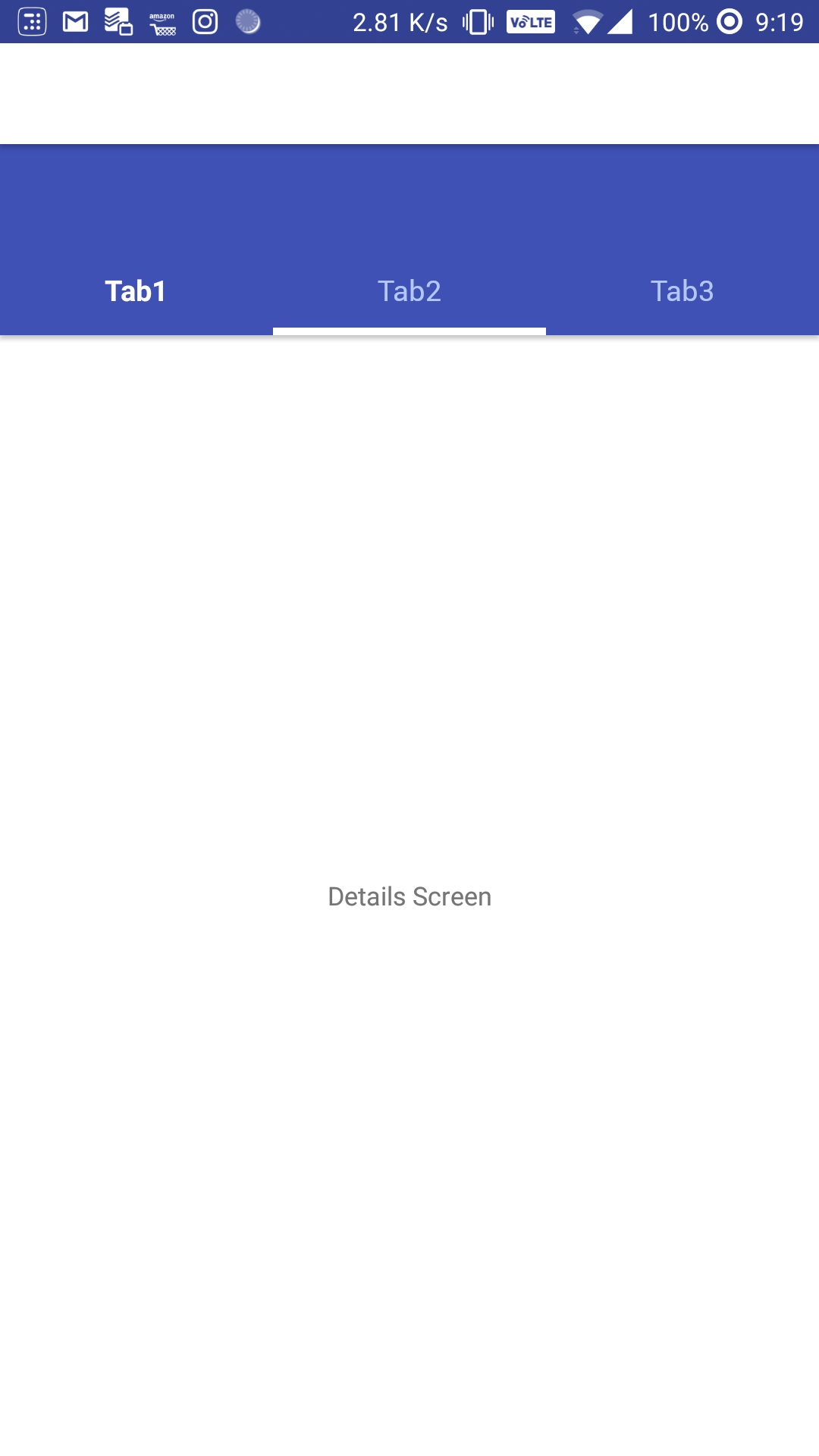
Is the bug present in both ios and android or in any one of them?
only on android. works correctly in ios simulator. Failed on android device (oneplus5, android 8.1). Didnt test on real ios device.
Any other additional info which would help us debug the issue quicker.
Nothing
 dannysood
All 4 comments
@dannysood Regarding why #1815 was closed, check #1870
 SupriyaKalghatgi
on 14 May 2018
SupriyaKalghatgi
on 14 May 2018
@dannysood as a workaround can you try this
Code
import React, { Component } from 'react';
import { Container, Header, Content, Tab, Tabs, Text } from 'native-base';
export default class App extends Component {

  state = {
    page: 0,
    scrollWithoutAnimation: true
  }

  componentDidMount = () => {
    setTimeout(() => this.setState({ page: 1, scrollWithoutAnimation: false }), 1);
  }

  render() {
    return (
      <Container>
        <Header hasTabs />
        <Tabs page={this.state.page} scrollWithoutAnimation={this.state.scrollWithoutAnimation}>
          <Tab heading="Tab1">
            <Text>Tab one</Text>
          </Tab>
          <Tab heading="Tab2">
            <Text>Tab two</Text>
          </Tab>
          <Tab heading="Tab3">
            <Text>Tab three</Text>
          </Tab>
        </Tabs>
      </Container>
    );
  }
}
Gif

Let us know, if this works well or not.
 akhil-geekyants
on 14 May 2018
akhil-geekyants
on 14 May 2018
@SupriyaKalghatgi Ohk thanks. Its important to use proper language. Sorry it wasnt clear from the ticket initially.
@akhil-geekyants Thanks for the quick reply and the workaround and it gets the job done but it is hacky (Tab amy have network calls or quick transition leads to a just a bit poorer UX). It will be fixed properly right? That is what the bug tag here is for? I am quite new to react-native and nativebase and currently I am jampacked at workbut I can come around in a few days send a PR for the same if you guys dont get around to it by then :)
dannysood
on 14 May 2018
Similar issue https://github.com/GeekyAnts/NativeBase/issues/1010
akhil-geekyants
on 14 May 2018
Related issues
 mcpracht
·
3Comments
mcpracht
·
3Comments
 Landerson352
·
3Comments
Landerson352
·
3Comments
 kitsune7
·
3Comments
kitsune7
·
3Comments
 Bundas
·
3Comments
Bundas
·
3Comments
 inv2004
·
3Comments
inv2004
·
3Comments
Most helpful comment
@dannysood as a workaround can you try this
Code
Gif

Let us know, if this works well or not.