Nativebase: Stacked Label Input value position is not fixed on focus
When focusing a stacked label input the position of the input text moves up some pixels. See attached screenshots.
react-native, react and native-base version
  "dependencies": {
    "native-base": "2.3.10",
    "react": "^16.3.0-alpha.1",
    "react-native": "0.54.2"
  }
Expected behaviour
Text should be fixed at same position as before the focus. The original text position should be positioned aligned with the placeholder. Instead the original text position is below the placeholder with some pixels.
Actual behaviour
Unfocused input

When focusing the input the input text moves up some pixels

Steps to reproduce (code snippet or screenshot)
<Container>
    <Content style={{paddingTop: 100}}>
        <Item stackedLabel>
            <Label>{"Stacked Label"}</Label>
            <Input value={'value'} />
        </Item>
    </Content>
</Container>
Is the bug present in both ios and android or in any one of them?
The issue is strangely only present on ios and not android.
fixedLabel has the same issue (and maybe other input label types as well)
 andidev
All 26 comments
A workaround is to set the the style of the input to {lineHeight: null, top: 7}, e.g.
<Item stackedLabel>
<Label>{"Stacked Label"}</Label>
<Input value={'value'} style={{lineHeight: null, top: 7}} />
</Item>
The problem exists in the search bar as well

andidev
on 27 Mar 2018
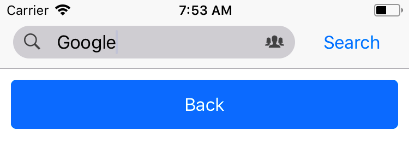
Search bar looks fine
 SupriyaKalghatgi
on 27 Mar 2018
SupriyaKalghatgi
on 27 Mar 2018
@SupriyaKalghatgi
It's because you are not setting a value directly on the Input tag.
Try setting the value with a value from the state like this:
import React, { PureComponent } from 'react';
import { Button, Container, getTheme, Header, Icon, Input, Item, Text } from 'native-base';

class App extends PureComponent {
    constructor(props) {
        super(props);
        this.state = {
            value: 'Google',
        }
    }

    render() {
        return (
            <Container>
                <Header searchBar
                        rounded>
                    <Item>
                        <Icon name="ios-search" />
                        <Input value={this.state.value} />
                    </Item>
                    <Button transparent>
                        <Text>Cancel</Text>
                    </Button>
                </Header>
            </Container>
        );
    }
}

export default App;
and then you will get the following result:

andidev
on 27 Mar 2018
I can second this. It only happened if we assign the value props to the input and the text only "jump" down whenever user starts typing which then updating the value props. @andidev workaround by setting lineHeight to null help to overcome this.
Dependencies:
"native-base": "2.3.10",
"react": "^16.3.0-alpha.1",
"react-native": "0.54.4"
 idrakimuhamad
on 3 Apr 2018
idrakimuhamad
on 3 Apr 2018
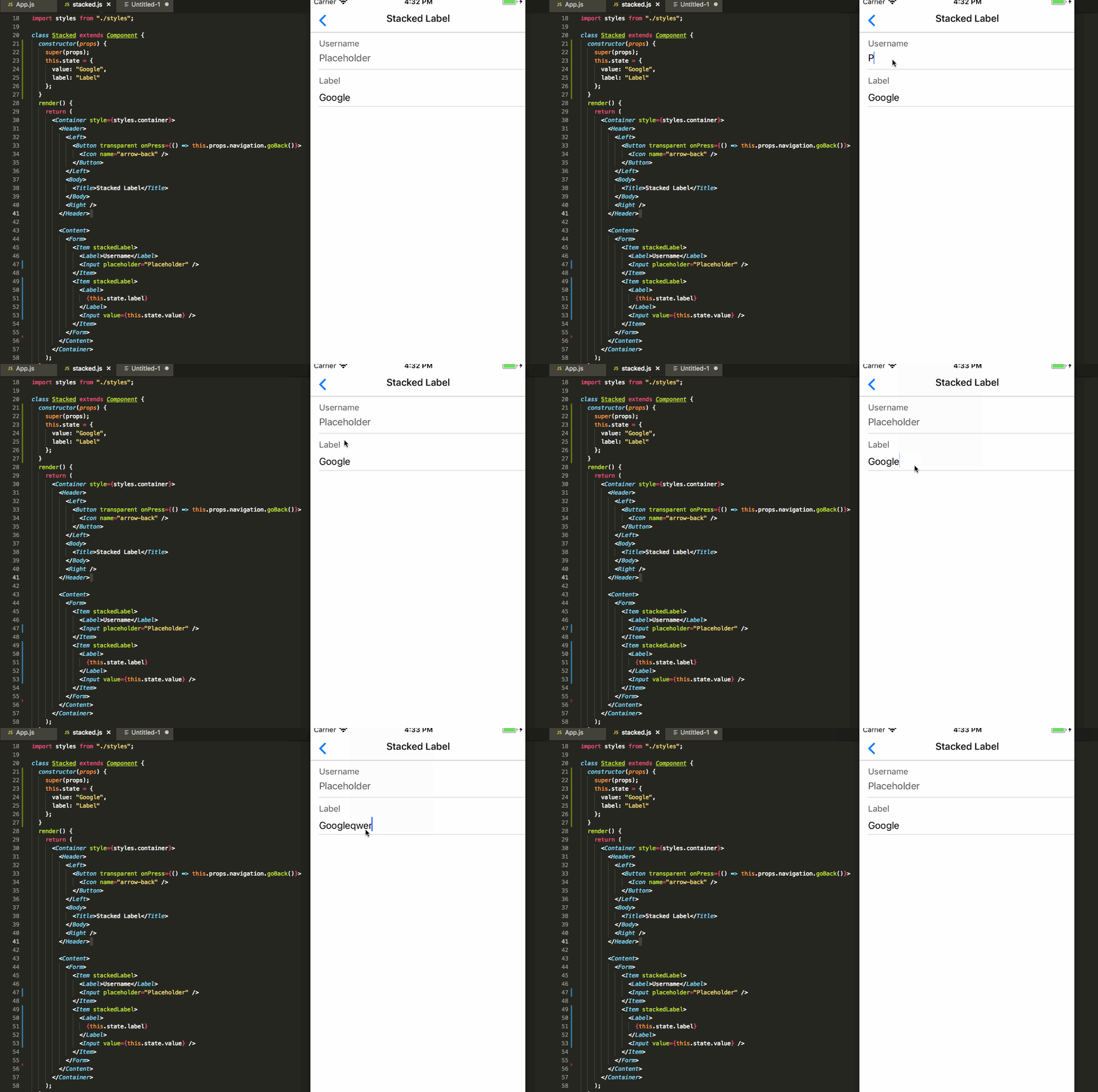
@andidev I still couldn't reproduce this issue, works fine
SupriyaKalghatgi
on 12 Apr 2018
Are you using the latest code in the master branch? Looks like somebody committed a fix for this.
andidev
on 12 Apr 2018
Fixed with 2.4.2
SupriyaKalghatgi
on 13 Apr 2018
@andidev I hope you got this fix?
SupriyaKalghatgi
on 16 Apr 2018
I'm gonna try it later today
andidev
on 16 Apr 2018
@SupriyaKalghatgi
I just tried it out with 2.4.2 and I am still having issues. Now it seems that the text is jumping up instead of down in the following case:
                <Item stackedLabel>
                    <Label>{this.props.label}</Label>
                    <Input ref={input => this.input = input}
                           value={value}
                           onChangeText={this.handleChangeText}
                    />
                </Item>
Also the old issue of text jumping down seems to still be there on other input types e.g.
                        <Item rounded>
                            <Input
                                value={this.props.mobileNumber}
                                onChangeText={this.handleChangeMobileNumber}
                            />
                        </Item>
So I think it would be a good thing to test all the input types since there seems to been a change in either React Native or in Native base that changed Native Base input behaviour.
andidev
on 20 Apr 2018
@andidev Do you have NativeBase ejected theme in your project?
SupriyaKalghatgi
on 20 Apr 2018
Looks like I have that so that's probably why because I did not eject it after the upgrade. I'm really sorry I thought I removed that dependency.
I'll check this again in the weekend and return if it's still a problem.
andidev
on 20 Apr 2018
@SupriyaKalghatgi
So I was right from the beginning (I was not using an ejected theme). This issue is not solved.
Still having issues with the following code:
import React, { PureComponent } from 'react';
import { Container, Header, Input, Item, Label, View } from 'native-base';

class App extends PureComponent {
    render() {
        return (
            <Container>
                <Header>
                </Header>
                <View>
                    <View>
                        <Item stackedLabel>
                            <Label>Label</Label>
                            <Input value={'VALUE'} />
                        </Item>
                        <Item rounded>
                            <Input value={'VALUE'} />
                        </Item>
                    </View>
                </View>
            </Container>
        );
    }
}

export default App;
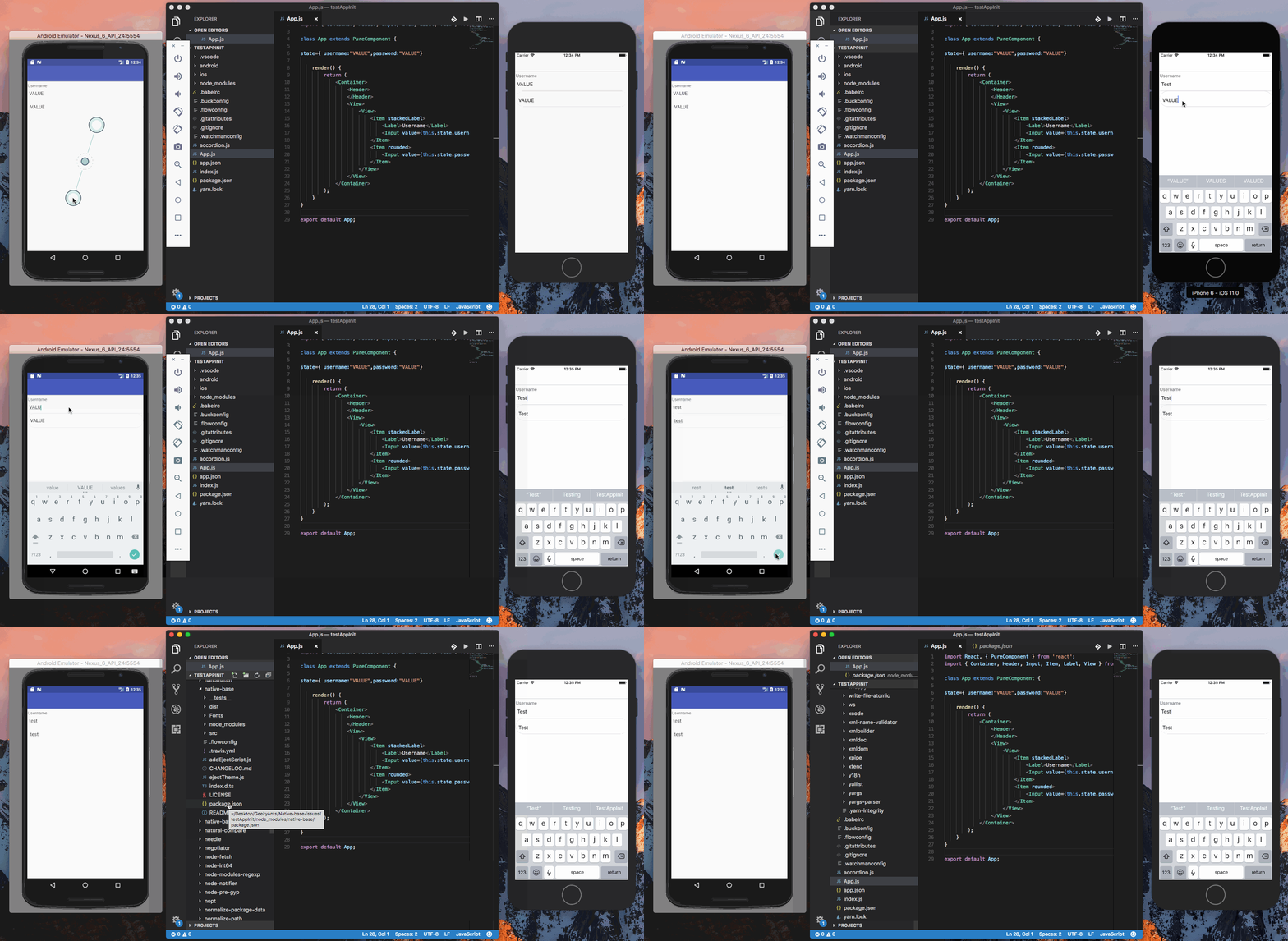
@andidev checked your code with latest native-base version(2.4.2). Couldn't find any issue. Attaching a gif.
Gif
 akhil-geekyants
on 24 Apr 2018
akhil-geekyants
on 24 Apr 2018
I will try it out later tonight but from the screenshot you sent it looks like the cursor jumps when the input changes from empty to some content.
Try adding a placeholder and it will most probable be more obvious.
If you try the example I have provided you will se the issue right away.
I'm using the latest native base version that you mention.
andidev
on 24 Apr 2018
@akhil-geekyants
@SupriyaKalghatgi
Just checked the code you are trying (using version 2.4.2). Still same issue (Note issue is IOS only). I think you have an issue as well with your screencast but strangely it is a bit different. If you look closely you'll see that your text of the rounded input is not centered. When you remove the text the cursor jumps to the center. Though your input does not seem to jump on focus as mine does.
BTW I'm using latest react-native 0.55.3
Here is a screencast showing the issue and the version of native-base I'm using (note how removing the text comletely, then loosing focus and then refocus and write more to input centers the text):

Here is the exact code I'm using:
import React, { PureComponent } from 'react';
import { Container, Header, Input, Item, Label, View } from 'native-base';

class App extends PureComponent {

    state={ username: 'VALUE', password: 'VALUE'}

    render() {
        return (
            <Container>
                <Header>
                </Header>
                <View>
                    <View>
                        <Item stackedLabel>
                            <Label>Username</Label>
                            <Input value={this.state.username} placeholder={'PLACEHOLDER'} />
                        </Item>
                        <Item rounded>
                            <Input value={this.state.password} placeholder={'PLACEHOLDER'} />
                        </Item>
                    </View>
                </View>
            </Container>
        );
    }
}

export default App;
This bug makes me crazy
As said @idrakimuhamad, @andidev workaround by setting lineHeight to null help to overcome this.
 ObidosDev
on 25 Apr 2018
ObidosDev
on 25 Apr 2018
Fixed with 2.4.3
SupriyaKalghatgi
on 27 Apr 2018
@SupriyaKalghatgi
It is almost solved in 2.4.3, Inputs for Item rounded seems to be fixed.
Though Inputs for Item stackedLabel still has lineHeight set to something. Setting lineHeight to null on Input fixes the issue.
This is a working example showing the bug:
import React, { PureComponent } from 'react';
import { Container, Header, Input, Item, Label, View } from 'native-base';

class App extends PureComponent {

    state={ username: 'VALUE', password: 'VALUE'}

    render() {
        return (
            <Container>
                <Header>
                </Header>
                <View>
                    <View>
                        <Item stackedLabel>
                            <Label>Username</Label>
                            <Input value={this.state.username} placeholder={'PLACEHOLDER'} />
                        </Item>
                    </View>
                </View>
            </Container>
        );
    }
}

export default App;
and this is a working example of the fix:
import React, { PureComponent } from 'react';
import { Container, Header, Input, Item, Label, View } from 'native-base';

class App extends PureComponent {

    state={ username: 'VALUE', password: 'VALUE'}

    render() {
        return (
            <Container>
                <Header>
                </Header>
                <View>
                    <View>
                        <Item stackedLabel>
                            <Label>Username</Label>
                            <Input value={this.state.username} placeholder={'PLACEHOLDER'} style={{lineHeight: null}} />
                        </Item>
                    </View>
                </View>
            </Container>
        );
    }
}

export default App;
Fixed with 2.4.4
SupriyaKalghatgi
on 11 May 2018
100% fixed this time!
andidev
on 11 May 2018
@andidev Thank you for your patience, and apologize the delay
SupriyaKalghatgi
on 14 May 2018
@SupriyaKalghatgi @akhil-geekyants
This bug is back in latest release "native-base": "2.7.2". Same behaviour with jumping text and same fix setting lineHeight: null. I have not ejected the theme.

example
import React, { PureComponent } from 'react';
import { Container, Header, Input, Item, Label, View } from 'native-base';

class App extends PureComponent {

    state={ username: 'VALUE', password: 'VALUE'}

    render() {
        return (
            <Container>
                <Header>
                </Header>
                <View>
                    <View>
                        <Item stackedLabel>
                            <Label>Username</Label>
                            <Input value={this.state.username} placeholder={'PLACEHOLDER'} />
                        </Item>
                    </View>
                    <View>
                        <Item stackedLabel>
                            <Label>Password</Label>
                            <Input value={this.state.password} placeholder={'PLACEHOLDER'} />
                        </Item>
                    </View>
                </View>
            </Container>
        );
    }
}

export default App;
Solution setting lineHeight: null
import React, { PureComponent } from 'react';
import { Container, Header, Input, Item, Label, View } from 'native-base';

class App extends PureComponent {

    state={ username: 'VALUE', password: 'VALUE'}

    render() {
        return (
            <Container>
                <Header>
                </Header>
                <View>
                    <View>
                        <Item stackedLabel>
                            <Label>Username</Label>
                            <Input value={this.state.username} placeholder={'PLACEHOLDER'}  style={{lineHeight: null}} />
                        </Item>
                    </View>
                    <View>
                        <Item stackedLabel>
                            <Label>Password</Label>
                            <Input value={this.state.password} placeholder={'PLACEHOLDER'} style={{lineHeight: null}} />
                        </Item>
                    </View>
                </View>
            </Container>
        );
    }
}

export default App;
Upgrade to latest version ("native-base": "^2.10.0") and run node node_modules/native-base/ejectTheme.js to re-eject the theme fix the issue for me
 anniewey
on 24 Jan 2019
anniewey
on 24 Jan 2019
We still have the same problem. The input still moves a bit pixels up when focusing and start writting.
Tested with "native-base": "^2.12.1" and them recreated.
 ghost
on 21 May 2019
ghost
on 21 May 2019
Related issues
 bsiddiqui
·
3Comments
bsiddiqui
·
3Comments
 eggybot
·
3Comments
eggybot
·
3Comments
 muthuraman007
·
3Comments
muthuraman007
·
3Comments
 omerdn1
·
3Comments
omerdn1
·
3Comments
 georgemickael-b
·
3Comments
georgemickael-b
·
3Comments
Most helpful comment
@SupriyaKalghatgi
It's because you are not setting a value directly on the Input tag.
Try setting the value with a value from the state like this:
and then you will get the following result:
