Nativebase: Input has weird behavior when text transform is applied (android)
react-native, react and native-base version
Expo SDK 23, native-base 2.3.3
Expected behaviour
The Input should work correctly in all cases when I do onChangeText={text => this.setState({text: text.toLowerCase()})}
Actual behaviour
On Android, as it tries to capitalize the first letter of the input, you end up typing "Abcdef", expecting the input value to become "abcdef" (lowercased). But if you type fast, it actually does start to duplicate the letters.
Instead of "abcdef" you end up with "aabcaabcdeaabcaabcdef"
Steps to reproduce (code snippet or screenshot)
import React, { Component } from 'react';
import { Input } from 'native-base'; // 2.3.4
import { View } from 'glamorous-native'; // 1.2.0

export default class App extends Component {
  state = {
    value: '',
  };
  render() {
    const {value} = this.state;
    return (
      <View width="100%" height="100%" alignItems="center" justifyContent="center">
        <View width="90%" height={30}>
          <Input
            style={{borderColor: 'red', borderWidth: 1}}
            value={value}
            onChangeText={text => {
              this.setState({value: text.toLowerCase()})
            }}
          />
        </View>
      </View>
    );
  }
}
It is published on Expo
Is the bug present in both ios and android or in any one of them?
As far as I know it's only Android but maybe it depends on your iOS keyboard settings/devices, don't know.
Any other additional info which would help us debug the issue quicker.
I think this bug was not present in former version of our app (native base 2.2.1), we noticed it after upgrading to Expo SDK23 / React 16
Using regular TextInput from ReactNative does work fine, and removing the toLowerCase transform also works fine
 slorber
All 4 comments
@slorber Sharing expo link help us to know the issue
Appreciated!
We will get back to you in this
 SupriyaKalghatgi
on 9 Dec 2017
SupriyaKalghatgi
on 9 Dec 2017
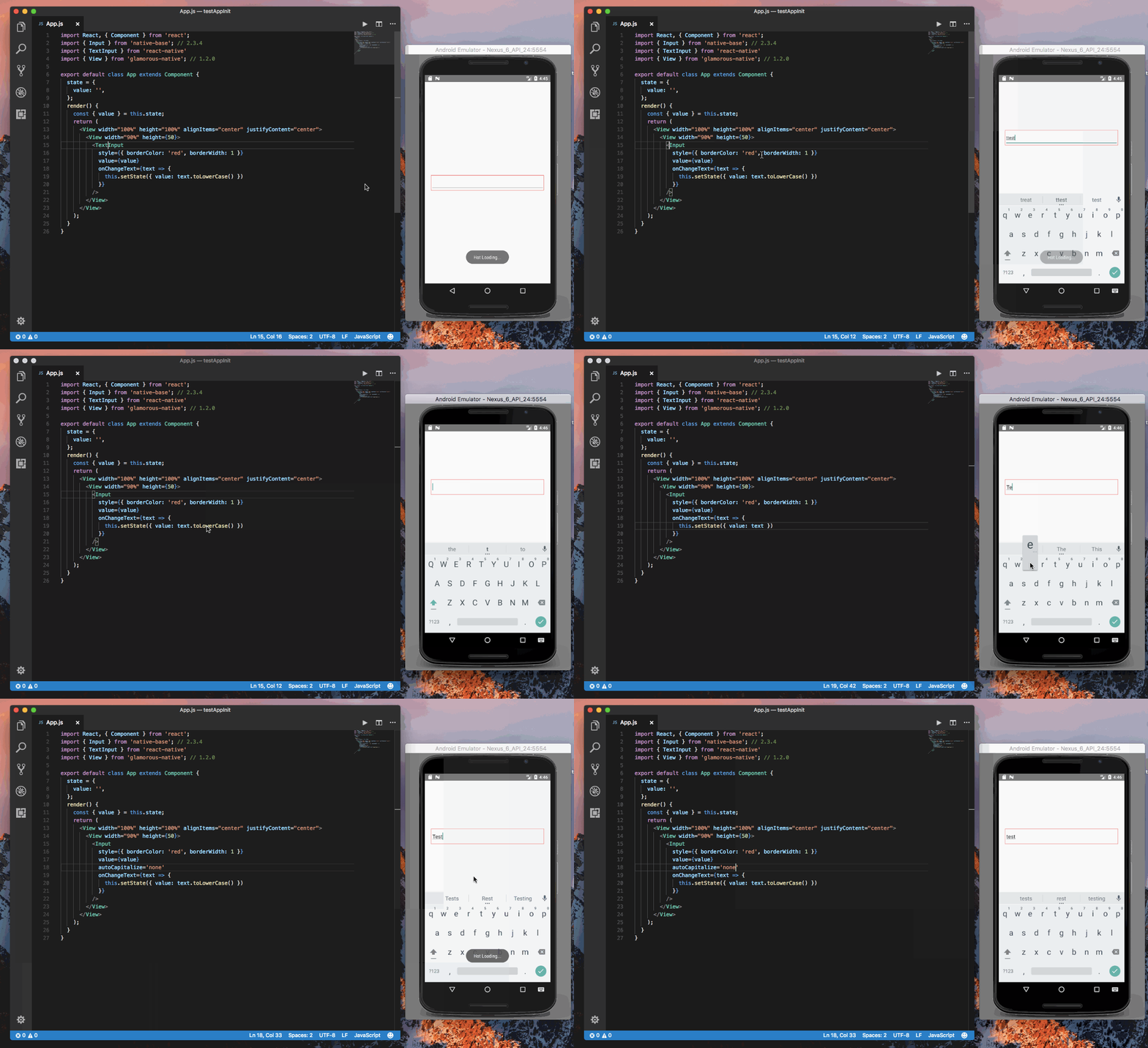
@slorber tried your code. I was getting the same result with React Native <TextInput/>.
Setting autoCapitalize='none' can prevent this to some extend.
Gif
 akhil-geekyants
on 11 Dec 2017
akhil-geekyants
on 11 Dec 2017
hmmm thanks for the workaround.
Maybe I didn't type fast enough when trying with the regular RN TextInput, sorry for bad reporting, it may be a bug related to RN50 instead then
slorber
on 11 Dec 2017
Closing this issue (Not a Native Base Issue).
akhil-geekyants
on 27 Dec 2017
Related issues
 chetnadaffodil
·
3Comments
chetnadaffodil
·
3Comments
 Cotel
·
3Comments
Cotel
·
3Comments
 omerdn1
·
3Comments
omerdn1
·
3Comments
 agersoncgps
·
3Comments
agersoncgps
·
3Comments
 aloifolia
·
3Comments
aloifolia
·
3Comments
Most helpful comment
@slorber tried your code. I was getting the same result with React Native
<TextInput/>.Setting
autoCapitalize='none'can prevent this to some extend.Gif