Nativebase: Tab header does not show in "native-base": "2.3.1"
Tabs work by swiping but the header saying "tab1" and "Tab2" does not show.
<Container>
        <Header hasTabs>
          <Left>
            <Button transparent style={styles.btnHeader} onPress={() => Actions.pop()}>
              <Icon active name="arrow-back" />
            </Button>
          </Left>
          <Body >
              <Title color='white' style={styles.header}>Vehicles</Title>
          </Body>
          <Right>
            <Button transparent style={styles.btnHeader} onPress={this.props.openDrawer} >
              <Icon active name="menu" />
            </Button>
          </Right>

        </Header>
        <Tabs initialPage={1}>
           <Tab heading="Tab1">
            <Tab1 />
          </Tab>
          <Tab heading="Tab2">
            <Tab1 />
          </Tab>
        </Tabs>


      </Container>
"native-base": "2.3.1",
"prop-types": "^15.5.10",
"react": "16.0.0-alpha.12",
"react-native": "0.48.4",
Expected behaviour
Show tabs header saying "Tab1" and "Tab2"
Actual behaviour
Does not show Tab header but tabs work by swiping
Is the bug present in both ios and android or in any one of them?
Testing on Android only
Screenshot

 Ideasrefined
All 13 comments
@Ideasrefined Please check this with NativeBase 2.3.3
 SupriyaKalghatgi
on 23 Nov 2017
SupriyaKalghatgi
on 23 Nov 2017
@SupriyaKalghatgi It's still the same, no tab header
Ideasrefined
on 23 Nov 2017
@Ideasrefined Can you share screenshot for it?
SupriyaKalghatgi
on 23 Nov 2017
@SupriyaKalghatgi Updated post with Screenshot.
P.S i hope there is no issue if I use same component in both the tabs. Like i am using Tab1 component to show up in both the tabs.
Ideasrefined
on 23 Nov 2017
@Ideasrefined I would suggest you not to edit the problem specification
SupriyaKalghatgi
on 23 Nov 2017
Problem hasn't changed, its still the same. I just added the screenshot to it. But i'll refrain from editing the issue in future.
Ideasrefined
on 23 Nov 2017
@Ideasrefined tried your code. Tab headers are visible. Attaching a screenshot.

Code
import React from 'react'
import { Container, Header, Content, Tab, Tabs, Text, Left, Button, Icon, Body, Right, Title } from 'native-base';

export default class App extends React.Component {
  render() {
    return <Container>
      <Header hasTabs>
        <Left>
          <Button transparent>
            <Icon active name="arrow-back" />
          </Button>
        </Left>
        <Body >
          <Title color='white'>Vehicles</Title>
        </Body>
        <Right>
          <Button transparent >
            <Icon active name="menu" />
          </Button>
        </Right>
      </Header>
      <Tabs>
        <Tab heading="Tab1">
          <Text>Tab one</Text>
        </Tab>
        <Tab heading="Tab2">
          <Text>Tab two</Text>
        </Tab>
        <Tab heading="Tab3">
          <Text>Tab three</Text>
        </Tab>
      </Tabs>
    </Container>
  }
}
Versions
 "native-base": "2.3.3",
 "react": "16.0.0",
 "react-native": "0.50.1",
 akhil-geekyants
on 23 Nov 2017
akhil-geekyants
on 23 Nov 2017
@akhil-geekyants I start getting "Undefined is not an Object (evaluating 'native version.major')" error if I upgrade my environment to match yours. So can't test and verify.
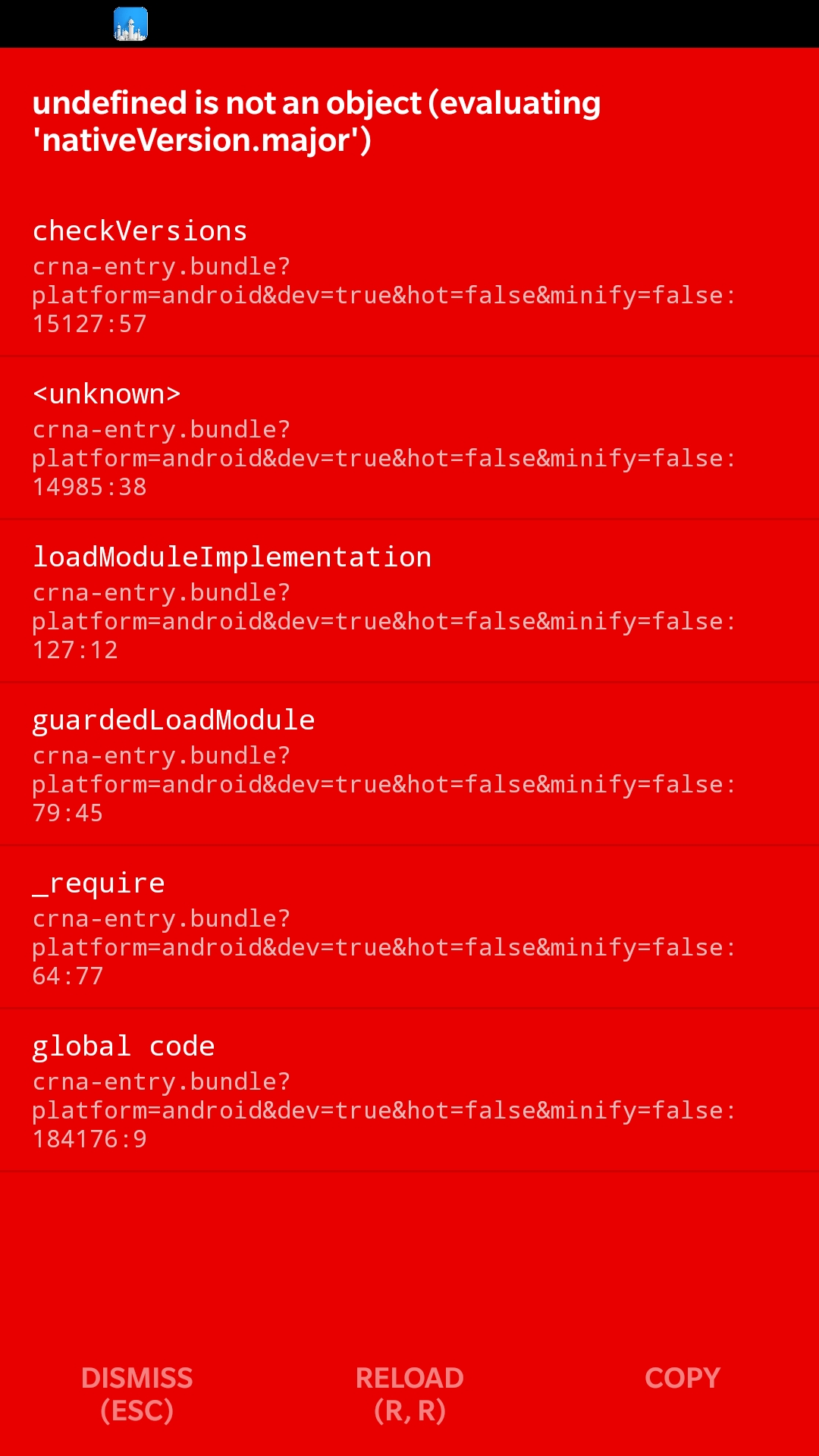
But I did copy paste your code and it still didn't show the tab header.
Ideasrefined
on 23 Nov 2017
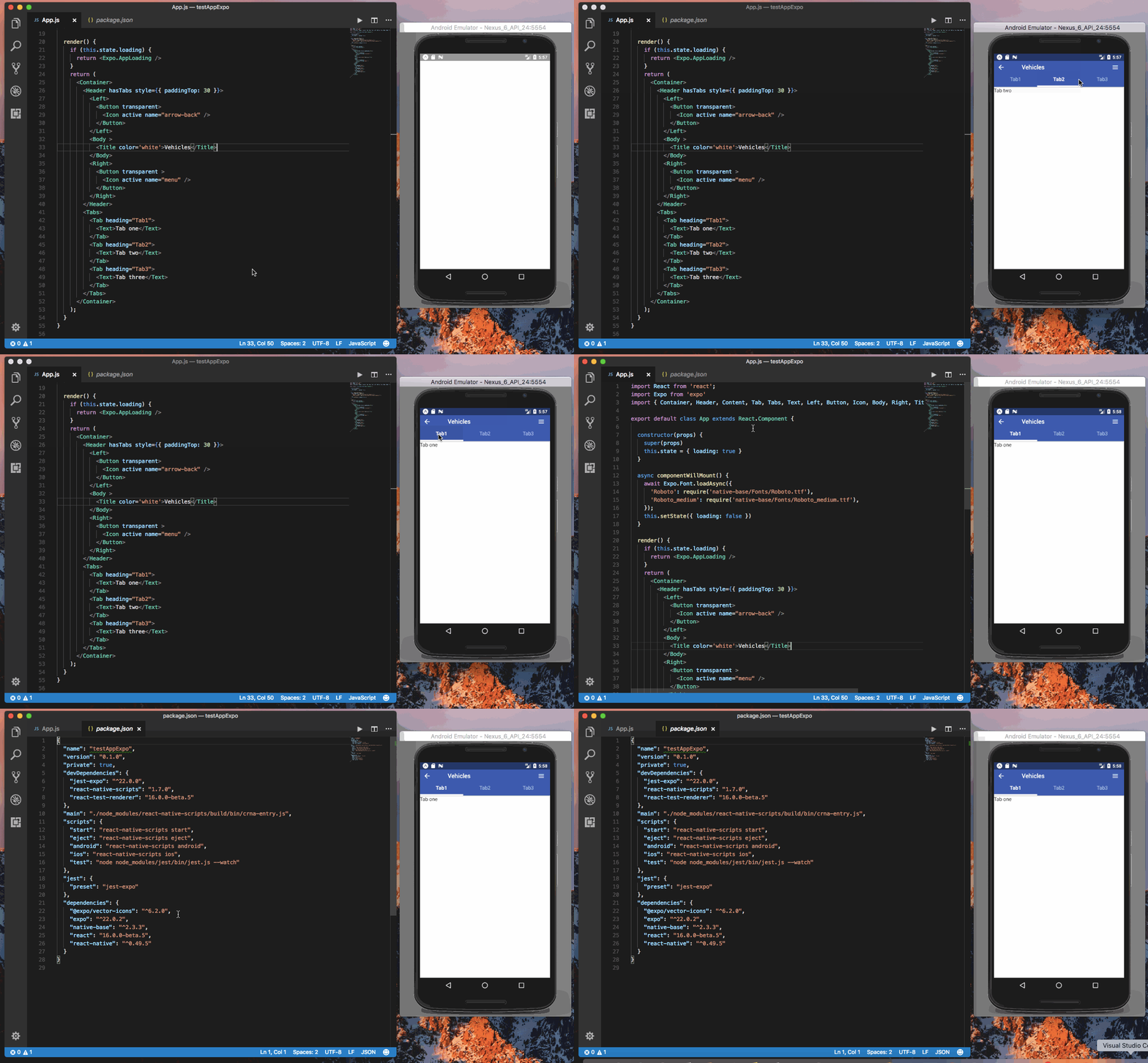
@Ideasrefined created a fresh crna project and tried the above code. Working fine here.
Gif
akhil-geekyants
on 23 Nov 2017
@Ideasrefined got the same result
Gif
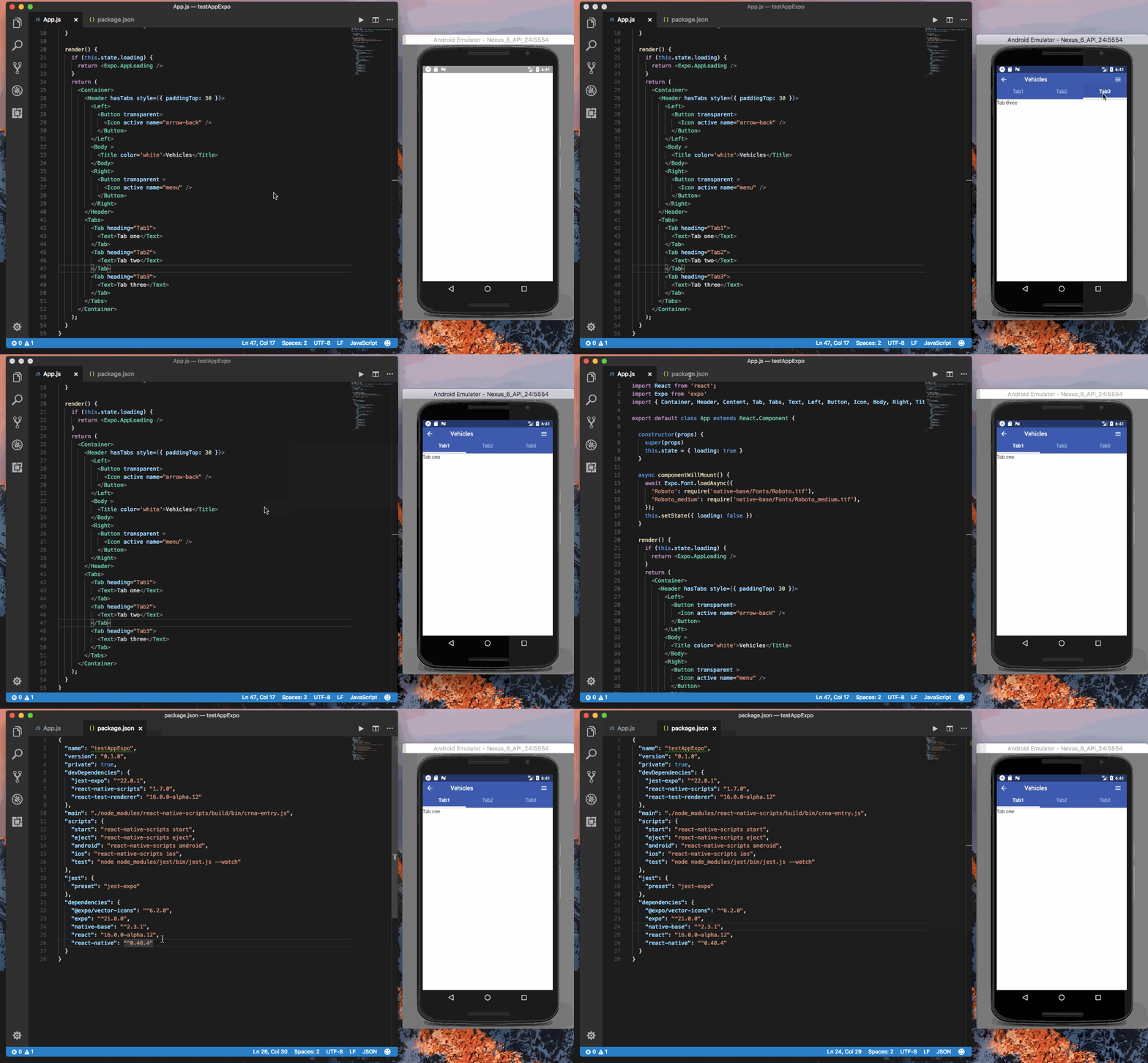
Versions
 "expo": "^21.0.0",
 "native-base": "^2.3.1",
 "react": "16.0.0-alpha.12",
 "react-native": "^0.48.4"
i am using FlatApp theme v7 based on native-base.
tried adding tabs to their latest version v8. tabs work. Now trying the same with untainted v7 . I'll update once done.
Ideasrefined
on 24 Nov 2017
@Ideasrefined If its about Flat App Theme, then please raise issues on gitstrap
Or post your query at [email protected]
SupriyaKalghatgi
on 24 Nov 2017
@SupriyaKalghatgi initially I thought its a native-base issue. So I raised it here. Closing it here and moving to gitstrap.
Thanks for support.
Ideasrefined
on 24 Nov 2017
Related issues
 nschurmann
·
3Comments
nschurmann
·
3Comments
 maphongba008
·
3Comments
maphongba008
·
3Comments
 omerdn1
·
3Comments
omerdn1
·
3Comments
 natashache
·
3Comments
natashache
·
3Comments
 Cotel
·
3Comments
Cotel
·
3Comments