Nativebase: Button colors when using bordered causes broken buttons style
react-native, react and native-base version
"react-native": "^0.49.3",
"react": "16.0.0",
"native-base": "^2.3.3",
Expected behaviour
Display buttons just fine
Actual behaviour
Button text color gets broken...
Steps to reproduce (code snippet or screenshot)
For full reproduction, my app is available for cloning
https://github.com/jacargentina/iResucito.git
Screenshot of emulator/device
Attached videos of 2 different navigation sequences.
Is the bug present in both ios and android or in any one of them?
Both platforms; including iOS videos just for convenient, but I've checked and it's also happening on android
Any other additional info which would help us debug the issue quicker.
All the code is on my repo.
I can't be sure this is a NativeBase bug/thing. Buttons from RN don't have background and I've tried replacing with those and they just work. But I want the look of NativeBase buttons. So that's why i'm posting my issue here.
 jacargentina
All 16 comments
@jacargentina I believe that happens only in simulator at times
I suggest you to try running your code on real device
 SupriyaKalghatgi
on 8 Nov 2017
SupriyaKalghatgi
on 8 Nov 2017
I've discovered it no the real device; just later i've tested on the simulator for saving the demo video and posting here.
jacargentina
on 8 Nov 2017
@jacargentina I am not clear with your statement
I've discovered it no the real device;
Can you share screenshot from real device?
SupriyaKalghatgi
on 9 Nov 2017
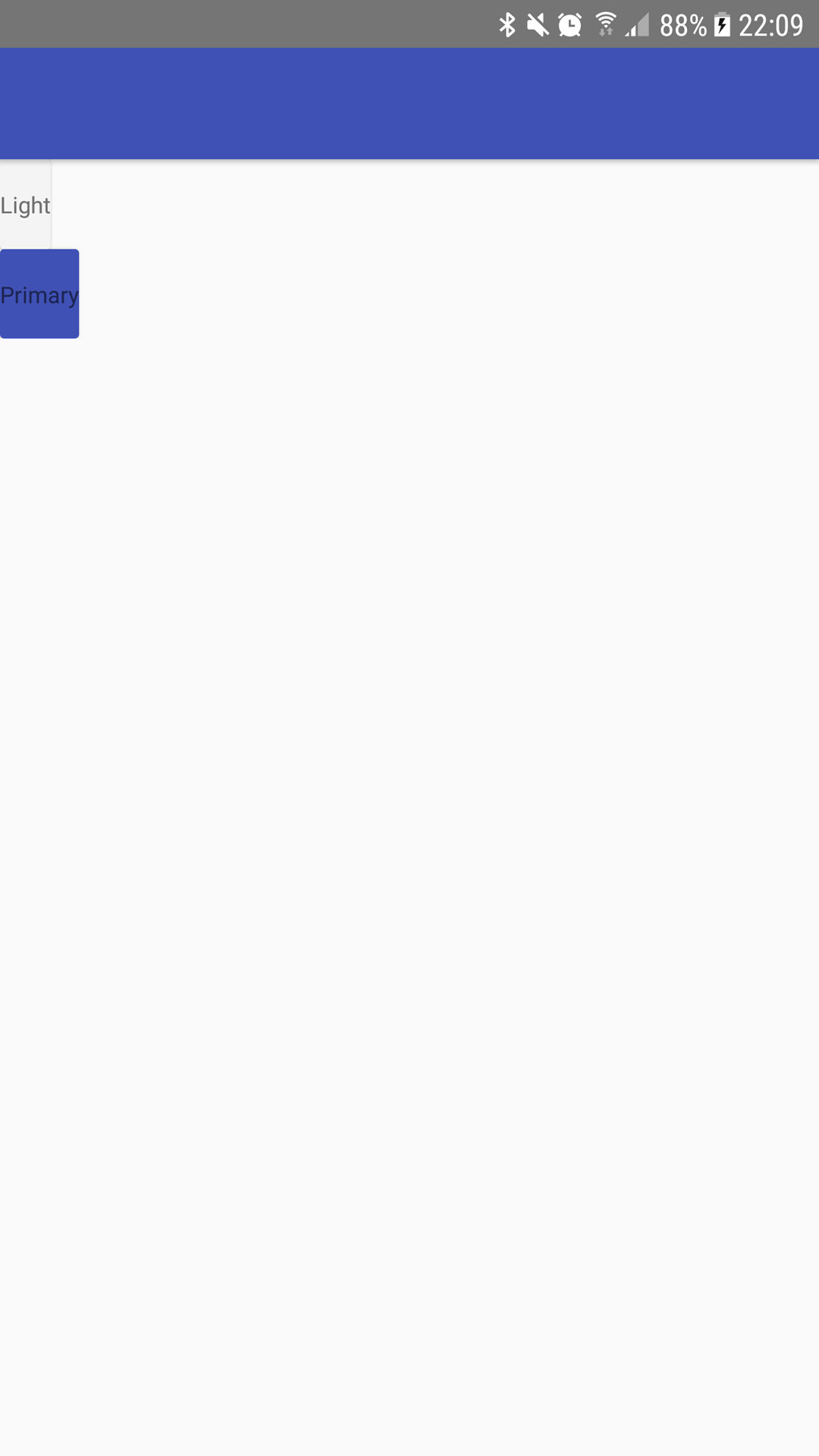
I'm not sure but I have similiar or the same problem. Screen from real device(samsung galaxy s7 edge). In emulator same effect.
react-native: 0.50.3

 XardoniK
on 12 Nov 2017
XardoniK
on 12 Nov 2017
@XardoniK Tried the following code. Couldn't see anything like above. Tested in Nexus 6, Android version - Nougat 7.0
import React, { Component } from "react";
import { Container, Header, Content, Button, Text } from "native-base";
export default class ButtonThemeExample extends Component {
  render() {
    return (
      <Container>
        <Header />
        <Content>
          <Button style={{ margin: 10 }} light bordered>
            <Text> Light </Text>
          </Button>
          <Button style={{ margin: 10 }} primary bordered>
            <Text> Primary </Text>
          </Button>
          <Button style={{ margin: 10 }} success bordered>
            <Text> Success </Text>
          </Button>
          <Button style={{ margin: 10 }} info bordered>
            <Text> Info </Text>
          </Button>
          <Button style={{ margin: 10 }} warning bordered>
            <Text> Warning </Text>
          </Button>
          <Button style={{ margin: 10 }} danger bordered>
            <Text> Danger </Text>
          </Button>
          <Button style={{ margin: 10 }} dark bordered>
            <Text> Dark </Text>
          </Button>
        </Content>
      </Container>
    );
  }
}
Screenshot - Button with bordered prop
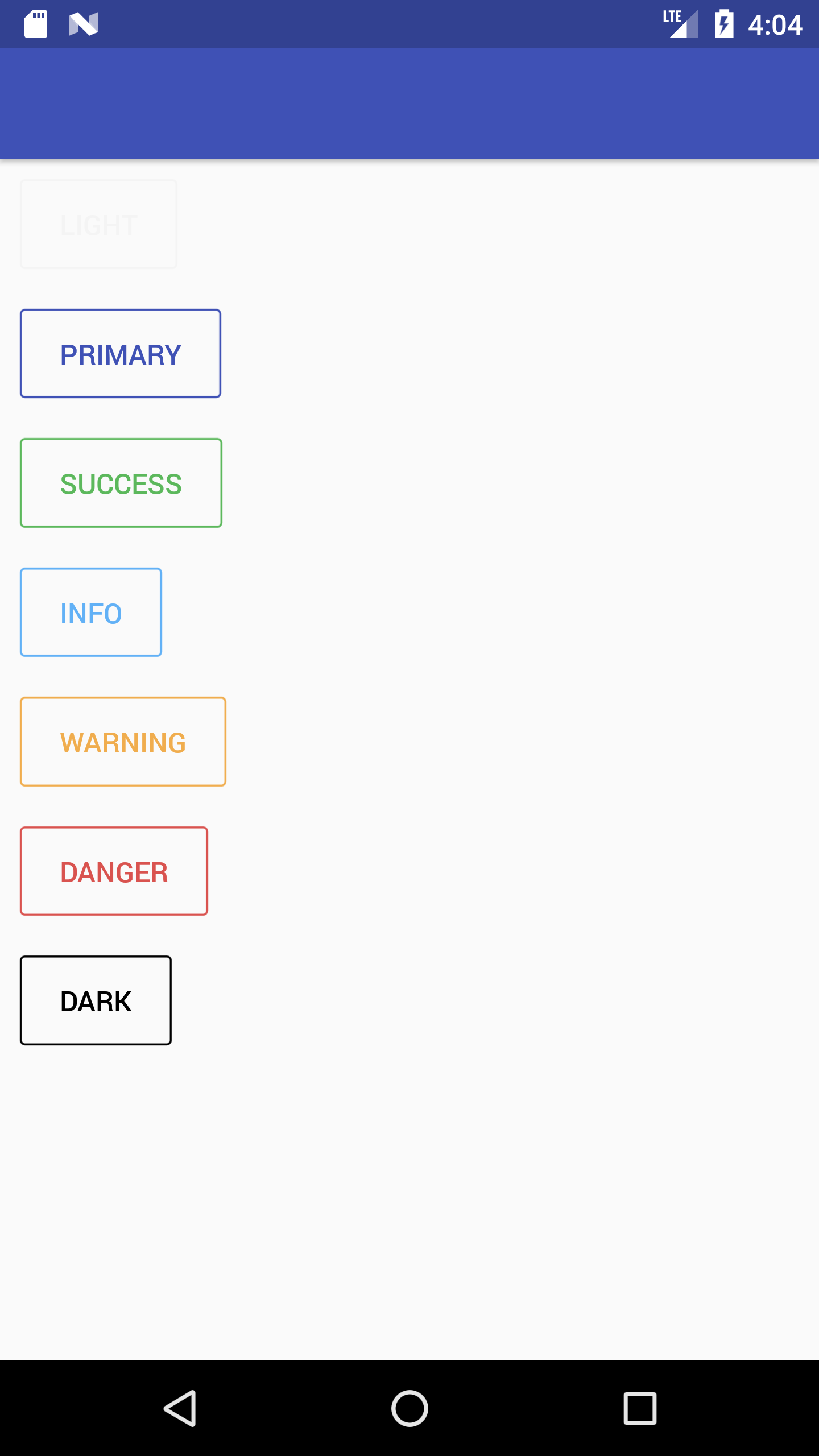
Screenshot - Button without bordered prop

 akhil-geekyants
on 13 Nov 2017
akhil-geekyants
on 13 Nov 2017
It was my bad. I imported {Text} from 'react-native' instead 'native-base'. Thank you for help. ;)
XardoniK
on 13 Nov 2017
@XardoniK that means, the problem is caused when mixing Text from RN, with Buttons from NB ?
jacargentina
on 13 Nov 2017
@jacargentina yes. I had that:

But this is correct:

XardoniK
on 13 Nov 2017
So the thing is to add something on the docs stating NativeBase buttons doesn't support mixing Text from RN as childs ?
jacargentina
on 13 Nov 2017
@jacargentina Thats true!
NativeBase Button inculcates NativeBase Text which has some styling applied
Whereas NativeBase Text can mixup with React Native Text in isolation
SupriyaKalghatgi
on 15 Nov 2017
SupriyaKalghatgi
on 15 Nov 2017
@SupriyaKalghatgi I am also having the same issue on bordered Button component.
Although I started a brand new project but could not reproduce this issue, my current project is really suffering from this and could not find the solution.
I am suspecting that the text color variable got mutated somewhere inside nativebase code and didn't change back.
From Button implementation, I saw the use of lodash merge in computeProps.js, which according to lodash doc, will mutate the original object. Not sure if it's buggy part as I can't understand these code well.
@SupriyaKalghatgi Could you reopen this issue and re-investigate this issue further? Sorry for not able to set up and reproduce the issue.
Issue on my app
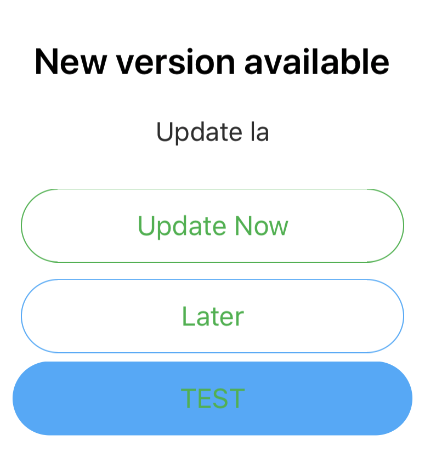
Situation 1:
Screenshot:
Code:
import { Button, Text as NBText } from 'native-base';
......
        <Button bordered rounded success block>
            <NBText>{'Update Now'}</NBText>
          </Button>
          <Button bordered rounded info block>
            <NBText>{'Later'}</NBText>
          </Button>
          <Button rounded info block>
            <NBText>{'TEST'}</NBText>
          </Button>
All Buttons from other pages in the app will also have this button text color, once it is mutated
Situation2:
If I change a little bit, it becomes:
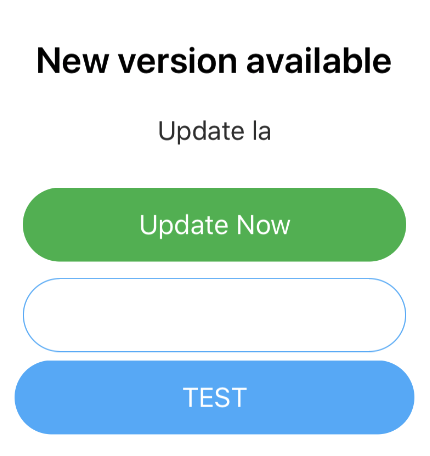
        <Button rounded success block>
            <NBText>{'Update Now'}</NBText>
          </Button>
          <Button bordered rounded info block>
            <NBText>{'Later'}</NBText>
          </Button>
          <Button rounded info block>
            <NBText>{'TEST'}</NBText>
          </Button>
Situation3:
Everything works fine if bordered props is not used at all.
Versions:
expo: 23.0.0
react: 16.0.0
react-native: https://github.com/expo/react-native/archive/sdk-23.0.0.tar.gz (should be 0.51)
iOS: 11.2 (Simulator + iPhone X)
Android: 6.0 (Google Nexus 5)
(Both platforms with exact same problem.)
 carsonwah
on 15 Jan 2018
carsonwah
on 15 Jan 2018
The problem is not just about bordered Button. After some investigation, I found that my project is now "all NB buttons become white text color". It seems to be following the button text color that appears first.
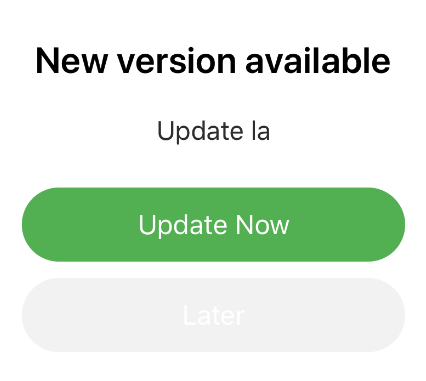
success and light buttons
carsonwah
on 15 Jan 2018
@carsonwah couldn't reproduce the issue from our end. More likely it should be an issue with the app code. Can you share your code.
akhil-geekyants
on 16 Jan 2018
@akhil-geekyants I am able to reproduce this exact same issue... order of Buttons (primary and light) matters...
edit: this happens only when Buttons are not inside of NativeBase#Content component
 harunsmrkovic
on 20 Dec 2018
harunsmrkovic
on 20 Dec 2018
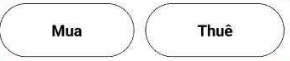
rounded
The button have been broken pixel on button border @
 pqminh
on 12 Aug 2019
pqminh
on 12 Aug 2019
Related issues
 elnygren
·
3Comments
elnygren
·
3Comments
 natashache
·
3Comments
natashache
·
3Comments
 omerdn1
·
3Comments
omerdn1
·
3Comments
 Bundas
·
3Comments
Bundas
·
3Comments
 inv2004
·
3Comments
inv2004
·
3Comments
Most helpful comment
@akhil-geekyants I am able to reproduce this exact same issue... order of Buttons (primary and light) matters...
edit: this happens only when Buttons are not inside of
NativeBase#Contentcomponent