Nativebase: Are there some errors in the listitem?
package.json:
"dependencies": {
    "native-base": "^2.2.1",
    "react": "16.0.0-alpha.12",
    "react-native": "0.48.4",
    "react-navigation": "^1.0.0-beta.11"
}
then screen shot:

when I user "react-native": "0.44.3" &"native-base": "^2.2.0" .,it work well;
 gooddaddy
All 16 comments
Same issue using Android using 2.3.2 version, I thought it was only me I even wrote my issue in the slack channel but no answer yet
 SoldierCorp
on 26 Sep 2017
SoldierCorp
on 26 Sep 2017
Set <ListItem style={{backgroundColor:undefined}}> works for me :D
"native-base": "^2.3.2",
"react": "^16.0.0",
"react-native": "^0.48.4",
I found the reason comes from backgroundColor of props in render function of ListItem. In version 2.2.0, its value is undefined but #fff in 2.3.2.
 binhndicts
on 2 Oct 2017
binhndicts
on 2 Oct 2017
Same issue and below is what I wanted for push sticking arrow-forward icon away
<ListItem icon>
  <Body>
    <Text>{item}</Text>
  </Body>
  <Right>
    <Icon name="arrow-forward" />
  </Right>
</ListItem>
 mmtootmm
on 17 Oct 2017
mmtootmm
on 17 Oct 2017
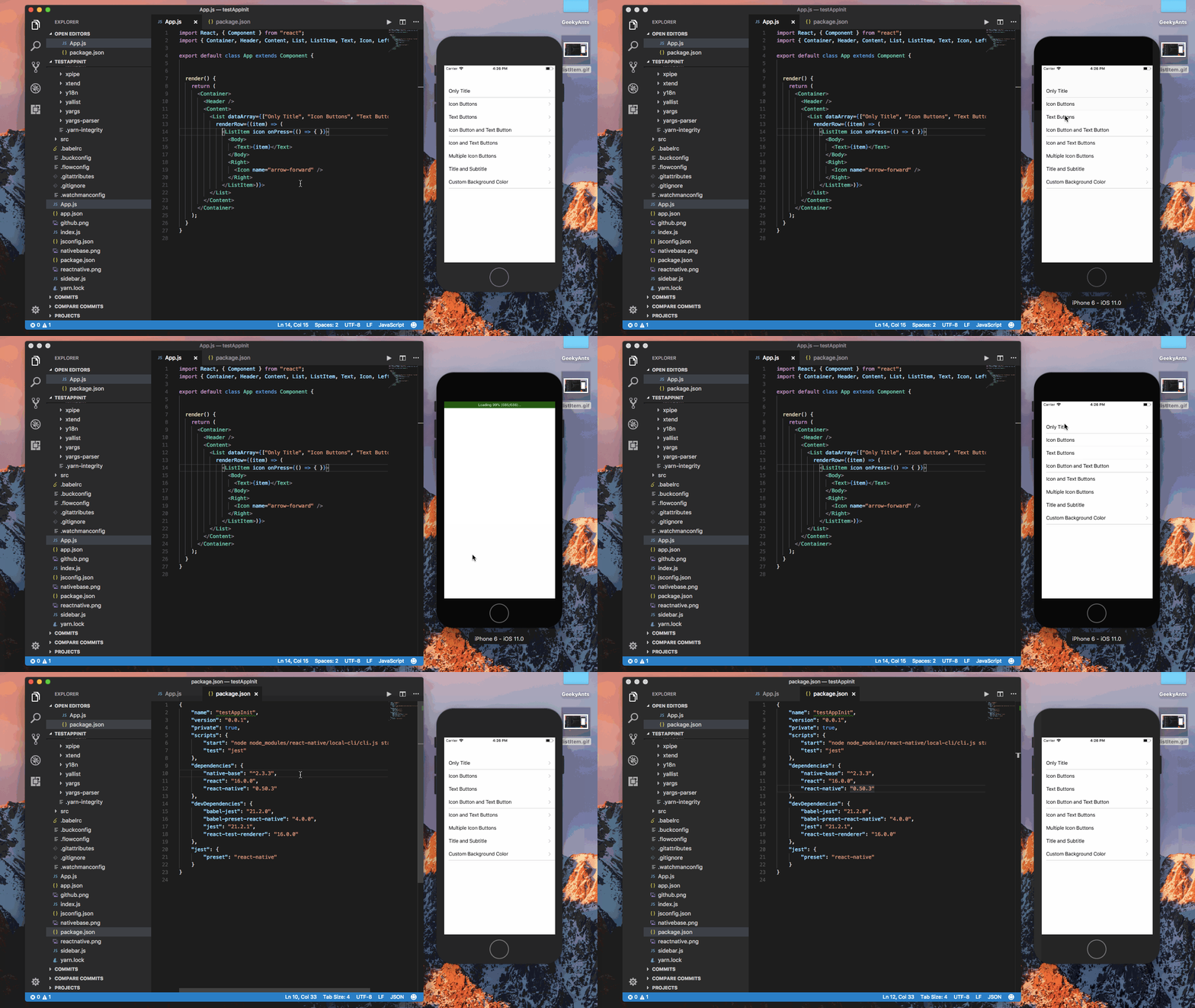
@mmtootmm can you check with the latest native base version (2.3.3).
Gif
 akhil-geekyants
on 20 Nov 2017
akhil-geekyants
on 20 Nov 2017
Same issue with v2.3.3
 minotaurrr
on 21 Nov 2017
minotaurrr
on 21 Nov 2017
<ListItem button >
    <Body>
        <Text>TextOne</Text>
    </Body>
    <Right>
        <Icon name="arrow-forward" />
    </Right>
</ListItem>
<ListItem button >
    <Left>
        <Text>TextOne</Text>
    </Left>
    <Right>
        <Icon name="arrow-forward" />
    </Right>
</ListItem>


md5-6835cb9bfb034904691c6275fe8c8612


"native-base": "2.3.3",
"react": "16.0.0",
"react-native": "0.50.0",
 SupriyaKalghatgi
on 23 Nov 2017
SupriyaKalghatgi
on 23 Nov 2017
@SupriyaKalghatgi I can confirm this happens under your dependencies.
I have tried:
"native-base": "^2.3.3",
"react": "16.0.0",
"react-native": "0.50.4"
"expo": "^23.0.0",
"native-base": "^2.3.3",
"react": "16.0.0",
"react-native": "https://github.com/expo/react-native/archive/sdk-23.0.0.tar.gz" // ~0.50.0
Both brand new projects produces the issue. Please do take a look on this. Thanks.
There is a marginLeft in ListItem. I suspect that's the problem.
 carsonwah
on 3 Dec 2017
carsonwah
on 3 Dec 2017
@carsonwah Sharing screenshot of simulator with your snippet can help me to find the issue
SupriyaKalghatgi
on 4 Dec 2017
@carsonwah marginLeft has been the design for ListItem
I can help you more if you share your snippet and screenshot of simulator
SupriyaKalghatgi
on 9 Dec 2017
@SupriyaKalghatgi Sorry for the late response. I was working on other things. Here is the screenshot.
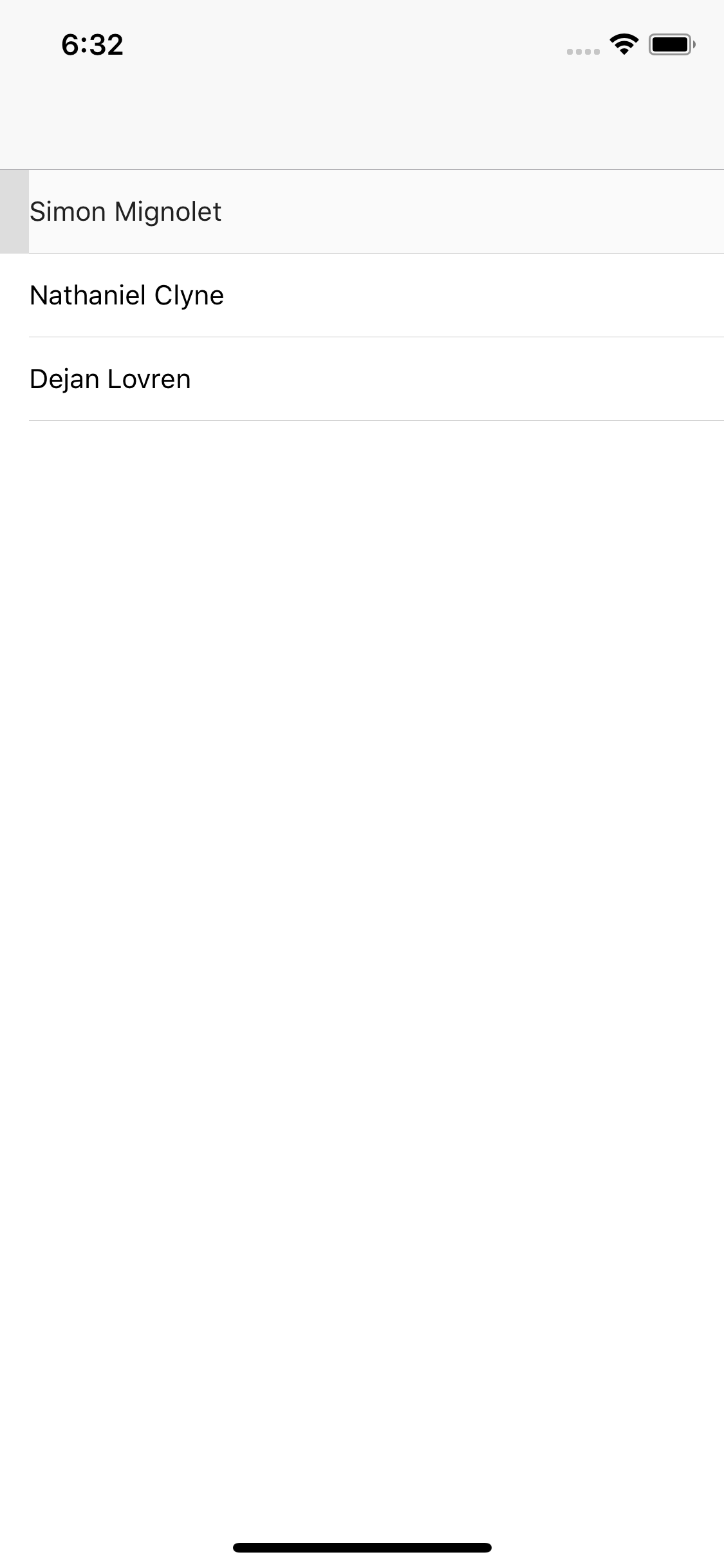
My code:
import React from 'react';
import { StyleSheet, Text, View } from 'react-native';
import { Container, Header, Content, List, ListItem, Body, Right, Icon } from 'native-base';

export default class App extends React.Component {
  render() {
    return (
      <Container>
        <Header />
        <Content>
          <List>
            <ListItem onPress={()=>{}}>
              <Text>Simon Mignolet</Text>
            </ListItem>
            <ListItem>
              <Text>Nathaniel Clyne</Text>
            </ListItem>
            <ListItem>
              <Text>Dejan Lovren</Text>
            </ListItem>
          </List>
        </Content>
      </Container>
    );
  }
}
"dependencies": {
    "expo": "^23.0.0",
    "native-base": "^2.3.3",
    "react": "16.0.0",
    "react-native": "https://github.com/expo/react-native/archive/sdk-23.0.0.tar.gz"
  }
Can confirm this happens also on standalone app.
I'm not sure if it's caused by changes in nativebase or react-native. I have tried downgraded it to 2.2.1 but still have the same problem. It first happens when I upgraded expo, react, react-native, nativebase all together, so I'm really not sure.
carsonwah
on 10 Dec 2017
@carsonwah Can you check for this implementation in NativeBase-KitchenSink?
https://github.com/GeekyAnts/NativeBase-KitchenSink/blob/master/js/components/button/index.js
Here is the output for shared link

SupriyaKalghatgi
on 11 Dec 2017
@SupriyaKalghatgi I have checked both simulator (react-native run-ios) and real device (expo). Both produce normal result.
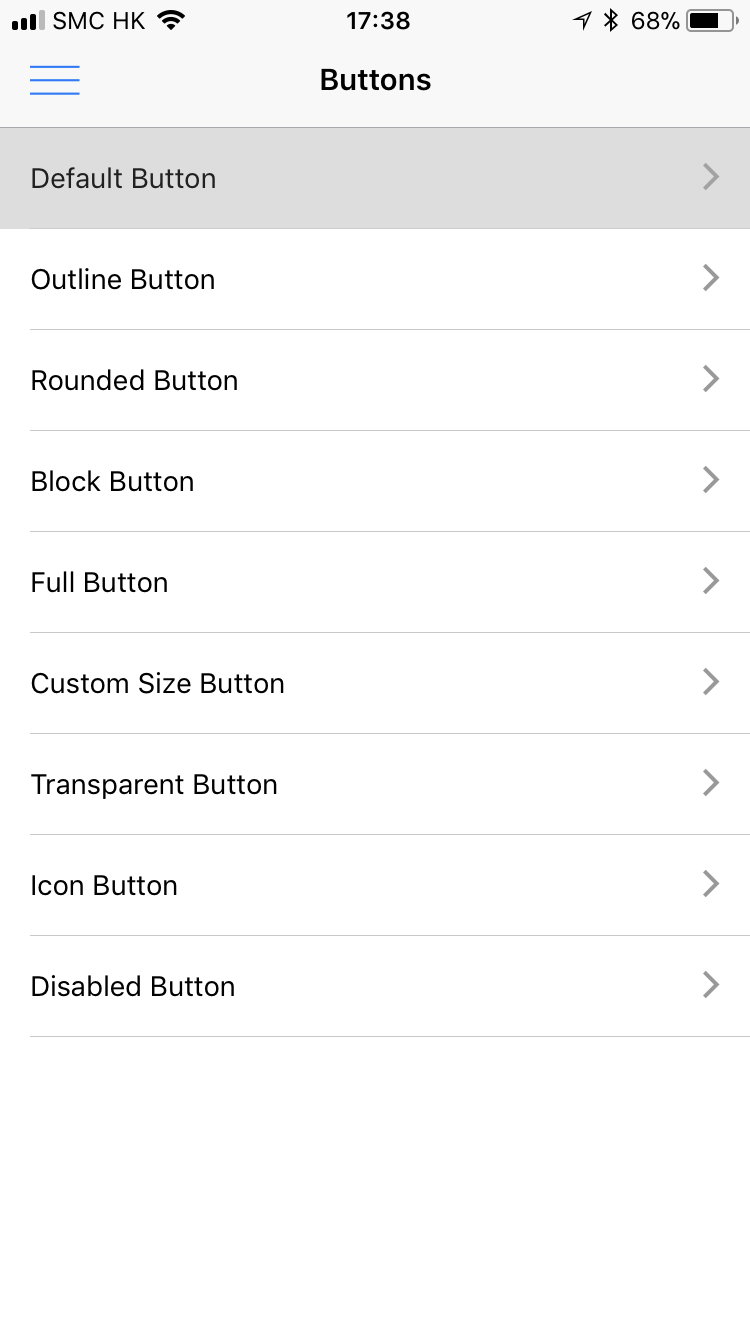
Actually the result is just the same as setting <ListItem style={{backgroundColor: 'transparent'}}> under the buggy scenario.
I have also modified package.json just the same as @gooddaddy 's. And it still works fine, while my self-setup project still doesn't. I can't find any clue by now.
KitchenSink (no bug)
{
    "name": "NativebaseKitchenSink",
    "version": "2.3.1",
    "private": true,
    "devDependencies": {
        "jest": "20.0.4",
        "react-test-renderer": "16.0.0-alpha.12"
    },
    "scripts": {
        "start": "react-native start",
        "android": "react-native run-android",
        "ios": "react-native run-ios",
        "test": "node node_modules/jest/bin/jest.js --watch"
    },
    "jest": {
        "preset": "react-native",
        "transformIgnorePatterns": ["node_modules/(?!react-native|native-base-shoutem-theme)"]
    },
    "dependencies": {
        "color": "~1.0.3",
        "lodash": "^4.13.1",
        "native-base": "2.2.1",
        "react": "16.0.0-alpha.12",
        "react-native": "0.48.4",
        "react-navigation": "1.0.0-beta.11"
    }
}
My temp project (buggy)
{
    "name": "temp",
    "version": "0.0.1",
    "private": true,
    "scripts": {
        "start": "node node_modules/react-native/local-cli/cli.js start",
        "test": "jest"
    },
    "dependencies": {
        "native-base": "^2.2.1",
        "react": "16.0.0-alpha.12",
        "react-native": "0.48.4",
        "react-navigation": "^1.0.0-beta.11"
    },
    "devDependencies": {
        "babel-jest": "21.2.0",
        "babel-preset-react-native": "4.0.0",
        "jest": "21.2.1",
        "react-test-renderer": "16.0.0"
    },
    "jest": {
        "preset": "react-native"
    }
}
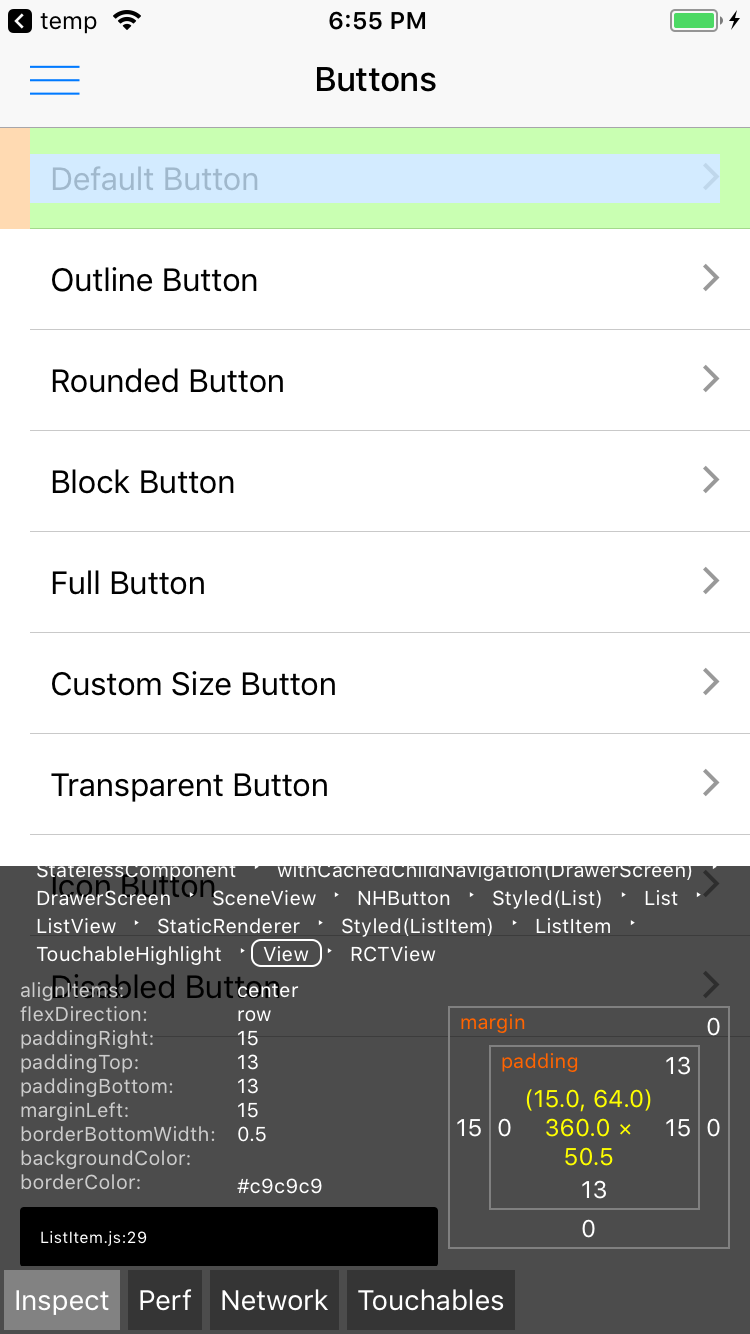
I think the main point is that white backgroundColor in ListItem, which shows up when it's onPress.
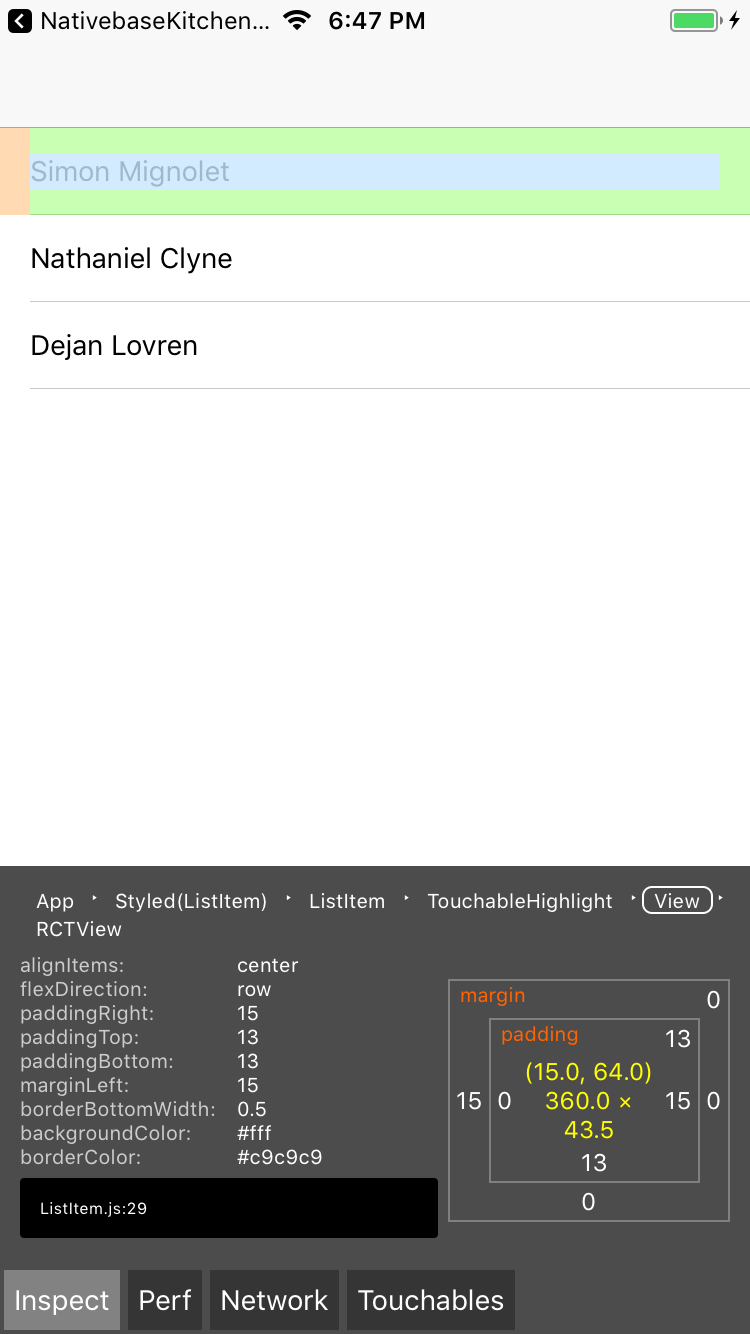
carsonwah
on 12 Dec 2017
@carsonwah Try excluding ^ from dependencies
Clear and install node_modules
SupriyaKalghatgi
on 12 Dec 2017
@SupriyaKalghatgi Can't believe I missed this.
I can identify that it appears starting exactly from 2.3.2. It works fine up to 2.3.1. So should be the same reason as @binhnd-socicom said.
"dependencies": {
        "native-base": "2.3.2",
        "react": "16.0.0-alpha.12",
        "react-native": "0.48.4",
        "react-navigation": "^1.0.0-beta.11"
    },
@carsonwah Glad to know that you found the fix
SupriyaKalghatgi
on 12 Dec 2017
1378
SupriyaKalghatgi
on 12 Dec 2017
Related issues
 natashache
·
3Comments
natashache
·
3Comments
 mcpracht
·
3Comments
mcpracht
·
3Comments
 Bundas
·
3Comments
Bundas
·
3Comments
 bsiddiqui
·
3Comments
bsiddiqui
·
3Comments
 georgemickael-b
·
3Comments
georgemickael-b
·
3Comments
Most helpful comment
Set
<ListItem style={{backgroundColor:undefined}}>works for me :DI found the reason comes from backgroundColor of
propsinrenderfunction of ListItem. In version 2.2.0, its value isundefinedbut#fffin 2.3.2.