Nativebase: Fab causing "Warning: Can only update a mounted or mounting component. This usually means you called setState, replaceState, or forceUpdate on an unmounted component. This is a no-op. Please check the code for the Fab component." on navigation
react-native, react and native-base version
"native-base": "^2.3.1"
"react": "16.0.0-alpha.12"
"react-native": "^0.47.0"
Expected behaviour
No warning on navigation
Actual behaviour
When the fab button is pressed, the screen changed but the following Warning is shown:
Warning: Can only update a mounted or mounting component. This usually means you called setState, replaceState, or forceUpdate on an unmounted component. This is a no-op.
Please check the code for the Fab component.
If I change the Fab with a simple Button, the warning doesn't appear
Steps to reproduce (code snippet or screenshot)
This is the GamesScreen page where the Fab button is:
"use strict";
import React from "react";
import { connect } from 'react-redux';
import Moment from 'moment';

import { fetchGames } from "../../../actions/games";

import { Container, Content, Body, Left, Right, Text, Badge, Icon, Fab,
        Separator, List, ListItem, Button} from "native-base";

import { HeaderMenu } from "../../common";

class GamesScreen extends React.Component {
    constructor(props){
        super(props);
        this.props.fetchGames(this.props.token);
    }
    startNewGame() {
        this.props.navigation.navigate("NewGame");
    }

    myTurn(game){
        return game.current_round.nextPlayerId === this.props.userId;
    }

    render(){
        return (
        <Container>
            <HeaderMenu title='Games' navigation={this.props.navigation} />
            <Content>
                <Separator bordered>
                    <Text>ACTIVE GAMES</Text>
                </Separator>
                {this.props.active.length > 0 &&
                <Text>bla</Text> &&
                <List dataArray={this.props.active}
                    renderRow={(game) =>
                        <ListItem icon>
                            <Left>
                                 {this.myTurn(game) &&
                                 <Icon name="md-play"/>
                                 }
                                 {!this.myTurn(game) &&
                                <Icon name="md-clock"/>
                                 }
                            </Left>
                            <Body>
                                <Text>{game.title}</Text>
                                <Text note>{Moment(game.createdAt).format('YYYY-MM-DD HH:mm')}</Text>
                            </Body>
                            <Right>
                                <Badge>
                                    <Text>{game.players.length} players</Text>
                                </Badge>
                            </Right>
                        </ListItem>
                    }>
                </List>
                }
                {this.props.active.length == 0 &&
                    <Text>No active games</Text>
                }
                <Separator bordered onPress={() => this.startNewGame()}>
                    <Text>FINISHED GAMES</Text>
                </Separator>
            </Content>
            <Fab position="bottomRight"
                onPress={() => this.startNewGame()}>
                <Icon name="md-play"/>
            </Fab>
        </Container>
        );
    }
}

const mapStateToProps = (state, ownProps) => {
    return {
        active: state.games.active,
        token: state.auth.token,
        userId: state.auth.id
    };
};

const mapDispatchToProps = (dispatch) => {
    return {
        fetchGames: (token) => dispatch(fetchGames(token))
    };
};

export default connect(mapStateToProps, mapDispatchToProps)(GamesScreen);
````
And this one is the screen that's shown when the fab button is pressed:
"use strict";
import React from "react";
import { connect } from "react-redux";
import { Container, Content, Form, Footer, Body, Button, Text } from "native-base";
import { HeaderMenu, FloatingInput, ErrorMessage } from "../../common";
import { validate, validateAll } from "../../../utils/validate_wrapper";
import validation from "./validation";
class CreateGameScreen extends React.Component {
constructor(props){
super(props);
this.state = {
title: "",
players: [],
errors: {}
};
}
inputChanged (field, text) {
    this.setState({ [field] : text});
}

validateField(field) {
    this.setState((state) => {
        return {
            errors: {
                ...state.errors,
                [field]: validate(validation, field, state)
            }
        };
    });
}

create(){
    const errors = validateAll(this.state, validation);
    if (errors.length > 0){
        this.setState((state) => {
            return {
                ...state,
                errors
            }
        });
    } else {
        this.setState((state) => {
            return {
                ...state
            }
        })
        //this.props.onLogin(this.state.username, this.state.password);
    }
}

render(){
    return (
        <Container>
            <HeaderMenu title="New Game"/>
            <Content>
                <ErrorMessage message={this.state.errorMessage}/>
                <Form>
                    <FloatingInput
                        label="Title"
                        value={this.state.title}
                        error={this.state.errors["title"]}
                        onChangeText={(text) => this.inputChanged("title", text)}
                        validate={() => this.validateField("title")} />
                </Form>
            </Content>
            <Footer>
                <Body>
                    <Button full onPress={(e) => this.create()}>
                        <Text>Create!</Text>
                    </Button>
                </Body>
            </Footer>
        </Container>
    );
}
}
const mapStateToProps = (state, ownProps) => {
return {
};
};
const mapDispatchToProps = (dispatch) => {
return {
};
};
export default connect(mapStateToProps, mapDispatchToProps)(CreateGameScreen);
```
 Eylen
Eylen
All 6 comments
@Eylen Fab is supposed to be used with some childrens. If you just want it to navigate to some other page, you can just use a icon Button and position absolute it at the bottom right.
 shivrajkumar
on 11 Sep 2017
shivrajkumar
on 11 Sep 2017
@shivrajkumar What do you mean by "Fab is supposed to be used with some childrens"?
My fab has an icon that's shown inside the fab button.
Eylen
on 11 Sep 2017
Indeed, the documentation states:
It doesn't indicate that actions are required.
Anyway, I ran into the same issue, with and without actions. Looking at the Fab code, there are two setTimeout setting very short timers that change the state, but are not cancelled at componentWillUnmount:
- https://github.com/GeekyAnts/NativeBase/blob/master/src/basic/Fab.js#L196
- https://github.com/GeekyAnts/NativeBase/blob/master/src/basic/Fab.js#L364
The second one seems to be the one causing the warning here, since the app navigates on click and the parent component might unmount before the timer updates the Fab internal state.
 moret
on 14 Sep 2017
moret
on 14 Sep 2017
While @moret's PR is still pending, a quick, dirty solution is to wrap a setTimeout around your Fab's onPress to delay and allow Fab's setTimeout-setState to occur first.
startNewGame() {
     // Delay and allow Fab's 100ms timeout to occur before doing your stuff
    setTimeout(() => {
        this.props.navigation.navigate("NewGame");
    }, 150);
}
 hyubs
on 2 Oct 2017
hyubs
on 2 Oct 2017
hyuy was right with the same problem I had
 vanvietquocanh
on 17 Dec 2017
vanvietquocanh
on 17 Dec 2017
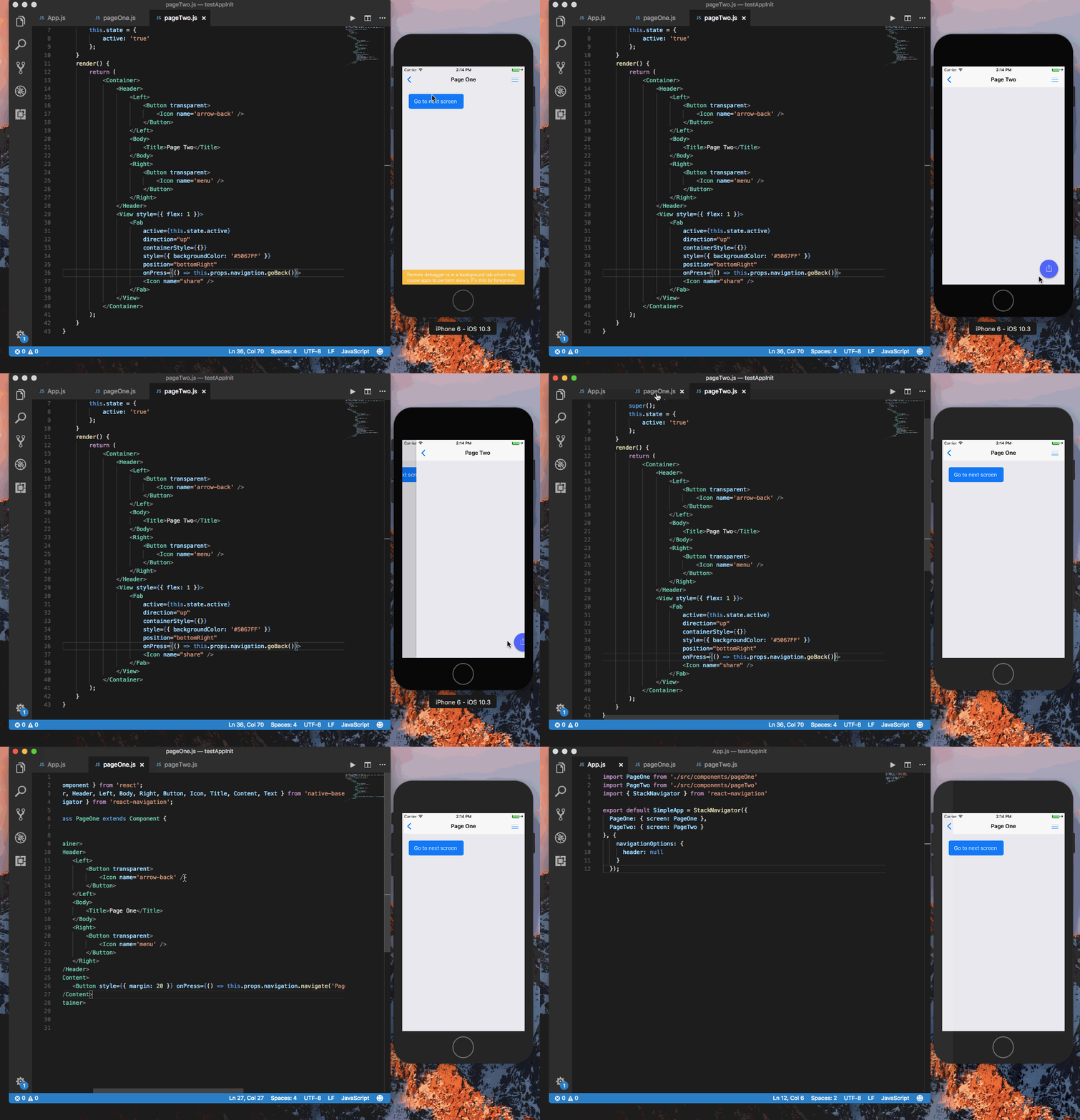
@vanvietquocanh can you try with the latest native-base version(2.3.5).
Gif
 akhil-geekyants
on 18 Dec 2017
akhil-geekyants
on 18 Dec 2017
Related issues
 eggybot
·
3Comments
eggybot
·
3Comments
 natashache
·
3Comments
natashache
·
3Comments
 Bundas
·
3Comments
Bundas
·
3Comments
 georgemickael-b
·
3Comments
georgemickael-b
·
3Comments
 agersoncgps
·
3Comments
agersoncgps
·
3Comments
Most helpful comment
Indeed, the documentation states:
It doesn't indicate that actions are required.
Anyway, I ran into the same issue, with and without actions. Looking at the
Fabcode, there are twosetTimeoutsetting very short timers that change the state, but are not cancelled atcomponentWillUnmount:The second one seems to be the one causing the warning here, since the app navigates on click and the parent component might unmount before the timer updates the
Fabinternal state.