Nativebase: Picker button text color
react-native, react and native-base version
"react": "~15.4.1"
"react-native": "0.42.0"
"native-base": "2.1.0"
I used the ignite + native base boilerplate
Expected behaviour
I wanted to change the picker button text color to white, but couldn't.
I ejected the native base theme to customize it, and modified the file Button.js:
    '.picker': {
        paddingLeft:0,
        'NativeBase.Text': {
          fontSize: 17,
          color:'#ddd',
          '.note': {
            fontSize: 12,
            lineHeight: null,
          },
        },
      }
I removed the left padding from the button, and added the fontSize and color to the Text.
Actual behaviour
Unfortunately, only the padding was removed, the text is still black
Screenshot of emulator/device
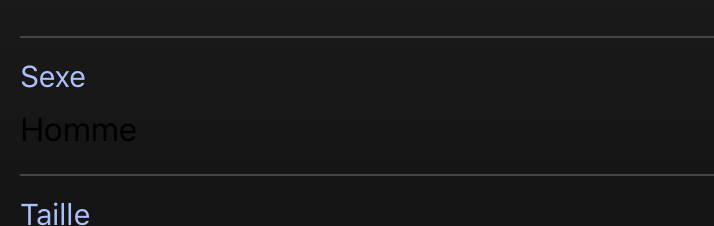
Is the bug present in both ios and android or in any one of them?
I only tested on iOS simulator
 tomexa
All 8 comments
For those wondering, I changed all '#000' references to my text color in the Button.js file, and it fixed it. I suppose the picker uses a specific type of button, 'light' or 'dark'.
tomexa
on 8 Aug 2017
<Picker style={{ color: '#FFF' }} >
 elivinsky
on 16 Aug 2017
elivinsky
on 16 Aug 2017
@elivinsky It works but causes an error in typescript.
Type '{ color: string; }' is not assignable to type 'StyleProp<ViewStyle>'.
  Property 'color' does not exist on type 'StyleProp<ViewStyle>'.
 achubai
on 3 Apr 2018
achubai
on 3 Apr 2018
@achubai can you try textStyle prop of Picker
 <Picker
       textStyle={{ color: 'blue' }}
        ...
/>
 akhil-geekyants
on 4 Apr 2018
akhil-geekyants
on 4 Apr 2018
@akhil-geekyants Unfortunately, it doesn't work properly on android.

achubai
on 4 Apr 2018
Fixed with 2.4.2
 SupriyaKalghatgi
on 13 Apr 2018
SupriyaKalghatgi
on 13 Apr 2018
thanx @akhil-geekyants , this one working for me.
 <Picker
       textStyle={{ color: 'blue' }}
        ...
/>
 bharatbiswal
on 11 Mar 2019
bharatbiswal
on 11 Mar 2019
this issue still exist on android only
 FadiAboMsalam
on 6 May 2019
FadiAboMsalam
on 6 May 2019
Related issues
 Bundas
·
3Comments
Bundas
·
3Comments
 Cotel
·
3Comments
Cotel
·
3Comments
 elnygren
·
3Comments
elnygren
·
3Comments
 natashache
·
3Comments
natashache
·
3Comments
 bsiddiqui
·
3Comments
bsiddiqui
·
3Comments
Most helpful comment
this issue still exist on android only