Nativebase: PBXCp Error No Such File or Directory Error for Certain Fonts
I'm trying to build my react native project onto my actual device but these errors are causing the build to fail.
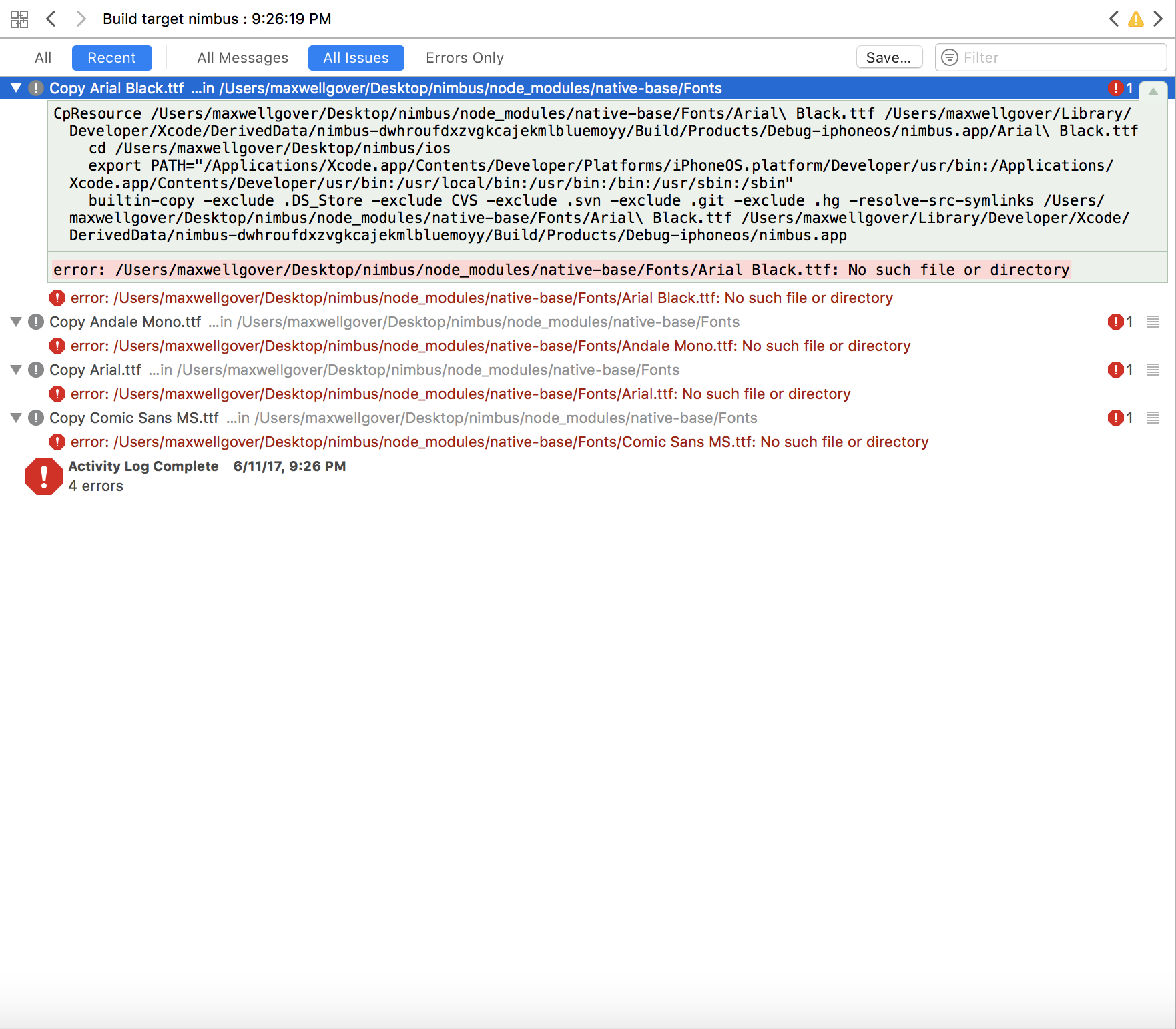
CpResource /Users/maxwellgover/Desktop/nimbus/node_modules/native-base/Fonts/Arial\ Black.ttf /Users/maxwellgover/Library/Developer/Xcode/DerivedData/nimbus-dwhroufdxzvgkcajekmlbluemoyy/Build/Products/Debug-iphoneos/nimbus.app/Arial\ Black.ttf
    cd /Users/maxwellgover/Desktop/nimbus/ios
    export PATH="/Applications/Xcode.app/Contents/Developer/Platforms/iPhoneOS.platform/Developer/usr/bin:/Applications/Xcode.app/Contents/Developer/usr/bin:/usr/local/bin:/usr/bin:/bin:/usr/sbin:/sbin"
    builtin-copy -exclude .DS_Store -exclude CVS -exclude .svn -exclude .git -exclude .hg -resolve-src-symlinks /Users/maxwellgover/Desktop/nimbus/node_modules/native-base/Fonts/Arial\ Black.ttf /Users/maxwellgover/Library/Developer/Xcode/DerivedData/nimbus-dwhroufdxzvgkcajekmlbluemoyy/Build/Products/Debug-iphoneos/nimbus.app
react-native, react and native-base version
react-native-cli: 2.0.1
react-native: 0.44.0
nativebase: 0.2.0
Expected behaviour
Not cause the xcode build to fail.
Actual behaviour
Causes xcode build to fail.
Steps to reproduce (code snippet or screenshot)
Try building onto actual device.
Is the bug present in both ios and android or in any one of them?
ios
 MaxwellGover
All 2 comments
Going to resources folder in xcode and deleting all the fonts highlighted in red solved the issue.
MaxwellGover
on 12 Jun 2017
👍26
❤2
👎2
Any guess why it happened?
 ohtangza
on 7 Aug 2017
ohtangza
on 7 Aug 2017
Was this page helpful?
0 / 5 - 0 ratings
Related issues
 elnygren
·
3Comments
elnygren
·
3Comments
 eggybot
·
3Comments
eggybot
·
3Comments
 kitsune7
·
3Comments
kitsune7
·
3Comments
 Cotel
·
3Comments
Cotel
·
3Comments
 chetnadaffodil
·
3Comments
chetnadaffodil
·
3Comments
Most helpful comment
Going to resources folder in xcode and deleting all the fonts highlighted in red solved the issue.