Nativebase: Can't use icon from a different source provided by `theme` attribute
I don't know but I still am not able to do this.
This is my code below:
<Icon name={"magnify"} theme={{iconFamily: "MaterialCommunityIcons"}} />
But I get a '?' sign instead.
I've read the code; the documentation but I've not found a way out.
NB. I don't want to do <MaterialCommunityIcons ... > because the other style options and properties are lost. (not displaying as should, either with a different size or color, especially if I'm using another icon in a tab, the tab icon color effects are lost)
react-native-cli: 2.0.1
react-native: 0.44.3
native-base: 2.1.4
Screenshot of emulator/device
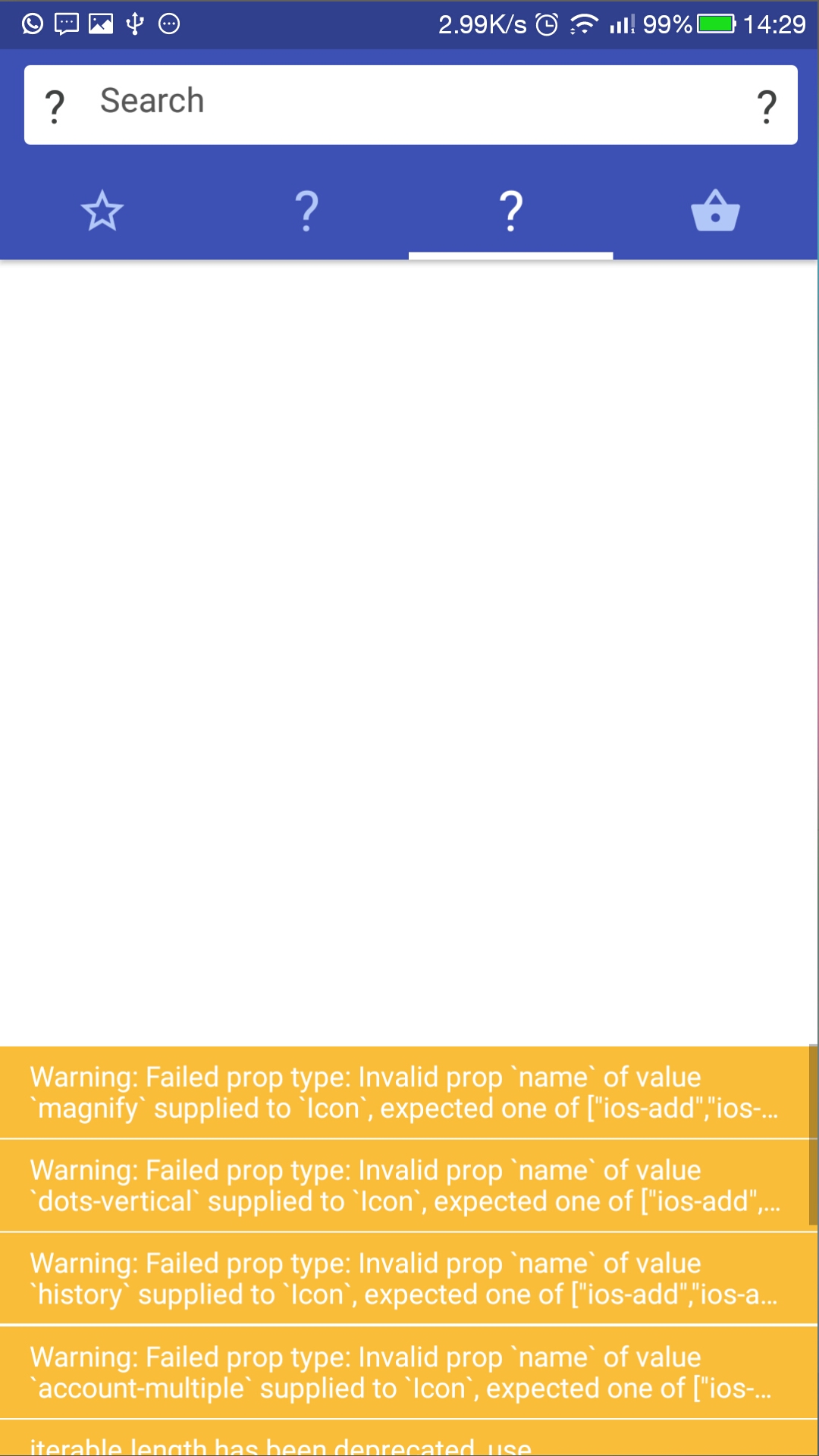
I'm developing for Android, I can't confirm on ios
 peterchibunna
All 9 comments
Did you try ejecting the theme?
 SupriyaKalghatgi
on 15 Jun 2017
SupriyaKalghatgi
on 15 Jun 2017
Yes I did. The theme property of the Icon is completely ignored.
peterchibunna
on 15 Jun 2017
@peterchibunna similar behavior for me on iOS
 oleks-fedotov
on 16 Jun 2017
oleks-fedotov
on 16 Jun 2017
@peterchibunna There is no theme property in Icon.
One way of adding custom iconFamily to Icon right now is
<StyleProvider style={getTheme({iconFamily: "MaterialCommunityIcons"})}>
      <Icon name="magnify" />
  </StyleProvider>
where StyleProvider, getTheme both are imported from native-base.
Try it out and let us know
 shivrajkumar
on 20 Jun 2017
shivrajkumar
on 20 Jun 2017
From your above code, how do I use the material community icons as well as the ones from Entypo in the same view? I thought the <StyleProvider...> is for wrapping the whole application view. Can it apply to a single element within a view?
peterchibunna
on 20 Jun 2017
Ok. It works actually when I wrapped the Icon element with the StyleProvider element as you guided me. Thanks.
peterchibunna
on 20 Jun 2017
Edit: I just read the docs on Customizing.
https://docs.nativebase.io/Customize.html
Maybe just a note on the Icon section saying to look at customize for how to use different font families might be appropriate.
@peterchibunna I feel like this item needs better documentation.
https://github.com/GeekyAnts/NativeBase/issues/929#issuecomment-309711477
It is completely omitted in the docs how to use icons from other iconFamilies and the page the reader is directed to in the docs
https://oblador.github.io/react-native-vector-icons/
has icons from a bunch of different icon families (and no way to filter).
I'd be happy to contribute here, but would like to get some input on my opinion above.
 w-
on 15 Aug 2017
w-
on 15 Aug 2017
I made an easy custom component for this to work.
import React from 'react';
import { Icon, StyleProvider } from 'native-base';
import getTheme from '../native-base-theme/components';
export class WrapperIcon extends React.Component {
render() {
return (
<StyleProvider style={getTheme({ iconFamily: this.props.family })}>
<Icon {...this.props} />
</StyleProvider>
);
}
}
Use like this:
<WrapperIcon family="Ionicons" ios="ios-clipboard-outline" android="md-clipboard" />
 Laurensdc
on 23 Jan 2018
Laurensdc
on 23 Jan 2018
It can be used like this :
Most helpful comment
@peterchibunna There is no theme property in Icon.
One way of adding custom iconFamily to Icon right now is
<StyleProvider style={getTheme({iconFamily: "MaterialCommunityIcons"})}>
      <Icon name="magnify" />
  </StyleProvider>
where
StyleProvider,getThemeboth are imported fromnative-base.Try it out and let us know