Nativebase: Subtitle fontSize in Header not working
Seems like the fontSize set in native-base-theme/components/Header.js isn't being passed down to the Subtitle component in Headers. I also tried ejecting the Theme files again.
React-Native v0.44
Native-Base v2.1.3

 fhadsheikh
All 7 comments
Seems like the whole subtitle style is not working in my case,
same issue as #675
    "native-base": "2.1.3",
    "react": "16.0.0-alpha.6",
    "react-native": "0.43.4",
 Tae69
on 6 May 2017
Tae69
on 6 May 2017
@fhad-getmaple
<Header hasSubtitle>
   <Left>
        <Button transparent>
           <Icon name='arrow-back' />
         </Button>
   </Left>
   <Body>
        <Title>Title</Title>
        <Subtitle style={{fontSize: 20, color: 'red'}}>Subtitle</Subtitle>
   </Body>
    <Right />
</Header>
try the above code will work for you.
 GeekRishabh
on 8 May 2017
GeekRishabh
on 8 May 2017
Hi @GeekRishabh,
Thanks for the work around. Do you have any word if the bug itself will be fixed in an update?
Thanks.
fhadsheikh
on 8 May 2017
package.json
    "native-base": "^2.1.4",
    "react": "16.0.0-alpha.6",
    "react-native": "^0.44.0",
This works fine, with default components, without inline style

 SupriyaKalghatgi
on 1 Jun 2017
SupriyaKalghatgi
on 1 Jun 2017
Subtitle doesn't seem to work. Here is my package.json
"react": "16.2.0",
"react-native": "0.52.2",
"native-base": "^2.3.7"
It doesn't seemed to be displaying anything.
I see a definition for Title, but not for Subtitle (t with a lower case). But I see SubTitle, but if I use that I get the following error.
Invariant Violation: Element type is invalid: expected a string (for built-in components) or a
class/function (for composite components) but got: undefined. You likely forgot to export your
component from the file it's defined in, or you might have mixed up default and named imports.
Here is what I see in the definition -
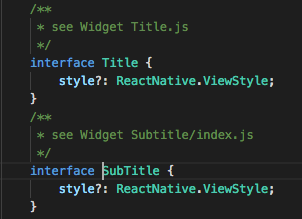
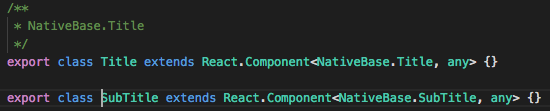
I'm using it exactly the way it says in the example in the docs. Something like this -
<Container>
  <Header>
    <Left>
      <Button transparent>
        <Icon name='arrow-back' />
      </Button>
    </Left>
    <Body>
      <Title>Title</Title>
      <Subtitle>Subtitle</Subtitle>
    </Body>
    <Right />
  </Header>
</Container>
EDIT: I tried adding hasTabs and hasSubtitle. It didn't work. Here is what I see in the definition for Header
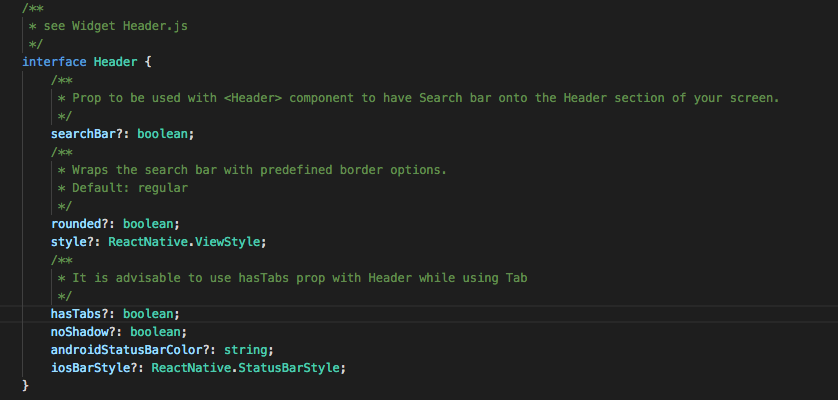
Updated to 2.3.10 (latest). Now I see definitions for Subtitle (instead of SubTitle in 2.3.7). But the subtitles still aren't showing.
 aswinramakrish
on 19 Mar 2018
aswinramakrish
on 19 Mar 2018
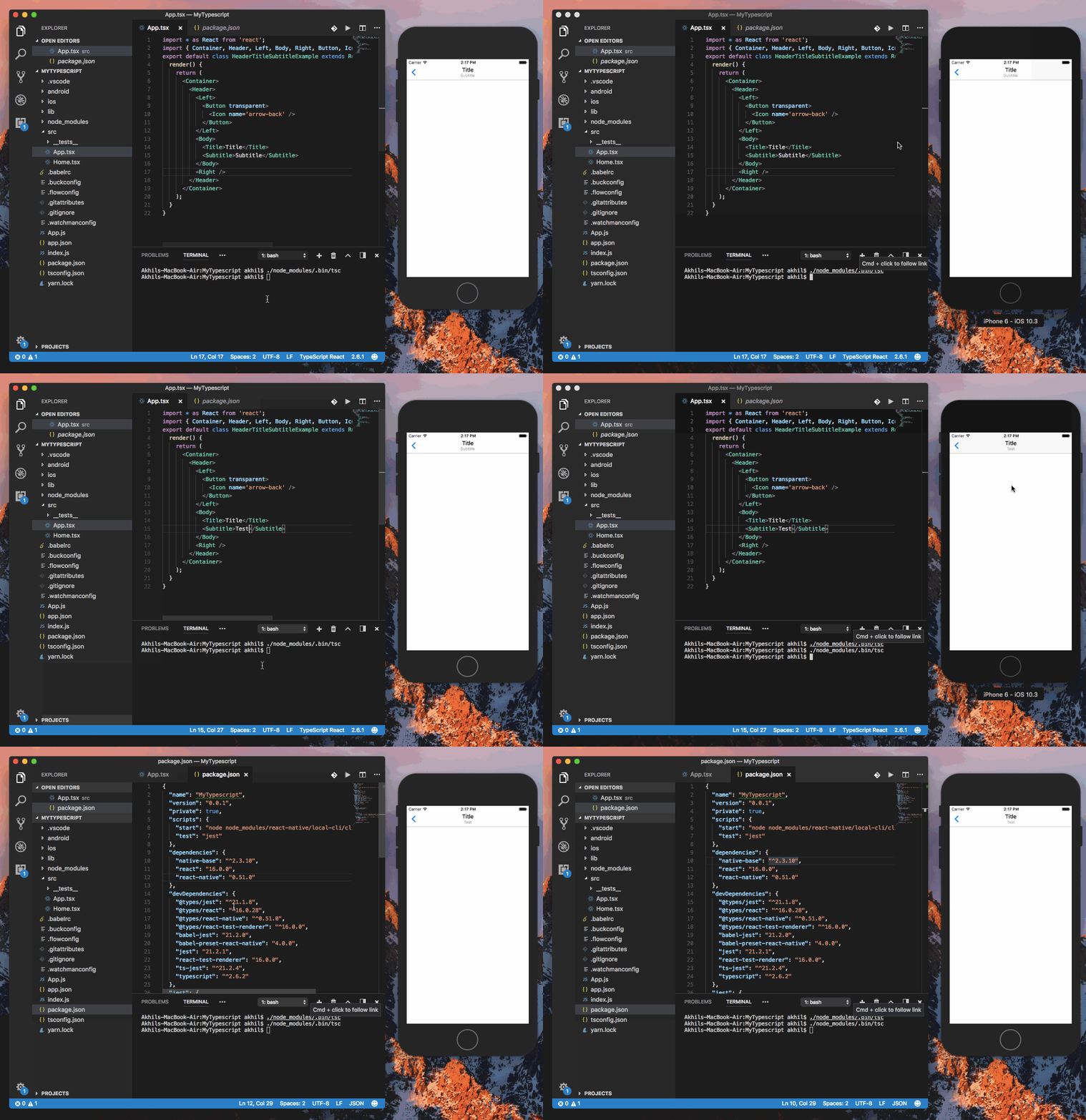
@aswinramakrish are you still facing this issue. Checked this. It is working fine (with 2.3.10). Attaching a gif
Gif
 akhil-geekyants
on 19 Mar 2018
akhil-geekyants
on 19 Mar 2018
Ok. Found the issue. The default color of Subtitle is #ffffff and guess what my header background was? 😂
aswinramakrish
on 19 Mar 2018
Related issues
 aloifolia
·
3Comments
aloifolia
·
3Comments
 maphongba008
·
3Comments
maphongba008
·
3Comments
 muthuraman007
·
3Comments
muthuraman007
·
3Comments
 natashache
·
3Comments
natashache
·
3Comments
 omerdn1
·
3Comments
omerdn1
·
3Comments