Nativebase: Input can't be accessed through ref
react-native, react and native-base version
RN 42 & NB 2.0.11
Expected behaviour
Input should accept ref as a prop but it wont.
we need input ref to focus next input on onSubmitEditing event.
https://facebook.github.io/react-native/docs/textinput.html -> BlurOnSubmitExample
 yeknava
All 24 comments
The docs here have explained how to use refs. Also please upgrade to v2.0.12 and check.
 sankhadeeproy007
on 3 Mar 2017
sankhadeeproy007
on 3 Mar 2017
I also cannot get refs to work on <Input /> components. I'm using 2.0.12.
In this version the ref function is never called:
<Input ref={input => console.log("HUH?", input) } />
And in this version this.refs never gets populated with a ref to the input
<Input ref="something" />
However if I change the Input to a Label then it works fine.
 ryanwilliams
on 6 Mar 2017
ryanwilliams
on 6 Mar 2017
After further investigation it's only when the input is inside a <Item floatingLabel> I guess it doesn't have a control in the view when it's initially mounted, so there's nothing to reference.
ryanwilliams
on 6 Mar 2017
Same issue: a ref defined on an <Input> component inside an <Item floatingLabel> doesn't work. But if I remove the floatingLabel, it does work.
Here's an example that doesn't work. The message logged to the console displays [].
<View>
<View padder>
<Form>
<Item floatingLabel>
<Label>Login</Label>
<Input ref="loginInput"/>
</Item>
<Item floatingLabel last>
<Label>Password</Label>
<Input secureTextEntry ref={'passwordInput'}/>
</Item>
</Form>
</View>
<View padder>
<Button block onPress={() => console.log('pressed', JSON.stringify(Object.keys(this.refs)))}>
<Text>Login</Text>
</Button>
</View>
</View>
If I remove the floatingLabel, then the message on the console logs correctly, ["loginInput", "passwordInput"].
 bfreis
on 15 Mar 2017
bfreis
on 15 Mar 2017
Also notice this.
Also if I try to pre set a value to the Input the floating label is in "empty" mode (down) above my prefilled value.
 fbacker
on 22 Mar 2017
fbacker
on 22 Mar 2017
I have the same problem with <Item floatingLabel>
@yeknava could you re-open this issue ?
 pierre-H
on 25 Apr 2017
pierre-H
on 25 Apr 2017
@pierre-H For floatingLabel try gerRef
 shivrajkumar
on 25 Apr 2017
shivrajkumar
on 25 Apr 2017
@shivrajkumar thank you but what's gerRef ?
pierre-H
on 25 Apr 2017
@pierre-H
Use getRef instead of ref
Here's a working example:
<Item floatingLabel>
                  <Label>Title</Label>
                  <Input
                  returnKeyType = {"next"}
                  autoFocus = {true}
                  onSubmitEditing={(event) => {
                      this._inputDesc._root.focus();
                  }}
                  />
              </Item>
              <Item floatingLabel>
                  <Label>Description</Label>
                  <Input
                  getRef={(c) => this._inputDesc = c}
                  multiline={true} style={{height: 100}} />
                  onSubmitEditing={(event) => { this._inputLink._root.focus(); }}
              </Item>
 AbhishekBiswal
on 27 Apr 2017
AbhishekBiswal
on 27 Apr 2017
Running 2.1.3 on iOS
getRef={(c) => console.log("hello",c)}
c returns undefined
fbacker
on 2 May 2017
If you add an Icon, c (ref) become undefined...
<Item floatingLabel>
  <Label>Description</Label>
  <Input
      getRef={(c) => this._inputDesc = c}
   />
   <Icon />
</Item>
 fryck
on 27 Jun 2017
fryck
on 27 Jun 2017
Solution proposed by @AbhishekBiswal
...
<Input
                  getRef={(c) => this._inputDesc = c}
...
works.
 Nahueleti
on 18 Jul 2017
Nahueleti
on 18 Jul 2017
I use getRef but get no help.
 bflatmajor
on 29 Sep 2017
bflatmajor
on 29 Sep 2017
This is a really weird issue which is inconsistent with RN. Any permanent fix on the roadmap?
 Roconda
on 3 Oct 2017
Roconda
on 3 Oct 2017
Please fix this. I love using native base, that is the first really annoying thing I encountered :(
@sankhadeeproy007 yes, it`s in the docs, but I (and many others) expected that the input-component works like the rn-version of itself and did not search for it in nb-docs...
 fmoessle
on 28 Nov 2017
fmoessle
on 28 Nov 2017
This is most definitely broken. I also don't get a reference through getref. The pw field I'm trying to set here stays undefined:
                <Item error={!loginStore.isValidPassword}>
                    <Icon active name="unlock"/>
                    <Input
                        getRef={i => this.pw = i}
                        placeholder="Password"
                        value={loginStore.password}
                        returnKeyType={"done"}
                        onChangeText={p => loginStore.setPassword(p)}
                        secureTextEntry={true}
                    />
                </Item>
If I revert back to TextInput and regular ref callbacks, everything works fine.
 hardcodet
on 22 Dec 2017
hardcodet
on 22 Dec 2017
Also can't be accessed through ref
loginBtnPress = () => {
        console.log(this);
        console.log(this.emailInput);
        console.log(this.passwordInput);
        console.log(this.refs);
    };
<Item floatingLabel>
    <Icon active name="person"/>
        <Label>邮箱</Label>
            <Input
                ref='emailInput'
                returnKeyType='next'
                onSubmitEditing={() => this._focusInput('passwordInput')}
            />
        </Item>
        <Item floatingLabel>
            <Icon active name="lock"/>
            <Label>密码</Label>
            <Input
                getRef={c => {
                    this.passwordInput = c;
                }}
                secureTextEntry={true}
            />
        </Item>
        <Button full info onPress={() => this.loginBtnPress()}>
            <Text>登录</Text>
        </Button>
React-Native:0.50.0
React-Native:16.0.0
Native-Base:2.3.5
 mindfocus
on 30 Dec 2017
mindfocus
on 30 Dec 2017
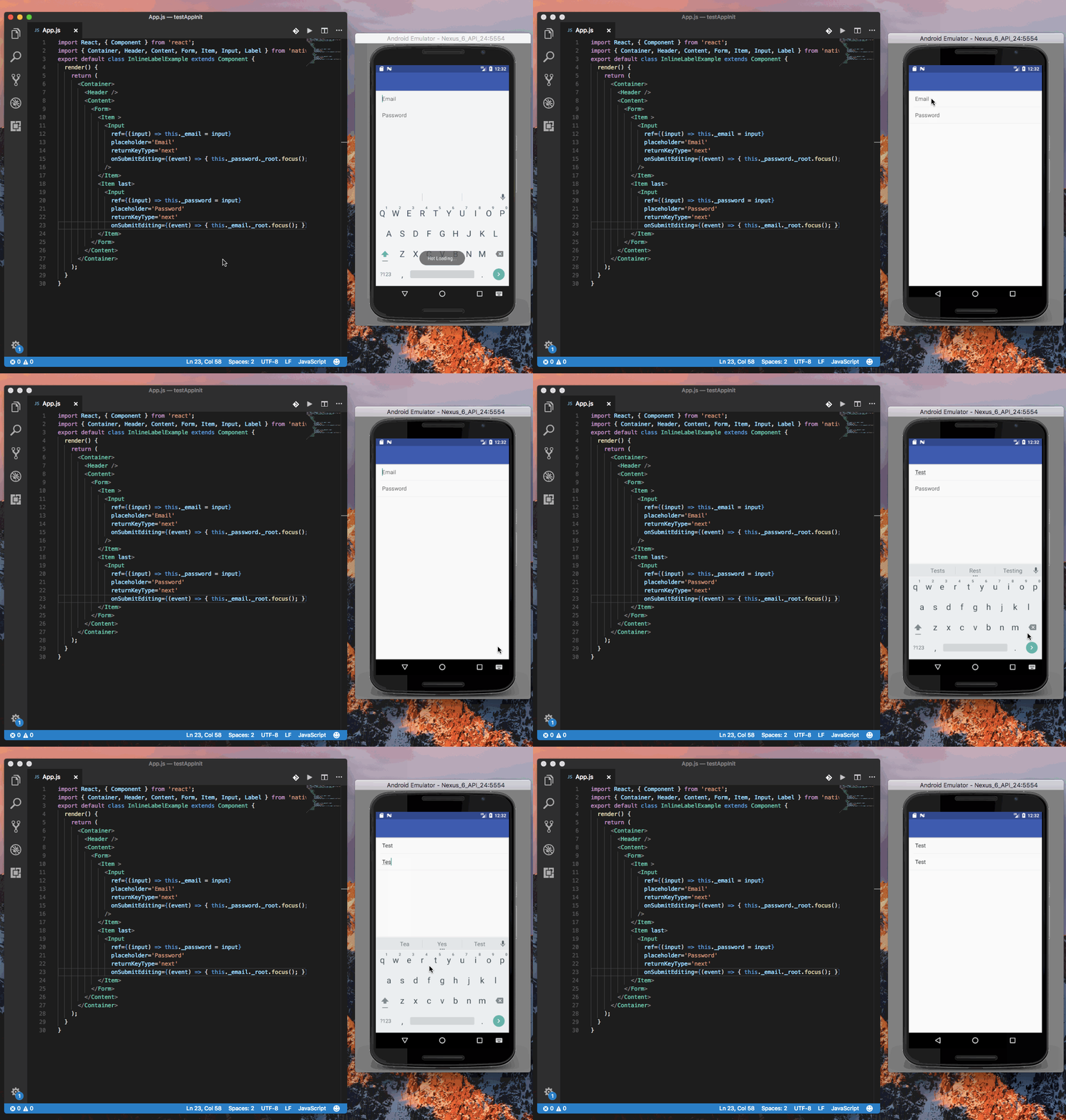
Updated: With floating label use getRef as https://github.com/GeekyAnts/NativeBase/issues/591#issuecomment-297726645
Gif

Gif (without floatingLabel)
 akhil-geekyants
on 31 Jan 2018
akhil-geekyants
on 31 Jan 2018
Thanks for replying @akhil-geekyants, that just doesn't work for me, I have to use getRef. I'm on 2.3.7. All good anyway, it must be me.
 pennyandsean
on 1 Feb 2018
pennyandsean
on 1 Feb 2018
I am on 2.3.8 and getRef also works for me.
 eedsilva
on 24 Feb 2018
eedsilva
on 24 Feb 2018
@akhil-geekyants That's because you didn't add the floatingLabel prop on Item. With this prop I'm also experiencing this issue. I'm on 2.3.10.
 Amonith
on 20 Mar 2018
Amonith
on 20 Mar 2018
This is silly that this has been open for over a year. There are other issues relating to the same problem. @akhil-geekyants your solution in the gif doesn't include floatingLabel. You have:
<Item></Item>
it fails with:
<Item floatingLabel></Item>
I don't know how much more clear we can get with the problem. I can't use the NativeBase Inputs because of this, I have to roll my own floating label solution.
This still exists in 2.4.1
 blackdynamo
on 4 Apr 2018
blackdynamo
on 4 Apr 2018
@blackdynamo use getRef with floatingLabel as https://github.com/GeekyAnts/NativeBase/issues/591#issuecomment-297726645. This will be documented.
akhil-geekyants
on 9 Apr 2018
@Amonith @blackdynamo The example by @akhil-geekyants includes <Item floatingLabel>
 SupriyaKalghatgi
on 10 Apr 2018
SupriyaKalghatgi
on 10 Apr 2018
Related issues
 Cotel
·
3Comments
Cotel
·
3Comments
 agersoncgps
·
3Comments
agersoncgps
·
3Comments
 natashache
·
3Comments
natashache
·
3Comments
 Bundas
·
3Comments
Bundas
·
3Comments
 maphongba008
·
3Comments
maphongba008
·
3Comments
Most helpful comment
@pierre-H
Use getRef instead of ref
Here's a working example: