Nannou: Problem with lines - aka incorrect window dimensions on HiDPI macOS displays
The following code should draw 20 lines from the left edge of the window to the right. But after the first line the rest are wrong. By setting the weight high enough and line caps to round the problem goes away.
use nannou::prelude::*;

fn main() {
    nannou::app(model).update(update).run();
}

struct Model {
    b: f32,
}

fn model(app: &App) -> Model {
    app.new_window().size(600, 600).view(view).build().unwrap();
    Model {
        b: -300.0,
    }
}

fn update(_app: &App, m: &mut Model, _update: Update) {
    m.b += 15.0;
}

fn view(app: &App, model: &Model, frame: Frame) {
    let draw = app.draw();
    let rect = app.window_rect();
    if frame.nth() == 0 {
        draw.background().color(WHITE);
    }
    let x0 = rect.left();
    let x1 = rect.right();
    if frame.nth() < 20 {
        draw.line().points(pt2(x0, model.b), pt2(x1, model.b)).weight(2.0);
        draw.to_frame(app, &frame).unwrap();
    }
}
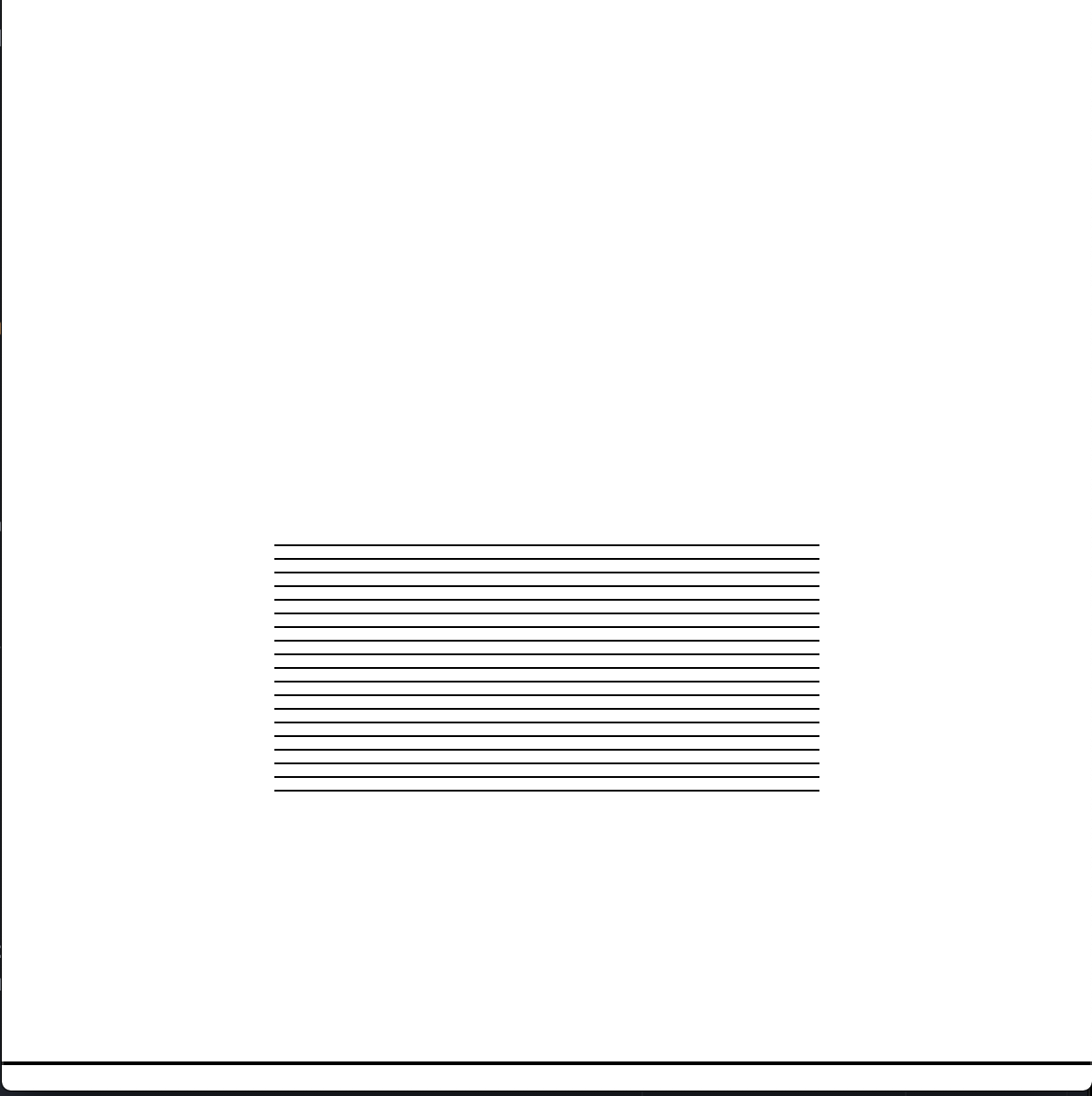
 jeffreyrosenbluth
All 11 comments
Ahh interesting, it's almost as though your call to app.window_rect() is reporting incorrect values after the first frame?
Here's what I see when running it:
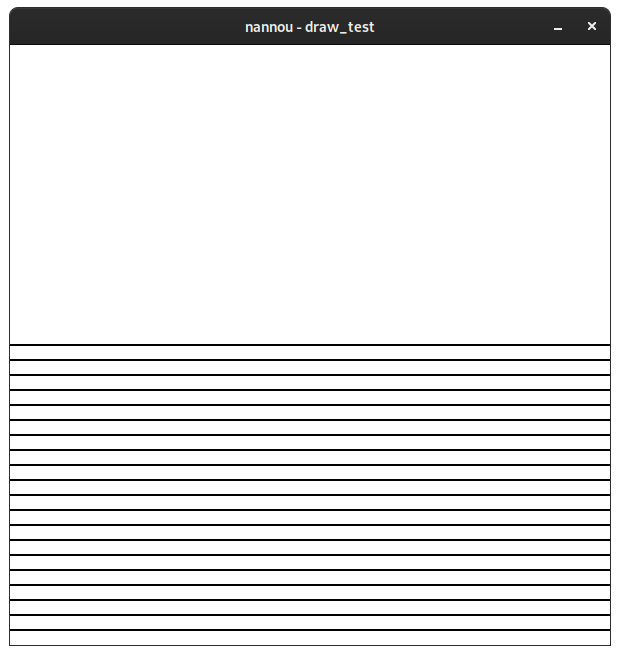
Would you mind sharing some details about what system you're on? and whether or not you use a window manager of some sort? I wonder if we're not receiving resized events for some reason.
 mitchmindtree
on 2 May 2020
mitchmindtree
on 2 May 2020
That's what i would expect. I'm running macOS Catalina 10.15.4 on a macbook pro 16inch.
Also, i checked the values of app.window.rect() and they are correct. It's almost as if the resolution is changing.
jeffreyrosenbluth
on 2 May 2020
I'm also noticing that some of my other sketches are appearing at width and height of half of what i expect. If i resize the window with the mouse, it seems to respond. Seems almost like some mac / retina thing. Very strange
jeffreyrosenbluth
on 2 May 2020
Just reverted back to 0.13.1 and the problem disappears
jeffreyrosenbluth
on 2 May 2020
Thanks for digging into this and sharing more info @jeffreyrosenbluth - I suspect that we're not receiving a necessary ScaleFactorChanged event from winit when we should be receiving one.
I think the reason why 0.13 is unaffected by this while 0.14 is, is that we recently changed the Window code to cache the most recently received scale factor and window size on each associated winit event in order to address a couple of issues.
Previously, each call to window.rect() would call the window.inner_size_points() and in turn window.scale_factor() methods, both of which call into the cocoa API to retrieve the current window dimensions. These calls are surprisingly expensive, and the method is used quite frequently so this was one of the motivations for caching.
The other motivation was that we had an issue where, during a resize, the reported window size could be different between the time that the resize event was emitted and the time the call to retrieve the size from the OS occurs. This meant that code creating wgpu render pipelines and textures with a size retrieved via these methods could end up with inconsistencies that sometimes resulted in panic!.
All that said, it looks like we might need to revert this change until a fix lands in winit to correctly report the scale factor on macos, and address the issues above in another manner.
In the meantime, you could try using the following to construct your window rect:
let (w, h) = app.main_window().inner_size_points();
let win_rect = Rect::from_w_h(w, h);
Let me know if this results in the expected behaviour, this will help to indicate whether my suspicions above are true or if something else might be going on.
mitchmindtree
on 3 May 2020
Thanks for looking into it. I made the change to construct the window rect but the problem persists.
jeffreyrosenbluth
on 3 May 2020
Any idea when you might revert this change. I'd love to start using 0.14.
jeffreyrosenbluth
on 5 May 2020
@jeffreyrosenbluth It's looks like my initial suspicion of there being an event omitted is wrong! I'm doing some investigating on Josh's macbook pro now.
mitchmindtree
on 6 May 2020
@mitchmindtree Thanks, let me know if there is anything i can do to help.
jeffreyrosenbluth
on 6 May 2020
@jeffreyrosenbluth I think #593 should fix this - you can give it a go by running cargo update -p nannou to update to 0.14.1 and then trying your example again. Feel free to re-open if it doesn't seem to fix the issue on your end!
mitchmindtree
on 6 May 2020
Works great - thanks
jeffreyrosenbluth
on 6 May 2020
Related issues
 capogreco
·
4Comments
mitchmindtree
·
4Comments
mitchmindtree
·
4Comments
capogreco
·
4Comments
mitchmindtree
·
4Comments
mitchmindtree
·
4Comments
 dimitre
·
4Comments
dimitre
·
4Comments
 bcbroom
·
3Comments
bcbroom
·
3Comments