Nancy: Upgrade to 1.4 causes fault on deployment
Updated to 1.4. Runs fine locally. Deployed to Azure and it faults. Roll back to 1.3 and deploy, works. The error message indicates the problem.
Nancy.RequestExecutionException: Oh noes! ---> System.FormatException: Invalid length for a Base-64 char array or string.
   at System.Convert.FromBase64_Decode(Char* startInputPtr, Int32 inputLength, Byte* startDestPtr, Int32 destLength)
   at System.Convert.FromBase64CharPtr(Char* inputPtr, Int32 inputLength)
   at System.Convert.FromBase64String(String s)
   at Nancy.Authentication.Forms.FormsAuthentication.DecryptAndValidateAuthenticationCookie(String cookieValue, FormsAuthenticationConfiguration configuration)
   at Nancy.Authentication.Forms.FormsAuthentication.GetAuthenticatedUserFromCookie(NancyContext context, FormsAuthenticationConfiguration configuration)
   at Nancy.Authentication.Forms.FormsAuthentication.<>c__DisplayClass7.b__6(NancyContext context)
   at Nancy.BeforePipeline.<>c__DisplayClass4.b__3(NancyContext ctx, CancellationToken ct)
   --- End of inner exception stack trace ---
   at Nancy.NancyEngine.InvokeOnErrorHook(NancyContext context, ErrorPipeline pipeline, Exception ex)
 mike-ward
All 106 comments
Can you create a minimal reproduction and I will take a look at it.
Cheers!
 richardprice
on 29 Oct 2015
richardprice
on 29 Oct 2015
i'm getting this error as well. i'm working on a reproduction, but haven't quite nailed it yet.
It's apparent from the stack trace, but i was getting this error from my FormsAuthentication code. i noticed that i had an older (FormsAuth-named) cookie that probably was no longer relevant. i'm hoping that's helpful to anyone else trying to reproduce this.
Removing that cookie seemed to get me past the 500 errors.
 jrsconfitto
on 29 Oct 2015
jrsconfitto
on 29 Oct 2015
It's a double encoding issue with cookies. #2094 will hopefully fix it :smile:
 khellang
on 29 Oct 2015
khellang
on 29 Oct 2015
Was just looking at that section of code. @richardprice, you're quick! Thanks :smile:
jrsconfitto
on 29 Oct 2015
I broke it in the first place, so.... ;)
On 29 October 2015 at 15:54, James Sconfitto [email protected]
wrote:
Was just looking at that section of code. @richardprice
https://github.com/richardprice, you're quick! Thanks [image: :smile:]—
Reply to this email directly or view it on GitHub
https://github.com/NancyFx/Nancy/issues/2093#issuecomment-152223320.
The most exciting phrase to hear in science, the one that heralds new
discoveries, is not 'Eureka!' but 'That's funny...' - Isaac Asimov
richardprice
on 29 Oct 2015
+1 on this... Rolled back to a previous release. Anyone have a solution to this for now?
 divmgl
on 29 Oct 2015
divmgl
on 29 Oct 2015
@divmgl Unfortunately I don't think there's much you can do to work around it. We'll hopefully push the fix (#2094) tomorrow. Stay tuned! And sorry for the inconvenience :cry:
khellang
on 29 Oct 2015
@divmgl While unfortunate that the bug was introduced, we always _strongly_ recommend that you perform ample regression testing in you dev/staging environment before deploying any new version into production. Sorry for any inconvenience this might have caused and we hope to have 1.4.1 out on NuGet tomorrow.
 thecodejunkie
on 29 Oct 2015
thecodejunkie
on 29 Oct 2015
@thecodejunkie @khellang no rush, thanks for the heads up. I edited my message as it was my fault I had production issues.
divmgl
on 29 Oct 2015
@thecodejunkie +1 on testing in dev/stage. I found the issue in our stage deployment so it was a non-issue for us. Just means we have to wait a few more days for the new goodies. :)
mike-ward
on 30 Oct 2015
1.4.1 working. Thanks!
mike-ward
on 5 Nov 2015
Awesome! Thanks for following up @mike-ward! :heart:
khellang
on 5 Nov 2015
I'm still seeing this issue on 1.4.3. Is anyone else?
 motherwaym
on 27 Jul 2016
motherwaym
on 27 Jul 2016
Have you cleared your cookies @zephyrweb ?
 grumpydev
on 27 Jul 2016
grumpydev
on 27 Jul 2016
@grumpydev yes, multiple times and tried changing the forms auth config (default and custom CryptographyConfiguration). The only reason I was trying it out was that I wanted to try out SharpRaven.Nancy and the latest had a dependency on 1.4.3.
I'll try upgrading independently of SharpRaven and let you know.
motherwaym
on 27 Jul 2016
I'm trying to upgrade from 1.2 to 1.4.4 (since the vulnerability was announced), but am seeing this exact same issue. This ticket makes it seem like this was fixed, though - is it actually fixed? If it is actually fixed, what can I do to diagnose what my particular problem might be?
 TypicalFooBar
on 23 Aug 2017
TypicalFooBar
on 23 Aug 2017
Just noting that I am also seeing this issue. I just upgraded to 1.4.4 from 1.3.0, and I have cleared my cookies, and tried other browsers as well. I've tried incognito mode, and still seeing it. I should note that I'm using Nancy.Authentication.Forms and not SimpleAuthentication. Downgrading back to 1.3.0 fixed it for now.
 jherman
on 29 Aug 2017
jherman
on 29 Aug 2017
@TypicalFooBar @jherman can either (or both) of you provide a bit more information and perhaps a stack trace? The old CSRF cookie format is no longer valid, but the forms authentication cookie should be untouched (like really, those files were not touched for 1.4.4 at all)..
thecodejunkie
on 30 Aug 2017
@thecodejunkie - here is the stack trace I get when this error happens:
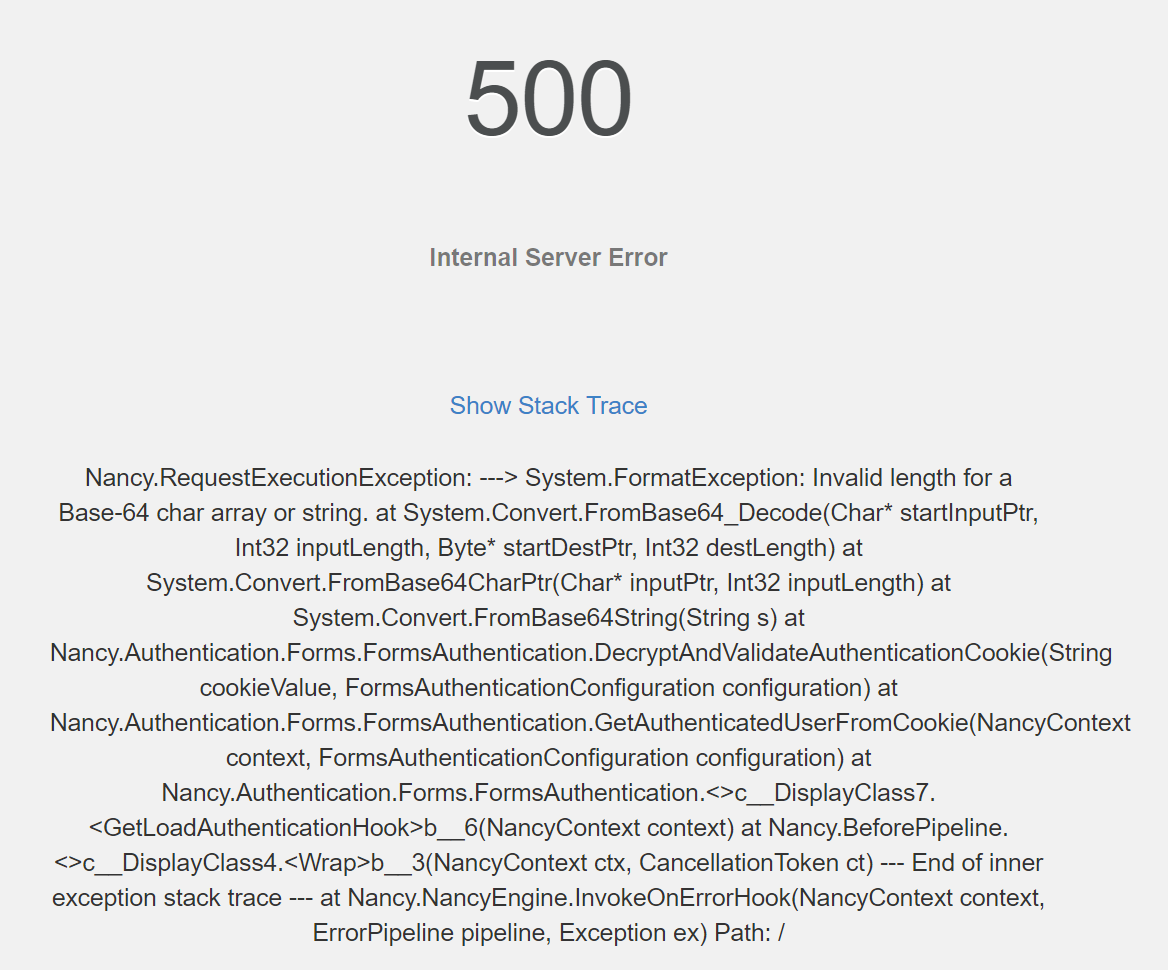
I haven't been able to pinpoint _where_ in my code this is happening; it feels like it might be something Nancy is doing before my code gets executed for any particular endpoint.
I am using Nancy.Security.Csrf.Enable() in the DefaultNancyBootstrapper.ApplicationStartup() function; could it be that the old CSRF cookie format is to blame? If that is the case, how can I force Nancy to use whatever the new CSRF cookie format is?
Thank you so much for helping, @thecodejunkie ! :)
TypicalFooBar
on 30 Aug 2017
Also, if I roll back to 1.3, this issue goes away and everything works like it should.
TypicalFooBar
on 30 Aug 2017
@TypicalFooBar out of curiosity, does it happen if you disable CRSF?
thecodejunkie
on 30 Aug 2017
@thecodejunkie - Let me try doing that and I'll get back to you with an answer.
TypicalFooBar
on 30 Aug 2017
Here is my stack trace:
2017-08-29 12:40:06 [8] ERROR - Nancy.RequestExecutionException: Oh noes! ---> System.FormatException: Invalid length for a Base-64 char array or string.
   at System.Convert.FromBase64_Decode(Char* startInputPtr, Int32 inputLength, Byte* startDestPtr, Int32 destLength)
   at System.Convert.FromBase64CharPtr(Char* inputPtr, Int32 inputLength)
   at System.Convert.FromBase64String(String s)
   at Nancy.Authentication.Forms.FormsAuthentication.DecryptAndValidateAuthenticationCookie(String cookieValue, FormsAuthenticationConfiguration configuration)
   at Nancy.Authentication.Forms.FormsAuthentication.GetAuthenticatedUserFromCookie(NancyContext context, FormsAuthenticationConfiguration configuration)
   at Nancy.Authentication.Forms.FormsAuthentication.<>c__DisplayClass7.<GetLoadAuthenticationHook>b__6(NancyContext context)
   at Nancy.BeforePipeline.<>c__DisplayClass4.<Wrap>b__3(NancyContext ctx, CancellationToken ct)
   --- End of inner exception stack trace ---
   at Nancy.NancyEngine.InvokeOnErrorHook(NancyContext context, ErrorPipeline pipeline, Exception ex)
I'm not enabling CSRF in my code.
jherman
on 30 Aug 2017
@TypicalFooBar @jherman thanks.. and this is happening on all requests? Are all your paths secured? I.e cannot be accessed without being authenticated? You're going to have to bare with me for a while while I'm trying to narrow down the scenario that causes this an eliminate certain code paths 😄
thecodejunkie
on 30 Aug 2017
Some of my path's can be accessed without being authenticated. I get this exception right after I have been authenticated and try to hit a path that requires authentication. If you're having a lot of issues locating the issue, I'm willing to do a join.me if that will help. I just don't want to share my code publicly. You would just have to give me time to setup, of course.
jherman
on 30 Aug 2017
OK, so this only happens on secure paths 🤔 Can you check the cookie in your browser and see what the content looks like?
thecodejunkie
on 30 Aug 2017
Also, what happens if you upgrade to 1.4.3 (and clear cookies)? That version does not contain the CSRF changes, so it would help narrow it down further
thecodejunkie
on 30 Aug 2017
I'm not sure why this would be related to CSRF? The stack trace says FormsAuthentication?
khellang
on 30 Aug 2017
I've reverted everything back to 1.3.0, so I'll need some time to put things back in place. I originally went to 1.4.4 and was given this exception, do you want me to try 1.4.3 instead?
jherman
on 30 Aug 2017
@khellang I don't think so either, but since everyone seems to have jumped from 1.3.0 to 1.4.4 I just want to eliminate the changes made in 1.4.4 and have someone try 1.4.3 instead
thecodejunkie
on 30 Aug 2017
@jherman yes.
thecodejunkie
on 30 Aug 2017
Almost sounds like it's ending up with a zero length cookie string, or like it's being cutoff before being decoded
thecodejunkie
on 30 Aug 2017
My cookie contents:
KbDP2lxd%2fnJLNuISe66RY5ToLhJ%2fM8wrpPn6CZDEVMQ%3d2ClXLwsKrFXzTcwqVlkUtUI4HXj0rZgJkYFrZUM8pFA+H0dv1RbBzkKNNRER72rF
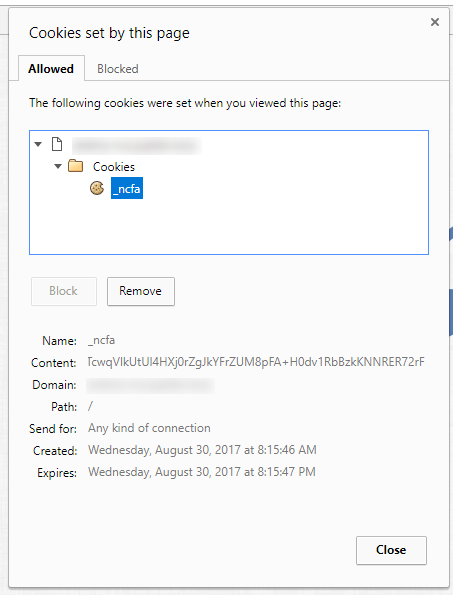
For reference my nuget packages:
<?xml version="1.0" encoding="utf-8"?>
<packages>
  <package id="AutoMapper" version="4.0.4" targetFramework="net45" />
  <package id="Nancy" version="1.4.3" targetFramework="net45" />
  <package id="Nancy.Authentication.Forms" version="1.4.1" targetFramework="net45" />
  <package id="Nancy.Hosting.Self" version="1.4.1" targetFramework="net45" />
  <package id="Nancy.Serialization.JsonNet" version="1.4.1" targetFramework="net45" />
  <package id="Newtonsoft.Json" version="10.0.3" targetFramework="net45" />
  <package id="Ninject" version="3.2.2.0" targetFramework="net45" />
  <package id="Ninject.Extensions.ChildKernel" version="3.2.0.0" targetFramework="net45" />
</packages>
Also my steps I take to reproduce the exception:
- I go to the login page
- Attempt to login
- I get redirected as expected but notice the page didn't render properly
- I see javascript errors indicating I'm not able to pull back data because I'm not authenticated.
- I refresh the page, and note that I'm back at the login screen (so I'm guessing
Context.CurrentUser == null - I look to see if I have a cookie, and I do (which i screenshot above).
- I then remove the cookie.
- Attempt to login again, this time I'm thrown the exception.
jherman
on 30 Aug 2017
I have not yet tested turning off CSRF in my project, but I just wanted to say that those steps that @jherman listed out are identical for myself in my own project.
Also, I have tried version 1.4.0, 1.4.1, 1.4.2, 1.4.3, and 1.4.4 - all of them have this same issue. When I use 1.3.0 or earlier, everything works fine.
TypicalFooBar
on 30 Aug 2017
Also, @thecodejunkie - yes, all my endpoints need authentication, otherwise you get re-routed to the login page.
TypicalFooBar
on 30 Aug 2017
Just to get some more info to go by... What host is everyone running on?
khellang
on 30 Aug 2017
I'm on Windows 10 (10.0.14393.0).
jherman
on 30 Aug 2017
But what Nancy host? OWIN? Self-host? ASP.NET?
khellang
on 30 Aug 2017
Ah, yes see my package list above. Self Hosting.
jherman
on 30 Aug 2017
I am using Nancy.Hosting.Aspnet
Here is my package list:
<?xml version="1.0" encoding="utf-8"?>
<packages>
  <package id="iTextSharp" version="5.5.7" targetFramework="net45" />
  <package id="itextsharp.xmlworker" version="5.5.7" targetFramework="net45" />
  <package id="Microsoft.ApplicationInsights" version="2.2.0" targetFramework="net461" />
  <package id="Microsoft.ApplicationInsights.Agent.Intercept" version="2.0.6" targetFramework="net461" />
  <package id="Microsoft.ApplicationInsights.DependencyCollector" version="2.2.0" targetFramework="net461" />
  <package id="Microsoft.ApplicationInsights.PerfCounterCollector" version="2.2.0" targetFramework="net461" />
  <package id="Microsoft.ApplicationInsights.TraceListener" version="2.2.0" targetFramework="net461" />
  <package id="Microsoft.ApplicationInsights.Web" version="2.2.0" targetFramework="net461" />
  <package id="Microsoft.ApplicationInsights.WindowsServer" version="2.2.0" targetFramework="net461" />
  <package id="Microsoft.ApplicationInsights.WindowsServer.TelemetryChannel" version="2.2.0" targetFramework="net461" />
  <package id="Microsoft.AspNet.Identity.Core" version="2.2.1" targetFramework="net451" />
  <package id="Microsoft.AspNet.Mvc" version="5.2.3" targetFramework="net461" />
  <package id="Microsoft.AspNet.Razor" version="3.2.3" targetFramework="net461" />
  <package id="Microsoft.AspNet.WebPages" version="3.2.3" targetFramework="net461" />
  <package id="Microsoft.Web.Infrastructure" version="1.0.0.0" targetFramework="net45" />
  <package id="Nancy" version="1.4.4" targetFramework="net461" />
  <package id="Nancy.Authentication.Forms" version="1.4.1" targetFramework="net461" />
  <package id="Nancy.Hosting.Aspnet" version="1.4.1" targetFramework="net461" />
  <package id="Nancy.Viewengines.Razor" version="1.4.3" targetFramework="net461" />
  <package id="OctoPack" version="3.0.45" targetFramework="net45" />
  <package id="ServiceStack.Common" version="4.0.40" targetFramework="net40" />
  <package id="ServiceStack.Interfaces" version="4.0.40" targetFramework="net40" />
  <package id="ServiceStack.OrmLite" version="4.0.40" targetFramework="net451" />
  <package id="ServiceStack.OrmLite.SqlServer" version="4.0.40" targetFramework="net451" />
  <package id="ServiceStack.Text" version="4.0.40" targetFramework="net40" />
  <package id="System.Web.Razor.Unofficial" version="2.0.2" targetFramework="net40" />
</packages>
Have either of you tried setting up a bare bones, minimal app, using the 1.4.x packages to see if it happens on a new app?
thecodejunkie
on 30 Aug 2017
I have not had the time to do that. It was far more reasonable to just revert to 1.3.0 lol
jherman
on 30 Aug 2017
I have done all but rebuild from scratch with it and still have the same issue.
 sometingk
on 30 Aug 2017
sometingk
on 30 Aug 2017
I'm building a sample app, from scratch as we speak
thecodejunkie
on 30 Aug 2017
OK, so my sample application seems to work fine
namespace FormAuthenticationCookieProblem
{
    using System;
    using System.Collections.Generic;
    using System.Linq;
    using Nancy;
    using Nancy.Authentication.Forms;
    using Nancy.Bootstrapper;
    using Nancy.Cryptography;
    using Nancy.Security;
    using Nancy.TinyIoc;

    public class IndexModule : NancyModule
    {
        public IndexModule()
        {
            Get["/"] = _ =>
            {
                return "Hi from nancy";
            };

            Get["/login"] = _ =>
            {
                return View["login.html"];
            };

            Post["/login"] = _ =>
            {
                return this.LoginAndRedirect(Guid.NewGuid(), fallbackRedirectUrl: "/");
            };
        }
    }

    public class SecureModule : NancyModule
    {
        public SecureModule()
        {
            this.RequiresAuthentication();

            Get["/secure"] = _ =>
            {
                return "Hi from a secure module";
            };
        }
    }

    public class MyUserMapper : IUserMapper
    {
        public IUserIdentity GetUserFromIdentifier(Guid identifier, NancyContext context)
        {
            return new MyUserIdentity("Nancy");
        }
    }

    public class MyUserIdentity : IUserIdentity
    {
        public MyUserIdentity(string userName)
        {
            this.UserName = userName;
            this.Claims = Enumerable.Empty<string>();
        }

        public string UserName { get; }

        public IEnumerable<string> Claims { get; }
    }

    public class MyBootstrapper : DefaultNancyBootstrapper
    {
        protected override void ApplicationStartup(TinyIoCContainer container, IPipelines pipelines)
        {
            var cryptographyConfiguration = new CryptographyConfiguration(
                new RijndaelEncryptionProvider(new PassphraseKeyGenerator("SuperSecretPass", new byte[] { 1, 2, 3, 4, 5, 6, 7, 8 })),
                new DefaultHmacProvider(new PassphraseKeyGenerator("UberSuperSecure", new byte[] { 1, 2, 3, 4, 5, 6, 7, 8 })));

            var config =
                new FormsAuthenticationConfiguration()
                {
                    CryptographyConfiguration = cryptographyConfiguration,
                    RedirectUrl = "/login",
                    UserMapper = container.Resolve<IUserMapper>(),
                };

            FormsAuthentication.Enable(pipelines, config);

            base.ApplicationStartup(container, pipelines);
        }
    }
}
Using these packages
<?xml version="1.0" encoding="utf-8"?>
<packages>
  <package id="Nancy" version="1.4.4" targetFramework="net452" />
  <package id="Nancy.Authentication.Forms" version="1.4.1" targetFramework="net452" />
  <package id="Nancy.Hosting.Aspnet" version="1.4.1" targetFramework="net452" />
</packages>
and this is my simple login page
<!DOCTYPE html>
<html>
<body>
    <form method="post">
        <input type="text" name="username"/>
        <input type="password" name="password"/>
        <button type="submit">Login</button>
    </form>
</body>
</html>
So the question is.. why does this blow up between 1.3 and 1.4.x 🤔
thecodejunkie
on 30 Aug 2017
Did you start with 1.3, then update to 1.4.4?
jherman
on 30 Aug 2017
No, I wanted to create a clean app starting with 1.4.x to rule out that it did not bake on it's own. So this is clearly a migration issue for some reason
thecodejunkie
on 30 Aug 2017
Also, not sure if it matters here but I'm using different encryption providers:
            var cryptoConfig = new CryptographyConfiguration(
                new AesEncryptionProvider(new PassphraseKeyGenerator(@"super", salt)),
                new DefaultHmacProvider(new PassphraseKeyGenerator(@"duper", salt)));
I'm also using SSL
jherman
on 30 Aug 2017
The thing that does not make sense is that IF all cookies have been cleared then there should not be a migration issue since any new cookie will be generated (and decrypted) by the 1.4.x code base (which is exactly what is happening in my application). It is literally only using two things
- Your
CryptographyConfigurationfor encrypting/decrypting the cookie data - The data stored in your cookie
Hmm
thecodejunkie
on 30 Aug 2017
I have code in my pipelines.AfterRequest and pipelines.BeforeRequest. I'm going to try commenting out some of those things and see what happens...
jherman
on 30 Aug 2017
@jherman wait.. AesEncryptionProvider? In 1.x? That was not introduced until the 2.x code base https://github.com/NancyFx/Nancy/commit/0fc958c2954c478a66cf107dea3ba261aea70f44#diff-ee14c367df32dda61454918f734102edL10 ?
thecodejunkie
on 30 Aug 2017
Well that seems to have fixed it. I'll try to narrow it down as which pipeline it is, and what the line of code is that is killing it...
jherman
on 30 Aug 2017
@thecodejunkie RE: AesEncryptionProvider that maybe true, but I've been using it without issues for quite a while now...
jherman
on 30 Aug 2017
Yeah but WHERE are you pulling it in from? It should not be part of Nancy.Cryptography in the 1.x code base
thecodejunkie
on 30 Aug 2017
This is the 1.x code base, and as you can see it's not in there https://github.com/NancyFx/Nancy/tree/1.x-WorkingBranch/src/Nancy/Cryptography
thecodejunkie
on 30 Aug 2017
Ah, I implemented my own AesEncryptionProvider using Nancy's IEncryptionProvider. I think I may have just ripped it from you guys actually:
using System;
using System.Security.Cryptography;
using System.Text;
using Nancy.Cryptography;

namespace ProfileUnity.Host.Web.Nancy
{
    public class AesEncryptionProvider : IEncryptionProvider
    {
        private readonly byte[] key;

        private readonly byte[] iv;

        /// <summary>
        /// Creates a new instance of the AesEncryptionProvider class
        /// </summary>
        /// <param name="keyGenerator">Key generator to use to generate the key and iv</param>
        public AesEncryptionProvider(IKeyGenerator keyGenerator)
        {
            this.key = keyGenerator.GetBytes(32);
            this.iv = keyGenerator.GetBytes(16);
        }

        /// <summary>
        /// Encrypt data
        /// </summary>
        /// <param name="data">Data to encrypt</param>
        /// <returns>Encrypted string</returns>
        public string Encrypt(string data)
        {
            using (var provider = new AesCryptoServiceProvider())
            using (var encryptor = provider.CreateEncryptor(this.key, this.iv))
            {
                var input = Encoding.UTF8.GetBytes(data);
                var output = encryptor.TransformFinalBlock(input, 0, input.Length);

                return Convert.ToBase64String(output);
            }
        }

        /// <summary>
        /// Decrypt string
        /// </summary>
        /// <param name="data">Data to decrypt</param>
        /// <returns>Decrypted string</returns>
        public string Decrypt(string data)
        {
            try
            {
                using (var provider = new AesCryptoServiceProvider())
                using (var decryptor = provider.CreateDecryptor(this.key, this.iv))
                {
                    var input = Convert.FromBase64String(data);
                    var output = decryptor.TransformFinalBlock(input, 0, input.Length);

                    return Encoding.UTF8.GetString(output);
                }
            }
            catch (FormatException)
            {
                return String.Empty;
            }
            catch (CryptographicException)
            {
                return String.Empty;
            }
        }
    }
}
It's something in my BeforeRequest pipeline... narrowing it down..
jherman
on 30 Aug 2017
@jherman OK then, that makes sense.
@TypicalFooBar and @sometingk what encryption provider are you guys using?
thecodejunkie
on 30 Aug 2017
@jherman progress!
thecodejunkie
on 30 Aug 2017
@thecodejunkie - In my project, the CryptographyConfiguration object is not set when I create a new FormsAuthenticationConfiguration object during the bootstraper
var formsAuthConfiguration = new FormsAuthenticationConfiguration()
{
    RedirectUrl = "~/account/login",
    UserMapper = container.Resolve<IUserMapper>(),
    DisableRedirect = (context.Request.Url.Path.ToLower().Contains("/api") ? true : false)
};

FormsAuthentication.Enable(pipelines, formsAuthConfiguration);
@TypicalFooBar I point you towards the documentation https://github.com/NancyFx/Nancy/wiki/Forms-authentication#a-word-on-cryptography 😉
thecodejunkie
on 30 Aug 2017
@thecodejunkie I think there is a timing issue going on. When I breakpoint, and step through my code it works just fine. When I remove the breakpoints, I'm tossed the exception...
jherman
on 30 Aug 2017
what do you have in your BeforeRequest pipeline then?
thecodejunkie
on 30 Aug 2017
                if (ctx.CurrentUser != null)
                {
                    var sessionId = ctx.CurrentUser.GetSessionId();

                    if (sessionId == null) return FormsAuthentication.LogOutResponse();

                    var sessionFound = SessionManager.ContainsId(new Guid(sessionId));

                    return sessionFound ? null : FormsAuthentication.LogOutResponse();
                }

                return null;
Basically I'm checking my session manager to see if the user already has a session in place, if not, something is out of sync and they should be logged out.
jherman
on 30 Aug 2017
and where do you wire this up? In ApplicationStartup or RequestStartup ? Were do you enable forms authentication?
thecodejunkie
on 30 Aug 2017
I wire this pipeline and enable FormsAuthentication up in ApplicationStartup.
jherman
on 30 Aug 2017
@jherman humor me.. try it in an incognito browser window, just to make sure you don't have any stray cookies.. it shouldn't be a timing issue since all that stuff happens synchronously
thecodejunkie
on 30 Aug 2017
Exception is still throwing in an incognito browser window.
jherman
on 30 Aug 2017
I'd love to join you both, if you end up chatting.
TypicalFooBar
on 30 Aug 2017
I could probably do it tomorrow during business hours. But to be honest what I think needs to happen next it to run the same logic, as forms authentication, but on an unsecure route. I.e take the code from https://github.com/NancyFx/Nancy/blob/1.x-WorkingBranch/src/Nancy.Authentication.Forms/FormsAuthentication.cs#L355 and stick it into a route that does not require authentication. The cookieValue parameter is just the encrypted cookie content https://github.com/NancyFx/Nancy/blob/1.x-WorkingBranch/src/Nancy.Authentication.Forms/FormsAuthentication.cs#L257 which grabbs it from a cookie using this name https://github.com/NancyFx/Nancy/blob/1.x-WorkingBranch/src/Nancy.Authentication.Forms/FormsAuthentication.cs#L19 .. that would actually give you some code that you could step through yourself to get some more insight
thecodejunkie
on 30 Aug 2017
There's something fishy going on here... What happens in SessionManager.ContainsId? What does that check? Is that a static class?
You say
- I go to the login page
- Attempt to login
- I get redirected as expected but notice the page didn't render properly
My guess is you get redirected to the correct page, but on the next request (like a CSS or JS load), the pre-request hook ends up logging the user out because either ctx.CurrentUser.GetSessionId() is null or SessionManager.ContainsId(new Guid(sessionId)) is false.
- I see javascript errors indicating I'm not able to pull back data because I'm not authenticated.
See above.
- I refresh the page, and note that I'm back at the login screen (so I'm guessing
Context.CurrentUser == null
This is because the pre-request hook has removed the cookie.
I think we need to know a bit more about these other moving parts in order to correctly debug this issue.
khellang
on 30 Aug 2017
I'll see what I can do... It's so inconsistent now. Right now, if I refresh, and try again, it works, then I'll attempt it again, it fails. I have a feeling I'd have a hard time reproducing it for you to see.
jherman
on 30 Aug 2017
It would also be nice to know what your GetUserFromIdentifier implementation does.
khellang
on 30 Aug 2017
Hmm @khellang have a point here about subsequent requests ...
thecodejunkie
on 30 Aug 2017
RE: SessionManager.ContainsId, It's not static and this is just an extension method:
        public static string GetSessionId(this IUserIdentity identity)
        {
            var sessionId = identity?.Claims.FirstOrDefault(c => c.StartsWith("sessionId:"));
            return sessionId?.Substring(10);
        }
Not exactly sure why the Nancy version would have an impact though
thecodejunkie
on 30 Aug 2017
RE:
SessionManager.ContainsId, It's not static and this is just an extension method:
That's not SessionManager.ContainsId :wink:
khellang
on 30 Aug 2017
RE:
My guess is you get redirected to the correct page, but on the next request (like a CSS or JS load), the pre-request hook ends up logging the user out because either ctx.CurrentUser.GetSessionId() is null or SessionManager.ContainsId(new Guid(sessionId)) is false.
I think you are absolutely correct on that. I agree there.
jherman
on 30 Aug 2017
Ah sorry @khellang that code is:
        public bool ContainsId(Guid sessionId)
        {
            lock (_cachedCredentials)
            {
                return _cachedCredentials.ContainsKey(sessionId);
            }
        }
Not exactly sure why the Nancy version would have an impact though
I agree...
jherman
on 30 Aug 2017
@TypicalFooBar are you running anything in your BeforePipeline ?
thecodejunkie
on 31 Aug 2017
I just tried downgrading my application to use 1.3 packages and it still worked. Then I tried a couple of different things
- Clear all cookies (and verify that they were gone). Upgrade to
1.4.xand it still works to sign in - Downgrade back to
1.3, generate a new cookie, upgrade to1.4.x(with the cookie still there) and go to the secure page. Still works
So I'm not quite sure what you guys are experiencing. @jherman is doing some logout stuff himself, so I think you need to set some break points in your code to see why your session manager ends up signing you out for requests that come in after your initial page load. @TypicalFooBar need to provide more information about this Before-pipeline + try and simplify his code until it stops happening, so we can narrow it down. Last @sometingk needs to provide additional information
I understand that some of this might be sensitive code, but I'm very reluctant to think that you 3 aren't being hit by the same scenario in the end - so we need to start finding similarities between your setups or we're not likely to narrow it down - especially since it's not reproducible in a small test app (meaning that there's other stuff happening in your code that is having an impact)
thanks
thecodejunkie
on 31 Aug 2017
I've been playing around with it this morning, and commenting a bunch of calls to my session manager, to the point all of it was commented out, and it was still occurring. I'm leaning on something may have changed that is tied to pipeline code. It still seems to be a timing/locking issue of some sort as it's completely inconsistent.
@thecodejunkie can you try adding the following to your ApplicationStartup:
            pipelines.AfterRequest += ctx =>
            {
                if (!ctx.Response.Headers.ContainsKey("X-FRAME-OPTIONS"))
                    ctx.Response.Headers.Add("X-FRAME-OPTIONS", "SAMEORIGIN");

                if (ctx.CurrentUser == null || ctx.Request.Path.ToLower().Equals("/logout")) return;

                var formsAuthCookieName = FormsAuthentication.FormsAuthenticationCookieName;

                var user = ctx.CurrentUser;

                var formsAuthCookie = HttpUtility.UrlDecode(ctx.Request.Cookies[formsAuthCookieName]);

                ctx.Response.WithCookie(formsAuthCookieName, formsAuthCookie,
                    DateTime.UtcNow.AddMinutes(WebProuSettings.WebSessionTimeoutInMinutes));
            };
I was able to reproduce with just this in my pipelines. You may need to login and logout several times before you see it.
In any case, you've given it some due diligence and I do appreciate that. I can only spend so much time on this before moving on. We are in the middle of changing our framework out around this, and this will no longer be relevant anyway, so I may just forego this.
jherman
on 31 Aug 2017
We are defaulting our encryption in the formsAuthConfiguration.
Based on @jherman I am working through the pipeline as well to see if there is anything we are doing there.
sometingk
on 31 Aug 2017
@thecodejunkie
I used the example application you provided and added the following to the MyBootstrapper.ApplicationStartup() right before the call to base.ApplicationStartup():
pipelines.AfterRequest.AddItemToEndOfPipeline((ctx) =>
{
    if (!ctx.Response.Headers.ContainsKey("X-FRAME-OPTIONS"))
        ctx.Response.Headers.Add("X-FRAME-OPTIONS", "SAMEORIGIN");

    if (ctx.CurrentUser == null || ctx.Request.Path.ToLower().Equals("/logout")) return;

    var formsAuthCookieName = FormsAuthentication.FormsAuthenticationCookieName;

    var user = ctx.CurrentUser;

    var formsAuthCookie = HttpUtility.UrlDecode(ctx.Request.Cookies[formsAuthCookieName]);

    ctx.Response.WithCookie(formsAuthCookieName, formsAuthCookie, DateTime.UtcNow.AddMinutes(10));
});
I did have to log in several times, like @jherman mentioned, but I was eventually able to reproduce this. Here is the output from the sample application:
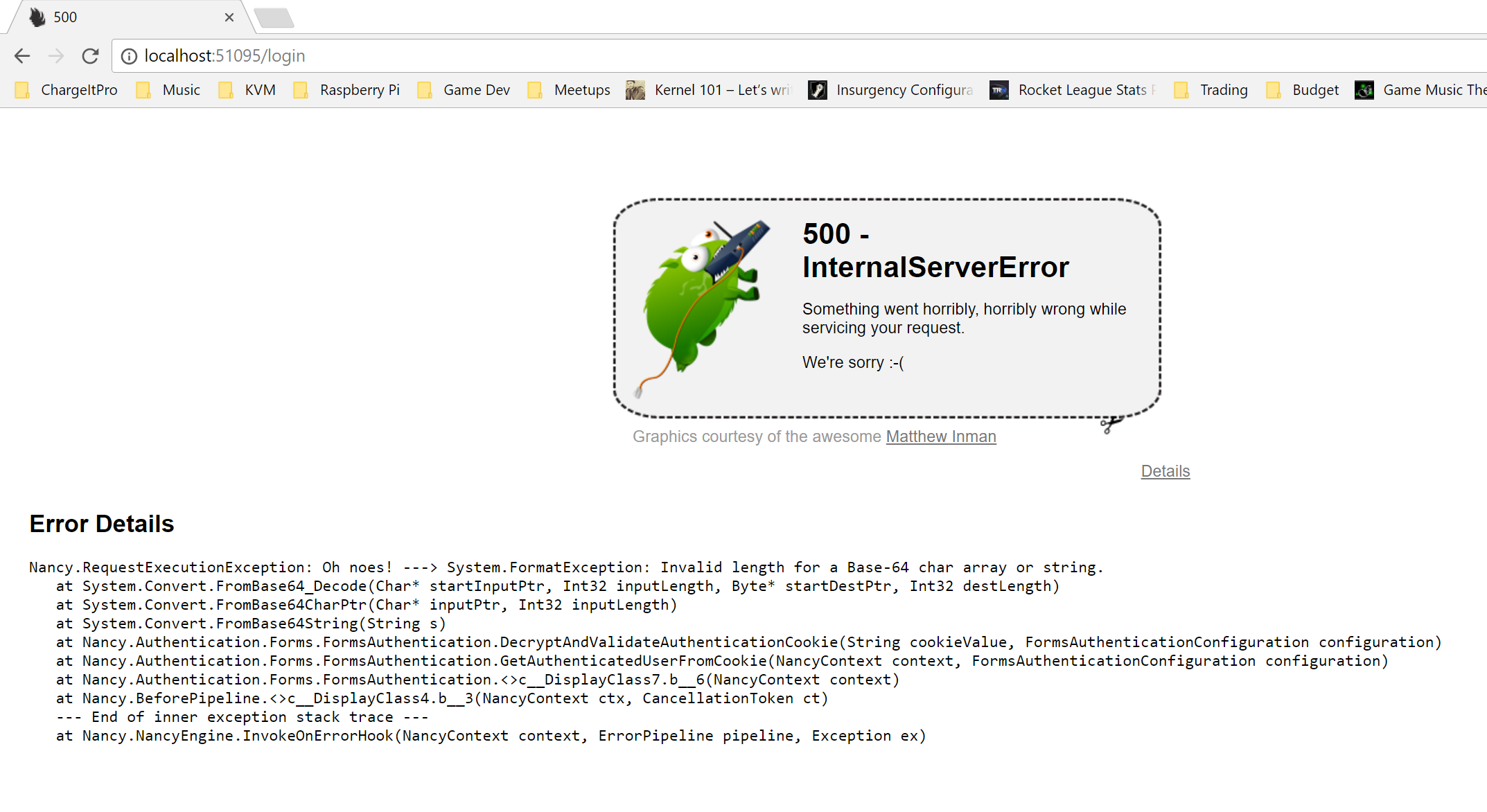
TypicalFooBar
on 31 Aug 2017
Here is the entire piece of code:
using Nancy;
using Nancy.Authentication.Forms;
using System;
using System.Collections.Generic;
using System.Linq;
using Nancy.Security;
using Nancy.TinyIoc;
using Nancy.Cryptography;
using Nancy.Bootstrapper;
using Nancy.Helpers;

namespace NancyUpdate
{
    public class IndexModule : NancyModule
    {
        public IndexModule()
        {
            Get["/"] = _ =>
            {
                return "Hi from nancy";
            };

            Get["/login"] = _ =>
            {
                return View["login.html"];
            };

            Post["/login"] = _ =>
            {
                return this.LoginAndRedirect(Guid.NewGuid(), fallbackRedirectUrl: "/");
            };
        }
    }

    public class SecureModule : NancyModule
    {
        public SecureModule()
        {
            this.RequiresAuthentication();

            Get["/secure"] = _ =>
            {
                return "Hi from a secure module";
            };
        }
    }

    public class MyUserMapper : IUserMapper
    {
        public IUserIdentity GetUserFromIdentifier(Guid identifier, NancyContext context)
        {
            return new MyUserIdentity("Nancy");
        }
    }

    public class MyUserIdentity : IUserIdentity
    {
        public MyUserIdentity(string userName)
        {
            this.UserName = userName;
            this.Claims = Enumerable.Empty<string>();
        }

        public string UserName { get; }

        public IEnumerable<string> Claims { get; }
    }

    public class MyBootstrapper : DefaultNancyBootstrapper
    {
        protected override void ApplicationStartup(TinyIoCContainer container, IPipelines pipelines)
        {
            var cryptographyConfiguration = new CryptographyConfiguration(
                new RijndaelEncryptionProvider(new PassphraseKeyGenerator("SuperSecretPass", new byte[] { 1, 2, 3, 4, 5, 6, 7, 8 })),
                new DefaultHmacProvider(new PassphraseKeyGenerator("UberSuperSecure", new byte[] { 1, 2, 3, 4, 5, 6, 7, 8 })));

            var config =
                new FormsAuthenticationConfiguration()
                {
                    CryptographyConfiguration = cryptographyConfiguration,
                    RedirectUrl = "/login",
                    UserMapper = container.Resolve<IUserMapper>(),
                };

            FormsAuthentication.Enable(pipelines, config);

            pipelines.AfterRequest.AddItemToEndOfPipeline((ctx) =>
            {
                if (!ctx.Response.Headers.ContainsKey("X-FRAME-OPTIONS"))
                    ctx.Response.Headers.Add("X-FRAME-OPTIONS", "SAMEORIGIN");

                if (ctx.CurrentUser == null || ctx.Request.Path.ToLower().Equals("/logout")) return;

                var formsAuthCookieName = FormsAuthentication.FormsAuthenticationCookieName;

                var user = ctx.CurrentUser;

                var formsAuthCookie = HttpUtility.UrlDecode(ctx.Request.Cookies[formsAuthCookieName]);

                ctx.Response.WithCookie(formsAuthCookieName, formsAuthCookie,
                    DateTime.UtcNow.AddMinutes(10));
            });

            base.ApplicationStartup(container, pipelines);
        }
    }
}
There is also a login.html file in the Views folder, so Views/login.html which looks like:
<!DOCTYPE html>
<html>
<body>
    <form method="post">
        <input type="text" name="username" />
        <input type="password" name="password" />
        <button type="submit">Login</button>
    </form>
</body>
</html>
I'm unsure if it matters or not, but I did start this project off with version 1.2.0 and then updated to version 1.4.4 (and the other DLLs to their latest 1.4.* version).
TypicalFooBar
on 31 Aug 2017
Here is my packages.config
<?xml version="1.0" encoding="utf-8"?>
<packages>
  <package id="Microsoft.ApplicationInsights" version="2.1.0" targetFramework="net461" />
  <package id="Microsoft.ApplicationInsights.Agent.Intercept" version="1.2.1" targetFramework="net461" />
  <package id="Microsoft.ApplicationInsights.DependencyCollector" version="2.1.0" targetFramework="net461" />
  <package id="Microsoft.ApplicationInsights.PerfCounterCollector" version="2.1.0" targetFramework="net461" />
  <package id="Microsoft.ApplicationInsights.Web" version="2.1.0" targetFramework="net461" />
  <package id="Microsoft.ApplicationInsights.WindowsServer" version="2.1.0" targetFramework="net461" />
  <package id="Microsoft.ApplicationInsights.WindowsServer.TelemetryChannel" version="2.1.0" targetFramework="net461" />
  <package id="Microsoft.AspNet.Razor" version="2.0.30506.0" targetFramework="net461" />
  <package id="Microsoft.CodeDom.Providers.DotNetCompilerPlatform" version="1.0.0" targetFramework="net461" />
  <package id="Microsoft.Net.Compilers" version="1.0.0" targetFramework="net461" developmentDependency="true" />
  <package id="Nancy" version="1.4.4" targetFramework="net461" />
  <package id="Nancy.Authentication.Forms" version="1.4.1" targetFramework="net461" />
  <package id="Nancy.Hosting.Aspnet" version="1.4.1" targetFramework="net461" />
  <package id="Nancy.Viewengines.Razor" version="1.4.3" targetFramework="net461" />
</packages>
I'm not sure if this is helpful, but here are a few example _ncfa cookies when things work and when things fail.
- Successful
zkaTqdyiRubwd4YFzRllwoKs3ImuGEb4I9WMbHH5IWg%3dpCFUYldPNYvHha3fHBGJX59ErK85mctdiaQMw8w8xV8hFnBEIO7ApJIWImH3xNoXtOEIp3wF51wvDj6ZKUKddw9GAPyZYeqhKAmRT4GgZeM%3d16HypC9kTPmuZbUyV5+l6hXm1PXxsePr0d5r2H68cob6HtUQEAK9jcd4uRfIdqeb12Gp4rf41XpqN4Vt+CSOrzvatGi1rqzMTMdJ8VUexvo%3dn5tDsFl+qmyAYopjrkuNgNAP01fzGabEFXTlQXFjSpQ2nk9tX9kM9AorpLv4chSt- Heading back to the login page with this cookie value, the error occurred, but the initial login and redirection to
/securedid work correctly.
- Failing
ZSxcqfoEW+BxnIlcdHP1Cq9%2f5s6f5JiDMrLy8gt1lTo%3dAwRh41m93bhOWygcDqm2fpTPoogrO1cAXi3HMhZYU23zIK2CteMDFUk5oGk3HTYa
I think this data may be useless, as things are really inconsistent for me, but I have been able to have the exception thrown several times with the code I provided.
TypicalFooBar
on 31 Aug 2017
@TypicalFooBar I did manage to reproduce the error - once, when I added your AfterRequest hook. Can you explain the thought behind it? Since it keeps your cookie around all the time and never really signs you out, even if you sign out
thecodejunkie
on 31 Aug 2017
So it turns out that it is the hmac, that is embedded in the cookie, that appears to end up invalid. The actual encrypted value appears to be intact. This seems to happen when you do some cookie value manipulation and we end up with some weird encoding issue when it contains certain characters, like +
I added you after hook and noticed that ctx.Request.Cookies[formsAuthCookieName] contained a string that had a + characters in it (and this time in the hmac part)
vHZDypmUPhK6/Y7m8+1eAecI5n5Ji3cmsw/AWw/6UOc=YwgpEMSdZ3rQ/cMMxGNy6qOqLYM8RcCn0VnWBUf5kzRszjt8Otk/0il5/Ch2PiNA
Your code then proceeds to url decode the value, leaving it as
vHZDypmUPhK6/Y7m8 1eAecI5n5Ji3cmsw/AWw/6UOc=YwgpEMSdZ3rQ/cMMxGNy6qOqLYM8RcCn0VnWBUf5kzRszjt8Otk/0il5/Ch2PiNA
Notice that the + has now been replaced by a space. Once this cookie goes back into the response then the error will start to happen.
Now the next question is.. does this happen during any _normal_ Nancy code execution paths, when using forms authentication, or does it require cookie value fiddling like your example? I'm guessing, based on @jherman experience, that it can happen using normal Nancy code
thecodejunkie
on 31 Aug 2017
@thecodejunkie - there wasn't any thought that I gave to that AfterRequest code...I just copied it from @jherman. :P
I could try using what my project does to see if I get the same effect.
Let me look more into what my code is doing in the AfterRequest hook.
TypicalFooBar
on 31 Aug 2017
Actually it's double decoded ctx.Request.Cookies[formsAuthCookieName] calls HttpUtility.Decode internally https://github.com/NancyFx/Nancy/blob/master/src/Nancy/Request.cs#L199 and that properly decode a + into a space https://github.com/NancyFx/Nancy/blob/master/src/Nancy/Helpers/HttpUtility.cs#L185
So when the value is read, it probably contains a raw value where the + is represented by %2B .. then it's passed back into HttpUtility.Decode and the + is converted into a space
thecodejunkie
on 31 Aug 2017
Okay, I see what you're saying - I'm going to try not decoding the auth cookie in my project, now, and let you know how it behaves. I am decoding it once in my code, so if it is already calling HttpUtility.Decode internally, then that would explain it.
Does that mean that the decoding of the auth cookie used to _not_ happen? Because my current code works in versions 1.2 and 1.3.
TypicalFooBar
on 31 Aug 2017
In our code I changed from this:
public static void ExtendSessionExpiration(NancyContext ctx, int minutes)
{
            if (!ctx.Request.Url.Path.ToLower().Contains("login") && !ctx.Request.Url.Path.ToLower().Contains("logout"))
            {
                var formsAuthCookieName = FormsAuthentication.FormsAuthenticationCookieName;
                if (ctx.Request.Cookies.ContainsKey(formsAuthCookieName))
                {
                    var formsAuthCookie = HttpUtility.UrlDecode(ctx.Request.Cookies[formsAuthCookieName]);
                    ctx.Response.WithCookie(formsAuthCookieName, formsAuthCookie, DateTime.UtcNow.AddMinutes(minutes));
                }
            }
        }
to this:
 public static void ExtendSessionExpiration(NancyContext ctx, int minutes)
        {
            if (!ctx.Request.Url.Path.ToLower().Contains("login") && !ctx.Request.Url.Path.ToLower().Contains("logout"))
            {
                var formsAuthCookieName = FormsAuthentication.FormsAuthenticationCookieName;
                if (ctx.Request.Cookies.ContainsKey(formsAuthCookieName))
                {
                    var formsAuthCookie = ctx.Request.Cookies[formsAuthCookieName];
                    ctx.Response.WithCookie(formsAuthCookieName, formsAuthCookie, DateTime.UtcNow.AddMinutes(minutes));
                }
            }
        }
I am not seeing errors anymore. Is this expected? I am not sure that I would have expected that kind of behavior change, but I think we have a solution for the issue.
Can't thank you enough for your help working this out.
sometingk
on 31 Aug 2017
OK, I also removed HttpUtiltiy.Decode, and this has apparently fixed it (so far, I've attempted about 20 logins). Great job @thecodejunkie on finding it!
I'm guessing the decoding process changed somewhere after 1.3.0.
jherman
on 31 Aug 2017
Are you guys saying we've been digging around for the cause of this issue for so long, and it turned out to be a documented breaking change from 1.4.0? See https://github.com/NancyFx/Nancy/pull/1390#issuecomment-152536480?
khellang
on 31 Aug 2017
@khellang that's why I requested more information about the "user code" in this equation https://github.com/NancyFx/Nancy/issues/2093#issuecomment-326237029 😉
thecodejunkie
on 31 Aug 2017
It is also listed here https://github.com/NancyFx/Nancy/wiki/Breaking-Changes
thecodejunkie
on 31 Aug 2017
Yikes! Yes I believe so. I guess the next person that Googles this error should hopefully have an easier time finding their fix.
jherman
on 31 Aug 2017
Made me dig around in some code that I've not looked at in ages - always good to get a refresher every now and then 😄
thecodejunkie
on 31 Aug 2017
Thanks again @thecodejunkie, you're the real MVP here :-)
jherman
on 31 Aug 2017
I did notice the + @jherman's cookie value yesterday and thought it might be double decoding. After all, it would be weird if the #1390 PR didn't have something to do with it, when upgrading from 1.3 to 1.4.
The problem was that no matter how hard I tried, I just couldn't get any tests to fail, nor could I see anything weird in the Nancy code base that could cause it.
I guess we've reached a conclusion, at last :smile:
khellang
on 31 Aug 2017
Anyway, it's pretty weird to have a breaking change like that from 1.3 to 1.4. I'm not really sure what we were thinking. I can't really remember two years back 😝
khellang
on 31 Aug 2017
No problem. I'm sorry I wasted your guys time. Perhaps Nancy needs to catch that '+' in the second decode and throw a SlapException their way!
I kid of course :-)
jherman
on 31 Aug 2017
@jherman No worries. Just glad we figured it out in the end 😁
khellang
on 31 Aug 2017
Related issues
 phillip-haydon
·
10Comments
phillip-haydon
·
10Comments
 Radzhab
·
11Comments
Radzhab
·
11Comments
 jchannon
·
7Comments
jchannon
·
7Comments
 destagia
·
5Comments
thecodejunkie
·
8Comments
destagia
·
5Comments
thecodejunkie
·
8Comments
Most helpful comment
I'm still seeing this issue on 1.4.3. Is anyone else?