Mvc: Array or List in query string does not get parsed
I have a controller with and end point that accepts a list of integers in a GET method. The In version 2.1 preview1 the method is working as expected. But in 2.1 preview2 the parameter is an empty list.
Functional impact
The end point parameter does not get parsed.
Minimal repro steps
Create an end point that can be called with an array of items like:
/api/v1/Tags/getByIds?ids=1&ids=2Call the end point.
Expected result
The ids should be in the parameter list.
Actual result
The list is empty
The sample that I tried:
[HttpGet]
[Route("getByIds")]
public async Task
{
var result = await _repository.GetTagsByIdsAsync(ids);
return Ok(result);
}
This code works fine in preview1 and 2.0. In preview2 the ids list is empty.
 ZsoltBendes
All 30 comments
Thanks for contacting us, @ZsoltBendes.
@dougbu, I remember we made some changes in this area during preview2. Is this an expected result of those changes/
 mkArtakMSFT
on 26 Apr 2018
mkArtakMSFT
on 26 Apr 2018
@mkArtakMSFT I reviewed what went into that milestone and the only thing I can think of is the ability to enable / disable new features using CompatibilityVersion.Version_2_1 or CompatibilityVersion.Version_2_0. But, none of those new features should affect this scenario. On the other hand, this may relate to one of the model binding regressions found in Preview 1 but not fixed until RC1.
@ZsoltBendes what you're describing is covered in a number of Mvc tests which were not failing in Preview 2. I suspect there's something more going on in your test case. Do you have a small repro project, preferably in a GitHub repo?
 dougbu
on 26 Apr 2018
dougbu
on 26 Apr 2018
I have created a test project for this issue.
https://github.com/ZsoltBendes/ListParameterMVCTest.git
I call the end point in the TestController (GET) with postman:
https://localhost:44374/api/test?ids=1&ids=2
ZsoltBendes
on 27 Apr 2018
@dougbu, @ZsoltBendes has provided a repro now. Please advise on what's wrong with the usage he has (assuming that's the case).
mkArtakMSFT
on 10 May 2018
@mkArtakMSFT in the RC1 I noticed that this issue is not present anymore.
ZsoltBendes
on 14 May 2018
in the RC1 I noticed that this issue is not present anymore.
Upgrading your repro project to RC1 doesn't change the behaviour in my testing. I _think_ I understand what's going on but not if the problem has gone away in your environment.
dougbu
on 15 May 2018
FYI in dev, this problem is likely at https://github.com/aspnet/Mvc/blob/d9f035ad7c4693c314e293f21bfef7ed002dc8e2/src/Microsoft.AspNetCore.Mvc.Core/Internal/ApiBehaviorApplicationModelProvider.cs#L258-L260
Put another way, the app model provider is treating List<int> as a complex type and unconditionally setting the parameter's BinderModelName to string.Empty instead of "ids". (Should almost-always exclude collections when using IsComplexType.)
dougbu
on 15 May 2018
Thanks @dougbu. Then I don't understand how is this possible:
@mkArtakMSFT in the RC1 I noticed that this issue is not present anymore.
@ZsoltBendes, can you also share your RC1 upgraded project?
mkArtakMSFT
on 15 May 2018
@mkArtakMSFT @dougbu I took one more look on the RC1 project that uses this code, and fails. Looks like I made a mistake when testing this on RC1. Sorry about the that and the confusion it may caused.
So the bug is still in the repository :(
ZsoltBendes
on 18 May 2018
I'm on final 2.1 and an action having a [FromQuery] string[] parts parameter which has been working since 2012 (there it was [FromUri]) now stops working as soon as I add the [ApiController] attribute to the controller class.
Then in the log I see the following lines:
[Debug]  54.257  60 Debug| Attempting to bind parameter 'parts' of type 'System.String[]' ... (AsyncTaskMethodBuilder`1.Start => <BindModelAsync>d__11.MoveNext => MvcCoreLoggerExtensions.AttemptingToBindParameterOrProperty) [Microsoft.AspNetCore.Mvc.ModelBinding.ParameterBinder] ****
[Debug]  54.263  60 Debug| Attempting to bind parameter 'parts' of type 'System.String[]' using the name '' in request data ... (AsyncTaskMethodBuilder.Start => <BindModelAsync>d__10.MoveNext => MvcCoreLoggerExtensions.AttemptingToBindModel) [Microsoft.AspNetCore.Mvc.ModelBinding.Binders.ArrayModelBinder] ****
[Debug]  54.272  60 Debug| Could not bind to collection using a format like =value1&=value2 (AsyncTaskMethodBuilder.Start => <BindModelAsync>d__10.MoveNext => MvcCoreLoggerExtensions.NoNonIndexBasedFormatFoundForCollection) [Microsoft.AspNetCore.Mvc.ModelBinding.Binders.ArrayModelBinder] ****
[Debug]  54.277  60 Debug| Attempting to bind model using indices. Example formats include: [0]=value1&[1]=value2, [0]=value1&[1]=value2, .index=zero&.index=one&[zero]=value1&[one]=value2 (<BindModelAsync>d__10.MoveNext => CollectionModelBinder`1.BindComplexCollection => MvcCoreLoggerExtensions.AttemptingToBindCollectionUsingIndices) [Microsoft.AspNetCore.Mvc.ModelBinding.Binders.ArrayModelBinder] ****
[Debug]  54.287  60 Debug| Could not find a value in the request with name '[0]' of type 'System.String'. (<BindComplexCollectionFromIndexes>d__16.MoveNext => SimpleTypeModelBinder.BindModelAsync => MvcCoreLoggerExtensions.FoundNoValueInRequest) [Microsoft.AspNetCore.Mvc.ModelBinding.Binders.SimpleTypeModelBinder] ****
[Debug]  54.287  60 Debug| Done attempting to bind model of type 'System.String' using the name '[0]'. (<BindComplexCollectionFromIndexes>d__16.MoveNext => SimpleTypeModelBinder.BindModelAsync => MvcCoreLoggerExtensions.DoneAttemptingToBindModel) [Microsoft.AspNetCore.Mvc.ModelBinding.Binders.SimpleTypeModelBinder] ****
[Debug]  54.289  60 Debug| Done attempting to bind parameter 'parts' of type 'System.String[]'. (AsyncTaskMethodBuilder.Start => <BindModelAsync>d__10.MoveNext => MvcCoreLoggerExtensions.DoneAttemptingToBindModel) [Microsoft.AspNetCore.Mvc.ModelBinding.Binders.ArrayModelBinder] ****
[Debug]  54.289  60 Debug| Done attempting to bind parameter 'parts' of type 'System.String[]'. (AsyncTaskMethodBuilder`1.Start => <BindModelAsync>d__11.MoveNext => MvcCoreLoggerExtensions.DoneAttemptingToBindParameterOrProperty) [Microsoft.AspNetCore.Mvc.ModelBinding.ParameterBinder] ****
[Debug]  54.290  60 Debug| Attempting to validate the bound parameter 'parts' of type 'System.String[]' ... (AsyncTaskMethodBuilder`1.Start => <BindModelAsync>d__11.MoveNext => MvcCoreLoggerExtensions.AttemptingToValidateParameterOrProperty) [Microsoft.AspNetCore.Mvc.ModelBinding.ParameterBinder] ****
[Debug]  54.303  60 Debug| Done attempting to validate the bound parameter 'parts' of type 'System.String[]'. (AsyncTaskMethodBuilder`1.Start => <BindModelAsync>d__11.MoveNext => MvcCoreLoggerExtensions.DoneAttemptingToValidateParameterOrProperty) [Microsoft.AspNetCore.Mvc.ModelBinding.ParameterBinder] ****
And the array is always EMPTY! I always only get a 400.
Usage is (and has been since years): ?parts=p1&parts=p2
I also tried ?parts=p1,p2 and ?parts[0]=p1&parts[1]=p2 but no change, not even ?[0]=p1&[1]=p2 as the log lines suggest.
HELP
BTW: The (error) response is also total nonsense (=not helpful):
{
  "errors": {
    "": [
      "The input was not valid."
    ]
  },
  "type": "https://asp.net/core",
  "title": "One or more validation errors occurred.",
  "status": 400,
  "detail": "Please refer to the errors property for additional details.",
  "instance": "/api/elements/2040"
}
[FromQuery(Name="parts")] does not change anything.
 springy76
on 5 Jun 2018
springy76
on 5 Jun 2018
@springy76 thank you for the additional detail. This is a known issue scheduled to be fixed in our next release.
dougbu
on 5 Jun 2018
Hi @mkArtakMSFT and @dougbu,
Please let me know is this right way to fix. I got expected results.

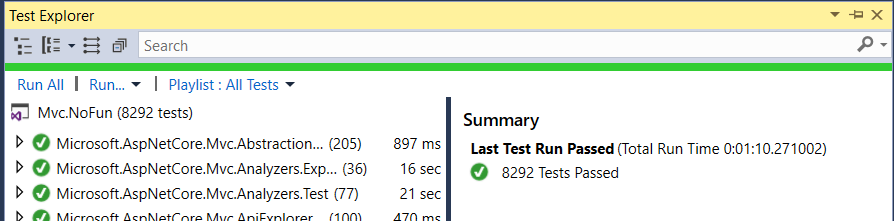
And all test cases are passed.
If I'm not wrong modelBinder is picking CollectionModelBinder

ParameterModelName has to set explicitly, always use that as the prefix. With this check it has fixed.
9811cff
 kishanAnem
on 10 Jun 2018
kishanAnem
on 10 Jun 2018
@kishanAnem the problem is not in ParameterBinder at all. The fix I'll implement will be in ApiBehaviorApplicationModelProvider.
dougbu
on 10 Jun 2018
Would it be possible to get this in a 2.1.x patch?
This is completely blocking us from using ApiExplorer
 KLuuKer
on 13 Jun 2018
KLuuKer
on 13 Jun 2018
Is there an official workaround in the meantime?
Edit: I have this issue with 2.1 release.
 BladeWise
on 13 Jun 2018
BladeWise
on 13 Jun 2018
The main workaround is to remove [ApiController] from any controllers containing actions with collection parameters.
dougbu
on 13 Jun 2018
Uhmmmm, not really a fan of this workaround, which can cause more problems (in our codebase) than the ones it can solve.
I suppose the best way at the moment would be to explicitly set a ModelBinder on the collection parameter, am I wrong?
BladeWise
on 13 Jun 2018
@BladeWise what [ApiController] changes is the binder model name. So, [FromQuery(Name="ids")] _should_ work in this particular case.
dougbu
on 13 Jun 2018
@dougbu Thanks for the hint, I'll try it and report my findings.
BladeWise
on 13 Jun 2018
I can confirm that the workaround works (at least in my case).
The multiple values (e.g.ids=1&ids=2) are properly bound to the collection once the Name property is specified in the FromQuery attribute.
@dougbu Thanks a lot for your support! :)
BladeWise
on 14 Jun 2018
As written 9 days ago, for some reason this FromQuery.Name property did not work for me.
springy76
on 14 Jun 2018
Hi @dougbu,
following code has fixed bug. is it right way?
if it isn't please guide me how to do it, if i'm not eating your time. :)
i'm curious.
```
private bool IsComplexTypeParameter(ParameterModel parameter)
{
// No need for information from attributes on the parameter. Just use its type.
       var isComplexTypeParameter=_modelMetadataProvider
            .GetMetadataForType(parameter.ParameterInfo.ParameterType);

        return isComplexTypeParameter.IsComplexType &&
               !isComplexTypeParameter.IsCollectionType;
    }
```
kishanAnem
on 19 Jun 2018
is it right way?
Yes, this is the correct approach. A few points:
- Need to also fix the block here: https://github.com/aspnet/Mvc/blob/58aa16ee696a00fb40d91a4011c2c5f890ea983d/src/Microsoft.AspNetCore.Mvc.Core/Internal/ApiBehaviorApplicationModelProvider.cs#L211-L217
- Need a better name than
isComplexTypeParameter. I suggestparameterMetadataor justmetadata. - Need tests 😸
dougbu
on 19 Jun 2018
👍. thank you very much.
kishanAnem
on 19 Jun 2018
Hi @dougbu,
Is that PR is fine correct?
kishanAnem
on 23 Jun 2018
Is that PR is fine correct?
@kishanAnem I have a few PRs to review and should get to yours before Monday.
dougbu
on 23 Jun 2018
thank you very much @dougbu. ☺️
kishanAnem
on 23 Jun 2018
I have the same issue. I hope you fix it 🙏
>dotnet --info
 Version:   2.1.301
 Commit:    59524873d6

 OS Name:     Windows
 OS Version:  10.0.17134
 OS Platform: Windows
 RID:         win10-x64
 CliffordSimak
on 23 Jun 2018
CliffordSimak
on 23 Jun 2018
@danroth27 @Eilon, suggest we port @kishanAnem's fix (#7967) to 2.1.2 or whatever the next patch release will be. It's affecting multiple people and not all of them are going to jump to 2.2.0.
dougbu
on 25 Jun 2018
e1af5b8b6d
Thanks again @kishanAnem
dougbu
on 26 Jun 2018
Related issues
 nefcanto
·
3Comments
nefcanto
·
3Comments
 bugproof
·
3Comments
bugproof
·
3Comments
 svallis
·
3Comments
svallis
·
3Comments
 Lutando
·
4Comments
Lutando
·
4Comments
 karthicksundararajan
·
4Comments
karthicksundararajan
·
4Comments
Most helpful comment
@BladeWise what
[ApiController]changes is the binder model name. So,[FromQuery(Name="ids")]_should_ work in this particular case.