Hi
Just wanted thank you for this amazing library.
It would be great if you could provide a way to horizontally center align all the items in the container.
I think with the heavy focus on mobile and responsive devices, this could be very core functionality.
I'm happy to contribute or pay if we could get this working.
Cheers
 xe4me
xe4me
All 7 comments
You should be able to do that with a custom layout algorithm, but of course you'd have to build the algorithm yourself :) I'm very hesitant to add more layout algorithm configurations to the core since custom layouts are already supported.
However, out of curiosity, how would this horizontally centered layout work in practice? I'd like to wrap my head around the logic of it.
 niklasramo
on 6 Aug 2019
niklasramo
on 6 Aug 2019
@niklasramo thanks for your prompt response, I appreciate it.
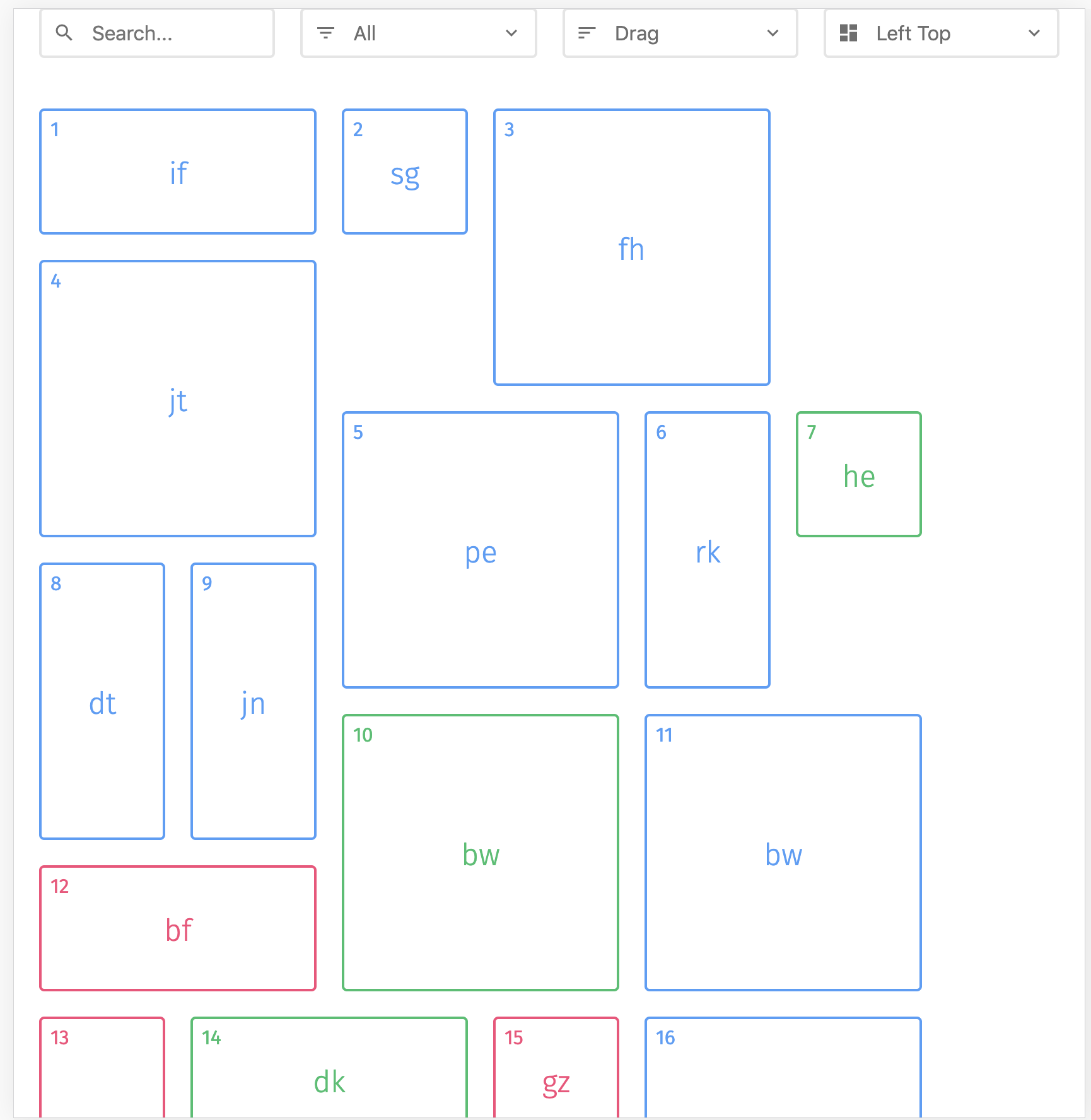
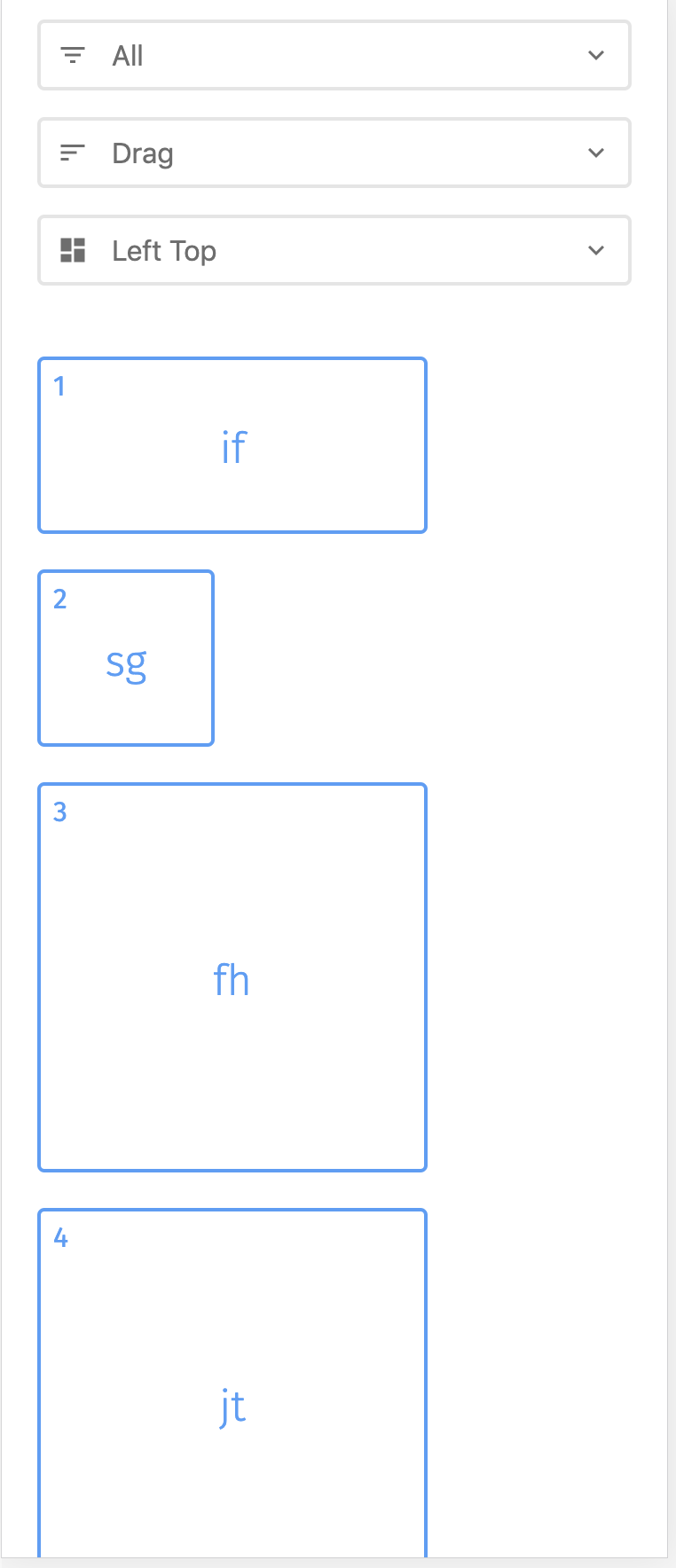
As you can see in your own demo page, the elements look quite odd when you change the window's width.
All your filters are centre-aligned, whereas the draggable elements are aligned to left and in most of the window sizes, there's a big empty gap on the right side.
While this might be desirable for you, it leaves an unbalanced and asymmetric feeling to the user that feels like a bug, unless you make all your filters to be left-aligned too, which will look weird.
This seems to be a challenge that every single draggable grid has, perhaps it's very difficult to resolve, I don't know.
I understand you don't want to add more code to your library, fair enough, but if you think about this, this is potentially more important than having bottom-top etc algorithms that you already have.
I looked at your issue list just now and seems like this has been asked multiple times before.
If you're not keen to add this to your library, I'd really appreciate if you point me to a direction where I can do this myself and come back with a pull request.
xe4me
on 7 Aug 2019
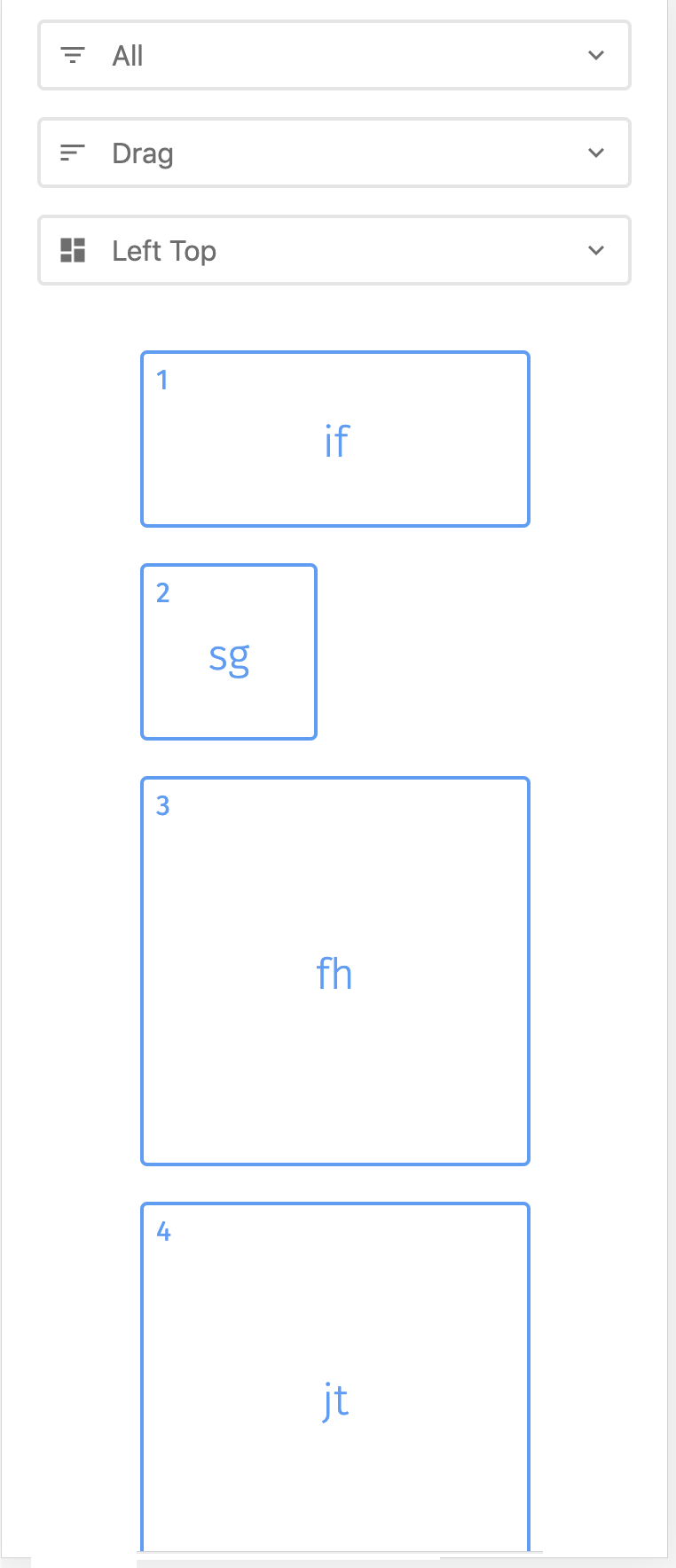
This is the desired outcome from your own demo page.
xe4me
on 7 Aug 2019
@xe4me Thanks for the explanation and images, I do understand your points well :)
The layout of the "desired outcome" image should be doable just by giving a specific width to the container in different breakpoints and centering the container horizontally within it's own container, unless I'm missing something. So that should not require tampering with layout algorithms, just some CSS tweaking.
In my mind I've been thinking of the center alignment (horizontal and vertical) a bit differently. So, e.g., if we'd want to align items horizontally we'd "pad" the rows from the left until the row's items are centered horizontally within the container. It would lead to a bit different loooking centering than what you're describing, but not sure if that's something that people find useful. That's also potentially a bit tricky to do, but doable for sure.
Also, there are other ways to fight the asymmetric feeling on mobile, e.g. set all items same width so it becomes a list view instead of a grid. In some cases it might work pretty well.
niklasramo
on 7 Aug 2019
@niklasramo Thanks for your response again :)
I don't think CSS would be able to carry this out. Sure, it would work at the specified breakpoints, but it will be the same in between the breakpoints, there'll be asymmetrical space on the right always.
And for your second suggestion, I don't think that's a realistic solution for most of the cases.
There are cases where the width should be static and fixed, otherwise, it will look just odd. Plus, this solution will potentially only work in small mobiles, but not in tablets where you want to show two items in a row, therefore you cannot change their width.
This can only be handled gracefully when you're calculating the translateX within your algorithm, otherwise, it's always messy and hacky and will not work nicely.
If you could kindly just point me in the right direction, I'll try to add this option :)
Appreciate your help again.
xe4me
on 8 Aug 2019
Well, all you have to do is provide a custom layout algorithm and you're set, here's an example of how to do that: https://codepen.io/niklasramo/pen/LLbLLd
For reference, the default layout algorithm is here: https://github.com/haltu/muuri/blob/master/src/Packer/Packer.js
You're welcome to do a PR of this is if you wish, but I can't gurantee I'll be merging it in. It will require public API changes to support it. However, at the very least, I think many people would find it helpful to see an example implementation of horisontally centered the items.
niklasramo
on 8 Aug 2019
For anyone stumbling upon this, this just works™. I bet this can be simplified a thousand times but my math is super funky.
Also I'm using JQuery, but this should be super simple to replace in code. Assuming that $("#mGrid") is the grid element - you are passing it as a root when instancing Muuri. It should have position set to relative.
layout: function (items, gridWidth, gridHeight) {

                var layout = {
                    slots: [],
                    width: 0,
                    height: 0,
                    setWidth: true,
                    setHeight: true
                };

                var parentW = $("#mGrid").width();

                var item;
                var m;
                var x = 0;
                var y = 0;
                var w = 0;
                var h = 0;

                var maxW = parentW / 2;
                var currentW = 0;
                var currentRowH = 0;
                var currentRowW = 0;
                var rowSizes = [];
                var rowFixes = [];

                var xPre, yPre, wPre, hPre;
                var numToFix = 0;

                for (var i = 0; i < items.length; i++) {
                    item = items[i];

                    m = item.getMargin();
                    wPre = item.getWidth() + m.left + m.right;
                    hPre = item.getHeight() + m.top + m.bottom;
                    xPre += wPre;

                    if (hPre > currentRowH) {
                        currentRowH = hPre;
                    }

                    if (w < currentRowW) {
                        currentRowW = wPre;
                    }

                    rowSizes.push((parentW / 2));
                    numToFix++;
                    currentW += wPre;

                    var k = 0;

                    for (var j = 0; j < numToFix; j++) {
                        rowSizes[i - j] -= wPre / 2;
                    }

                    if (numToFix > 1) {
                        rowSizes[i] -= (wPre / 2) * (numToFix - 1);
                        k += (wPre / 2);
                    }

                    currentW -= k;
                    rowFixes.push(k);

                    if (currentW >= maxW) {
                        yPre += currentRowH;
                        currentRowH = 0;
                        xPre = 0;
                        numToFix -= 1;
                        currentW = 0;
                        numToFix = 0;
                        k = 0;
                    }


                }

                maxW = parentW / 2;
                currentW = 0;
                currentRowH = 0;
                currentRowW = 0;

                for (var i = 0; i < items.length; i++) {
                    item = items[i];
                    x += w;

                    if (h > currentRowH) {
                        currentRowH = h;
                    }

                    if (w < currentRowW) {
                        currentRowW = w;
                    }

                    currentW += w - rowFixes[i];

                    if (currentW >= maxW) {
                        y += currentRowH;
                        currentRowH = 0;
                        x = 0;
                        currentW = 0;
                    }

                    m = item.getMargin();
                    w = item.getWidth() + m.left + m.right;
                    h = item.getHeight() + m.top + m.bottom;
                    layout.slots.push(x + rowSizes[i], y);
                }

                layout.width = '100%';
                layout.height = y + h + 1;
                return layout;
            }
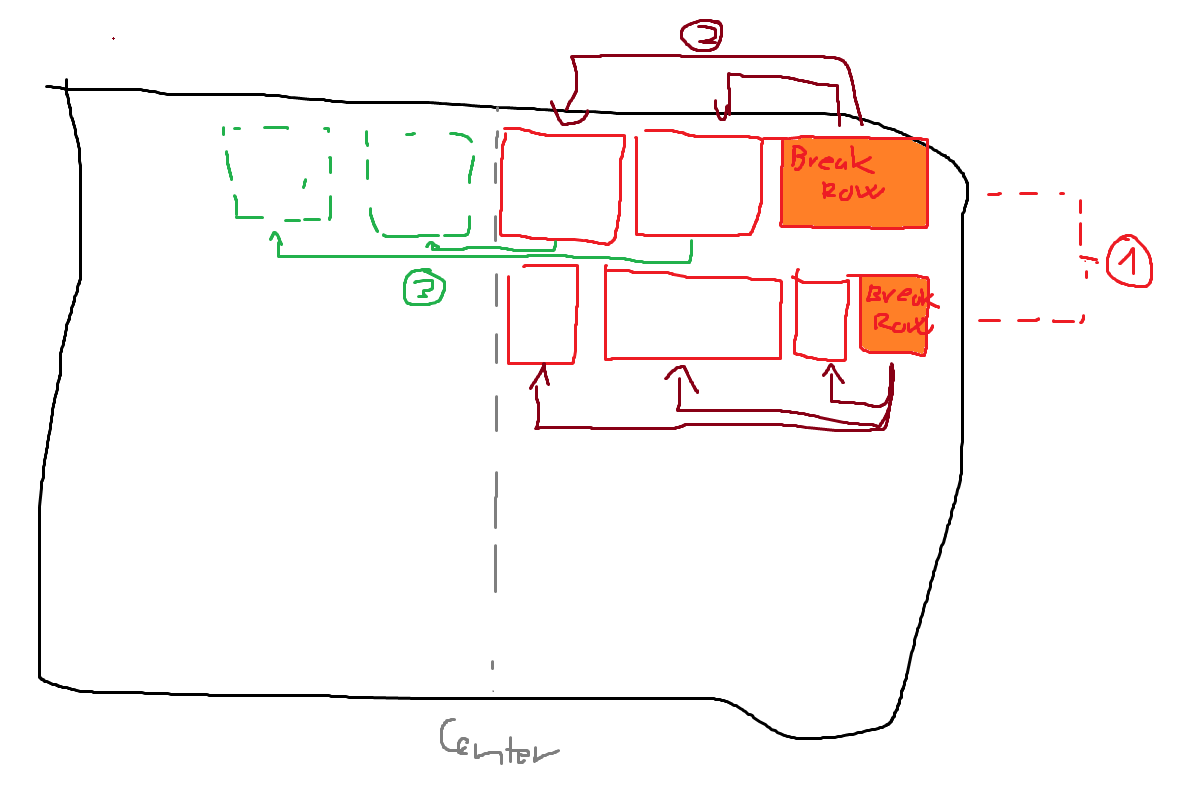
Twitch like panels centered with this layout, also tested on https://codepen.io/niklasramo/pen/LLbLLd
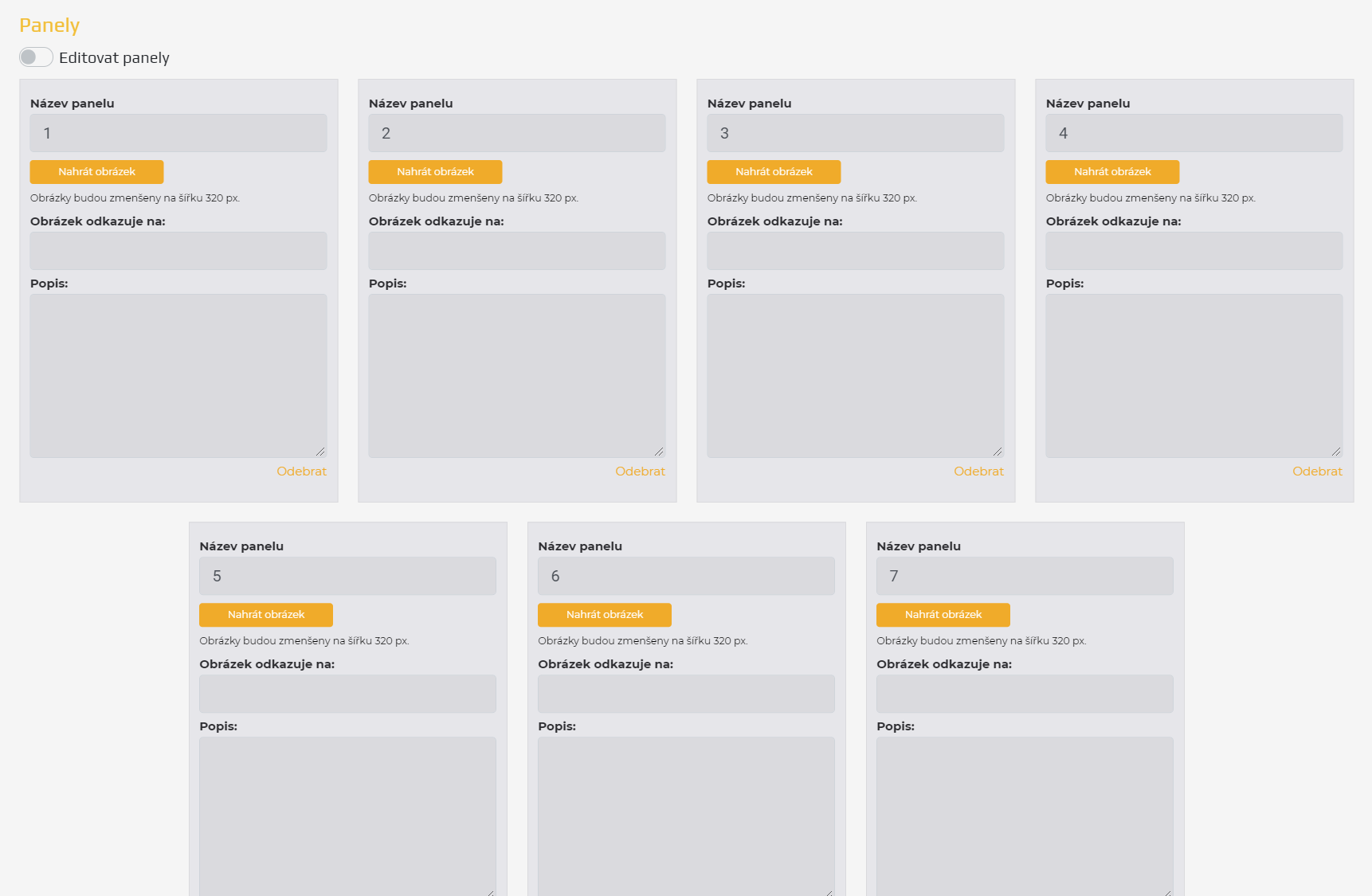
Also as I'm a talented artist I'm enclosing this with infographic of this shitty algorithm (so you can rightfully wonder why the heck am I doing this in two loops insead of one _[memory wasted, kittens dead, alas you have a working solution to improve now]_:
 lofcz
on 29 Mar 2020
lofcz
on 29 Mar 2020
Related issues
 ppwfx
·
4Comments
ppwfx
·
4Comments
 realsoelynn
·
4Comments
realsoelynn
·
4Comments
 Sashkan
·
3Comments
Sashkan
·
3Comments
 PrestaShark
·
7Comments
PrestaShark
·
7Comments
 abhipanda
·
3Comments
abhipanda
·
3Comments
Most helpful comment
For anyone stumbling upon this, this just works™. I bet this can be simplified a thousand times but my math is super funky.
Also I'm using JQuery, but this should be super simple to replace in code. Assuming that
$("#mGrid")is the grid element - you are passing it as a root when instancing Muuri. It should have position set torelative.Twitch like panels centered with this layout, also tested on https://codepen.io/niklasramo/pen/LLbLLd
Also as I'm a talented artist I'm enclosing this with infographic of this shitty algorithm (so you can rightfully wonder why the heck am I doing this in two loops insead of one _[memory wasted, kittens dead, alas you have a working solution to improve now]_: