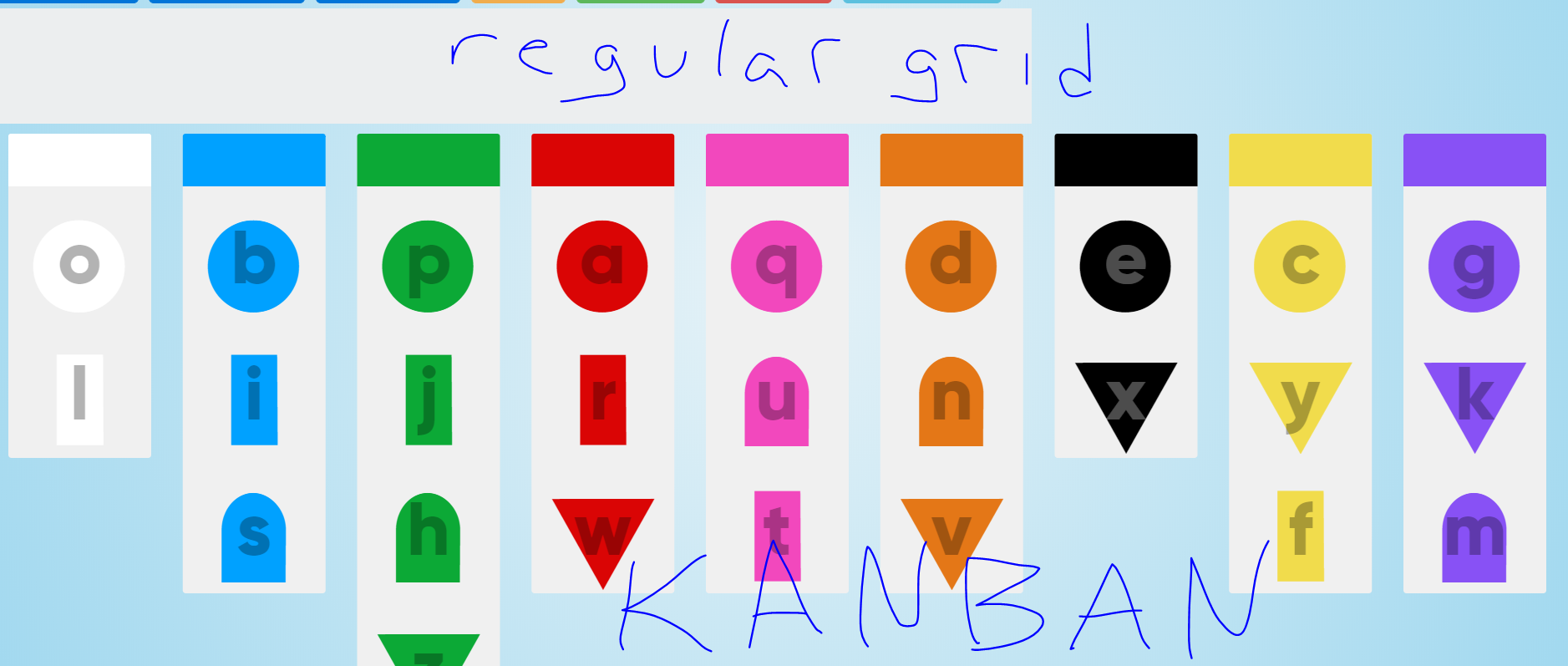
Thanks for the awesome grid script! I am using both types of grids to display letters in an alphabet learning app - (just a work in progress) - and one thing that may be unusual that I'm trying to do is drag and drop from a series of vertical Kanban layouts of the letter groups, to a horizontal word board above. I tried adding it as a Kanban but I couldn't get the CSS right to make it go horizontal. So actually that would probably work better, to just have a horizontal layout for the Kanban instead - is that possible?
 mspanish
All 15 comments
Hi @mspanish! That looks like an awesome project working on 👍 I'm not exactly sure I understand what you are trying to achieve, but here's the simplest demo I could build to demonstrate how a basic horizontal grid is set up with Muuri: https://codepen.io/niklasramo/pen/xPoVPe
 niklasramo
on 7 Dec 2017
niklasramo
on 7 Dec 2017
Thanks a lot! @niklasramo - still much work in progress, that's for sure! The regular grids work great and the user can drag above to the "word grid" - as it's part of the array of grids. But for the Kanban one, I'm not sure how to either set up one grid that goes horizontal, while the others in the grid array need to stay vertical. Either that or use 1 regular grid and then all the others Kanban. I'll attach a screen of the separate grids I have now - the word grid above isn't in the same array of grids as the Kanban ones, so you can't drag from Kanban to the "regular" one above.
mspanish
on 7 Dec 2017
Hmmm.. so you want to drag stuff from the grids in the kanban layout to the horizontal grid above them. And the problem is getting the horizontal grid laid out correctly, right? Technically this should be all doable pretty easily. If you could create a reduced test case of this scenario in codepen/jsfiddle I could maybe help you out better. I have a feeling this is more CSS/styling related issue than Muuri related issue though.
niklasramo
on 7 Dec 2017
yup definitely - I hate CSS, only do it because I have to :) I'll work on that!
mspanish
on 7 Dec 2017
Is there a way to get the javascript id or class of the grid an item is being dragged from? I see I can get the internal id with _id - but I need one I can reference via javascript.
mspanish
on 8 Dec 2017
You can always access any grid item's dom element using item.getElement(). From there on you can use the Element API.
niklasramo
on 8 Dec 2017
@niklasramo yes great thanks but how about the grid itself?
mspanish
on 8 Dec 2017
A grid instance has the same method: grid.getElement().
niklasramo
on 9 Dec 2017
Ah super thanks
mspanish
on 9 Dec 2017
I know the docs are scarily big, but well worth a read if you're building something with Muuri.
niklasramo
on 9 Dec 2017
Yes for sure, I appreciate your thoroughness!
mspanish
on 9 Dec 2017
Hi @niklasramo, I am trying to build a horizontal Kanban board using Muuri. First of all thanks, its so smooth. But I am facing a hurdle, the screen doesn't scroll whenever I am trying to drag an item to a grid which is not visible in the view port. Is there any option in built in Muuri to get this to work?
 sskanthi
on 23 Dec 2017
sskanthi
on 23 Dec 2017
@sskanthi Currently there's no built-in solution for that, but it is planned: https://github.com/haltu/muuri/issues/9.
niklasramo
on 23 Dec 2017
Thanks @niklasramo.
sskanthi
on 24 Dec 2017
This issue seems resolved -> closing.
niklasramo
on 19 Jan 2018
Related issues
 Sashkan
·
3Comments
Sashkan
·
3Comments
 abhipanda
·
3Comments
abhipanda
·
3Comments
 ppwfx
·
4Comments
niklasramo
·
7Comments
ppwfx
·
4Comments
niklasramo
·
7Comments
 discobanco
·
5Comments
discobanco
·
5Comments