Mui-datatables: How to remove ALL at dropdown filter
How to remove ALL at dropdown filter
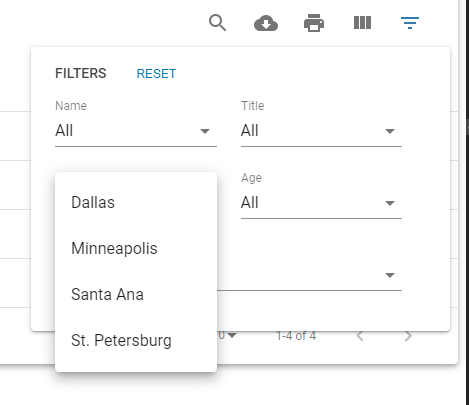
I want to choose one item.

Your Environment
| Tech | Version |
|--------------|---------|
| Material-UI |^4.8.0|
| MUI-datatables | ^2.14.0|
| React |^16.12.0|
| browser |chrome|
| etc | |
 wdh2100
All 5 comments
"All" is the default when no filters have been selected. It means, show me all results. You pick the filter you want by selecting it from the dropdown. Does this answer the question?
 gabrielliwerant
on 3 Feb 2020
gabrielliwerant
on 3 Feb 2020
@gabrielliwerant Thanks!
I know that "All" is the default value or empty value but I want to choose one dropdown Item unconditionally
Do I have to use 'custom' to do this?
OR
Using filterList: ['Franky Miles'],' props, I could see item 'ALL'
https://github.com/gregnb/mui-datatables/blob/master/examples/column-filters/index.js
drop down Sample
wdh2100
on 3 Feb 2020
Sorry, trying to get a handle on what you're looking for. Are you asking for a way to not show the "All" option? If so, you would have to go full custom to do this. Removing "All" will not be a supported option because this is the way to return to the default view in the interface. Without it, users will not be able to return to the default.
gabrielliwerant
on 3 Feb 2020
@gabrielliwerant
Thanks your answer!
Are you asking for a way to not show the "All" option?
yes it is
wdh2100
on 4 Feb 2020
Glad I could help, but sorry I won't help! ;)
gabrielliwerant
on 4 Feb 2020
Related issues
 T-pirithiviraj
·
18Comments
T-pirithiviraj
·
18Comments
 vikaskr0697
·
19Comments
vikaskr0697
·
19Comments
 joaoaguiam
·
32Comments
joaoaguiam
·
32Comments
 Fabbok1x
·
26Comments
Fabbok1x
·
26Comments
 HyungNLee
·
16Comments
HyungNLee
·
16Comments