Mui-datatables: Columns resize on updated props
When using column resizing, the first column grows and the others shrink when data is manipulated.
I'm passing the data in as props so that may be causing the table to re-render and recalculate the widths.
Expected Behavior
When new props are passed and data is updated, the columns should not recalculate their widths.
Current Behavior
Every time an action is performed the first column appears to grow in width. This causes all others to shrink in width and is impractical to resize each column to get them to return to normal.
This happens during adding/removing rows, or editing cells. You can also import the same file over and over and watch the behavior as well.
Steps to Reproduce (for bugs)
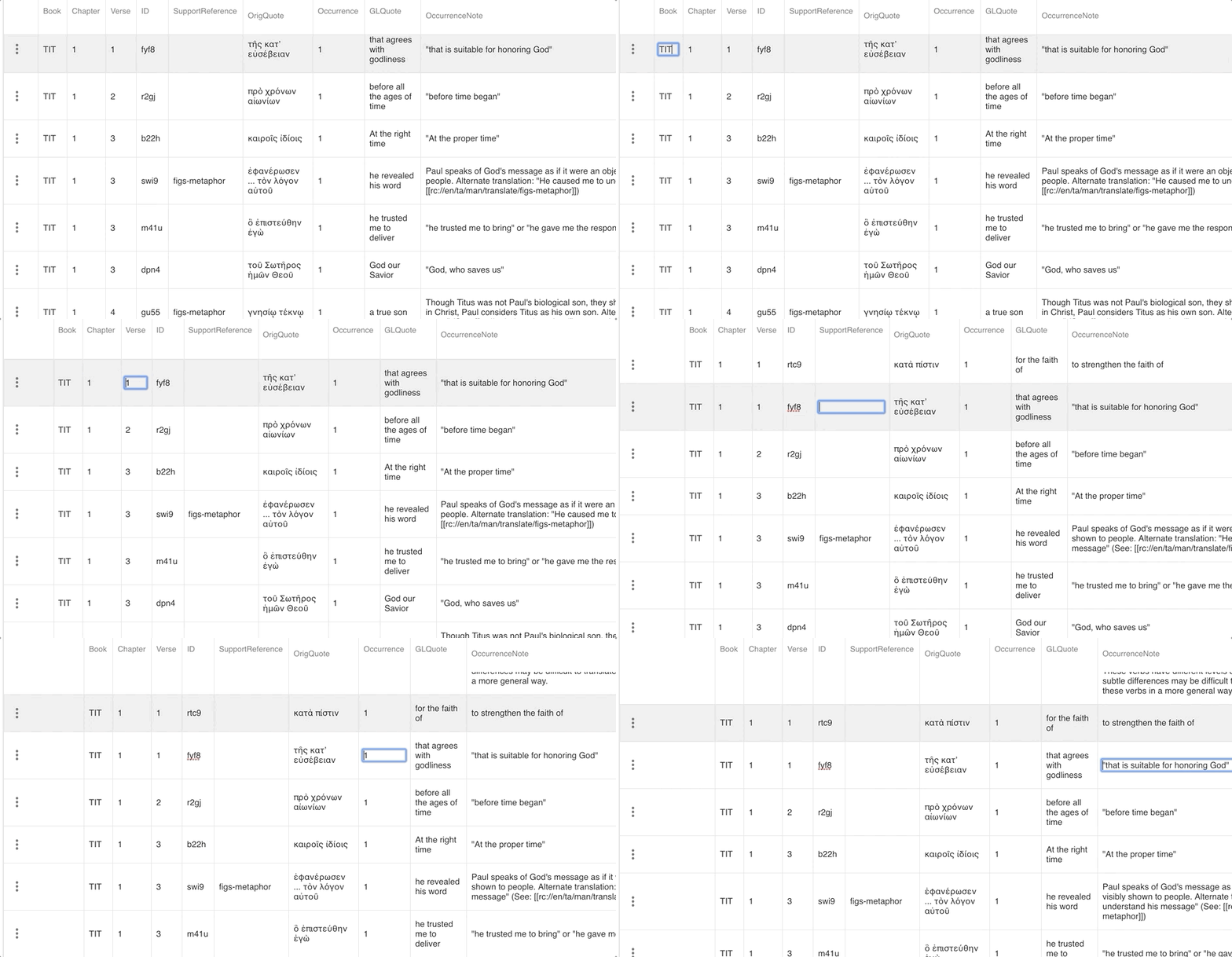
- visit: https://klappy.github.io/tsv-editor/
- Use this file to import after removing the .txt as it only supports .tsv files.
example.tsv.txt - Click in a field to "edit".
- "Tab" to cycle through next and previous cells to see resizing.
You can also clone the repo and after npm i and npm start you can run locally.
https://github.com/klappy/tsv-editor
Your Environment
| Tech | Version |
|--------------|---------|
| Material-UI | ^3.9.2 |
| MUI-datatables | ^2.0.0-beta-54 |
| React | ^16.8.2 |
| browser | latest Chrome on Mac |
| etc | |
 klappy
All 6 comments
@gregnb My apologies that my first feedback is a bug. I use this frequently in my PoCs and Prototypes. This is an excellent project and I am appreciative of the amazing pace at which feature and bugs are addressed! Excellent job delivering and maintaining such a versatile component!
klappy
on 26 Feb 2019
No worries @klappy thanks for the feedback. Honestly, I have noticed this issue for a while now and I don't have a great approach on fixing it yet. I would love for someone to pitch in on this one since I'm strapped for time
 gregnb
on 26 Feb 2019
gregnb
on 26 Feb 2019
I have a partial solution for this, fyi. PR incoming up.
 gabrielliwerant
on 19 Mar 2019
gabrielliwerant
on 19 Mar 2019
Just a reminder, should this ticket be closed? @gregnb
gabrielliwerant
on 22 Mar 2019
Closed! Thanks again for solving this @gabrielliwerant
gregnb
on 15 Apr 2019
Thanks guys!! This is a great addition to a great project.
klappy
on 15 Apr 2019
Related issues
 weltix
·
3Comments
weltix
·
3Comments
 aramkoukia
·
3Comments
aramkoukia
·
3Comments
 Aankhen
·
3Comments
Aankhen
·
3Comments
 kylane
·
3Comments
kylane
·
3Comments
 T-pirithiviraj
·
3Comments
T-pirithiviraj
·
3Comments