Mui-datatables: You introduced a console.log
Expected Behavior
no console.log output
Current Behavior
logs stuff into the console

Steps to Reproduce (for bugs)
I upgraded from 2.0.0-beta-36 to 2.0.0-beta-38 - now there is console logs.
Your Environment
While I couldn't find any console log on the github code, there is one in the compiled code on npm - which is very weird assuming you publish what you commit.

| Tech | Version |
|--------------|---------|
| Material-UI | 3.4.0 |
| MUI-datatables | 2.0.0-beta-38 |
| React | 16.5.2 |
| browser | Chrome Canary 72.0.3608.0 |
| etc | |
 Primajin
All 22 comments
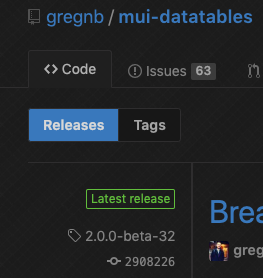
Upgrade to -39
 gregnb
on 12 Nov 2018
gregnb
on 12 Nov 2018
aha, was not aware of that version.

Primajin
on 12 Nov 2018
Also I'm getting
Module not found: Error: Can't resolve '@material-ui/icons/FileDownload' in '/builds/code/node_modules/mui-datatables/dist' in my CI now with 39
Primajin
on 12 Nov 2018
I'm sorry probably noob question but how do i upgrdate to beta-39. I'm getting error that version does not exist from npm logs when running npm i [email protected]. My table updates very frequently and I would like to not have that many logs to console constantly
 gdegas
on 13 Nov 2018
gdegas
on 13 Nov 2018
@gdegas It worked for me by just manually bump the version in my package.json and re-run npm i
Primajin
on 14 Nov 2018
Also I'm getting
Module not found: Error: Can't resolve '@material-ui/icons/FileDownload' in '/builds/code/node_modules/mui-datatables/dist'in my CI now with 39
Same problem here when I tried to update to beta-39.
 Victor-R
on 14 Nov 2018
Victor-R
on 14 Nov 2018
@Victor-R I am now getting that same issue. Did you end up figuring out how to solve it by any chance?
gdegas
on 16 Nov 2018
@Victor-R I am now getting that same issue. Did you end up figuring out how to solve it by any chance?
I tried to update my material-ui/icons, but did not solve the problem :/ So I'm still on the beta-38 with the console messages unfortunately...
Victor-R
on 16 Nov 2018
Can you upgrade to -39 ?
gregnb
on 16 Nov 2018
Can you upgrade to -39 ?
I did update, but I'm getting the same Error of @Primajin so I downgraded
Victor-R
on 16 Nov 2018
Sec, looking into it now
gregnb
on 16 Nov 2018
I can't figure out how you guys are getting this error?
greg@gregs-Air ~/misc-repos/test npm install mui-datatables --save
greg@gregs-Air ~/misc-repos/test grep -Hr FileDownload node_modules/mui-datatables
greg@gregs-Air ~/misc-repos/test
Try the following:
mkdir test
npm init
npm install mui-datatables --save
and look for any FileDownload references in node_modules/ I can't find it. Can you guys try rm -rf node_modules next step? and then reinstall
gregnb
on 16 Nov 2018
I did that and was getting the same error. I removed node_modules and reinstalled, still was getting same error.
gdegas
on 16 Nov 2018
Can you post up the contents of dist/ for mui-datatables up here? i'm really just confused at this point
gregnb
on 16 Nov 2018
I'm going to release -39. So many things going on at this moment for me that I realized I never released a -39. Sorry for the confusion. Coming up.
gregnb
on 16 Nov 2018
Ok, released
gregnb
on 16 Nov 2018
Can't resolve '@material-ui/icons/FileDownload'
After running ncu (npm-check-updates) it didn't pickup this update. 😲
Deleting mui-datatables from packages.json, then running npm i --save mui-datatables fixed issue.
 hutch120
on 1 Mar 2019
hutch120
on 1 Mar 2019
I am running into this. My application will not even compile because the module is not found.
I am on beta-43.
we need to update the referenced icon.
see this:
https://github.com/mui-org/material-ui/issues/12344
 AirborneEagle
on 12 Mar 2019
AirborneEagle
on 12 Mar 2019
Never-mind. after further digging, I found that there is a beta 55 which works
https://github.com/gregnb/mui-datatables/issues/103
AirborneEagle
on 12 Mar 2019
There should definitely an easier way to know what the latest version is without any digging. @gregnb can you check that you released the latest version in github and npm?
Primajin
on 12 Mar 2019
I had the same issue updating from ''2.0.0-beta-54" to "2.0.0-beta.58" with npm update but after run this command version downgraded to "2.0.0-beta-9". I changed it by hand but didn't affected because package-lock.json also downgraded and not changing with it. @gregnb I guess the problem is at first you used '-' character after "beta" then, used '.' instead.
Solution:
- Remove mui-datatables from package.json then run npm install(for also deleting from package-lock.json)
- Run npm install mui-datatables
 GoktuqCan
on 13 Mar 2019
GoktuqCan
on 13 Mar 2019
Related issues
 normanaranez
·
15Comments
normanaranez
·
15Comments
 joaoaguiam
·
32Comments
joaoaguiam
·
32Comments
 ericpyle
·
14Comments
ericpyle
·
14Comments
 sarawinter
·
15Comments
sarawinter
·
15Comments
 Fabbok1x
·
26Comments
Fabbok1x
·
26Comments
Most helpful comment
Ok, released