Mudlet: [Win] colored buttons often show grey
Brief summary of issue / Description of requested feature:
Select a color but you won't see it displayed for long
Steps to reproduce the issue / Reasons for adding feature:
- Open trigger editor, activate the highlight checkbox, select a color
- The selected color should be shown in the button afterwards
- The button stays grey instead
Error output / Expected result of feature
See 2.
Extra information, such as Mudlet version, operating system and ideas for how to solve / implement:
Noted in PTB 2021-02-03 on win
The color trigger is also affected, most basic colors do not show.
At least colors 16+ are rendered in popup, but not shown in trigger editor.
A few tests to show the color buttons staying grey regardless:
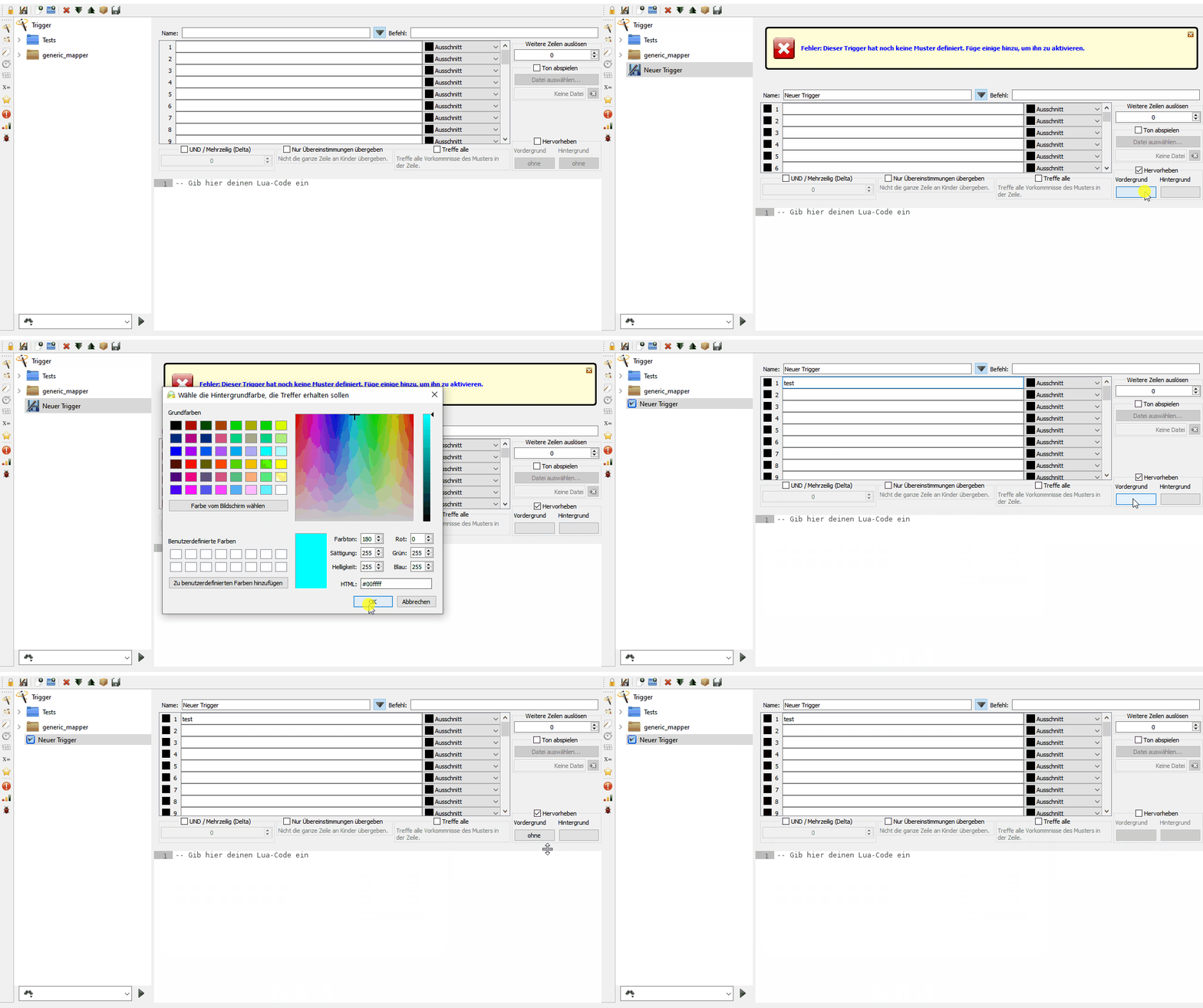
Color selection popup missing most colors:
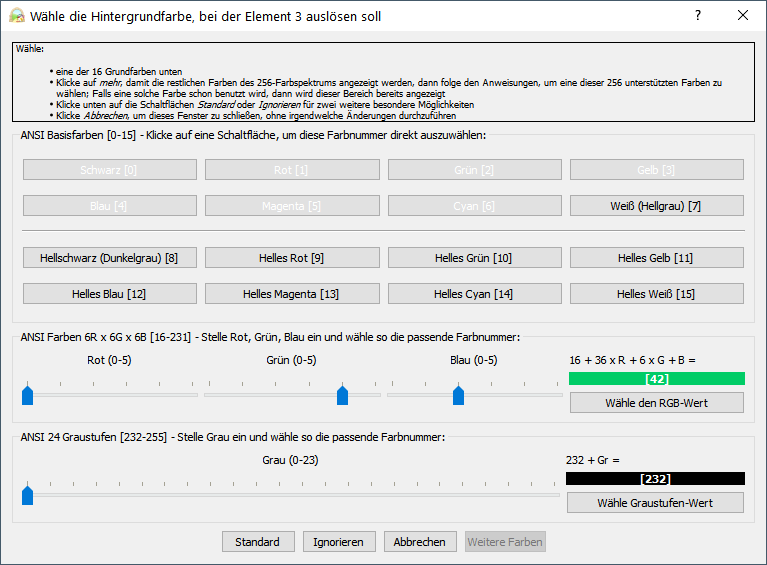
Background color 42 is selected but shown as grey:

 Kebap
Kebap
All 10 comments
I and someone else have also seen this in other places on Windows - the colour selections on the preferences for the console and mapper colours. I think this is could be linked to that but I cannot find the issue...
... but it could be something broken about painting QPushButtions (ironically I think MacOs had a bug in that area a few years back and it was down to something being borked in the Qt code for them on that OS).
 SlySven
on 4 Feb 2021
SlySven
on 4 Feb 2021
I suspect this was due to the removal of all of the QPalettes.
Issue you mentioned: https://github.com/Mudlet/Mudlet/pull/4546#issuecomment-770282292
 vadi2
on 4 Feb 2021
vadi2
on 4 Feb 2021
I cannot reproduce this issue on Ubuntu 20.10 (latest PTB) so it seems to be a Windows issue.
and mapper colours.
The mapper colour issue is reproducible (at least for me) on Windows and Ubuntu. I describe it in more detail and found a possible fix at https://github.com/Mudlet/Mudlet/issues/4701~~
Edit: Just noticed that you talk about another mapper colour issue :man_facepalming:
 Edru2
on 4 Feb 2021
Edru2
on 4 Feb 2021
On Windows at the moment and did not see this issue in a self-build of the current development code (3609e945a134b1e8046cabdf96ec3fb2456df55e) or in the official 4.10.0 release, but it is present in the 2021-02-04 PTB as well as the previous day's one. As I suspected it also manifests in the color setting buttons in the preferences for the main console and the mapper. TBH It is hard to connect this with anything to do with QPalettes (or their removal) especially as it seems to be a Windows specific defect. I will try and do a bisect with the previous PTBs...
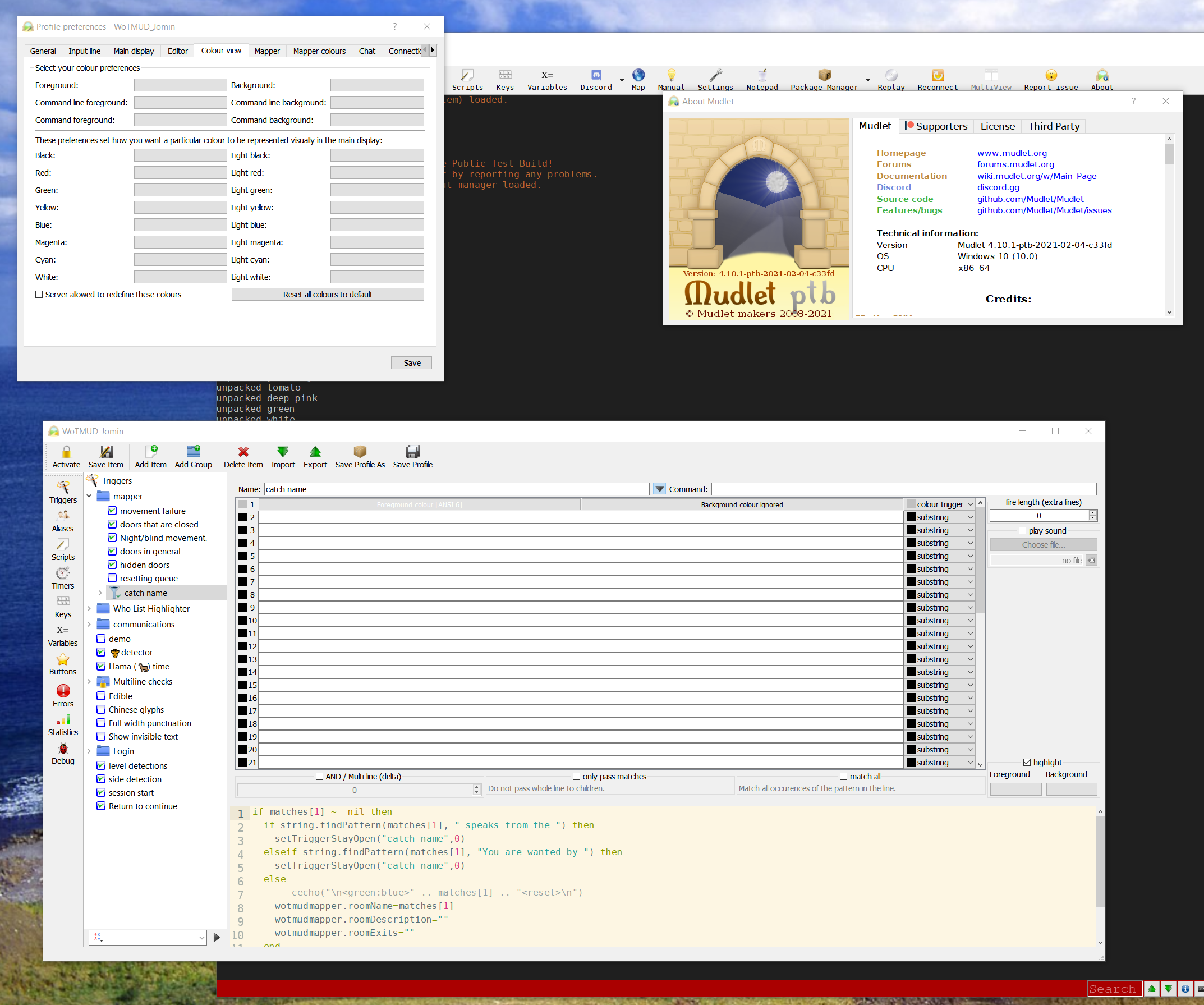
Bug also present in 2021-010-25 PTB (f5763a0575cd9183b25bfa232598c14e081a603b) which is the oldest PTB still in the system.
SlySven
on 5 Feb 2021
Ah, I think i might have it - it is something wrong with the WindowsVista style which is the default for Windows but not other OSes - I first tried using a different version of the Qt libs - the current PTBs are using Qt 5.12.10 but the latest release seems to be using 5.13.2 but that didn't make any difference when I copied them all across (as you can see from the following):
Later libraries, using Qt's own "Fusion" style:
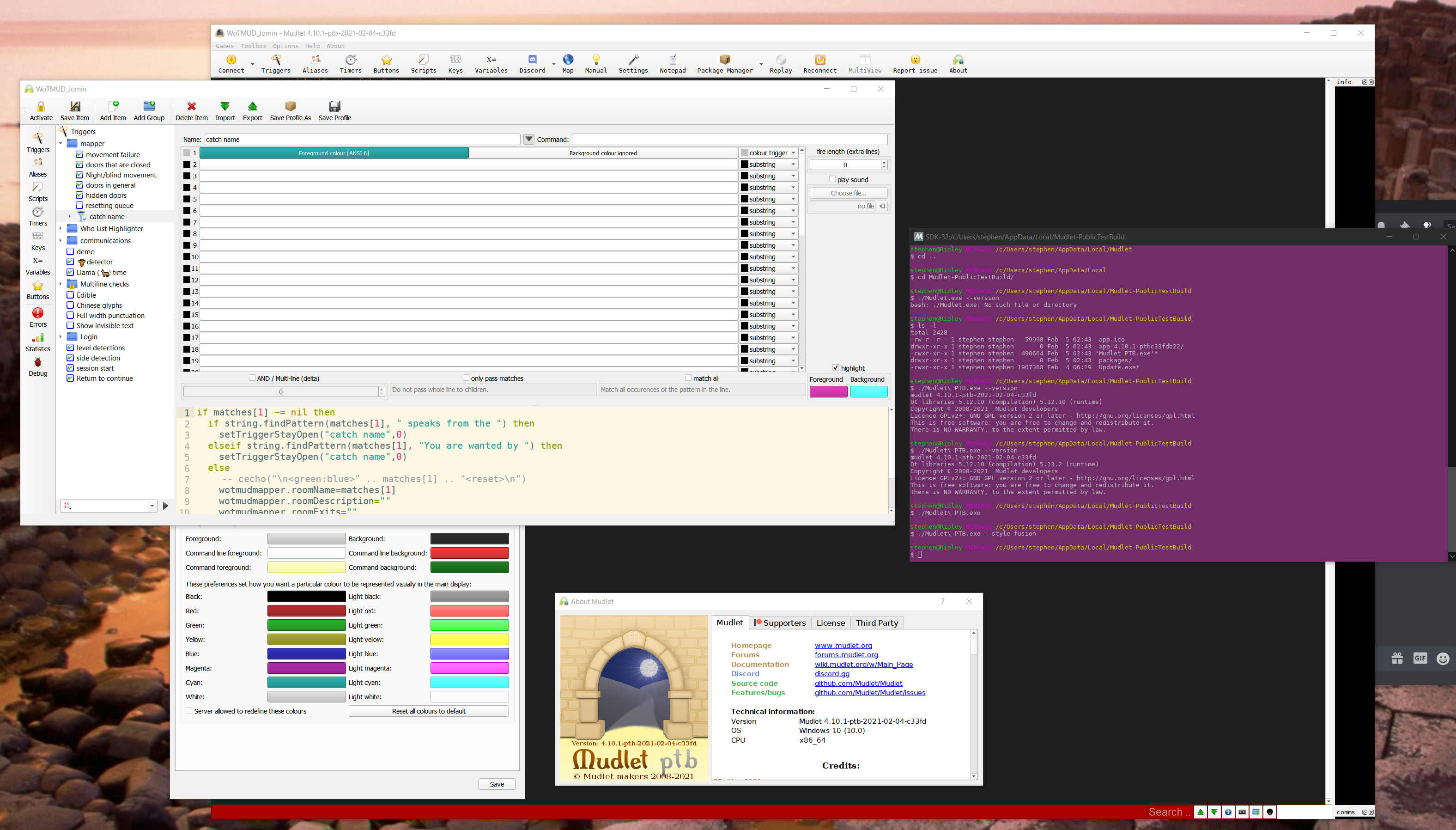
Later libraries using "WindowsVista" style:
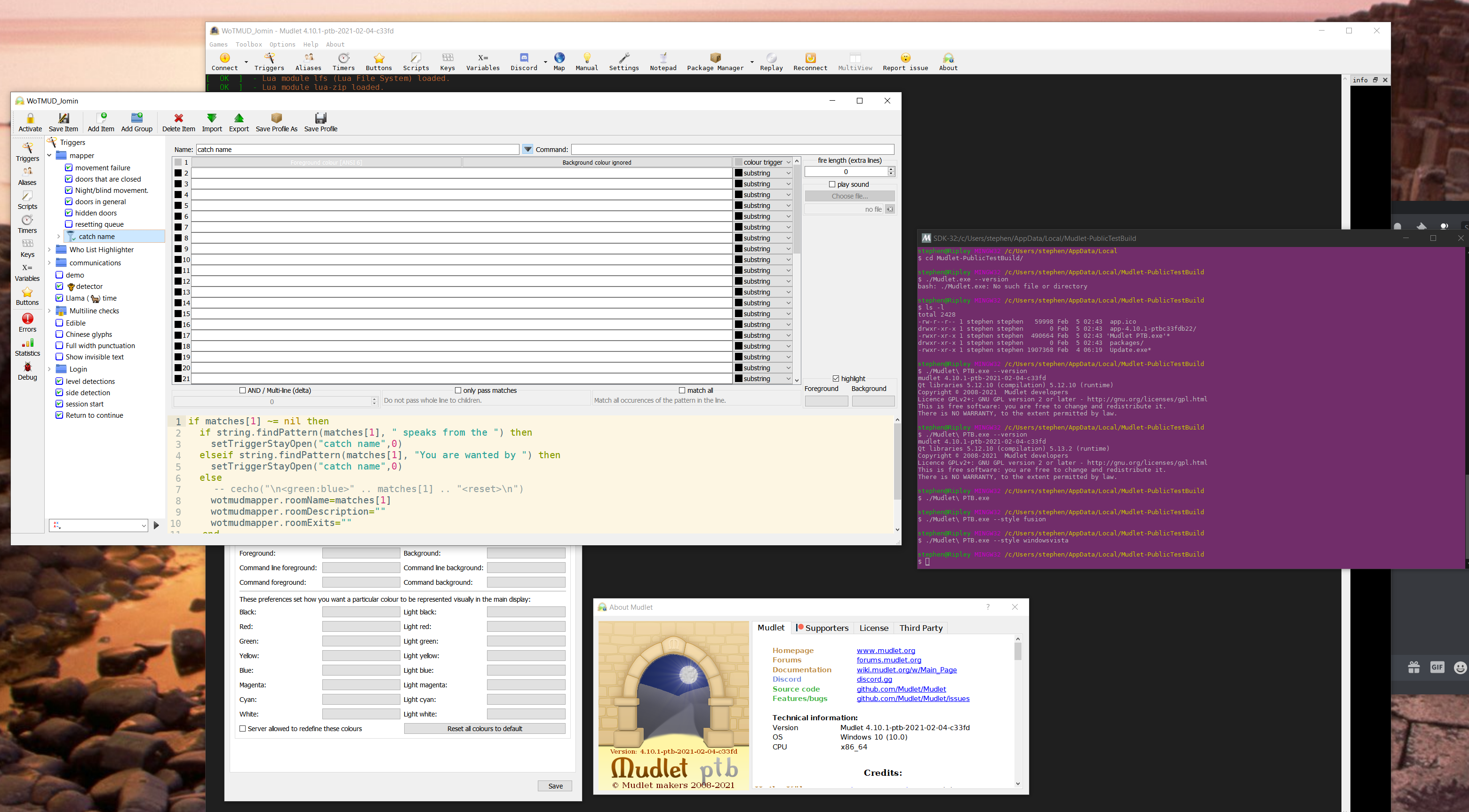
This is identical to the way that it appears without a style command line argument as well.
SlySven
on 5 Feb 2021
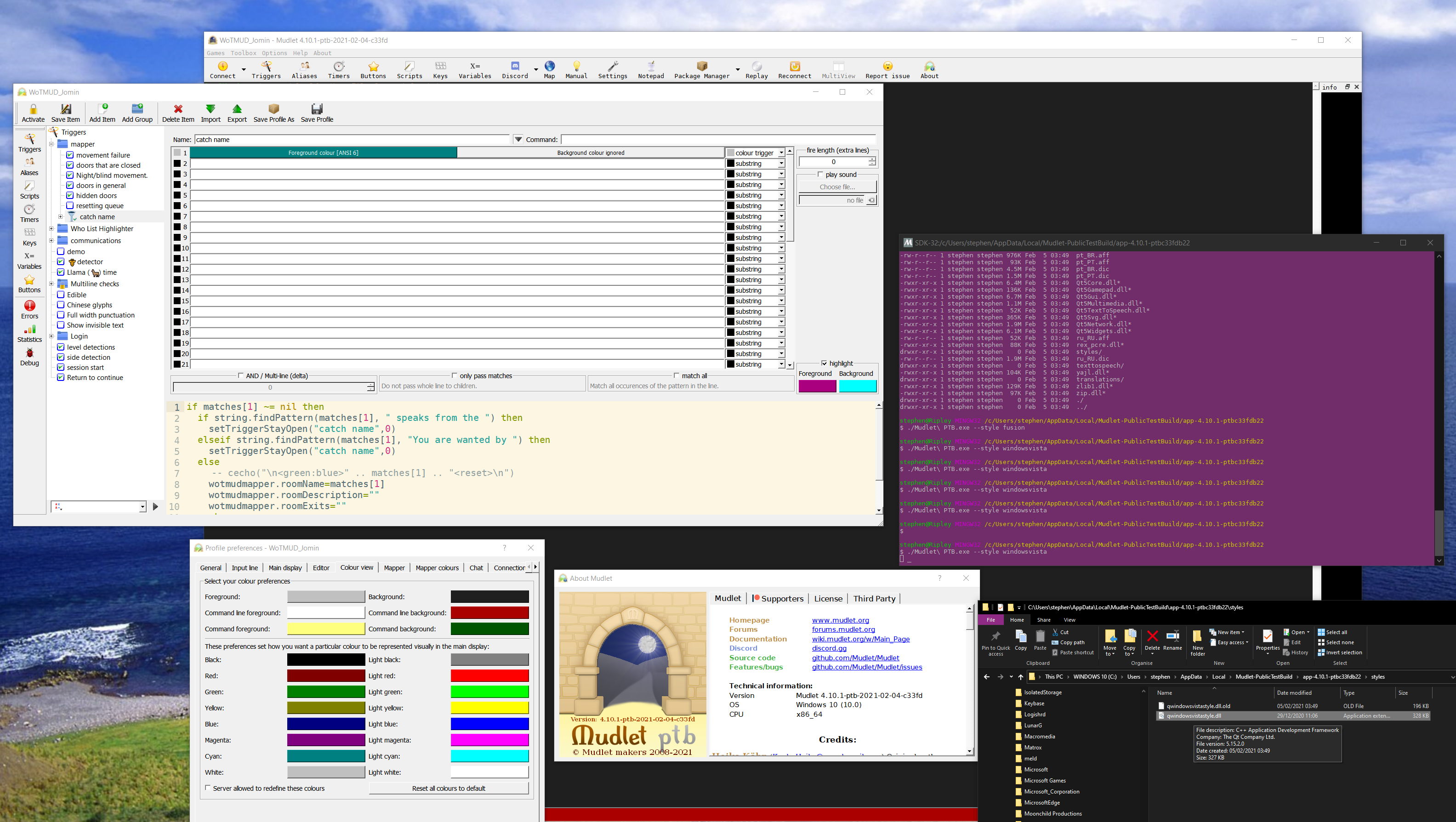
:bulb: I have found that if I replace the C:/Users/my user name/AppData/Local/Mudlet-PublicTestBuild/app-4.10.1-ptbSHORTSHA1/styles/qwindowsvistastyle.dll (5.12.10.0 in the PTB version available tonight) with the corresponding but later one from my (32-Bit NOT 64-Bit) MSYS2/Mingw-w64 - which has a version number of 5.15.2.0 then I get colour back in all the places it was missing. Note that that is the ONLY file I replaced:
SlySven
on 5 Feb 2021
Seems like a bug we need to raise upstream?
Is there anything we can do to mitigate the next release being affected?
Kebap
on 5 Feb 2021
Yeah, we can change the Qt version we're using, we do have a few to select from - maybe it's been fixed since.
vadi2
on 5 Feb 2021
However:
latest release seems to be using 5.13.2 but that didn't make any difference
Kebap
on 5 Feb 2021
Yes, but 5.15.2 seems to do the job:
which has a version number of 5.15.2.0 then I get colour back in all the places it was missing
So I've opened https://github.com/Mudlet/Mudlet/pull/4756 where we use it.
vadi2
on 5 Feb 2021
Related issues
 jacben
·
7Comments
vadi2
·
7Comments
jacben
·
7Comments
vadi2
·
7Comments
 xekon
·
10Comments
xekon
·
8Comments
vadi2
·
6Comments
xekon
·
10Comments
xekon
·
8Comments
vadi2
·
6Comments