Msw: Storybook - Accessing the body object off the request freezes things up
I followed the recommended setup for storybook, and everything works great until I access data off of the request body. The code below is the main thing I'm trying to get working:
rest.post(`/messages`, (req, res, ctx) => {
    console.log("HERE ----->", Array.isArray(req.body.keys), req.body.keys)
    let response = {}
    //const { keys } = req.body

    //const keys = [...req.body.keys]

    //req.body.keys.forEach((key) => {
    //  response[key] = key.replaceAll(/\./gi, ' ')
    //})

    // for (let i = 0; i < req.body.keys.length; i++) {
    //   keys.push(req.body.keys[i])
    // }    // const response = keys.reduce((acc, current) => {
    //   acc[current] = current.replaceAll(/\./gi, ' ')    //   return acc
    // }, {})
    return res(
      ctx.status(200),
      ctx.json(response)
    )
  })
Any of the commented out code causes the response to hang, and not return. The window freezes and I have to force close it.
Node - 14.9.0
Storybook - 6.0.28
MSW - 0.21.3
I'm not sure what else might be needed, as I don't see any errors in the console, in the terminal (storybook just shows everything is normal), and the network just hangs without the response coming back.
 BryceHayden
All 8 comments
Hey, @BryceHayden. Thanks for reaching out.
Could you please provide some additional info regarding the issue:
- Do you experience this during in-browser development, or during testing? If you're testing, what is the test environment (browser, NodeJS)?
- Can you
console.log(req.body)before the problematic code? Perhapsreq.bodyisundefinedat some point, resulting intoreq.body.keysthrowing a somehow silenced exception.
 kettanaito
on 18 Nov 2020
kettanaito
on 18 Nov 2020
@kettanaito hey thanks for the response. Here's some more information on the issue:
I'm using it in-browser during development.
Yes I can console log it out. It shows up as an Array.
I was able to get this to work:
rest.post(`/messages`, (req, res, ctx) => {
    let response = {}
    req.body.keys.forEach((key, index) => {
        response[index] = 'testing'
    })

    console.log("Here is the response", response)

    return res(
      ctx.status(200),
      ctx.json(response)
    )
  })
But as soon as I change it to the following (which assigns the key value to the object), then the response never comes through. I am however able to see the console.log("Here is the response", response) in the browser and the object looks like I expect. This breaks the response:
rest.post(`/messages`, (req, res, ctx) => {
    let response = {}
    req.body.keys.forEach((key, index) => {
        response[index] = key
    })

    console.log("Here is the response", response)

    return res(
      ctx.status(200),
      ctx.json(response)
    )
  })
So I'm lost as to why I can console log it out but then it cause things to freeze and the API calls never return a response. I'm happy to help track it down in MSW's code but my schedule is pretty hectic at the moment...so a little direction would be helpful.
BryceHayden
on 18 Nov 2020
@BryceHayden I would try console logging the key within forEach :100:.
 tigerabrodi
on 5 Dec 2020
tigerabrodi
on 5 Dec 2020
@kettanaito Don't you also think it should be working if it is possible to assign response[index] to "testing" :thinking:?
tigerabrodi
on 5 Dec 2020
@BryceHayden how does the response object look like?
Have you tried changing the parser? for example:
    return res(
      ctx.status(200),
-      ctx.json(response)
+      ctx.text(response)
    )
 timdeschryver
on 7 Dec 2020
timdeschryver
on 7 Dec 2020
Sorry I've been a little MIA, it has been a busy week at work. I'll try that first thing tomorrow and let you know what I see.
BryceHayden
on 10 Dec 2020
Okay first off, I need to apologize as I had a small typo in my above comment. Inside of the loop it should have been:
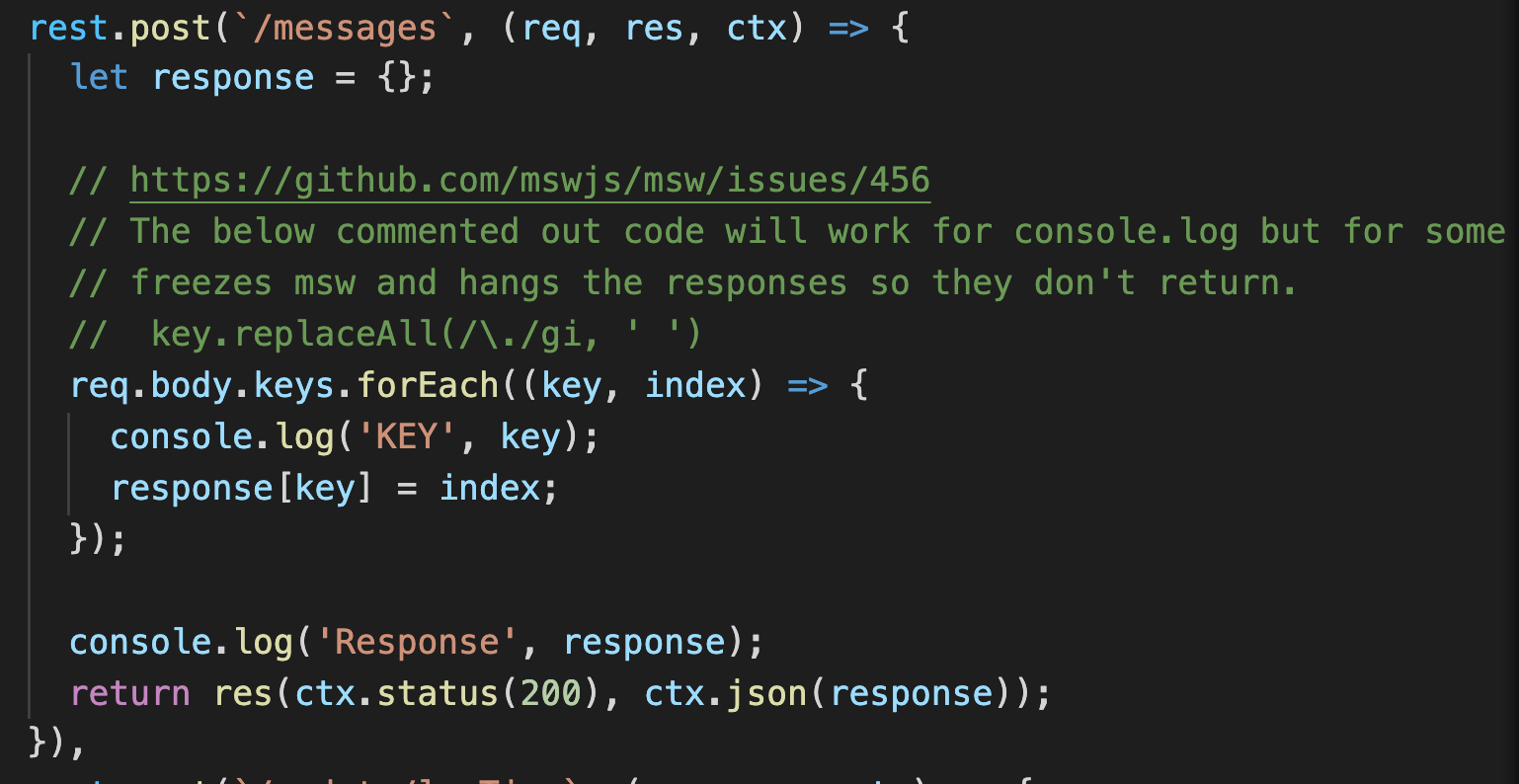
response[key] = index
It works fine if you have it the other way. I took some screen shots this time as I thought it might be better than me trying to retype things.
Okay so this first one is what I see in the network if I change it from ctx.json to ctx.text
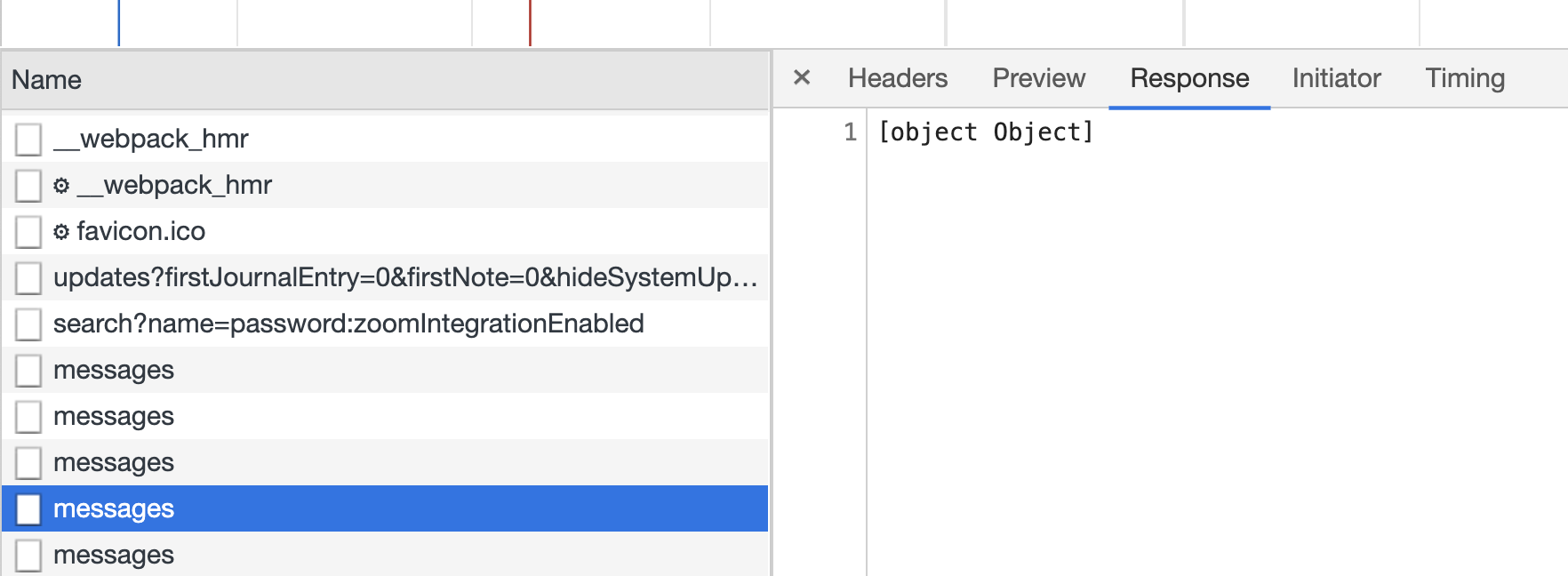
This next one is what I see in the console log:
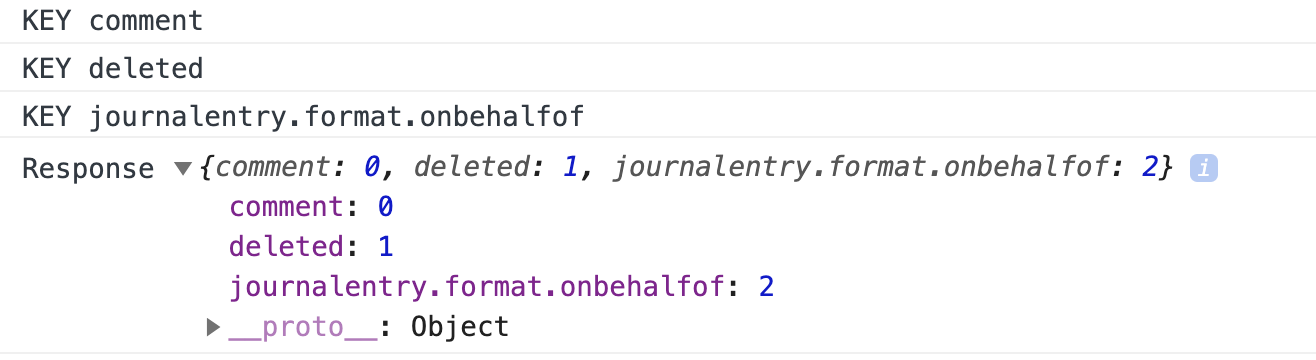
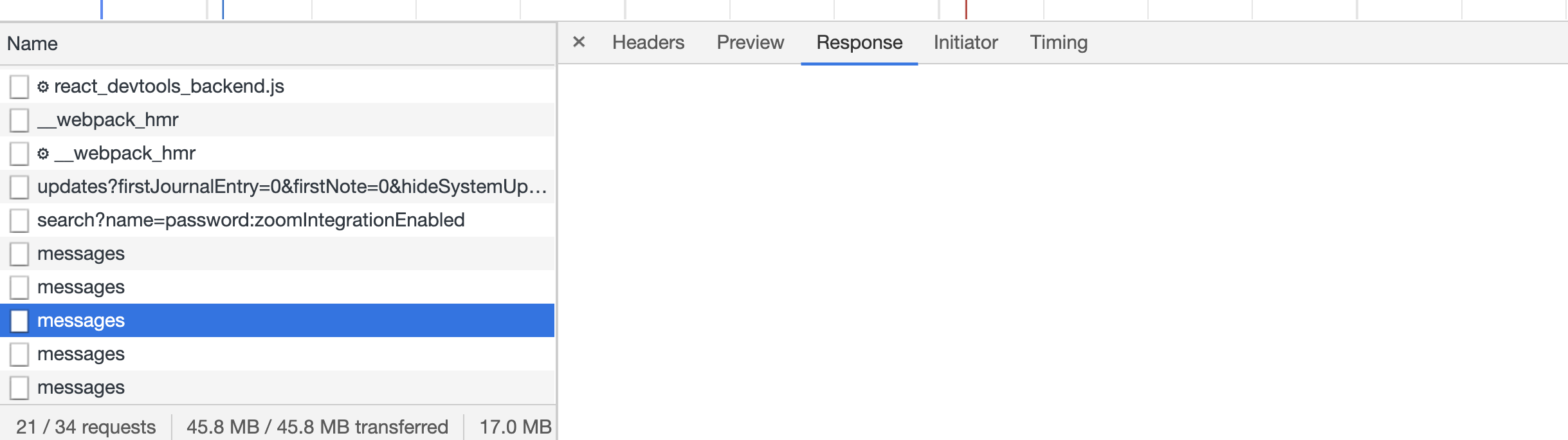
Then when I switch it back to ctx.json this is what I get in the network, but the console is basically the same.
Here's a screen shot of my code...just to make sure that I don't add any more typos.
BryceHayden
on 10 Dec 2020
My guess is that it is choking on the object having a key with periods in it. Since the ctx.text shows it as [Object Object] It probably thinks I'm using dot notation to access properties on an object.
BryceHayden
on 10 Dec 2020
Related issues
kettanaito
·
3Comments
 ff6347
·
3Comments
ff6347
·
3Comments
 abrudin
·
3Comments
abrudin
·
3Comments
 slowselfip
·
3Comments
slowselfip
·
3Comments
 hauptrolle
·
4Comments
hauptrolle
·
4Comments
Most helpful comment
Sorry I've been a little MIA, it has been a busy week at work. I'll try that first thing tomorrow and let you know what I see.