Msteams-docs: Cannot test webhook urls generated by connector when testing
Related thread as another team is having the same issue as well. https://techcommunity.microsoft.com/t5/Microsoft-Teams/Error-when-sending-messages-using-our-connector/m-p/292571
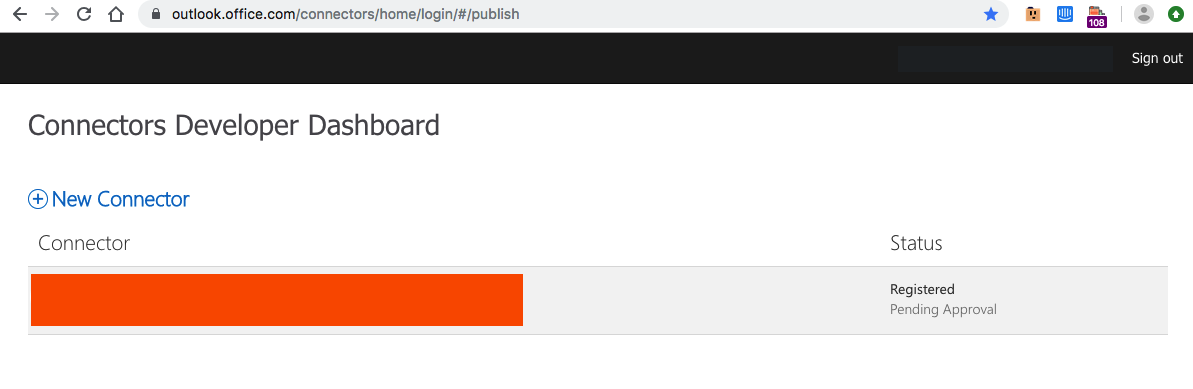
Connector is listed correctly in the connector dashboard.
Connector has this id
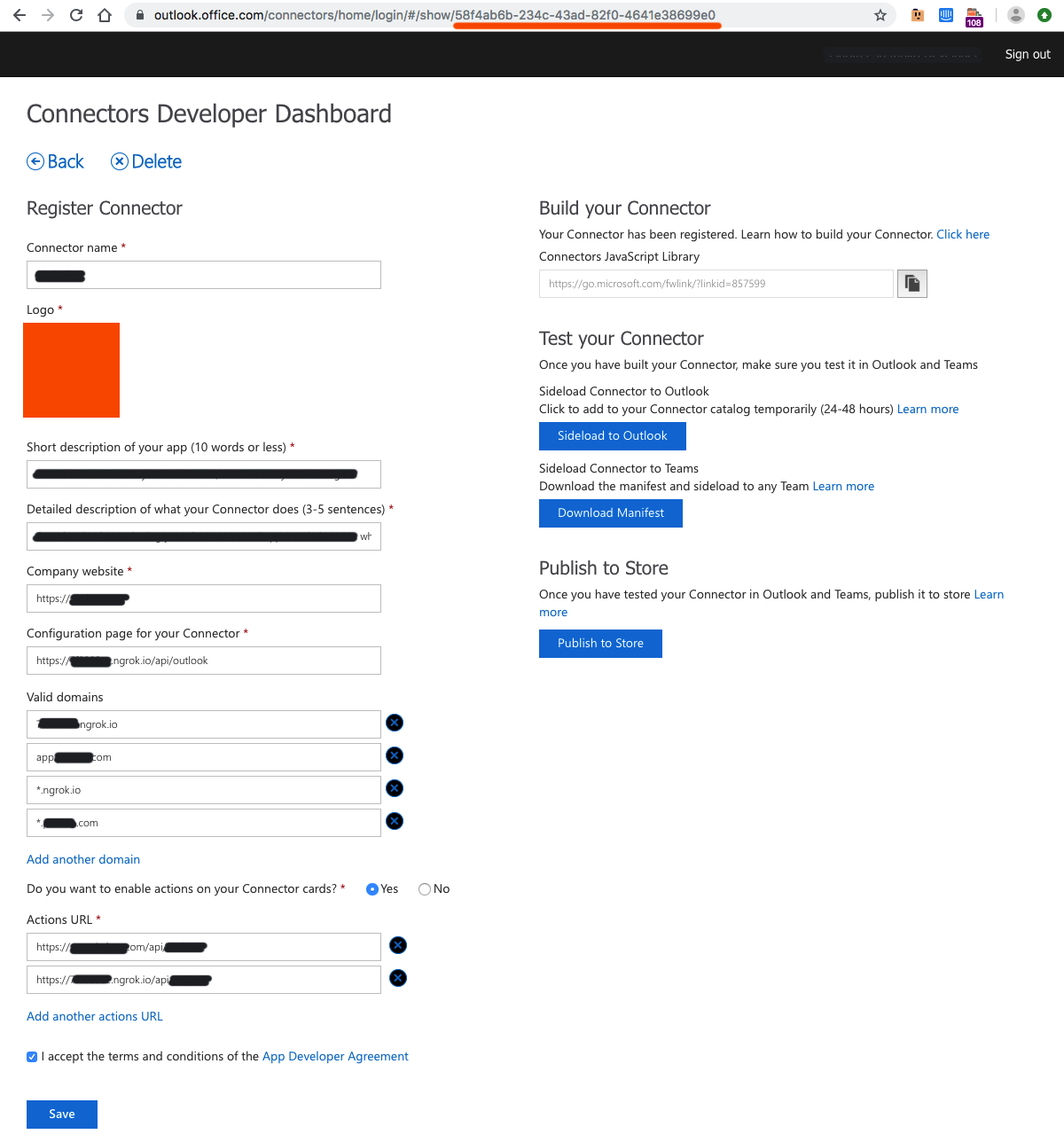
It is side-loaded. It is also uploaded to the team additionally.
But using the webhook url that was returned in the settings :
https://outlook.office.com/webhook/09f2b8e5-e684-4e87-8838-75e3a2f9dcbc@00d35244-2e42-4af7-a1ad-d6b557249c2b/58f4ab6b-234c-43ad-82f0-4641e38699e0/c516d999fec5498e9cac06f8d0478f22/79e349e1-47da-487a-90ee-040eccbbfa8b
is giving out error messages. Unknown Connector provider 58f4ab6b-234c-43ad-82f0-4641e38699e0
This seems like an issue with testing webhook urls not being usable?
Document Details
⚠ Do not edit this section. It is required for docs.microsoft.com ➟ GitHub issue linking.
- ID: c0fd8e4d-f110-36f8-5bd3-db3325b14c01
- Version Independent ID: 717ea854-1d3a-2c15-e495-b6f170fe7aff
- Content: Using Office 365 Connectors - Teams
- Content Source: msteams-platform/concepts/connectors/connectors-using.md
- Product: msteams
- GitHub Login: @o365devx
- Microsoft Alias: o365devx
 mastef
All 18 comments
I've posted to StackOverflow as well.
On a side-note, after adding the application to the team, there was a chat message saying that a connection to the connector was set up. In this message the image of the connector doesn't load.

The url for this image also contains the connector id. So is this related to "Pending Approval" or did this connector fail to propagate correctly to the servers?

mastef
on 30 Nov 2018
Just created another test connector to run through the same process, and getting the same error message for the new connector id.
mastef
on 30 Nov 2018
@mastef - Could you please share your manifest file?
 Wajeed-msft
on 3 Dec 2018
Wajeed-msft
on 3 Dec 2018
@Wajeed-msft Sure, it's the manifest.json as downloaded from the Connector Developer Dashboard. Adjusted image paths, as cannot upload it into Teams with https://... image paths.
{
  "$schema": "https://developer.microsoft.com/en-us/json-schemas/teams/v1.3/MicrosoftTeams.schema.json",
  "manifestVersion": "1.3",
  "id": "6c2ec896-f480-40fd-874d-1b53ed4a624a",
  "version": "1.0.0",
  "packageName": "com.test.office",
  "developer": {
    "name": "Developer",
    "websiteUrl": "https://test.com",
    "privacyUrl": "https://test.com",
    "termsOfUseUrl": "https://test.com"
  },
  "description": {
    "full": "Test connector to test webhooks",
    "short": "Test connector to test webhooks"
  },
  "icons": {
    "outline": "image.png",
    "color": "image.png"
  },
  "connectors": [
    {
      "connectorId": "6c2ec896-f480-40fd-874d-1b53ed4a624a",
      "scopes": [
        "team"
      ],
      "configurationUrl": "https://xxxxxx.ngrok.io/api/outlook"
    }
  ],
  "name": {
    "full": "Test Connector",
    "short": "Test Connector"
  },
  "accentColor": "#FFFFFF",
  "validDomains": [
    "xxxxxx.ngrok.io"
  ],
  "needsIdentity": "true"
}
Differences from original manifest.json :
   "icons": {
-    "outline": "https://outlook.office.com/connectors/Content/Images/IncomingWebhook.jpg",
-    "color": "https://outlook.office.com/connectors/Content/Images/IncomingWebhook.jpg"
+    "outline": "image.png",
+    "color": "image.png"
   },
@mastef - Could you please share your ngrok config page url as well? I can not test your Connector without actual URL.
Wajeed-msft
on 4 Dec 2018
That's interesting @Wajeed-msft - were you testing with it in the meantime ?
Now after your message when I went to https://outlook.office.com/webhook/09f2b8e5-e684-4e87-8838-75e3a2f9dcbc@00d35244-2e42-4af7-a1ad-d6b557249c2b/6c2ec896-f480-40fd-874d-1b53ed4a624a/c516d999fec5498e9cac06f8d0478f22/79e349e1-47da-487a-90ee-040eccbbfa8b
I now received the error Invalid webhook request - GET not supported. Which means the connector was suddenly recognized.
But when I configure the connector in a channel of my team, and go through the webhook configuration, going to that url again defaults back to Unknown Connector provider 6c2ec896-f480-40fd-874d-1b53ed4a624a.
Here's the package I'm uploading, with the correct ngrok urls.
TestConnector.zip
Edit: Fixed url
mastef
on 4 Dec 2018
🤔 I can see you can add webhooks to your teams space, and they don't error out. Why can't I add them to mine though. Let me make a video of the whole process.
mastef
on 5 Dec 2018
When I add the connector in the Store with Upload for <teamname> the connector options don't show up on the channels
When I add the connector in the Store with Upload for me or my teams the connector options now don't save again, with a NullErrorException ( but no error shown in the configuration options ). No channel configuration is saved.
Sometimes ( not always ) a "Something went wrong" error message might appear. You can see the error json in the end of the video.
Finally after going into the Connector Developer Portal and clicking on "Sideload to Outlook", I'm able to save the settings. ( After waiting for a few minutes and a few refreshes ).
The saved webhook urls are not recognized however.
mastef
on 5 Dec 2018
@mastef - We are looking into this issue.
Wajeed-msft
on 5 Dec 2018
@Wajeed-msft any news on this? As it's pretty much a blocker in setting up connectors before submission. When you added the connector to your space, there was not such an issue. Is this based on some team setting? Are you adding them differently than I did in the video?
mastef
on 11 Dec 2018
There was some issue with Connector which we have fixed and expecting it to be rolled out WW by this Thursday.
Wajeed-msft
on 11 Dec 2018
@Wajeed-msft I just tried it and it looks like it's working! Fingers crossed
mastef
on 13 Dec 2018
Great. Closing this issue.
Wajeed-msft
on 13 Dec 2018
@mastef Hi, After registering the Connector, and side-loaded it. where can I get the webhook url?
It seems that I have not received any returned values. Looking forward to your reply, thanks~
 XimenaWang
on 12 Apr 2019
XimenaWang
on 12 Apr 2019
@XimenaWang This is a closed issue. Please open a new issue for new questions.
 clearab
on 12 Apr 2019
clearab
on 12 Apr 2019
@XimenaWang you would get it on the settings page that you're running on your server. See video 2
mastef
on 12 Apr 2019
hey @mastef thanks for posting. I'm using the node.js sample connector https://github.com/OfficeDev/microsoft-teams-sample-connector-nodejs and the webhook url is not coming through in the query params when my config callback is called. Any chance you could open-source your 'Test Connector' to see what I'm doing differently?
Update:
I just noticed you're using the c# implemenation, and the config webhook url uses the SDK to grab the webhook something like this: https://github.com/OfficeDev/TrainingContent/blob/master/Teams/02%20Tabs%20and%20Connectors/Demos/02-connector/officedev-talent-management/Connector/connectorconfig.html
This seems to be what the nodeJS sample is missing.
 miketeix
on 23 Jul 2019
miketeix
on 23 Jul 2019
@miketeix - Connector configuration page is an HTML page. You can refer to C# sample to setup the configuration. Please follow the Adding a Connector to your Teams App documentation. Please let us know if you are facing any issues while configuration.
Wajeed-msft
on 24 Jul 2019
Related issues
XimenaWang
·
6Comments
 camiloxs
·
6Comments
camiloxs
·
6Comments
 jonmill
·
6Comments
jonmill
·
6Comments
 KyleSchroeder
·
5Comments
KyleSchroeder
·
5Comments
 dbalabka
·
3Comments
dbalabka
·
3Comments
Most helpful comment
@XimenaWang you would get it on the settings page that you're running on your server. See video 2