Mssql-docker: SQL Server in Docker on Mac not working any more.
Here is a copy of the log every time i start or restart the container
2018-02-08 19:36:33.67 Server Setup step is copying system data file 'C:\templatedata\master.mdf' to '/var/opt/mssql/data/master.mdf'.
2018-02-08 19:36:33.75 Server Did not find an existing master data file /var/opt/mssql/data/master.mdf, copying the missing default master and other system database files. If you have moved the database location, but not moved the database files, startup may fail. To repair: shutdown SQL Server, move the master database to configured location, and restart.
2018-02-08 19:36:33.77 Server Setup step is copying system data file 'C:\templatedata\mastlog.ldf' to '/var/opt/mssql/data/mastlog.ldf'.
2018-02-08 19:36:33.78 Server Setup step is copying system data file 'C:\templatedata\model.mdf' to '/var/opt/mssql/data/model.mdf'.
2018-02-08 19:36:33.80 Server Setup step is copying system data file 'C:\templatedata\modellog.ldf' to '/var/opt/mssql/data/modellog.ldf'.
2018-02-08 19:36:33.83 Server Setup step is copying system data file 'C:\templatedata\msdbdata.mdf' to '/var/opt/mssql/data/msdbdata.mdf'.
2018-02-08 19:36:33.87 Server Setup step is copying system data file 'C:\templatedata\msdblog.ldf' to '/var/opt/mssql/data/msdblog.ldf'.
2018-02-08 19:36:33.98 Server Microsoft SQL Server 2017 (RTM-CU3-GDR) (KB4052987) - 14.0.3015.40 (X64)
Dec 22 2017 16:13:22
Copyright (C) 2017 Microsoft Corporation
Developer Edition (64-bit) on Linux (Ubuntu 16.04.3 LTS)
2018-02-08 19:36:33.98 Server UTC adjustment: 0:00
2018-02-08 19:36:33.98 Server (c) Microsoft Corporation.
2018-02-08 19:36:33.98 Server All rights reserved.
2018-02-08 19:36:33.98 Server Server process ID is 4116.
2018-02-08 19:36:33.98 Server Logging SQL Server messages in file '/var/opt/mssql/log/errorlog'.
2018-02-08 19:36:33.99 Server Registry startup parameters:
-d /var/opt/mssql/data/master.mdf
-l /var/opt/mssql/data/mastlog.ldf
-e /var/opt/mssql/log/errorlog
2018-02-08 19:36:33.99 Server SQL Server detected 2 sockets with 1 cores per socket and 1 logical processors per socket, 2 total logical processors; using 2 logical processors based on SQL Server licensing. This is an informational message; no user action is required.
2018-02-08 19:36:33.99 Server SQL Server is starting at normal priority base (=7). This is an informational message only. No user action is required.
2018-02-08 19:36:34.00 Server Detected 1600 MB of RAM. This is an informational message; no user action is required.
2018-02-08 19:36:34.00 Server Using conventional memory in the memory manager.
2018-02-08 19:36:34.21 Server Buffer pool extension is already disabled. No action is necessary.
2018-02-08 19:36:34.37 Server InitializeExternalUserGroupSid failed. Implied authentication will be disabled.
2018-02-08 19:36:34.37 Server Implied authentication manager initialization failed. Implied authentication will be disabled.
2018-02-08 19:36:34.38 Server Successfully initialized the TLS configuration. Allowed TLS protocol versions are ['1.0 1.1 1.2']. Allowed TLS ciphers are ['ECDHE-ECDSA-AES128-GCM-SHA256:ECDHE-ECDSA-AES256-GCM-SHA384:ECDHE-RSA-AES128-GCM-SHA256:ECDHE-RSA-AES256-GCM-SHA384:ECDHE-ECDSA-AES128-SHA256:ECDHE-ECDSA-AES256-SHA384:ECDHE-ECDSA-AES256-SHA:ECDHE-ECDSA-AES128-SHA:AES256-GCM-SHA384:AES128-GCM-SHA256:AES256-SHA256:AES128-SHA256:AES256-SHA:AES128-SHA:!DHE-RSA-AES256-GCM-SHA384:!DHE-RSA-AES128-GCM-SHA256:!DHE-RSA-AES256-SHA:!DHE-RSA-AES128-SHA'].
2018-02-08 19:36:34.41 Server The maximum number of dedicated administrator connections for this instance is '1'
2018-02-08 19:36:34.41 Server Node configuration: node 0: CPU mask: 0x0000000000000003:0 Active CPU mask: 0x0000000000000003:0. This message provides a description of the NUMA configuration for this computer. This is an informational message only. No user action is required.
2018-02-08 19:36:34.43 Server Using dynamic lock allocation. Initial allocation of 2500 Lock blocks and 5000 Lock Owner blocks per node. This is an informational message only. No user action is required.
2018-02-08 19:36:34.45 Server In-Memory OLTP initialized on lowend machine.
2018-02-08 19:36:34.51 Server Database Instant File Initialization: enabled. For security and performance considerations see the topic 'Database Instant File Initialization' in SQL Server Books Online. This is an informational message only. No user action is required.
2018-02-08 19:36:34.53 Server Query Store settings initialized with enabled = 1,
2018-02-08 19:36:34.54 spid6s Starting up database 'master'.
2018-02-08 19:36:34.56 Server Software Usage Metrics is disabled.
2018-02-08 19:36:34.75 spid6s The tail of the log for database master is being rewritten to match the new sector size of 4096 bytes. 3072 bytes at offset 418816 in file /var/opt/mssql/data/mastlog.ldf will be written.
2018-02-08 19:36:34.83 spid6s Converting database 'master' from version 862 to the current version 869.
2018-02-08 19:36:34.84 spid6s Database 'master' running the upgrade step from version 862 to version 863.
2018-02-08 19:36:34.86 spid6s Database 'master' running the upgrade step from version 863 to version 864.
2018-02-08 19:36:34.88 spid6s Database 'master' running the upgrade step from version 864 to version 865.
2018-02-08 19:36:34.88 spid6s Database 'master' running the upgrade step from version 865 to version 866.
2018-02-08 19:36:34.89 spid6s Database 'master' running the upgrade step from version 866 to version 867.
2018-02-08 19:36:34.90 spid6s Database 'master' running the upgrade step from version 867 to version 868.
2018-02-08 19:36:34.91 spid6s Database 'master' running the upgrade step from version 868 to version 869.
2018-02-08 19:36:35.06 spid6s Resource governor reconfiguration succeeded.
2018-02-08 19:36:35.06 spid6s SQL Server Audit is starting the audits. This is an informational message. No user action is required.
2018-02-08 19:36:35.07 spid6s SQL Server Audit has started the audits. This is an informational message. No user action is required.
2018-02-08 19:36:35.13 spid6s SQL Trace ID 1 was started by login "sa".
2018-02-08 19:36:35.15 spid6s Server name is 'fee5b140229b'. This is an informational message only. No user action is required.
2018-02-08 19:36:35.15 spid19s Password policy update was successful.
2018-02-08 19:36:35.21 spid6s Starting up database 'msdb'.
2018-02-08 19:36:35.22 spid22s Always On: The availability replica manager is starting. This is an informational message only. No user action is required.
2018-02-08 19:36:35.22 spid22s Always On: The availability replica manager is waiting for the instance of SQL Server to allow client connections. This is an informational message only. No user action is required.
2018-02-08 19:36:35.22 spid9s Starting up database 'mssqlsystemresource'.
2018-02-08 19:36:35.24 spid9s The resource database build version is 14.00.3015. This is an informational message only. No user action is required.
2018-02-08 19:36:35.27 spid9s Starting up database 'model'.
2018-02-08 19:36:35.56 spid9s The tail of the log for database model is being rewritten to match the new sector size of 4096 bytes. 2048 bytes at offset 75776 in file /var/opt/mssql/data/modellog.ldf will be written.
2018-02-08 19:36:35.59 spid9s Converting database 'model' from version 862 to the current version 869.
2018-02-08 19:36:35.59 spid9s Database 'model' running the upgrade step from version 862 to version 863.
2018-02-08 19:36:35.62 spid9s Database 'model' running the upgrade step from version 863 to version 864.
2018-02-08 19:36:35.64 spid6s The tail of the log for database msdb is being rewritten to match the new sector size of 4096 bytes. 512 bytes at offset 52736 in file /var/opt/mssql/data/MSDBLog.ldf will be written.
2018-02-08 19:36:35.64 spid9s Database 'model' running the upgrade step from version 864 to version 865.
2018-02-08 19:36:35.66 spid9s Database 'model' running the upgrade step from version 865 to version 866.
2018-02-08 19:36:35.67 spid9s Database 'model' running the upgrade step from version 866 to version 867.
2018-02-08 19:36:35.68 spid9s Database 'model' running the upgrade step from version 867 to version 868.
2018-02-08 19:36:35.69 spid9s Database 'model' running the upgrade step from version 868 to version 869.
2018-02-08 19:36:35.71 spid6s Converting database 'msdb' from version 862 to the current version 869.
2018-02-08 19:36:35.72 spid6s Database 'msdb' running the upgrade step from version 862 to version 863.
2018-02-08 19:36:35.73 spid6s Database 'msdb' running the upgrade step from version 863 to version 864.
2018-02-08 19:36:35.75 spid6s Database 'msdb' running the upgrade step from version 864 to version 865.
2018-02-08 19:36:35.76 spid6s Database 'msdb' running the upgrade step from version 865 to version 866.
2018-02-08 19:36:35.76 spid6s Database 'msdb' running the upgrade step from version 866 to version 867.
2018-02-08 19:36:35.77 spid6s Database 'msdb' running the upgrade step from version 867 to version 868.
2018-02-08 19:36:35.77 spid6s Database 'msdb' running the upgrade step from version 868 to version 869.
2018-02-08 19:36:35.78 spid19s A self-generated certificate was successfully loaded for encryption.
2018-02-08 19:36:35.79 spid19s Server is listening on [ 'any'
2018-02-08 19:36:35.79 Server Server is listening on [ 127.0.0.1
2018-02-08 19:36:35.80 Server Dedicated admin connection support was established for listening locally on port 1434.
2018-02-08 19:36:35.81 spid9s Polybase feature disabled.
2018-02-08 19:36:35.82 spid9s Clearing tempdb database.
2018-02-08 19:36:35.84 spid19s SQL Server is now ready for client connections. This is an informational message; no user action is required.
2018-02-08 19:36:36.28 spid9s Starting up database 'tempdb'.
2018-02-08 19:36:36.55 spid9s The tempdb database has 1 data file(s).
2018-02-08 19:36:36.56 spid24s The Service Broker endpoint is in disabled or stopped state.
2018-02-08 19:36:36.57 spid24s The Database Mirroring endpoint is in disabled or stopped state.
2018-02-08 19:36:36.58 spid24s Service Broker manager has started.
2018-02-08 19:36:36.70 spid6s Recovery is complete. This is an informational message only. No user action is required.
2018-02-08 19:36:36.76 spid22s The default language (LCID 0) has been set for engine and full-text services.
Dump collecting thread [6] hit exception [6]. Exiting.
Dump collecting thread [5] hit exception [6]. Exiting.
Dump collecting thread [6] hit exception [6]. Exiting.
Dump collecting thread [6] hit exception [6]. Exiting.
Dump collecting thread [5] hit exception [6]. Exiting.
Dump collecting thread [5] hit exception [6]. Exiting.
Dump collecting thread [6] hit exception [6]. Exiting.
Dump collecting thread [5] hit exception [6]. Exiting.
Dump collecting thread [5] hit exception [6]. Exiting.
 luthier8741
All 46 comments
What is the docker run command that you are using?
 twright-msft
on 10 Feb 2018
twright-msft
on 10 Feb 2018
docker run -e 'ACCEPT_EULA=Y' -e 'MSSQL_SA_PASSWORD=
luthier8741
on 10 Feb 2018
And then using the "run" or "restart" button in Kitematic I get that message
luthier8741
on 10 Feb 2018
Also, when logged into docker and try to pull the latest image, I get this:
Error response from daemon: Get https://registry-1.docker.io/v2/microsoft/mssql-server-linux/manifests/latest: unauthorized: incorrect username or password
But if I log out of docker, and run that command it downloads fine.
luthier8741
on 10 Feb 2018
What version of Docker for Mac are you using?
twright-msft
on 10 Feb 2018

luthier8741
on 10 Feb 2018
FYI, using the 2017-GA image, everything seems to be working again. FYI
luthier8741
on 10 Feb 2018
Hmm. OK, well glad you got things working again. Could you please try to delete the :latest image (CU3), pull it again, and run it?
twright-msft
on 10 Feb 2018
Same result... get the exception messages and the container automatically shuts itself down.
luthier8741
on 11 Feb 2018
Same for me, stopped working from one day to another. Tried all releases, GA, CU1-3, latest.
I use the same Dockerversion as luthier8741.
Update: tried it on my windows 10 machine, same docker version and everything works fine. Seems to be a problem with the macos version.
 ghost
on 13 Feb 2018
ghost
on 13 Feb 2018
Removed all images from docker, installed the latest release and tried a different sa password - seems to work now.
Using my old password, stops working. Used Upper & lower case, symbol and numbers. The new password uses a different matchtype of letters... don't know.
ghost
on 13 Feb 2018
@luthier8741 - Is your situation also potentially caused by the password that you are using?
twright-msft
on 13 Feb 2018
I was having the exact same problem when going through this guide. I fixed the problem by changing the password part from 'MSSQL_SA_PASSWORD=
 psb
on 14 Feb 2018
psb
on 14 Feb 2018
I'm hitting the same issue.
Every time I reset docker completely and create a new container, it runs and works fine. As soon as I restart either docker or the container, I get the error code 255.
Running Version 17.12.0-ce-mac49 on macOS 10.13.2.
 peter-takacs
on 14 Feb 2018
peter-takacs
on 14 Feb 2018
Same here, same version of docker but error is
Dump collecting thread [6] hit exception [6]. Exiting.
 Murf
on 14 Feb 2018
Murf
on 14 Feb 2018
I've been trying to replicate this issue on my mac and I'm not able to. I've got the same version of Docker for Mac and a slightly newer version of macOS (10.13.3).
I'm using the :2017-latest tag which points to the same image as :2017-CU3 and :latest at the moment.
@peter-takacs - can you please try either the password workaround suggested by @psb and/or upgrade you macOS version to 10.13.3?
@Murf - can you please tell us more about your docker version, macOS version, and which tag you are using?
@luthier8741 - :latest and :2017-latest are pointing at the same image currently. You should be able to see this on your client by running docker imagesand confirming that the image ID is the same for both tags. I don't understand why one tag would work and the other wouldn't. Is there some other difference between the two docker run commands that you are running?
twright-msft
on 14 Feb 2018
The only thing that has worked for me has been using 2017-GA instead of "latest" or "2017-latest"
Tried a simple password, a strict password, and a few other variations and it would crash.
Deleted all the images on my computer, downloaded again, repeated, still got the thread exception issue. Deleted everything again, and pulled down GA.
luthier8741
on 15 Feb 2018
I tried various passwords, including the ones suggested here. On a clean docker install, everything works, but after one restart, all of them produce the same error 255.
I will try upgrading to 13.3 tonight.
Also, to anyone testing: if you think you found a solution, please try restarting docker, that is the step that broke it for me without fail.
peter-takacs
on 15 Feb 2018
Thanks for giving it a try @peter-takacs. BTW - I did try a docker restart too and everything was fine. Let us know how things go after the upgrade to 13.3.
Using different passwords seems to be unhelpful but thanks for trying that @luthier8741.
@peter-takacs - did this use to work ok for you and it has only become a problem since the most recent release (CU3)?
@luthier8741 - what version of macOS are you using?
twright-msft
on 15 Feb 2018
Sorry but I can't comment on earlier versions, this is the first one I've tried.
peter-takacs
on 15 Feb 2018
After 2 days, same issue again:
Dump collecting thread [7] hit exception [6]. Exiting.
All of my other containers keep working (which i don't use parallel). Mac OS Version is 10.13.3 (17D47).
Removing the container and creating a new one won't work. Only if i remove all SQL Images and pull a new one, combined with a full reboot of MacOS enables a working container.
@twright-msft the issue appeared at my mac when i quit docker and restart my mac. only quitting and restarting docker doesn't reprocuded the issue for me.
ghost
on 15 Feb 2018
I can't reproduce the error by resetting docker and using the password I thought was causing the error - docker works fine with that password. Therefore, I don't think it's password related. I haven't tried restarting my computer.
Docker (installed from Homebrew) version: 17.12.0-ce-mac49 (21995); macOS High Sierra: 10.13.3 (17D47).
psb
on 15 Feb 2018
For now it works again. I reseted docker via the interface, pulled latest sql server. Failed three times, the fourth try works now for round about 5 hours. I will keep an eye on this, but logs are not very detailed when it breaks.
ghost
on 15 Feb 2018
I upgraded to 13.3, it seems the issue is gone for now.
peter-takacs
on 15 Feb 2018
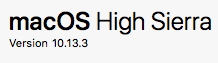
luthier8741
on 15 Feb 2018
This is getting disgusting.
Fresh pull will work until a Mac restart the issue starts again ending in 'Remove all data' from docker menu.
Log just says : Dump collecting thread [6] hit exception [6]. Exiting.
Docker version : Version 17.12.0-ce-mac49 (21995)
 sajanyamaha
on 16 Feb 2018
sajanyamaha
on 16 Feb 2018
What version of macOS do you have @sajanyamaha ?
twright-msft
on 16 Feb 2018
I have this too, and I'm on macos 10.13.3.
The most frustrating part is, that the error message is really unclear.
For me, removing the container and starting the new one with:
docker run --name mydb -e 'ACCEPT_EULA=Y' -e 'SA_PASSWORD=Asdf1234' -p 1433:1433 -d microsoft/mssql-server-linux
doesn't work... Gives this Dump collecting thread [7] hit exception [6]. Exiting. message again.
Running docker 17.12.0-ce-mac49.
Reset to factory defaults from docker preferences and then creating the container again still doesn't work.
After that I started using this command:
docker run --name mydb -e 'ACCEPT_EULA=Y' -e 'SA_PASSWORD=Asdf1234' -p 1433:1433 -d microsoft/mssql-server-linux:latest
And that seems to work now. But I'm afraid it's only a matter of time before I'm going to hit this again...
BTW: I haven't restarted my machine.
When I'm thinking about this microsoft/mssql-server-linux didn't work, but microsoft/mssql-server-linux:latest did. What's the difference there??
And now, I run docker run --name mydb -e 'ACCEPT_EULA=Y' -e 'SA_PASSWORD=Asdf1234' -p 1433:1433 -d microsoft/mssql-server-linux again, and it works again, without any additional downloading... This is a weird issue...
 q42jaap
on 16 Feb 2018
q42jaap
on 16 Feb 2018
@twright-msft
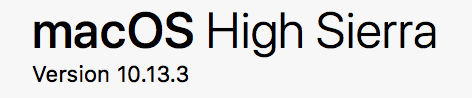
sajanyamaha
on 16 Feb 2018
is there something to do with the PATH variable ,mine is like '/usr/local/sbin:/usr/local/bin:/usr/sbin:/usr/bin:/sbin:/bin'
How can I determine wether the path is correct ?
sajanyamaha
on 16 Feb 2018
Confirm same problem here, only working image at the moment is :2017-GA. Lates ones (:2017-CU3, :2017-latest or :latest) are pointing to same image id and exit with Dump collecting thread [7] hit exception [6]. Exiting.. Problem occurred after deleting of all docker data and fresh pull of latest images.
MacOs Version 10.13.3
Docker Version 17.12.0-ce-mac49 (21995)
 dmitry-vinogradov
on 16 Feb 2018
dmitry-vinogradov
on 16 Feb 2018
New idea - could this be an out of memory issue? How much memory do you guys have allocated to the Docker VM? You can see this in the Docker preferences Advanced tab.
twright-msft
on 16 Feb 2018
4gb
luthier8741
on 16 Feb 2018
Tested with 2GB, 3GB & 4GB, same error. Interestingly latest worked fine with 2GB couple of days ago.
dmitry-vinogradov
on 16 Feb 2018
@twright-msft
-not memory issue
-not password issue
-fresh pull works fine till a machine restart
-'remove all data' and fresh pull again makes it work again
-I doubt it could be a privilege issue, am not sure how to run this as admin
i am going in cycles for sometime now, thinking of switching back to PC :(
sajanyamaha
on 16 Feb 2018
@sajanyamaha
try this version of docker
https://download.docker.com/mac/stable/21090/Docker.dmg
Hope it resolve your issue.
 param0091
on 23 Feb 2018
param0091
on 23 Feb 2018
@param0091 this didn't work either. However, I managed to fix the issue by just logging out from Docker. Pulling is now working again.
Solution found here: https://claudiutomescu.wordpress.com/2017/04/05/getting-started-with-vs-code-on-mac-ms-sql-server-on-linux/
 vladblajovan
on 25 Feb 2018
vladblajovan
on 25 Feb 2018
Closing out this issue since it has now become a collect-all issue for various different issues and resolutions. If you are still experiencing any issues with SQL Server on Docker for Mac please raise a new specific issue.
twright-msft
on 14 Mar 2018
turns out the password being set is not complex enough.A more complex password solved it for me!
 abhishekreddy1206
on 19 Jul 2018
abhishekreddy1206
on 19 Jul 2018
@twright-msft I am a bit confused to why this issue is closed. I am hitting a smilar issue on https://github.com/Microsoft/mssql-docker/issues/247#issuecomment-416073117 and that issue also seems to be closed, too.
Can you please provide a resolution to this issue or point me to the actual GitHub issue for this which I can track?
 tugberkugurlu
on 26 Aug 2018
tugberkugurlu
on 26 Aug 2018
This issue lost focus - basically everybody was dumping lots of different issues here with things not working on Mac. Please open a _new_ issue with the specific error message or details in the title and we can work that separately. Thanks!
twright-msft
on 27 Aug 2018
Hey guys, I recently was playing around with the latest sql server linux container on docker hub. If the container stops running after 5 seconds, its because the admin password is invalid. Try playing around with a different password for the parameter - 'SA_PASSWORD=Reject121' - make sure this is a VALID SQL SERVER ADMIN PASSWORD.
 flusharcade
on 21 Sep 2018
flusharcade
on 21 Sep 2018
I have this issue on my Catalina OSX by using Docker for Mac and this image mcr.microsoft.com/mssql/server:2019-CU3-ubuntu-18.04. The source issue is because SQL Server require ipv6 enable by default. Since there still no ipv6 support in Docker Mac, we need to set SQL Server only run in ipv4 only. So heres the command:
docker run \
-e "ACCEPT_EULA=Y" \
-e "SA_PASSWORD=Reject121" \
-e MSSQL_IP_ADDRESS=0.0.0.0 \
--name sql1 \
--net=host \
-d mcr.microsoft.com/mssql/server:2019-CU3-ubuntu-18.04
 ikandars
on 14 Apr 2020
ikandars
on 14 Apr 2020
'SA_PASSWORD' should have one or more uppercase letters.
 tranxuanhiep
on 25 Apr 2020
tranxuanhiep
on 25 Apr 2020
i had this problem when i use a stronger password the problem fixed.
so test with a strong password.
 hos-hajizadeh
on 20 Mar 2021
hos-hajizadeh
on 20 Mar 2021
i had this problem when i use a stronger password the problem fixed.
so test with a strong password.
Is that worked with MAC M1?
 elubilu
on 11 Apr 2021
elubilu
on 11 Apr 2021
Related issues
 LuisBosquez
·
5Comments
LuisBosquez
·
5Comments
 axelfontaine
·
5Comments
axelfontaine
·
5Comments
 logcorner
·
5Comments
logcorner
·
5Comments
 LWDArjan
·
3Comments
LWDArjan
·
3Comments
 richmccloud
·
3Comments
richmccloud
·
3Comments
Most helpful comment
@twright-msft
-not memory issue
-not password issue
-fresh pull works fine till a machine restart
-'remove all data' and fresh pull again makes it work again
-I doubt it could be a privilege issue, am not sure how to run this as admin
i am going in cycles for sometime now, thinking of switching back to PC :(