Mqttnet: MQTTNet hung during call to ManagedMQTTClient.Dispose()
Describe the bug
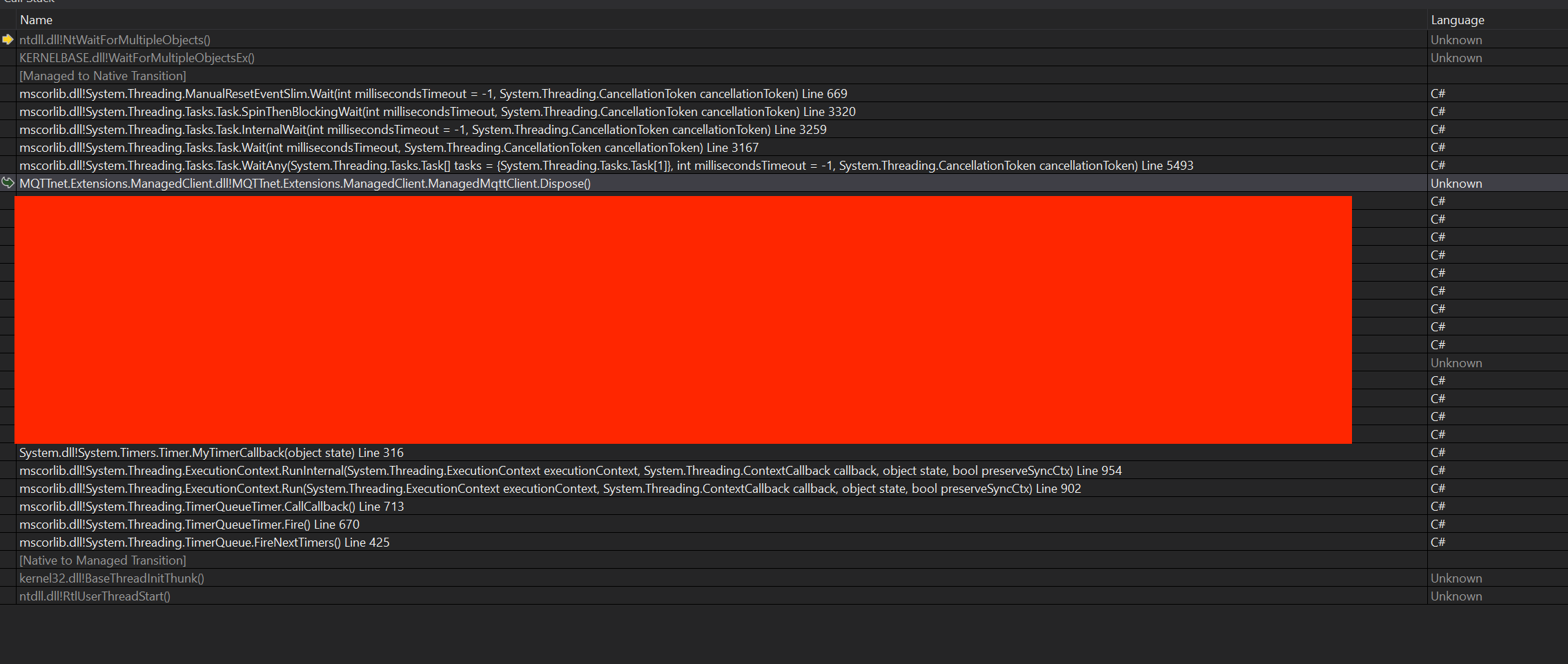
During a network outage, we experienced a hang in the Dispose call of the ManagedMQTTClient at this location in the code. It's unclear precisely what happened to cause this situation other than the environmental situation which I just described: a network outage.
Which project is your bug related to?
- ManagedClient
To Reproduce
Steps to reproduce the behavior:
- Using this version of MQTTnet v4.0.30319.
- Run this code.
- With these arguments: None.
- See a hang if the _maintainConnectionTask never completes.
Expected behavior
I expect the code to eventually timeout and/or toss a timeout exception as opposed to hanging indefinitely. Our software will restart the box if we notice something (like a bad network) has happened, but we also expected the underlying software to not hang during shutdown. This resulted in our product not successfully restarting the box and manual resets being required.
We could trap a timeout exception and handle it the best we can during shutdown, but we cannot hang indefinitely.
Screenshots
I managed to create a dump of the process that hung, and one of the threads showed this:
.
Additional context / logging
NA
Code example
NA
 kwende
All 6 comments
maybe we need to pull in Microsoft.Bcl.AsyncInterfaces and make the ManagedClient AsyncDisposable?
 JanEggers
on 10 Oct 2019
JanEggers
on 10 Oct 2019
I have motivation for this fix. Would you want me to try making this change and doing a PR?
kwende
on 11 Oct 2019
Isn't it enough to use a SpinWait instead of Task.WaitAny? Or we can get rid of the wait at all. Why do we care if this task has completed first? The task implementation has proper exception handling and should exit without any issues. 🤔
 chkr1011
on 11 Oct 2019
chkr1011
on 11 Oct 2019
same behavior occured when i try call StopAsync() with down network interface.
 okunevdm
on 16 Oct 2019
okunevdm
on 16 Oct 2019
We are facing similar issue with ManagedMQTTClient.StopAsync and it stuck forever. I am using version 3.0.13
 ummarbhutta
on 29 Jan 2021
ummarbhutta
on 29 Jan 2021
Please try again with RC8. I added a timeout where the DISCONNECT packet is sent (which fails due to network issues).
chkr1011
on 30 Jan 2021
Related issues
 ramonsmits
·
3Comments
ramonsmits
·
3Comments
 laarlinn
·
7Comments
laarlinn
·
7Comments
 grammyleung
·
3Comments
grammyleung
·
3Comments
 StefanOssendorf
·
9Comments
StefanOssendorf
·
9Comments
 avishnyak
·
9Comments
avishnyak
·
9Comments
Most helpful comment
maybe we need to pull in Microsoft.Bcl.AsyncInterfaces and make the ManagedClient AsyncDisposable?