Mpv: How to add multiple overlays to a playlist?
I'm trying to use both playlist and overlaying videos at the same time but it's not clear how to do it. What I've got:
- a bunch of front and rear video files from a dashcam in
FandRdirectories - a way to play e.g. all front files in a playlist:
mpv F/* - a way to play an overlay of rear view on top of front view:
mpv $front_video --external-file=$rear_video --lavfi-complex='[vid2] scale=640x360 [small]; [vid1] [small] overlay [vo]'
What I don't understand is how to play all overlays in a playlist so I could jump back and forth, set the volume, playback speed, contrast, etc. The closest I got:
# when in F directory
mpv \
  REC_200607-175943F.MOV --external-file=../R/REC_200607-175943R.MOV --lavfi-complex='[vid2] scale=640x360 [small]; [vid1] [small] overlay [vo]' \
  GSR_200607-180444F.MOV --external-file=../R/GSR_200607-180444R.MOV --lavfi-complex='[vid2] scale=640x360 [small]; [vid1] [small] overlay [vo]' \
  GSR_200607-180943F.MOV --external-file=../R/GSR_200607-180943R.MOV --lavfi-complex='[vid2] scale=640x360 [small]; [vid1] [small] overlay [vo]'
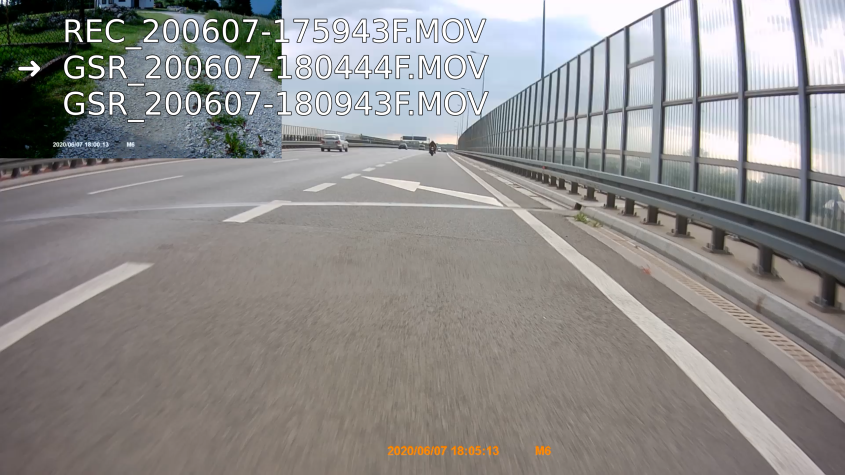
But this way I only get the rear view from the first footage in all videos.
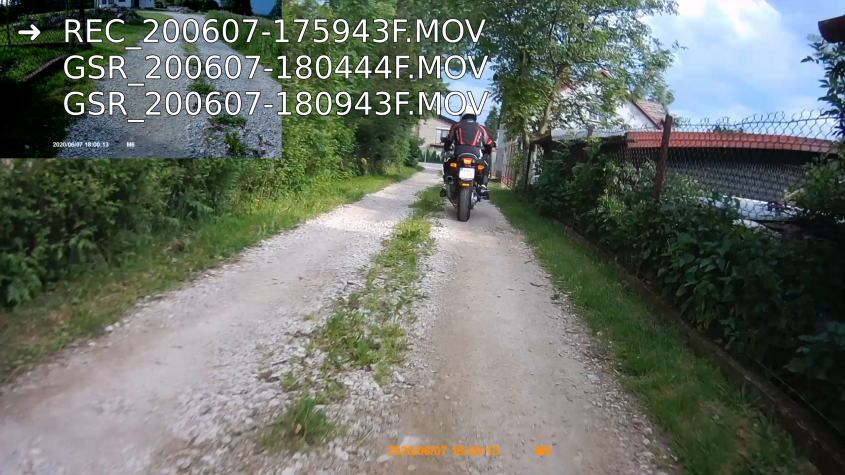
1st overlay, all fine:
2nd overlay, rear view is from the 1st footage:
It works well when I don't play them in a playlist but it's cumbersome.
Log file
question
 cprn
cprn
>All comments
https://mpv.io/manual/master/#per-file-options
 ghost
on 9 Jun 2020
ghost
on 9 Jun 2020
❤1
👍1
Was this page helpful?
0 / 5 - 0 ratings
Related issues
 yuvadm
·
3Comments
yuvadm
·
3Comments
 jcowgill
·
3Comments
jcowgill
·
3Comments
 AndydeCleyre
·
3Comments
AndydeCleyre
·
3Comments
 Edenharder
·
4Comments
Edenharder
·
4Comments
 422658476
·
3Comments
422658476
·
3Comments
Most helpful comment
https://mpv.io/manual/master/#per-file-options