Mpandroidchart: double/duplicate colors when calling setColors() in ScatterChart
When using a scatter chart graph and calling the function setColors(), the colors set for a specific index do not match with the data on the graph. so in the code below, if I want only index 0 to be Blue and the rest to be Green, both the Entry values for 0 and 1 will be blue. This will increment so if I want only index 1 to be blue, indices 2 and 3 will be Blue while the others will be Green. Once the indices are past the length/2, this would be 5 in the example below, they will not color in the data at all. In the label of the X axis at the bottom, it does appear to be correct though.
public class ScatterChartActivity extends BaseActivity {

    @Override
    protected void onCreate(Bundle savedInstanceState) {
        super.onCreate(savedInstanceState);
        setContentView(R.layout.activity_scatter_chart);

        ScatterChart scatterChart = findViewById(R.id.scatterchart);

        float[] xArray = new float[] {1,2,3,4,5,6,7,8,9,10};
        float[] yArray = new float[] {1,2,3,4,5,6,7,8,9,10};
        List<Integer> colors = new ArrayList<>();
        List<Entry> entries = new ArrayList<>();
        for(int i=0; i < xArray.length; i++) {
            if(i==0)
                colors.add(Color.BLUE);
            else
                colors.add(Color.GREEN);
            entries.add(new Entry(xArray[i], yArray[i]));
        }

        ScatterDataSet dataSet = new ScatterDataSet(entries, "data");
        dataSet.setColors(colors);
        dataSet.setValueTextColor(Color.WHITE);

        ScatterData data = new ScatterData(dataSet);
        scatterChart.setData(data);
        scatterChart.invalidate();
    }
}
the xml
    <RelativeLayout
        xmlns:android="http://schemas.android.com/apk/res/android"
        xmlns:tools="http://schemas.android.com/tools"
        android:layout_width="match_parent"
        android:layout_height="match_parent"
        tools:context=".ScatterChartActivity">
        <com.github.mikephil.charting.charts.ScatterChart
            android:id="@+id/scatterchart"
            android:layout_width="match_parent"
            android:layout_height="match_parent" />
    </RelativeLayout>
<
Below is when index that should be Blue == 0;
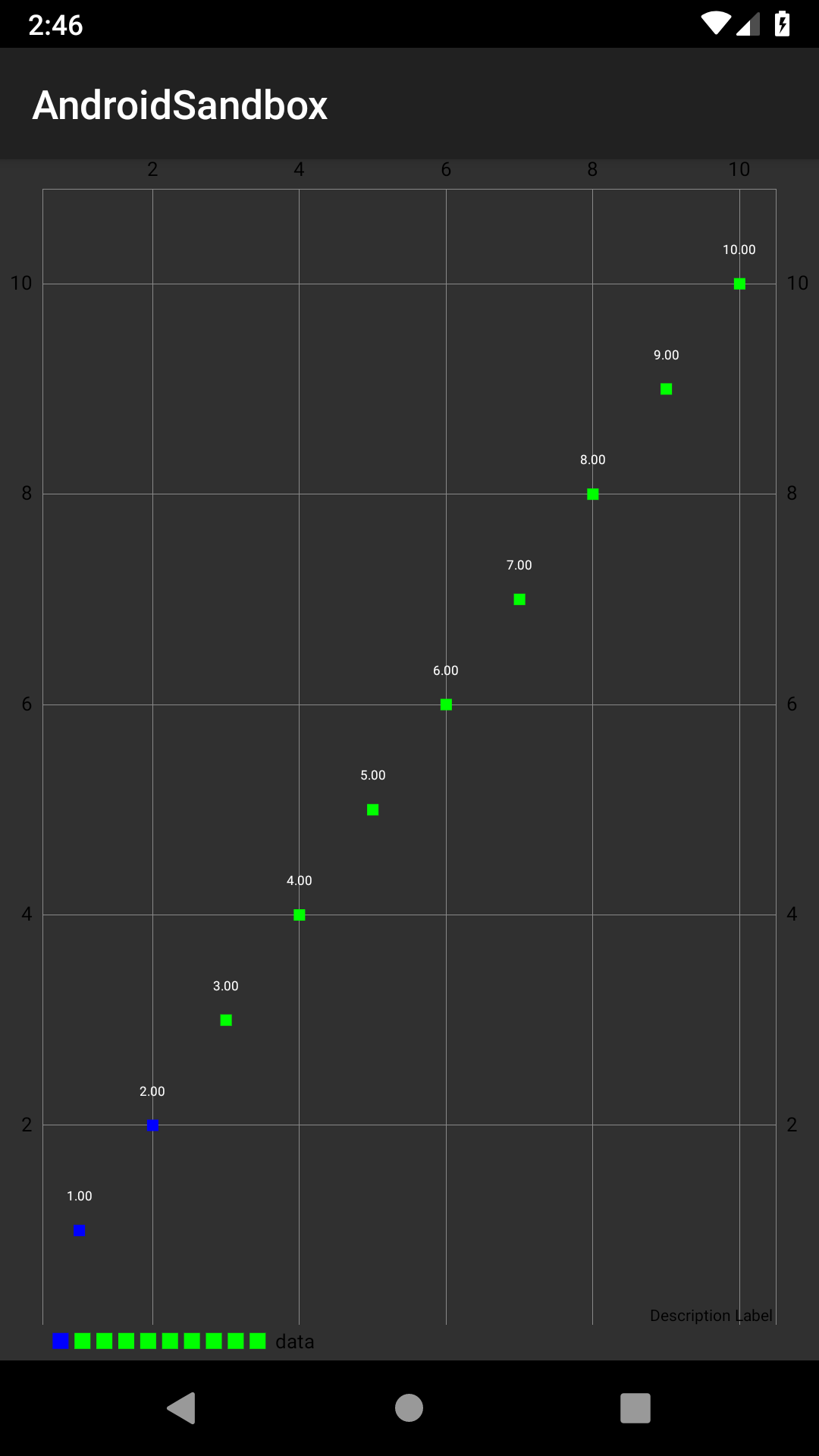
Below is when the index that should be Blue == 1

 sindaco09
>All comments
in ScatterChartRenderer line 85, changing the mRenderPaint.setColor(dataSet.getColor(i)); seems to resolve this issue. Not sure if there is some underlying reason it is set to i/2 in the getColor code
mRenderPaint.setColor(dataSet.getColor(i / 2));
to
mRenderPaint.setColor(dataSet.getColor(i));
sindaco09
on 25 Apr 2019
Related issues
 chathudan
·
3Comments
chathudan
·
3Comments
 botondbutuza
·
3Comments
botondbutuza
·
3Comments
 manucheri
·
3Comments
manucheri
·
3Comments
 andreyfel
·
3Comments
andreyfel
·
3Comments
 AndroidJiang
·
3Comments
AndroidJiang
·
3Comments
Most helpful comment
in ScatterChartRenderer line 85, changing the mRenderPaint.setColor(dataSet.getColor(i)); seems to resolve this issue. Not sure if there is some underlying reason it is set to i/2 in the getColor code
mRenderPaint.setColor(dataSet.getColor(i / 2));to
mRenderPaint.setColor(dataSet.getColor(i));