Mpandroidchart: Support for x values (instead of x indices)
Thanks for your great library!
We just found one major drawback. We like to draw a time series chart where the values are not equidistant. The x values where points are drawn must be at any position not just distributed equally by index. For example, the x axis represents the date and time (as in this blood pressure chart http://www.andreas-schreiber.net/activities/quantified-self/blood-pressure/).
This applies to line chart and scatter chart.
 onyame
All 116 comments
You are absolutely right, that is kind of a drawback. I work on providing a solution for this issue as fast as possible.
Nevertheless, the charts displayed in your link are already possible (quite likely with some additional but manageable effort).
As a description for the x-axis, you can provide an array of Strings representing each day of the year, meaning 365 entries.
The index on which an actual value will be displayed on can then depend on the day.
Example: Blood pressure 139 measured on January 10th.
--> x-axis index 9
Blood pressure 139 measured on February 2nd.
--> x-axis index 32
It is not necessary that each possible index on the x-axis (ranged from 0 to 365) is bound to a value.
I hope this helps a little bit, regards
Philipp
 PhilJay
on 16 Jul 2014
PhilJay
on 16 Jul 2014
Hi, Philipp,
we did the workaround that you described. But this does not work for large number of x-values. It just takes too much time.
For example, we need to plot values for about 10 years and we have more than one value per day (sometime >20 values per day).
So, it still would be great if you could support for time series.
best regards
Andreas
onyame
on 2 Aug 2014
+1
 AndroidGecko
on 27 Aug 2014
AndroidGecko
on 27 Aug 2014
+1, looking forward to seeing this feature, the sooner the better : )
 SiyiLi
on 16 Sep 2014
SiyiLi
on 16 Sep 2014
+1, I am looking for the same feature as well
 skadyrov
on 20 Oct 2014
skadyrov
on 20 Oct 2014
+1. Very useful feature
 nesterov-n
on 24 Oct 2014
nesterov-n
on 24 Oct 2014
Just looking for the same feature. Great work, anyway!
 pgmo
on 31 Oct 2014
pgmo
on 31 Oct 2014
Thanks for the great library. It would be great if you add this feature asap
 subairariyil
on 24 Nov 2014
subairariyil
on 24 Nov 2014
+1. I'd love this feature!
 oinegue
on 23 Dec 2014
oinegue
on 23 Dec 2014
Thanks for cool library!
Maybe anyone already make this feature possible?
@PhilJay Are you working on this feature ? I've got some ideas how to make it real.
 nekdenis
on 19 Jan 2015
nekdenis
on 19 Jan 2015
+1, I am looking for the same feature as well
 dowi
on 18 Feb 2015
dowi
on 18 Feb 2015
Hi Guys,
@nekdenis - Could you please discuss the ideas here, I would be glad to contribute using your ideas :)
Thanks,
 rajatdeshpande
on 18 Feb 2015
rajatdeshpande
on 18 Feb 2015
+1 same here
 Ploppy3
on 27 Feb 2015
Ploppy3
on 27 Feb 2015
+1
 medy75
on 28 Feb 2015
medy75
on 28 Feb 2015
+1
On Feb 28, 2015 9:22 PM, "Jaroslav Medek" [email protected] wrote:
+1
—
Reply to this email directly or view it on GitHub
https://github.com/PhilJay/MPAndroidChart/issues/12#issuecomment-76531366
.
rajatdeshpande
on 28 Feb 2015
+1
 bhspencer
on 28 Feb 2015
bhspencer
on 28 Feb 2015
I am looking for an android equivalent to to vis.js graph2d http://visjs.org/graph2d_examples.html
bhspencer
on 28 Feb 2015
+1
 TR4Android
on 8 Mar 2015
TR4Android
on 8 Mar 2015
https://github.com/nekdenis/MPAndroidChart/tree/decart
I've implemented this feature. But here are one bad thing: I'm not using existing data model.
If someone need example usage of this graph I could add it.
nekdenis
on 10 Mar 2015
+1
 palasjir
on 12 Mar 2015
palasjir
on 12 Mar 2015
+1
 Robyer
on 19 Mar 2015
Robyer
on 19 Mar 2015
+1
 webventil
on 13 Apr 2015
webventil
on 13 Apr 2015
+1
 tweetjay
on 13 Apr 2015
tweetjay
on 13 Apr 2015
+1
 dhofmann404
on 13 Apr 2015
dhofmann404
on 13 Apr 2015
+1
 idellwig
on 13 Apr 2015
idellwig
on 13 Apr 2015
+1 man come on it is awesome!!!
 burix
on 14 Apr 2015
burix
on 14 Apr 2015
Indeed this would make this library the best! Otherwise it already excels
 enffichris
on 19 Apr 2015
enffichris
on 19 Apr 2015
+1
 mathieudebrito
on 21 Apr 2015
mathieudebrito
on 21 Apr 2015
+1
On Tue, Apr 21, 2015 at 3:23 PM, Mathieu De Brito [email protected]
wrote:
+1
—
Reply to this email directly or view it on GitHub
https://github.com/PhilJay/MPAndroidChart/issues/12#issuecomment-94724753
.
Rajat Deshpande
Mechanical Engineering
IIT BOMBAY
rajatdeshpande
on 21 Apr 2015
+1
 FranzBusch
on 27 Apr 2015
FranzBusch
on 27 Apr 2015
+1
I was really impressed with the capabilities of MPAndroidChart but since it's not possible to enter data as (x,y) pairs I can't use it. My application has real-time time-series data with irregular/unpredictable time coordinates for each measurement.
 SoftwareRancher
on 27 Apr 2015
SoftwareRancher
on 27 Apr 2015
@SoftwareRancher You should be able to do this. You can use e.g. a unix-timestamp type of datasystem.
Only drawback is that you are limited in resolution depending on how large you want your vector to become.
enffichris
on 27 Apr 2015
It looked to me (from the API) that the "x values" were basically labels
and would not affect the position of the data on the graph. I need a
set of data points such as
(0, 1), (45,1), (50, 2), (55, 1), (100, 1)
to appear like:
On 04/27/2015 02:52 PM, enffichris wrote:
@SoftwareRancher https://github.com/SoftwareRancher You should be
able to do this. You can use e.g. a unix-timestamp type of datasystem.—
Reply to this email directly or view it on GitHub
https://github.com/PhilJay/MPAndroidChart/issues/12#issuecomment-96816398.
Jim
SoftwareRancher
on 27 Apr 2015
+1
 SrMouraSilva
on 17 May 2015
SrMouraSilva
on 17 May 2015
+1
 matejcikm
on 17 May 2015
matejcikm
on 17 May 2015
+1
 wangningdy
on 18 May 2015
wangningdy
on 18 May 2015
- 1
 marctatham
on 18 May 2015
marctatham
on 18 May 2015
+1
any news?
 rascheC
on 14 Jun 2015
rascheC
on 14 Jun 2015
+1
 elmarcoh
on 23 Jun 2015
elmarcoh
on 23 Jun 2015
:+1: @PhilJay @danielgindi Thanks for the great library! Yet this feature would make it perfect. So I (and I think many others too) would really appreciate it if this feature would come any time soon...
Please keep us posted. Thanks a lot!
 fountaingeyser
on 1 Jul 2015
fountaingeyser
on 1 Jul 2015
Considering the amount of people who would love this feature. Would it make sense to crowdfund it? How much would be required - if that's an option at all for you @PhilJay
enffichris
on 1 Jul 2015
+1
@nekdenis
Can you add an example usage of your graph. I didn't find it anywhere.
 puuro
on 2 Jul 2015
puuro
on 2 Jul 2015
+1
 learnerbyheart
on 21 Jul 2015
learnerbyheart
on 21 Jul 2015
+1
 mvojtkovszky
on 24 Jul 2015
mvojtkovszky
on 24 Jul 2015
+1
 SergioEscuder
on 26 Jul 2015
SergioEscuder
on 26 Jul 2015
The library is great. I am using it on my final degree project and I would love to use this feature.
Currently I found a way to use it with not equidistant values even with large values (I tested up to 30000 and there is no problem as the strings are created dynamically) but when you zoom in, the lines on the edges sometimes get invisible https://github.com/PhilJay/MPAndroidChart/issues/801.
In case someone is interested this is the class I use to replace the strings array:
The other methods that needs to be implemented from List
public class MaxList implements List<String> {

    private int max;

    public MaxList(){
        max = 0;
    }

    @Override
    public void clear() {
        max = 0;
    }

    @Override
    public String get(int i) {
        if (i<1000){
            return String.valueOf(i) + "m";
        }else{
            return String.valueOf(i/1000)+","+String.valueOf(i%1000)+"km";
        }
    }

    @Override
    public int size() {
        return max+1;
    }

    public void addMax(int new_max){
        if (new_max > max){
            max = new_max;
        }
    }

    @Override
    public boolean isEmpty() {
        return false;
    }
}
Remember to set the max value of your data.
Hope it helps someone and thanks for the great library!
 9and3r
on 27 Jul 2015
9and3r
on 27 Jul 2015
+1, this is a much needed feature. Would be happy to contribute.
 sowrabh
on 8 Aug 2015
sowrabh
on 8 Aug 2015
+1
 subhanshuja
on 10 Aug 2015
subhanshuja
on 10 Aug 2015
+1
this is unfortunately a blocking issue for using this great library for our project.
We would definitively donate a good amount if we could use this library.
 forkch
on 11 Aug 2015
forkch
on 11 Aug 2015
+1 Huge missing use case. Has anyone bolted on this functionality in a nice way?
I basically hacked up a solution by creating intervals/indices for 1 second, so viewing a graph over a day is 60 * 60 * 24 intervals where the data points are x-intervals away from my start time.
 micnguyen
on 24 Aug 2015
micnguyen
on 24 Aug 2015
+1
 bomiyr
on 25 Aug 2015
bomiyr
on 25 Aug 2015
+1
 Mashnin
on 25 Aug 2015
Mashnin
on 25 Aug 2015
+1
 knseir
on 26 Aug 2015
knseir
on 26 Aug 2015
+1
 prabel
on 26 Aug 2015
prabel
on 26 Aug 2015
+1
 Brian0122
on 3 Sep 2015
Brian0122
on 3 Sep 2015
+1
 doom369
on 3 Sep 2015
doom369
on 3 Sep 2015
+1 for this feature
That's exactly what I was looking for.
 prateekdwv
on 14 Sep 2015
prateekdwv
on 14 Sep 2015
+1 for this feature which will have multiple applications to display various scientific data.
 forum6691
on 21 Sep 2015
forum6691
on 21 Sep 2015
+1 for the feature
 amandeepgautam
on 24 Sep 2015
amandeepgautam
on 24 Sep 2015
@PhilJay Hi Philipp, any news on this ?
I need to show time on the x-axis, but in multiples of 5 minutes (00 - 15:00 - 30:00 as opposed to 00-
14:38, etc...)
Thank you!
knseir
on 26 Sep 2015
+1
 alexpell00
on 28 Sep 2015
alexpell00
on 28 Sep 2015
Is this feature available yet?I am looking for such time series as well. Wonderful library
 ranj27
on 7 Oct 2015
ranj27
on 7 Oct 2015
+1
 zdesiree
on 20 Oct 2015
zdesiree
on 20 Oct 2015
Yep +1! Please save us @PhilJay
 zjuhasz
on 8 Nov 2015
zjuhasz
on 8 Nov 2015
+1 for this feature
 JohanCosemans
on 5 Dec 2015
JohanCosemans
on 5 Dec 2015
Hello, could you please add examples for this? @nekdenis
 funkvps
on 11 Dec 2015
funkvps
on 11 Dec 2015
Using the great port of this already great library on iOS. Would love to have support for XY charts!
 mehdi-shiba
on 15 Dec 2015
mehdi-shiba
on 15 Dec 2015
+1 This would be a great improvement to the library. XY coordinate is kind of basic of graphing system and its sad that this library doesn't support that.
 mohitagrawal
on 17 Dec 2015
mohitagrawal
on 17 Dec 2015
Yes. I hope you'll be able to add timeseries in future.
I've switched to your library and this is something that is missing. Previously I've been using aChartEngine.
At the moment I'm using simple indexing method. I've got only days so it's pretty simple. But probably there is a better way of doing that.
 adek
on 5 Jan 2016
adek
on 5 Jan 2016
+1 for this feature. It is indeed a great library. Would love to see support for float values in x axis.
 cerebrahm
on 13 Jan 2016
cerebrahm
on 13 Jan 2016
I have the same question. So i change my x values to be equidistant and set to x Axis. Although it looks
work, the callback OnChartValueSelectedListener.onValueSelected can't be called exactly. I'm still finding solution.
@PhilJay any advices? thanks.
 ff0o0
on 29 Jan 2016
ff0o0
on 29 Jan 2016
+1
 binujayaram
on 2 Feb 2016
binujayaram
on 2 Feb 2016
+1
 NilsHendrikLukas
on 3 Feb 2016
NilsHendrikLukas
on 3 Feb 2016
+1
 tripplemac
on 18 Feb 2016
tripplemac
on 18 Feb 2016
+1
 mat90c
on 19 Feb 2016
mat90c
on 19 Feb 2016
+1
 refaelsh
on 1 Mar 2016
refaelsh
on 1 Mar 2016
+1
 apatrone
on 7 Mar 2016
apatrone
on 7 Mar 2016
We are also just starting to integrate iOS Charts, great library, thank you. We are running into this limitation as well. We have xValues like 0, 0.2, 3, 5.75, 6.5, 10, 40, 66.7. Using the workaround described, we would have to have xValues every 0.1 steps, which would be a lot, to cover a range of 0-600 for example.
Any news on this feature or some other work around that performs well at larger numbers of values?
Thanks.
 rlimberger
on 7 Mar 2016
rlimberger
on 7 Mar 2016
@PhilJay I think, as a first step, the graph should respect the x-indices put into Entry. It could do this by automatically splitting the graph into [highest x-index] number of increments, then plotting the sparse array of x-indices.
That would allow for relative x-value positioning without instantiating large arrays, which I think is adequate for the majority of use cases here. The drawback is the labels are still attached to the x-indices, as opposed to an actual xy Cartesian graph, but this solution would still be much better than what is available currently.
EDIT: I believe I was mistaken in how the x-indices of Entry work, which actually behaves as I described. I suppose the remaining issue would be the x labels, which should optimally also work with indices to minimize memory impact.
 plusCubed
on 15 Mar 2016
plusCubed
on 15 Mar 2016
+1 this feature is extra needed
 MGasztold
on 16 Mar 2016
MGasztold
on 16 Mar 2016
+1
 RyGuyM
on 16 Mar 2016
RyGuyM
on 16 Mar 2016
+1
 cgathergood
on 16 Mar 2016
cgathergood
on 16 Mar 2016
+1
 mazzonem
on 24 Mar 2016
mazzonem
on 24 Mar 2016
+1
 stevekelly20
on 25 Mar 2016
stevekelly20
on 25 Mar 2016
+1
 sschale
on 30 Mar 2016
sschale
on 30 Mar 2016
+1
 johnfrey99
on 8 Apr 2016
johnfrey99
on 8 Apr 2016
+1
 dalewking
on 8 Apr 2016
dalewking
on 8 Apr 2016
+1 I'm logging data from events so the xAxis is variable and time based.
 MarioGravel
on 11 Apr 2016
MarioGravel
on 11 Apr 2016
+1
Great library!
I would really appreciate this feature too.
 Philipp2405
on 18 Apr 2016
Philipp2405
on 18 Apr 2016
+1
 Datalization
on 18 Apr 2016
Datalization
on 18 Apr 2016
+1
 MonStar1
on 21 Apr 2016
MonStar1
on 21 Apr 2016
+1
 TeunKooijman
on 10 May 2016
TeunKooijman
on 10 May 2016
+1 @PhilJay
 ghost
on 17 May 2016
ghost
on 17 May 2016
in the name of mankind sir, +1
 shohiebsense
on 23 May 2016
shohiebsense
on 23 May 2016
+1
 biovolt
on 9 Jun 2016
biovolt
on 9 Jun 2016
Within the next few weeks v3.0.0 of this library with major changes will be released which is finally going to close this issue, stay tuned :-)
PhilJay
on 10 Jun 2016
Information very interesting :)
Cyril
Le 10/06/2016 à 16:05, Philipp Jahoda a écrit :
Within the next few weeks v3.0.0 of this library with major changes
will be released which is finally going to close this issue, stay
tuned :-)—
You are receiving this because you commented.
Reply to this email directly, view it on GitHub
https://github.com/PhilJay/MPAndroidChart/issues/12#issuecomment-225190713,
or mute the thread
https://github.com/notifications/unsubscribe/ALlmhbwUpwdiXXW4GqTb0JW68yoycplIks5qKW8WgaJpZM4CN54o.
Des logiciels Android à découvrir:
Pour la sécurité de votre bateau
MarineSecurity et MarineSecurityMap : http://marinesecurity.free.fr
Pour la mesure de votre vitesse et l'optimisation de vos performances à moto/ski, voiture ou en bateau
SpeedMeter : http://androidapp.free.fr
forum6691
on 10 Jun 2016
@PhilJay this branch https://github.com/PhilJay/MPAndroidChart/tree/remove_xindices ?
 FabianTerhorst
on 15 Jun 2016
FabianTerhorst
on 15 Jun 2016
This issue being closed, does this mean that the master branch has this implemented now?
rlimberger
on 3 Jul 2016
Yes, & the latest release.
PhilJay
on 3 Jul 2016
Has this changed other things? Previous parts of my code that used LineData(List<String>, List<ILineDataSet>); now no longer work (doesn't compile, doesn't seem to like my use of the list of strings for the x labels anymore) -- is there anything in the FAQ that shows how to correctly use the new way?
 androidhopeful
on 5 Jul 2016
androidhopeful
on 5 Jul 2016
@androidhopeful check out the updated samples
FabianTerhorst
on 5 Jul 2016
@PhilJay First wanted to say thank you for this update. Time series is something I've waited for for a long time in this awesome library, so thank you for implementing it!
My initial questions / issues seen:
Is there a way to allow newlines in the x-axis labels? As a result of switching to the new time format to allow the hour/minute/time of day (dd MMM h:mm a), there's now a great deal of text crowding unless I manually set xAxis.setLabelCount() to something very small (like 3). It'd be great to be able to render something like dd MMM\nh:mm a instead.
Also, for time/values, forcing floats seems to lose precision in some contexts (for example I've gotten it to spit out 5:23 PM for a timestamp that is actually 5:24 PM, value 1467753840000). Even if you use new Entry(long, float) when inserting timestamp and value into the data set, it converts the timestamp to a float behind the scenes, which gets mangled later if you want to retrieve that value later through things like onValueSelected of OnChartValueSelectedListener or if you want to graph two values that happen to be a minute or two apart -- since there does not seem to be a long, float constructor for Entry, just float, float.
androidhopeful
on 6 Jul 2016
It does not work for you because the Entry constructor changed as mentioned in the release notes.
Its now Entry(float x, float y)
instead of Entry(float y, int xIndex)
PhilJay
on 6 Jul 2016
TimeStamp to Date format conversion can be done using AxisValueFormatter. (@Phil, correct if am wrong)
But does getFormattedValue() supports new line character?.
This issue https://github.com/PhilJay/MPAndroidChart/issues/73 is still open.Allowing new line character reduces the label length and allows more labels in XAxis.
 Praveen2106
on 6 Jul 2016
Praveen2106
on 6 Jul 2016
@PhilJay I got that to work, yes, but using float for timestamp means you lose precision and get incorrect times
androidhopeful
on 6 Jul 2016
@androidhopeful we aren´t as far with the timestamp to loose data there when converting the timestamp long to a float.
FabianTerhorst
on 6 Jul 2016
@FabianTerhorst The minute level is where it begins to lose precision from what I can tell
androidhopeful
on 6 Jul 2016
@androidhopeful with a timestamp thats in seconds that shouldn´t be the case.
FabianTerhorst
on 6 Jul 2016
Exactly, you can simply use "second" timestamps and then multiply them by 1000 when using them with a java Date object.
There are plenty of good reasons why this library uses float, and not double or long. I have explained them already.
PhilJay
on 6 Jul 2016
@PhilJay Point taken. Is there a workaround to allow newlines in the X-axis labels or is that pretty much hardwired?
androidhopeful
on 6 Jul 2016
Please share your sample to set the date and time value in X-Axis. Now it's not working fine when i tried to convert date object to float (For Entry)and vice versa(AxisValueFormatter). I required this option for most dynamic moving chart based on limited interval like 30sec,60sec. I have spent lots of time on it but till now no success.
 srinivasan-cgvak
on 11 Jul 2016
srinivasan-cgvak
on 11 Jul 2016
Thank you for adding this feature. Is there an example on how to use this new feature?
rlimberger
on 4 Aug 2016
how to set YAxis accuracy 0.01 in mpandroidchart -LineChart ?
 lkkjohnny
on 4 Mar 2017
lkkjohnny
on 4 Mar 2017
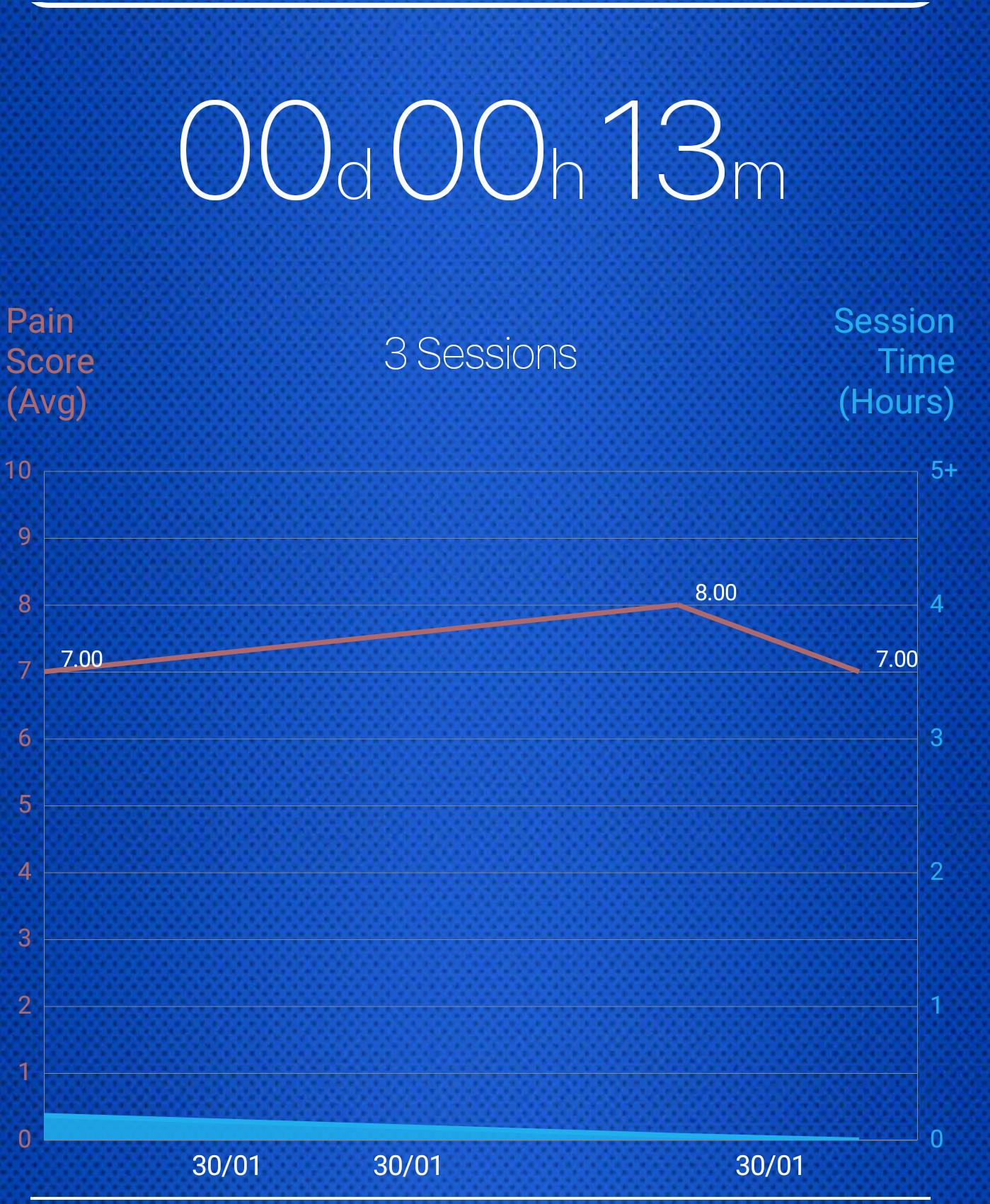
Facing the same issue
 gokulbalakrishnan
on 30 Jan 2018
gokulbalakrishnan
on 30 Jan 2018
+1, I am looking for the same feature as well
 Hetal2011
on 28 May 2020
Hetal2011
on 28 May 2020
Related issues
 pankaj210891
·
15Comments
pankaj210891
·
15Comments
 bbrosius
·
14Comments
bbrosius
·
14Comments
 xainbutt
·
34Comments
xainbutt
·
34Comments
 patelanil2007
·
26Comments
patelanil2007
·
26Comments
 Paladinko
·
36Comments
Paladinko
·
36Comments
Most helpful comment
Within the next few weeks v3.0.0 of this library with major changes will be released which is finally going to close this issue, stay tuned :-)