Mpandroidchart: How to customize y axis range.
@nielsz @PhilJay
I want to add a $ sign.

 pj210493
All 8 comments
class YAxisValueFormatter implements IAxisValueFormatter {
@Override
public String getFormattedValue(float value, AxisBase axis) {
return value+"$";
}
}
mYAxis.setValueFormatter(new YAxisValueFormatter());
close issue if it works
 ithemant09
on 11 Oct 2017
ithemant09
on 11 Oct 2017
@ithemant09
One more thing, can i change y axis values difference because it gives automatically like if i want 30$,40$ and 50$. Thanks :+1:
pj210493
on 11 Oct 2017
@pj210493
you may try this, but I am not very sure.
mYAxis.setLabelCount(6, true);
mYAxis.setAxisMaximum(50f);
mYAxis.setAxisMinimum(0f);
ithemant09
on 11 Oct 2017
@ithemant09
No its not working. I have already tried.
pj210493
on 11 Oct 2017
@pj210493
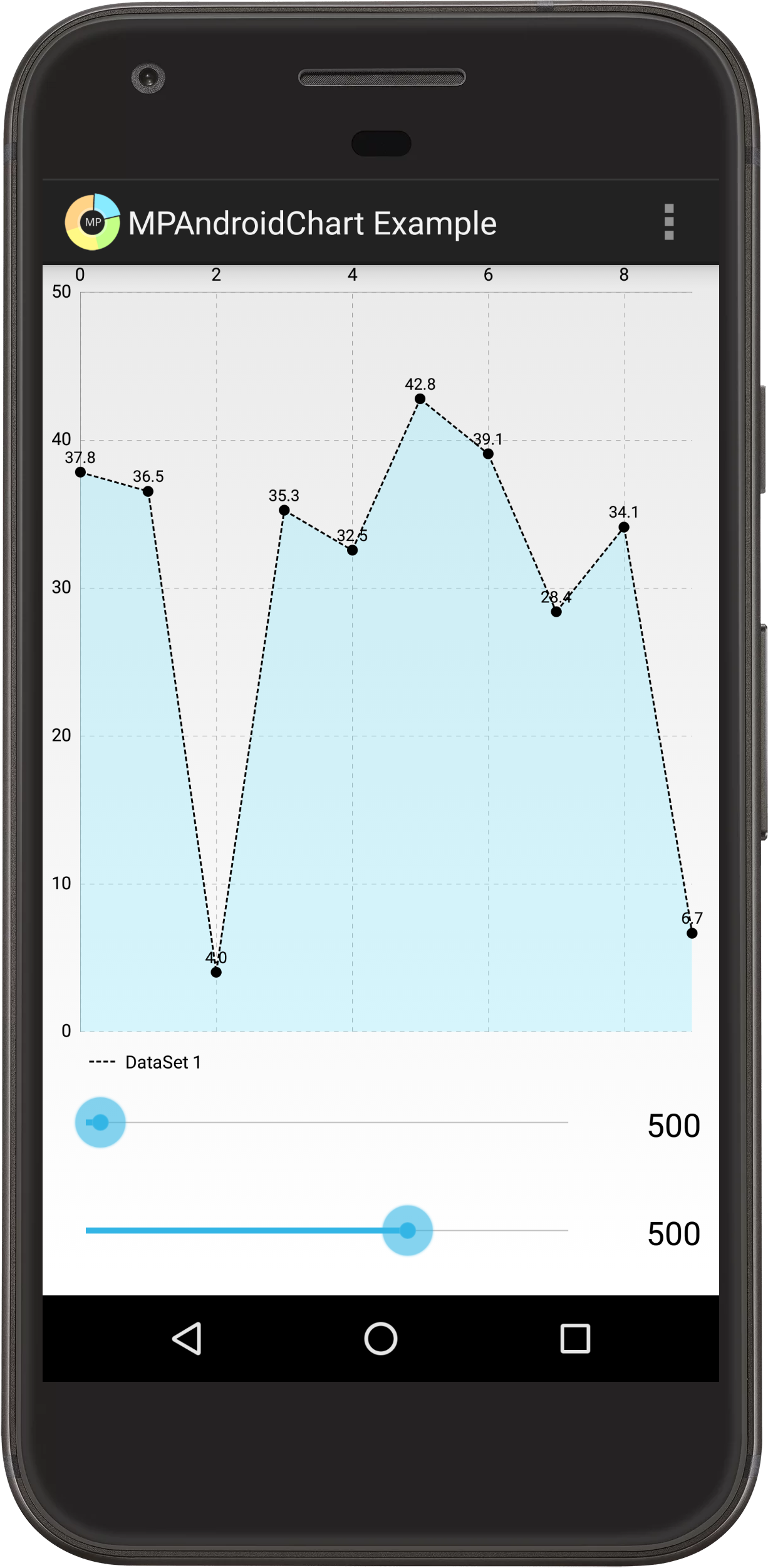
Working with sample code provided in Github, must be some other problem in your code.
ithemant09
on 11 Oct 2017
@pj210493 yes, problem in your code.
 Mydesire
on 1 Nov 2017
Mydesire
on 1 Nov 2017
I think he mean how to change the step between two values, you, you change the max value and the number of values but if he have values > 50 this is not a good idea
 Bonten156
on 14 Jun 2019
Bonten156
on 14 Jun 2019
@pj210493
you may try this, but I am not very sure.
mYAxis.setLabelCount(6, true);
mYAxis.setAxisMaximum(50f);
mYAxis.setAxisMinimum(0f);
Thank you bro, you save me...
Here for Kotlin user, I hope anybody can solve...
chart1 is id from XML Layout (I use view binding on android)
chart1.xAxis.labelCount = 1
        chart1.xAxis.mAxisMaximum = 30.toFloat()
        chart1.xAxis.mAxisMinimum = 0.toFloat()
 nick2905
on 26 Apr 2020
nick2905
on 26 Apr 2020
Related issues
 ChenZeFengHi
·
3Comments
ChenZeFengHi
·
3Comments
 rohitkumarbhagat
·
3Comments
rohitkumarbhagat
·
3Comments
 tsengvn
·
3Comments
tsengvn
·
3Comments
 JungYongWook
·
3Comments
JungYongWook
·
3Comments
 andreyfel
·
3Comments
andreyfel
·
3Comments