Mpandroidchart: [BarChart] bars floating above the X-axis
Hi, I want to show datas in BarChart. And bars supposed to stand right above the X-axis line without spacing. But there is a gap between bar-bottom and the X-axis line.
 OumaSyuu
All 6 comments
I am experiencing the same issue. It seems the offset from the x axis is dependent on how many data points are supplied as part of the BarDataSets. In my app I'm using a CombinedChart and not a BarChart, so I cannot yet comment as to whether it happens generically to all charts containing BartSet(s). Here are a few examples:
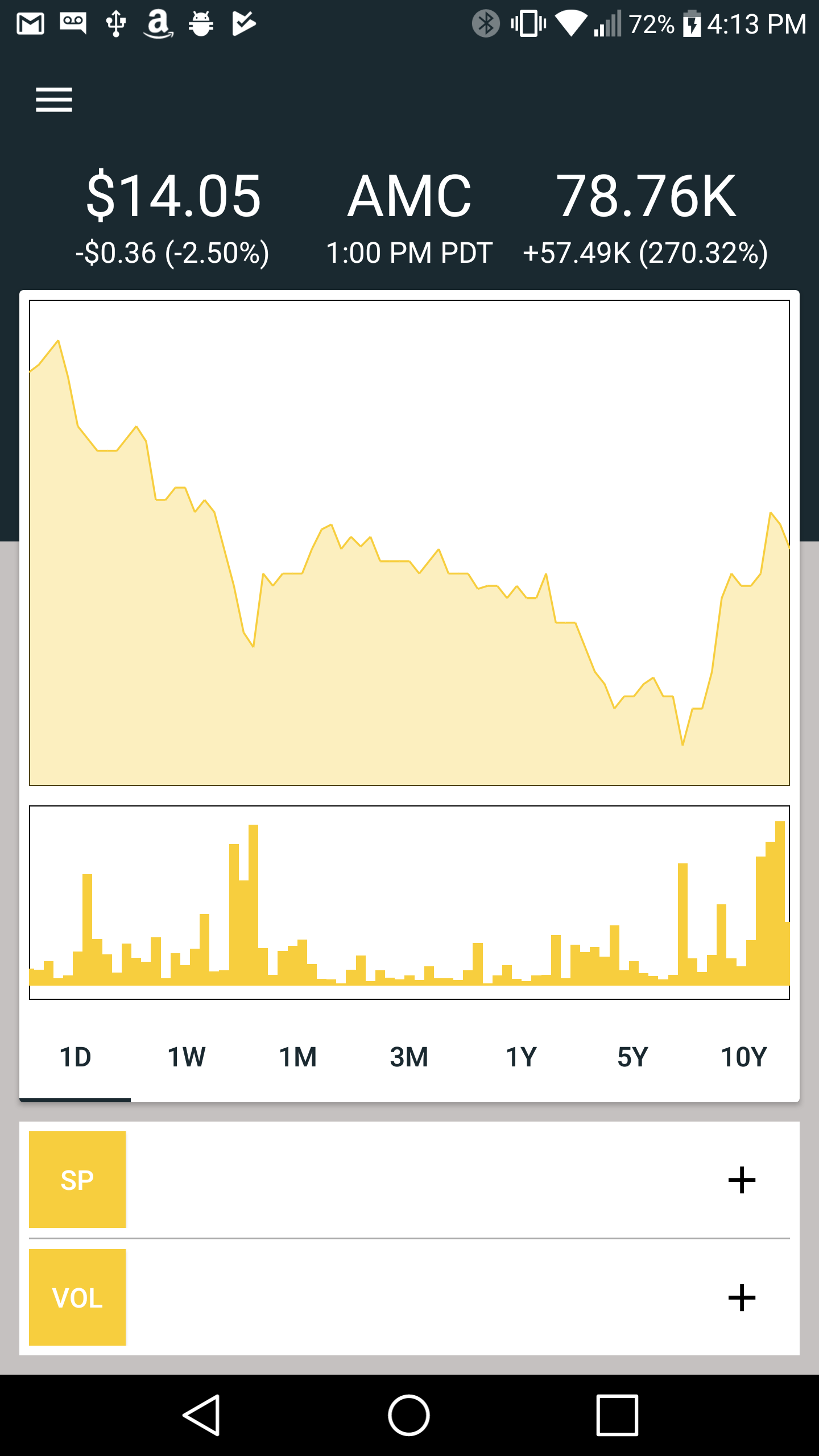
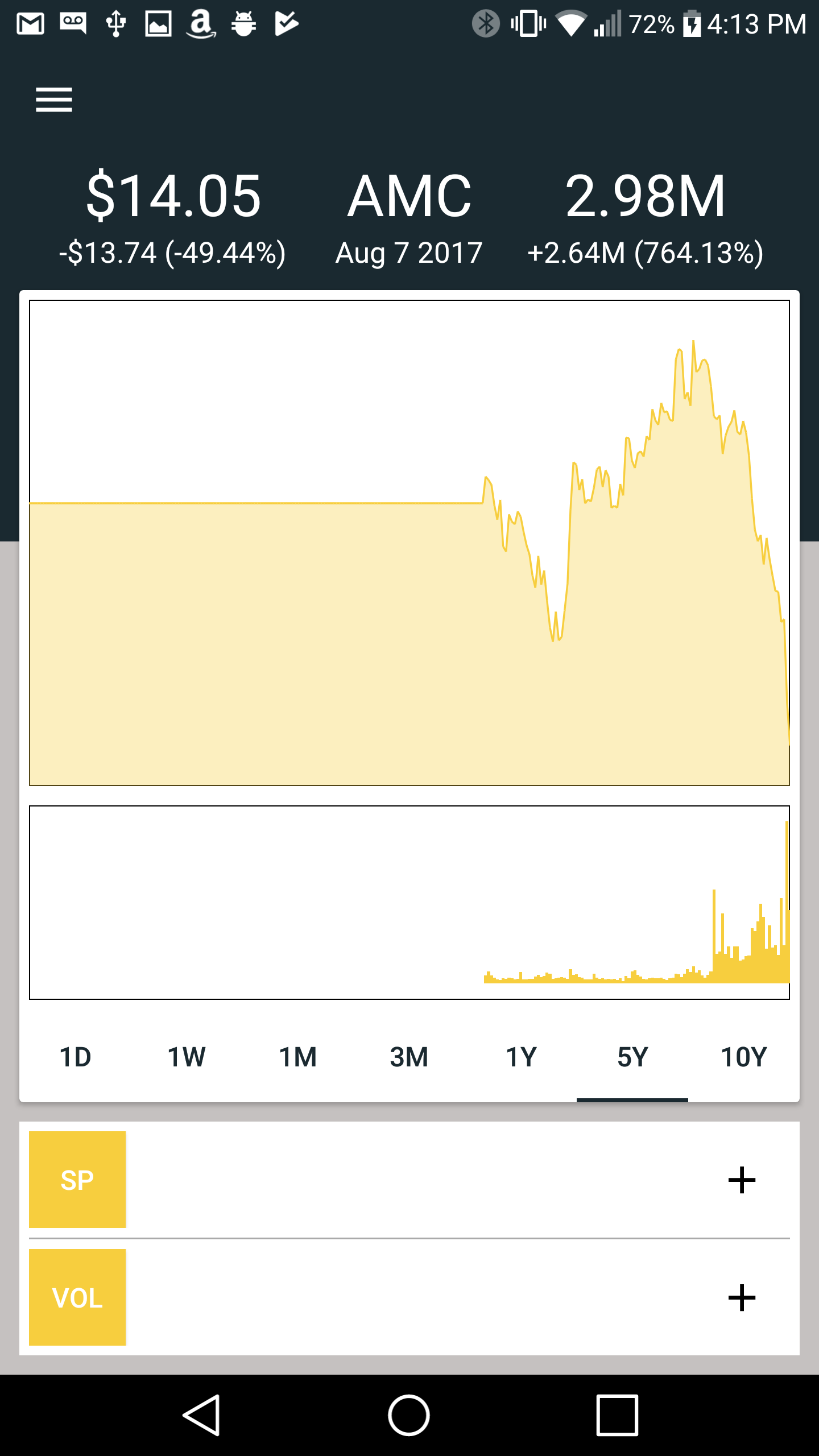
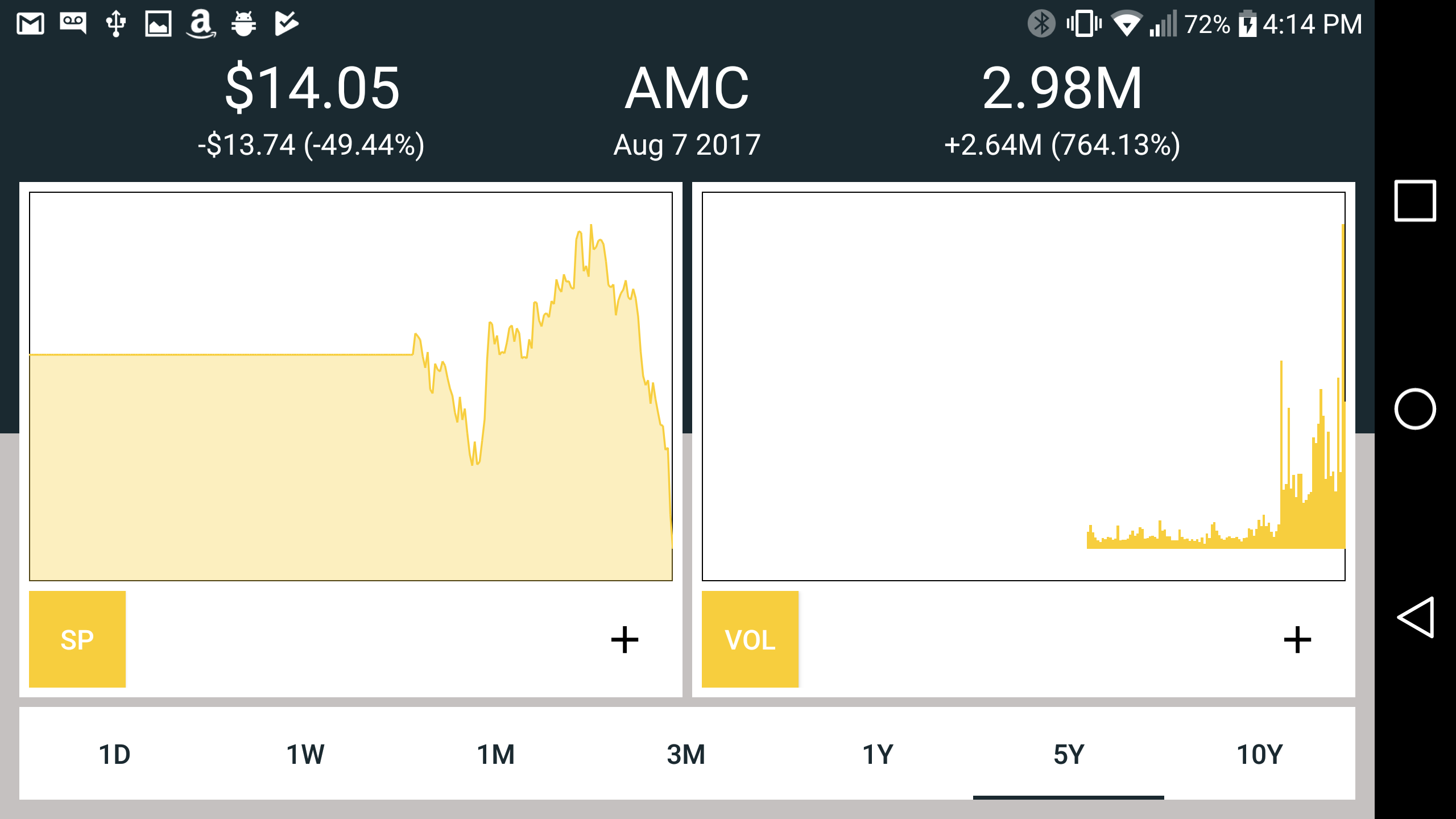
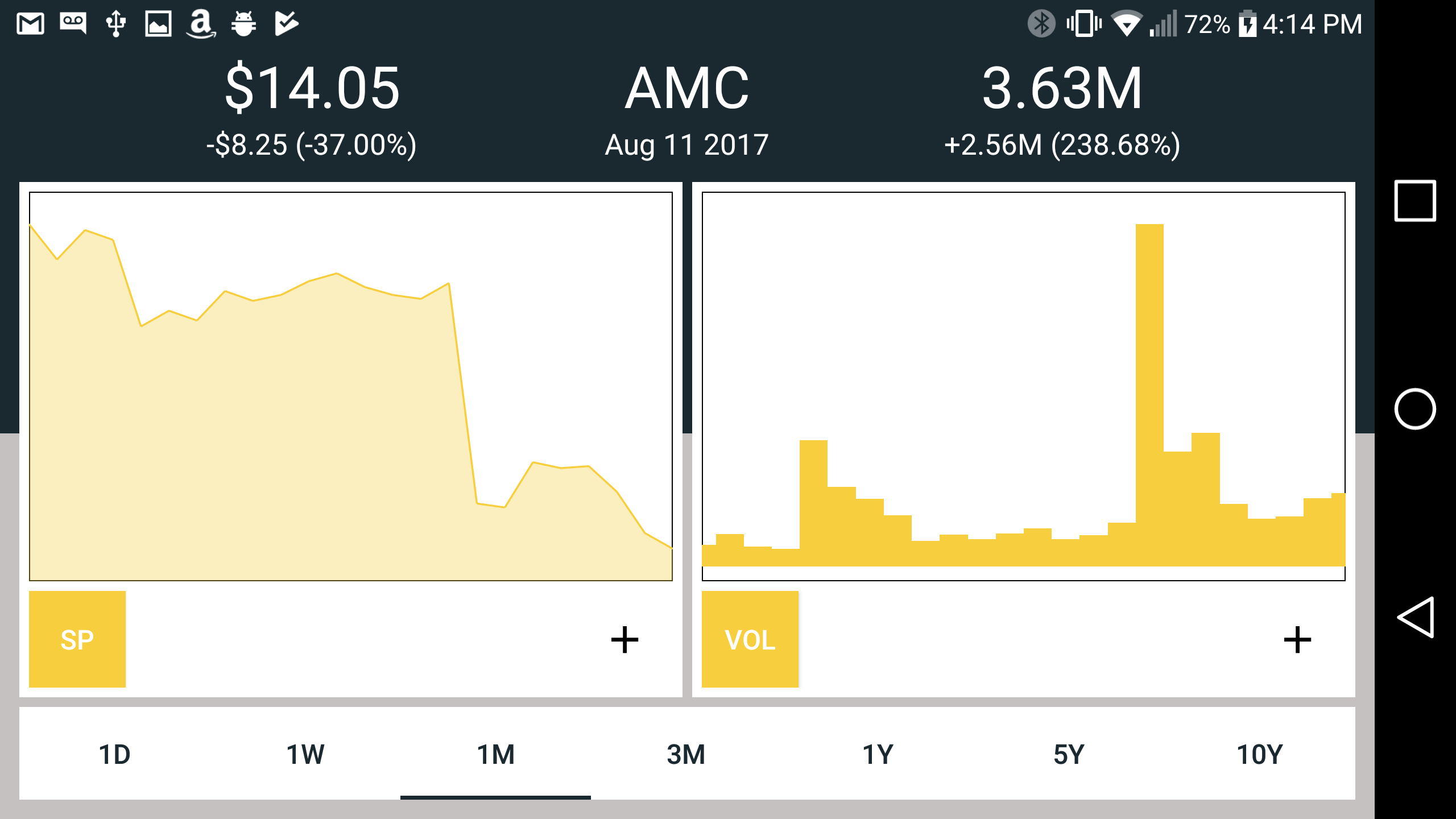
If need be I can create a minimal sample that replicates the issue. If all contributes are busy I might take a crack at it after getting acquainted with the source and make a pull request.
 alexander-jones
on 14 Aug 2017
alexander-jones
on 14 Aug 2017
Also, sorry about the screenshot size, I didn't realize the resolution was so large!
alexander-jones
on 14 Aug 2017
I'm having the same issue. Has anyone managed to resolve this?
 DTRAIN
on 23 Oct 2017
DTRAIN
on 23 Oct 2017
It appears when you have huge difference between bar values like: 76, 81, 1, 2...etc. It's usual behavior.
No workaround so far...
 tmelko
on 11 Jan 2018
tmelko
on 11 Jan 2018
Did you try this?
chart.getAxisLeft().setAxisMinimum(0f);
 elf-zwolf
on 19 Jan 2018
elf-zwolf
on 19 Jan 2018
@elf-zwolf @alexander-jones
Yeah, I did it few days ago. Forget to mention here.
Right way to fix this problem!! Resolved.
tmelko
on 19 Jan 2018
Related issues
 mrZizik
·
3Comments
mrZizik
·
3Comments
 galex
·
3Comments
galex
·
3Comments
 vishvendu
·
3Comments
vishvendu
·
3Comments
 JungYongWook
·
3Comments
JungYongWook
·
3Comments
 DarkHelmet67
·
3Comments
DarkHelmet67
·
3Comments
Most helpful comment
Did you try this?