Moveit: Robot not displayed in setup assistant Melodic
Description
Hello,
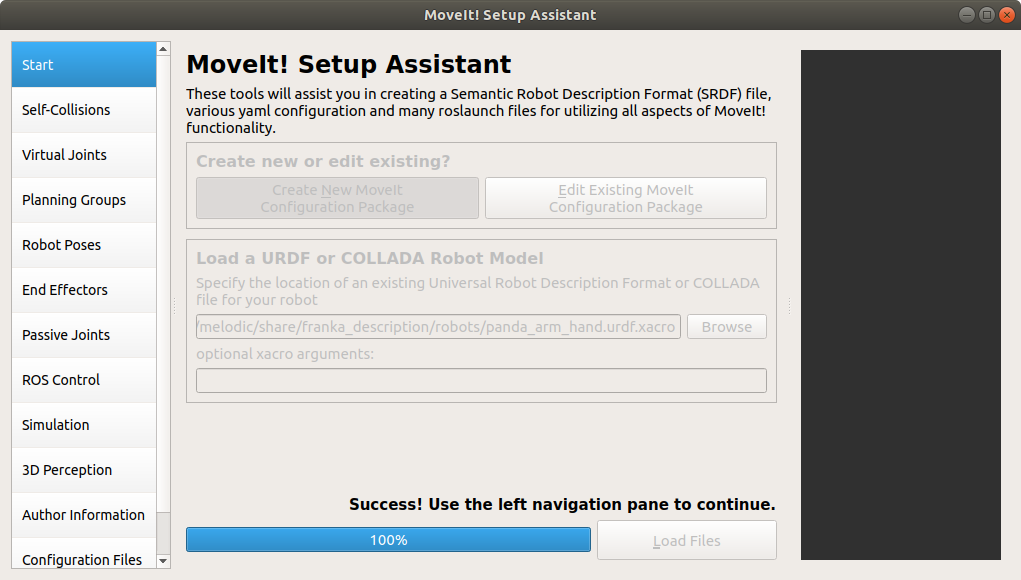
I tried to use moveit setup assistant with open manipulator for learning but after loading it didn't show up in the display so I tried it with the franka_ros description and have the same issue. I saw similar issue for ros-indgo and did try exporting export $LC_NUMERIC but it didn't change anything.
Your environment
- ROS Distro: Melodic
- OS Version: e.g. Ubuntu 18.04
- Source or Binary build? Binary
- If binary, which release version? 1.0.6-Alpha
Steps to reproduce
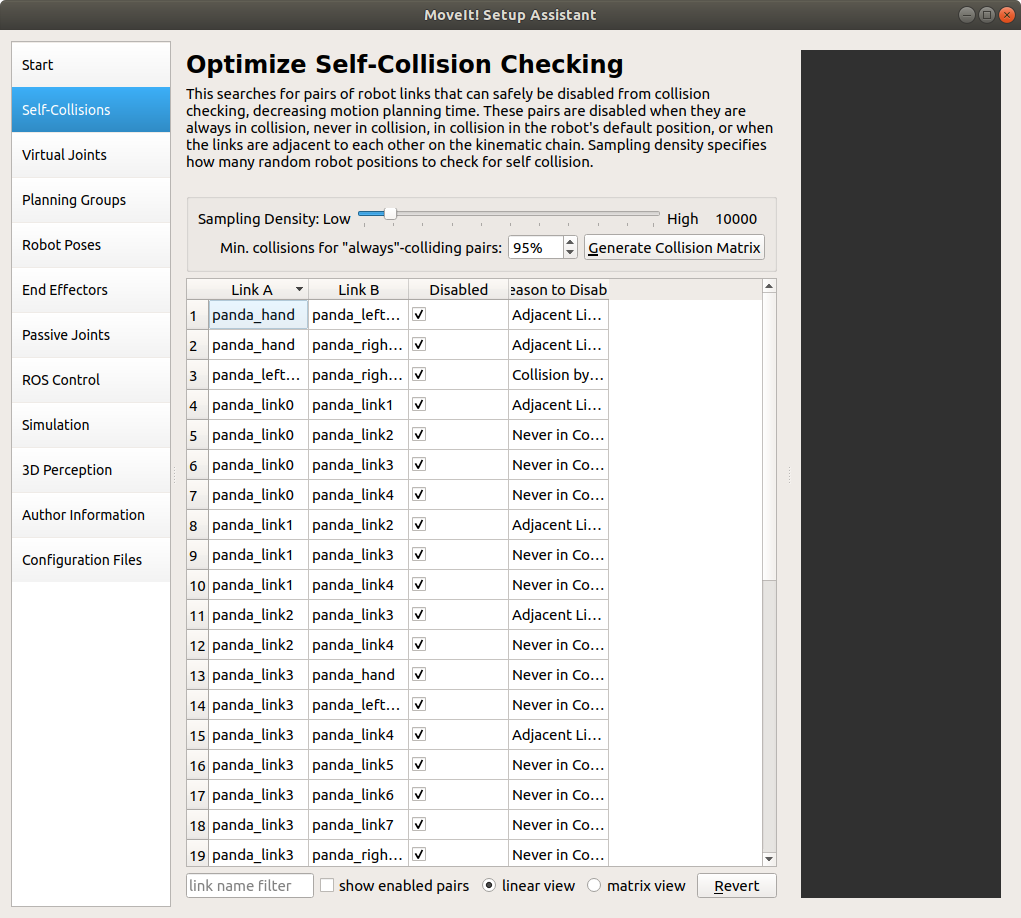
I cloned the frank_ros description while following the setup-assistant tutorial on https://ros-planning.github.io/ and loaded the panda_arm_hand.urdf.xacro file. The setup happens and all the collisions are shown in the second tab but it is not displayed in the visual panel.
Backtrace or Console output
 ammaar8
All 8 comments
Thanks for reporting an issue. Because we're a volunteer community, providing a pull request with suggested changes is always welcomed.
![welcome[bot] picture](https://avatars0.githubusercontent.com/in/4141?v=4&s=40) welcome[bot]
on 31 Aug 2020
welcome[bot]
on 31 Aug 2020
What command are you running exactly? Does the display for roslaunch panda_moveit_config demo.launch work?
 felixvd
on 1 Sep 2020
felixvd
on 1 Sep 2020
I installed the franka_ros package using sudo apt-get install ros-melodic-franka-description
then ran roslaunch moveit_setup_assistant setup_assistant.launch.
After selecting the .urdf.xacro I get this -
It does generate the collision matrix -
Yes roslaunch panda_moveit_config demo.launch works fine
ammaar8
on 1 Sep 2020
I can confirm this bug. rviz's RobotModel correctly displays the robot. Thus, seems to be related to MSA. I will look into this asap.
 rhaschke
on 1 Sep 2020
rhaschke
on 1 Sep 2020
The problem seems to be fixed in MoveIt's master branch.
rhaschke
on 1 Sep 2020
The culprit was backport #2245, which partially included #1625, but not (yet) its fixup #1738. Should be fixed in melodic-devel now.
rhaschke
on 1 Sep 2020
@rhaschke i am still facing the issue where the robot model doesn't load in the setup assistant. May I know what is the fix to this problem?
 brandonlawrence1996
on 1 Oct 2020
brandonlawrence1996
on 1 Oct 2020
As we didn't yet re-released in Melodic, you need to build melodic-devel branch from source to get this fix.
rhaschke
on 1 Oct 2020
Related issues
 ThanasisTs
·
7Comments
ThanasisTs
·
7Comments
 rickstaa
·
4Comments
rickstaa
·
4Comments
 tylerjw
·
7Comments
tylerjw
·
7Comments
 nihalar
·
6Comments
nihalar
·
6Comments
 SammyRamone
·
3Comments
SammyRamone
·
3Comments
Most helpful comment
The culprit was backport #2245, which partially included #1625, but not (yet) its fixup #1738. Should be fixed in melodic-devel now.