Moveable: Moveable of Resizable strange behavior
Hi @daybrush
Moveable's Resizable doesn't seem to be normal
The image below is the Resizable of the sketch

What do you thknk? 🤔
 monsterooo
All 8 comments
I just watched the demo.
I think I should take a closer look at how to achieve
monsterooo
on 7 Aug 2019
@monsterooo
Thank you for writing issues.

The demo and the problem I think is central alignment.
It's obviously resize, but the other side also increases.
I will add direction property in the next version.
direction is the position where you pressed the control.
The direction will soon allow you to write the code as follows:
```js
on("resize", ({ direction, delta }) => {
width += delta;
height += delta;
left += direction[0] < 0 ? delta[0] : 0;
top += direction[1] < 0 ? delta[1] : 0;
});
 daybrush
on 7 Aug 2019
daybrush
on 7 Aug 2019
@monsterooo
Moveable 0.7.0 is released. It can be used as follows.
```js
on("resize", ({ direction, delta }) => {
width += delta;
height += delta;
left += direction[0] < 0 ? delta[0] : 0;
top += direction[1] < 0 ? delta[1] : 0;
});
daybrush
on 19 Aug 2019
Hi, @daybrush I use react-moveable library.
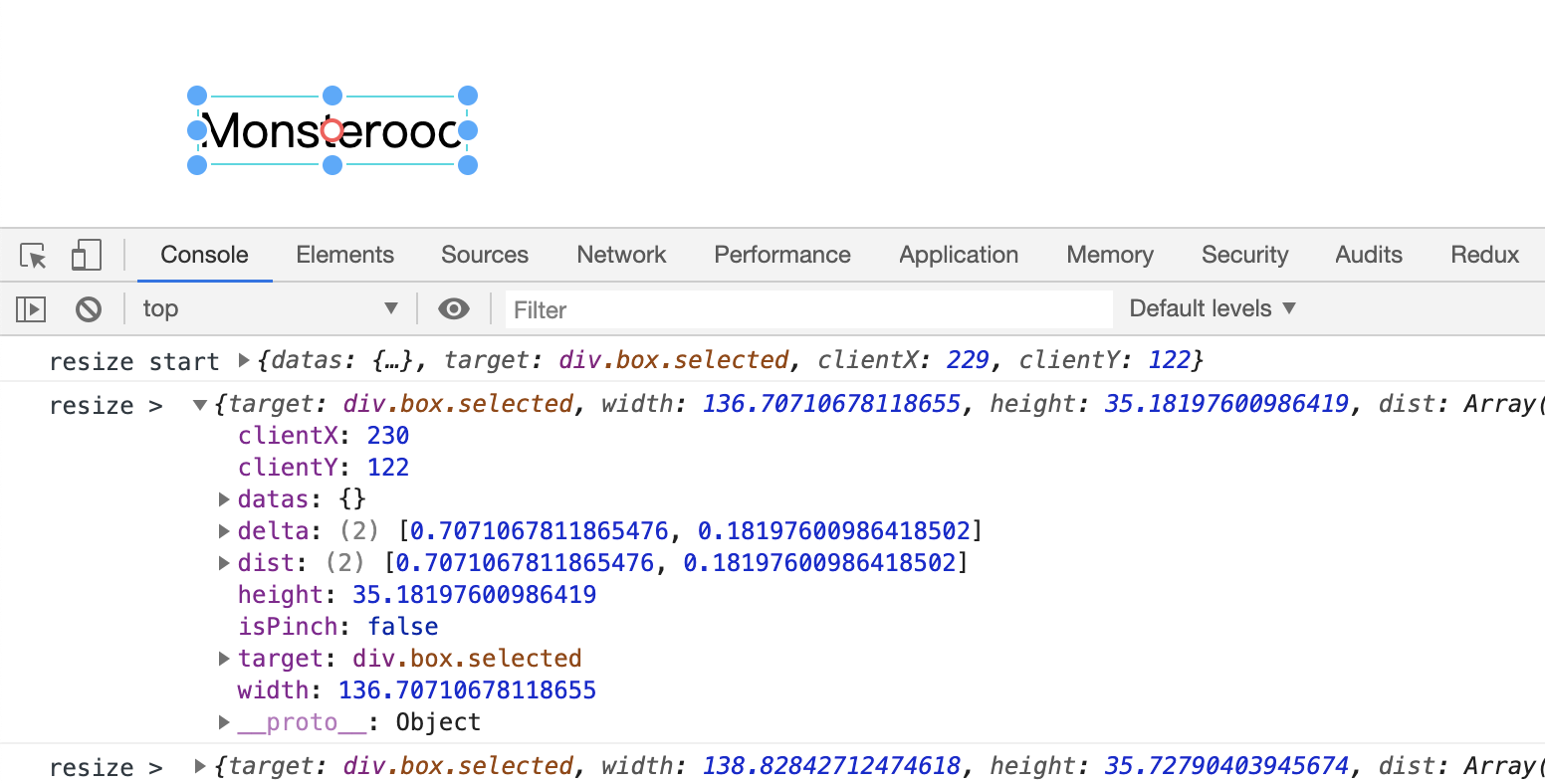
There is no direction
👀
monsterooo
on 20 Aug 2019
@monsterooo
oh, react-moveable 0.10.4 released.
Use this version. thank you :)
daybrush
on 20 Aug 2019
Hi @daybrush Are you Korean?
monsterooo
on 20 Aug 2019
@monsterooo
Yes. If you have personal questions, contact me.
https://twitter.com/daybrush
[email protected]
daybrush
on 20 Aug 2019
Is it also possible to make the onScale and onScaleGroup functionality like the Sketch example given above?
 LCGijs
on 13 Sep 2019
LCGijs
on 13 Sep 2019
Related issues
 prasanthLalapeta
·
4Comments
prasanthLalapeta
·
4Comments
 adityakrshnn
·
6Comments
adityakrshnn
·
6Comments
 ajinkya-dev
·
3Comments
ajinkya-dev
·
3Comments
 darsodango
·
3Comments
darsodango
·
3Comments
 abinhho
·
5Comments
abinhho
·
5Comments
Most helpful comment
@monsterooo
Moveable 0.7.0 is released. It can be used as follows.
```js
on("resize", ({ direction, delta }) => {
width += delta;
height += delta;
left += direction[0] < 0 ? delta[0] : 0;
top += direction[1] < 0 ? delta[1] : 0;
});