Motioneyeos: Yolo classifier + AI - stick ( movidius, laceli )
All 116 comments
This is very interesting. I've been looking for ways to add some sort of AI to enhance motion detection. I found someone using the Pi GPU.
Do you know roughly what kind of performance we can expect running Yolo classifier on a RPi 3?
Also do you know whether there's a pre-trained model that we can use or whether there's readily available training data? The performance of the AI depends heavily on the training data, and seems like the most difficult part to get right if we were to train it ourselves.
 jasaw
on 2 May 2018
jasaw
on 2 May 2018
Pi GPU
Based on JeVois, my guess is PI-GPU & tiny Yolo will run at 0.5 - 2 fps
pre-trained
based on coco
wget https://pjreddie.com/media/files/yolov2-tiny-voc.weights
Movement => Classify
Tiny yolo v2 uses 7.1 GFlops which makes it a good starting point for PI-GPU & movidius. It can also be run on CPU. It seems quite "easy" to train skynet for squirrels, fish
Continuous classification
With laceli, I think movement detection might be obsolete, since yolo is very robust to light changes and noise from background. Yolo v3 uses 140 GFlops and my guess is it should run at >10 fps on laceli !?
 MrJBSwe
on 2 May 2018
MrJBSwe
on 2 May 2018
The sample code from here:
https://www.pyimagesearch.com/2018/02/19/real-time-object-detection-on-the-raspberry-pi-with-the-movidius-ncs/
which uses MobileNet SSD (I believe from here: https://github.com/chuanqi305/MobileNet-SSD) and a PiCamera module to do about 5 fps on a Pi 3 with Movidius NCS.
I've modified the PyImageSearch sample code to get images via MQTT instead of the PiCamera video stream and then run object detection on them. If a "person" is detected I write out the detected file which will ultimately get pushed to my cell phone in a way yet TBD.
I've written a simple node-red flow also running on the Pi3 with the NCS that presents an ftp server and sends the image files to the NCS detection script. The Pi3 also runs the MQTT server and node-red.
I then configured motioneyeOS on a PiZeroW to ftp its motion images to the Pi3 node-red ftp server.
Its working great, been running all afternoon. Since virtually all security DVRs and netcams can ftp their detected images, I thing this system has great generality and could produce a system worthy of a high priority push notification since the false positive rate will be near zero.
I plan to put it up on github soon, but it will be my first github project attempt so it might take me longer than I'd like.
Running the "Fast Netcam" or v4l2 MJPEG streams into the neural network instead of "snapshots" might be even better, but the FLIR Lorex security DVR I have uses proprietary protocols so ftp'd snapshots is what I used. There is a lot of ugly code to support the lameness of my DVR so after I got it working (been running for three days now) I simplified things for this simple test system I plan to share as a starting point project to integrate AI with video motion detection to greatly lower the false alarm rate.
To suggest an enhancement to motioneye, I'd like to see an option for it to push jpegs directoy to an MQTT server instead of ftp.
I don't think video motion detection like motioneye is obsolete, it makes a great front-end to reduce the load on the network and AI subsystem letting more cameras be handled with less hardware.
Edit: Been running for over 8 hours now. I've the Pi3 also configured as a wifi AP with motioneyeOS connected to it, So I have a stand-alone system with only two parts. There have been 869 frames detected as "motion frames" only 352 had a "person" detected by the AI. Looking at a slide show of the detected images I saw no false positives, over 50% of the frames would be false alarms and very annoying if Emailed. I was testing the system so the number of real events was a lot higher than would normally be the case. So far complete immunity from shadows, reflections, etc.
I think this has great potential!
 wb666greene
on 21 May 2018
wb666greene
on 21 May 2018
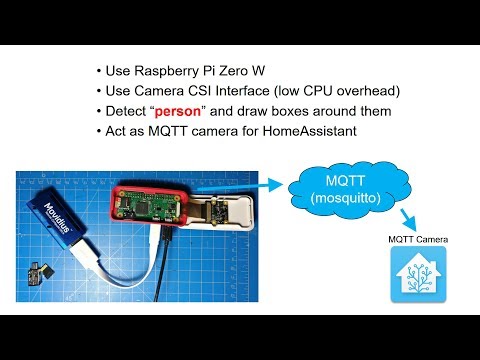
 debsahu
on 28 May 2018
debsahu
on 28 May 2018
This is basically the demo I started with from PyImageSearch tutorial,
except it left out the MQTT and HA stuff. One camera per Movidius is a bit
expensive.
My system is a stand-alone add-on device put on the same network as a
security DVR or set of netcams and receives the "snapsots" via ftp from the
DVR. Any video motion detection reduces the load on the AI and the AI
pushes the false alarm rate to essentially zero. I'm handling 9 cameras
without problems at the moment.
I would like to try some of your other models, YOLO in particular, once I
get further along. I'm in the process of putting it up on gitub, but its
taking a while as I learn github's formatting and endeavor to make my
instructions clear.
Thanks for theinformation, I might have to look into HA again as a way to
push my notifications
On Sun, May 27, 2018 at 8:25 PM, deb notifications@github.com wrote:
Here's is my attempt at something similar:
[image: PiMovidiusCamera] https://www.youtube.com/watch?v=1q7SU6tp4Yk
—
You are receiving this because you commented.
Reply to this email directly, view it on GitHub
https://github.com/ccrisan/motioneyeos/issues/1505#issuecomment-392395816,
or mute the thread
https://github.com/notifications/unsubscribe-auth/AeB7JoKPEGGh9FANfy2kZZ_X8lnnT9kVks5t21IagaJpZM4Tt4m3
.
wb666greene
on 29 May 2018
@wb666greene using ocv3 causes fps to drop below 1 (~0.88). Using yolov2 with native PiCamera library is a struggle, I tried. Getting started with GitHub is not straight forward, was a struggle initially. My suggestion is use GitHub desktop.
debsahu
on 29 May 2018
Thanks I'll look into github desktop. But I've put the code up anyways as my frustration with github is at the point I'm just giving up for now. Getting my system sending notifications is my next order of business.
Here is a link to my github crude as it is:
https://github.com/wb666greene/SecurityDVR_AI_addon/blob/master/README.md
I'd like to try other models but ti they don't run on the Movidius the frame rate is not likely to be high enough for my use.
DarkNet YOLO was really impressive, but took ~18 seconds to run an image on my i7 desktop without CUDA.
wb666greene
on 29 May 2018
Security-cam example
https://ai.intel.com/practical-applications-of-deep-learning-build-a-diy-smart-security-camera-using-the-intel-movidius-neural-compute-stick/
https://movidius.github.io/blog/battery-powered-dl-engine/
http://sasecurity.wikia.com/wiki/Yolo
Under the hood
https://pdfs.semanticscholar.org/32d5/405ac92a13d7f38e2313574dfd6238125a94.pdf
http://eyesofthings.eu/wp-content/uploads/deliverables/EoT_D2.3.pdf
MrJBSwe
on 31 May 2018
Thanks for the extra background info. I'll add some of these links to my github, think they are very helpful and more enlightening that anything I could write up.
My main point is that I've made an "add-on" for an existing video security DVR instead of making a security camera with AI. Expect these to flood the market soon, it'll be a good thing! but until then, I wanted AI in my existing system without a lot of expense or rewiring.
MotioneyeOS is a a perfectly good way get a simple video security DVR going, and in fact it has far superior video motion detection than does my FLIR/Lorex system, but you are on your own for "weatherproofing" and adding IR illumination to your MotioneyeOS setup -- not a small job!
I used it so I could give a simple example instead of over-complicating things with all the ugly code needed to deal with my FLIR/Lorex system's lameness.
wb666greene
on 6 Jun 2018
Living on the edge
https://aiyprojects.withgoogle.com/edge-tpu
MrJBSwe
on 30 Jul 2018
dlib has very interesting functionality for face recognition
https://medium.com/@ageitgey/machine-learning-is-fun-part-4-modern-face-recognition-with-deep-learning-c3cffc121d78
http://blog.dlib.net/2017/02/high-quality-face-recognition-with-deep.html
That could run on pi...
https://www.pyimagesearch.com/2018/06/25/raspberry-pi-face-recognition/
( But to do a serious job, acceleration with movidius is necessary )
this is quite impressing
https://github.com/srianant/computer_vision/blob/master/output/face_rec.gif
MrJBSwe
on 13 Aug 2018
I just had a play with Movidius on a RPi 3B+ recently, with version 2 of the NCSDK (still in beta). Here's what I've found:
- NCSDK v2 works after fixing a few installation scripts. It pulls in a lot of dependencies, and wants very specific versions of libraries. It will most likely break other existing programs on your host machine by messing with the libraries. It is recommended to install on an sacrificial machine.
- It supports several neural net models, but neural net models are pulled in from external repositories, so things are left in a broken state because of changes on those external repositories.
- I tried various neural net models, and only found one that is reliably detecting person.
- YOLO: unable to test, does not seem to be supported.
- TinyYOLO: a fast neural net model, but very low accuracy, completely useless for our application.
- GoogleNet: I can't find pretrained weights that's geared towards detecting person.
- SSD MobileNet with default pretrained weights: does not seem to be detecting person.
- SSD MobileNet with chuanqi's pretrained weights: does a good job at detecting person, dogs and cats are OK, struggles with the rest. Still very good for our application. https://github.com/chuanqi305/MobileNet-SSD
- Frame rates: I'm getting around 6.5 fps, far from real-time.
- Resolution: Before pushing an image into the Movidius NCS, the image needs to be scaled down to the specific resolution that was used to train the neural net model, which is 300x300 for chuanqi's model.
With all that said, Movidius can still be used for our application as a 2nd-pass system that combs through all the recorded videos to detect person in non-real-time. This may be useful for various use cases, for example:
- Send notification and/or trigger alarm when a person is detected. No need to manually look through recorded videos anymore.
- Remove videos and/or images that do not contain a person. This reduces storage requirements.
On 2nd thought, Movidius can still be used for real-time person detection. Integrate into motion software and feed one frame every 3rd or 4th frame into the Movidius. The NCSDKv2 C API is documented here for anyone who wishes to try: https://movidius.github.io/ncsdk/ncapi/ncapi2/c_api/readme.html
jasaw
on 18 Oct 2018
Thanks for posting this. I was about to try and install ncsdk V2 on an old machine to give tiny yolo a try, saved me a lot of time wasting! I was hoping the increased resolution of the TinyYolo model over MobileNetSSD would help. Any possibility you could upload or send me your compiled graph? I'd still like to play with the model, but you've removed my motivation for getting setup to compile it with the SDK.
Edit:
I was able to compile the TinyYolo graph on my V1 SDK, so I can play with it a bit using the V1 API. Have you compared V1 vs V2 results on any of the models?
Have you tried any of the multi-threaded or multi-processing examples? Running on my i7 desktop I've found using USB3 only improved the frame rate by less than half a frame/sec over USB2.
I've been running Chuanqi's MobileNetSSD since July on a Pi3B handling D1 "snapshots" from 9 cameras with overlapping fields of view from my pre-existing Lorex security system. I use the activation of PIR motion sensors to filter (or "gate" ) the images sent to the AI to reduce the load. It works great, I get the snapshots via FTP, and filter what goes to the AI. Only real complaint is the latency to detection can be as high as 3 or 4 seconds, although usually its about 2 seconds, other than the latency it seems real-time enough for me -- effectively the same as motioneye 1 frame/second snapshots.
Your use case (1) was my goal. I never looked at the video anyways, as the Lorex system's "scrubbing" is so poor. With the Emailed AI snapshots I now have a timestamp to use should I ever need to go back and look at the 24/7 video record (what the Lorex is really good at, but everything built on top of it is just plain pitiful).
I have three system modes, Idle, Audio, and Notify. Idle means we are home and going in and out and don't want to be nagged by the AI. Audio means were are home, but want audio notification of a person in the monitored areas -- fantastic for mail and package deliveries. Notify sends Email images to our cell phones. The key is the Audio AI mode has never woken us up in the middle of the night with a false alarm, and the only Emails have all been valid, mailman, political canvasser, package delivery, etc.
Much as I like Motioneye and MotioneyeOS I'm finding the PiCamera modules are not really suitable for 24/7 use as after a period of several days to a couple of weeks the module "crashes" and only returns a static image from before the crash. Everything else seems to work fine SSH, node-red dashboard, cron, etc. but the AI is effectively blind until a reboot. I've a software only MobileNetSSD AI running on a Pi2B and Pi3B with Pi NoIR camera modules, while it only gets one AI frame about every 2 seconds, it still can be surprisingly useful for monitoring key entry areas, but the "soft" camera failures is a serious issue. I've not ever run Motioneye OS 24/7 long enough to know if it suffers the issue or not. I should probably setup my PiZeroW and try.
With this experience, I' starting to swap out some Lorex cameras with 720p Onviif "netcams" (USAVision, ~$20 on Amazon) since I don't really care about the video, its a step up in snapshot resolution (1280x720), one Pi3B+ and Movidius can handle about four cameras with ~1 second worst case detection latency.
In 24/7 testing usage I am getting Movidius "TIMEOUT" errors every three or four days. It seems I can recover with a try block around the NCS API function calls, and having the except deallocate the graph and close the device, followed by a repeat device scan, open and load graph. Tolerable amount of blind time once every few days. I plan to rewrite for the V2 API to see if it fixes the issue, the V2 multistick example doesn't seem to have any errors yet in over a week of running.
wb666greene
on 18 Oct 2018
@jasaw
I think I can confirm your comments about TinyYolo. I got the sample code to run and modified it to input some D1 security camera images, detection performance is terrible. Missing full frontal, full length, people in the center of the frame, detecting shadows on the sides as "people", and all manner of wrong calls (two chairs as a bicycle, etc.)
Looks like MobileNetSSD is the only practical AI for security camera use at present on resource constrained systems.
While MobileNetSSD also makes a lot of wrong calls, if you only care about detecting "people", which seems fine for secruity camera systems, it performs very well in my experience.
wb666greene
on 19 Oct 2018
MrJBSwe
on 21 Oct 2018
@MrJBSwe
I've seen it, but it looks like about $500 for the AI board and computer to plug it into (unless you already have one with a suitable interface, I don't).
Also so far the development environment looks like only C/C++ at present. If python bindings become available for it I'll get a whole lot more interested. Not that I'm any great python guru, but I find it really hard to beat for "rapid prototyping".
At this point I think the AI network is more of a limitation for security system purposes than is the hardware to run the network. MobileNetSSD cpu only can get 7+ fps on my i7 desktop with the OpenCV 3.4.2 dnn module and simple non- threaded python code.
wb666greene
on 22 Oct 2018
I have implemented Movidius support into motion and used ChuanQi's MobileNetSSD person detector to work alongside the classic motion detection algorithm. If "Show Frame Changes" in motionEye is enabled, it will also draw a red box around the detected person and the confidence percentage at the top right corner.
I have only tested on a Raspberry Pi with Pi camera with single camera stream. If you have multiple camera streams, the code expects multiple Movidius NC sticks, one stick per mvnc-enabled camera stream. Camera streams with mvnc disabled will use the classic motion detection algorithm.
Code is here:
https://github.com/jasaw/motion/tree/movidius
How to use:
- Install Movidius NCSDKv2. Follow the installation manual. Note that the NCSDKv2 may screw up your existing libraries, so I recommend trying this on a sacrificial machine. Alternatively, you could try installing just the API by running
sudo make api(I have not tested this one). - Git clone the movidius branch into any directory you like.
git clone -b movidius https://github.com/jasaw/motion.git
- Go into the directory and run:
autoreconf -fiv./configuremakesudo make install
- Download the MobileNet SSD graph file or compile your own graph file by following the instructions here.
- Add MVNC related configuration items to
thread-1.conffile.
mvnc_enable on: This will bypass the original motion detection algorithm and use MVNC instead.mvnc_graph_path /home/pi/MobileNetSSD.graph: Path to MobileNetSSD graph. Other neural net models are not supported.mvnc_classification person,cat,dog,car: A comma separated classes of objects to detect.mvnc_threshold 75: This is confidence threshold in percentage, which takes a range from 0 to 100 as integer. A detected person is only considered valid if the neural net confidence level is above this threshold.75seems like a good starting point.
Note: There seems to be some issue getting motionEye front-end to work reliably with this movidius motion. Quite often motionEye is not able to get the mjpg stream from motion, but accessing the stream directly from web browser via port 8081 works fine. Restarting motionEye multiple times seems to workaround this problem for me. Maybe someone can help me look into it?
jasaw
on 25 Oct 2018
@jasaw
This is very nice work. Can I ask what kind of frame rate are you getting? If you are getting significantly better fps than I am, I'd be motivated to re-write in C/C++
Using the V1 ncsapi and ChuanQi's MoblileNetSSD on a Pi3B I'm getting about 5.6 fps with the Pi camera module (1280x720) using simple python code and openCV 3.4.2 for image drawing, boxes, and labels (the python PiCamera library I use creates a capture thread).
With simple threaded python code I'm also getting about 5.7 fps from a 1280x720 Onvif netcam (the ~$20 one I mentioned in an earlier reply). This same code and camera running on my i7 Desktop (heavily loaded) is getting about 8 fps. On a lightly loaded AMD quad core its getting about 9 fps
Have you seen any performance improvements of V1 vs. V2 of the ncsapi?
I now have one Pi3B setup with the V2 ncsapi and have run some of the examples (using a USB camera at 640x480) I was most interested in the multi-stick examples, but I've found that the two python examples from the appzoo that I've tried are in pretty bad shape -- not exiting and cleaning up threads properly. I pretty much duplicate their 3-stick results but I don't think they are measuring the frame rate correctly. The frame rate seems camera limited as dropping the light level drops the frame rate and their detection overlays show incredible "lag"
wb666greene
on 26 Oct 2018
@wb666greene I don't know exactly how many frames I'm getting from the Movidius stick. I'm not even following the threaded example. I think it doesn't matter anyway as long as it's running at roughly 5 fps. With my implementation, everything still runs at whatever frame rate you set, say 30 fps, but inference is only done at 5 fps. A person usually doesn't move in and out of camera view within 200ms (5fps), so it's pretty safe to assume that we'll at least get a few frames of the person, which is more than enough for inference.
I'm going to refactor my code so that I can merge it into upstream motion, and have multi-stick support as well.
jasaw
on 26 Oct 2018
I have implemented proper MVNC support into motion software. See my earlier post for usage instructions: https://github.com/ccrisan/motioneyeos/issues/1505#issuecomment-432882027
jasaw
on 26 Oct 2018
@wb666greene I've finally measured the frame rate from my implementation.
Currently, my code is starving the NC stick, only feeding it one frame when its FIFO is empty. This gives me 5.5 fps throughput, minimal heat generated from the device. Been running this setup for more than 1 week, no issue at all.
I've just tested with maintaining at least one frame in the FIFO to ensure no starvation, and managed to get 11.0 fps throughput. I've read that the hardware may overheat when pushed hard continuously, but I have not verified the thermal issue yet. There's thermal throttling built into the hardware, so would be good to see what happens when it's thermal throttled.
jasaw
on 5 Nov 2018
I did some temperature testing.
I ran a short test pushing 11 fps and managed to get the NC stick to thermal throttle within 10 minutes, at ambient temperature of 24 degrees Celsius. The stick starts to throttle when it reaches 70 degrees Celsius, and frame rate dropped to 8 fps. I believe this is just the first level throttling (there are 2 stages).
According to Intel's documentation, these are the throttle states:
0: No limit reached.
1: Lower guard temperature threshold of chip sensor reached; short throttling time is in action between inferences to protect the device.
2: Upper guard temperature of chip sensor reached; long throttling time is in action between inferences to protect the device.
The stick temperature seems to plateau at 55 degrees Celsius when pushing 5.5 fps, again ambient temperature of 24 degrees Celsius.
jasaw
on 5 Nov 2018
I have recently tried Nvidia Xavier => I get like 5fps with yolov2
https://devtalk.nvidia.com/default/topic/1042534/jetson-agx-xavier/yolo/
( I have also tried it's different power modes and my feeling is at 10w the GPU cant offer any more the rest 10-30w just put power in the CPU cores )
Since it is quite expensive, I'm still putting my hope in direction of AI - sticks like Movidius X
RK3399Pro is an interesting addition ( but I prefer to buy the AI-stick separate with a mature API ;-)
https://www.indiegogo.com/projects/khadas-edge-rk3399pro-hackable-expandable-sbc#/
MrJBSwe
on 6 Nov 2018
@jasaw
Interesting results on the thermal test, I'm not seeing much fps difference between short duration tests (~10-30 seconds) and long test runs (overnight or longer).
I have given up on the v2 SDK for now, sticking with the V1 sdk and made some code variations to see what frame rates I can get with the same Python code (auto configuring for Python 3.5 vs 2.7) on three different systems comparing Thread and Multiprocessing to the baseline single main loop code which gave 3.2 fps for the Onvif cameras and 5.3 fps for a USB camera and openCV capture. The Onvif cameras are 1280x720 and the USB camera was also set to 1280x720.
These tests suggested using three Python threads, one to round-robin sample the Onvif cameras, one to process the AI on the NCS, and the main thread to do everything else (MQTT for state and result reporting, saving images with detections, displaying the live images, etc.) would be the way to go.
I got 10.7 fps on my i7 desktop with NCS on USB3 running Python 3.5 on an overnight run.
Running the same code on Pi3B+ with Python 2.7 I'm getting 7.1 fps, but its only been running all morning.
My work area is ~27C and I'm not seeing any evidence of thermal throttling (or it hits so fast my test runs haven't been short enough to see it). I don't think the v1 SDK has the temperature reporting features, I haven't checked the "throttling state" as I really only care about the "equilibrium" frame rate I can obtain. For my purposes 6 fps will support 4 cameras. I'm going to try adding a fourth thread to service a second NCS stick.
@MrJBSwe
The Movidius NCS only costs ~$75, come on in the water is fine :)
Running off a Pi3B+ its only using maybe 8W of power and your total entry fee is <$150 if you have the basics like spare keyboard, mouse, and monitor for installation and development. My target environment is stand-alone headless networked "IOT" device talking to the outside world via MQTT, Email, Telegram etc.
wb666greene
on 7 Nov 2018
@wb666greene
come on in the water is fine
I have 2 movidus and like them as a "appetizer" while waiting for movidius x ( or something similar )
I have tested both v1 &2 of ncsdk. I'm currently playing around on a nivida 1070 to see what's possible when HW is less of a constraint. Yolov3 seems to be a bit overkill and drains even a 1070 of it's juice.
I want to run yolov2 ( or something similar ) at >= 4 fps ( yolo tiny gives too random results ). I plan to check out your code wb666greene & jasaw, interesting work !
this is a bit interesting ( price is right ;-)
https://youtu.be/bBuHOHPYY7k?t=69
MrJBSwe
on 7 Nov 2018
@wb666greene From what I've read, thermal reporting is only available on v2 SDK. In my test, I'm pushing 11 fps consistently through the stick until it starts to go in and out of thermal throttle state cycle of 8 fps (thermal throttled) for 1 second, 11 fps (normal) for 3 seconds. If you take the average, it's still pushing 10 fps, which may explain the 10.7 fps that you're seeing on your i7 desktop. I imagine at higher ambient temperature like summer 45 degrees Celsius, it's going to stay throttled for much longer, possibly even go into 2nd stage throttle.
jasaw
on 8 Nov 2018
Maybe something...
https://www.96boards.ai/products/rock960/
Similar to Khadas Edge, RK3399Pro and the upcoming Rock Pi 4 & RockPro64-AI, I guess the trend is RK3399Pro for multiple reason ( but a I still hope for movidius X and or Laceli )
BM1880
https://www.sophon.ai/post/36.html
List
https://github.com/basicmi/AI-Chip-List
Movidius X has been released !
https://www.cnx-software.com/2018/11/14/intel-neural-compute-stick-2-myriad-x-vpu/
MrJBSwe
on 10 Nov 2018
@MrJBSwe Yes, Neural Compute Stick 2 has finally been released. Let's see if I can get one to play with.
I see a few obstacles in supporting NCS 2.
- NCS 2 only works with Intel's new toolkit called OpenVINO.
- OpenVINO does not run on ARM machines, so will not run on Raspberry Pi.
- OpenVINO only provides C++ & Python API, but Motion software is written in C. I have a feeling that Motion developers are reluctant to switch to C++.
- Even if ARM is supported, cross compiling OpenVINO API looks like a giant pain.
Excited and disappointed at the same time...
jasaw
on 15 Nov 2018
@MrJBSwe @jasaw
Found the same issues jasaw lists above with the NCS2 when going through the docs initially. I've ordered one from Mouser for $99+tax and shipping, they had 2000+ in stock when I ordered. There are other vendors listed on the Main page: https://software.intel.com/en-us/neural-compute-stick after pressing the "buy now" button.
The OpenVINO won't install on Ubuntu 18.04, I tried on a fresh install I'd used with the NCS for testing/developiong multistick code, didn't get past the initial installing dependencies as at least one is unmet and the process stops. So add fragile development environment to the list.
They say only 16.04 is supported (they also support Windows10 whcih they didn't for the original). I've made a fresh test install of 16.04 but the old drive I used seems to have errors so I didn't get very far but it appeared to get past the dependencies installation, Starting the installation GUI died with writing to /tmp errors and lots of disk I/O errors in dmesg :(
I may have to re-install and start over with a different drive as the badblocks scan is taking forever and finding lots of errors :(
You can call C++ libraries from C, if the compilers match. I've done it in a previous life, using a proprietary C++ library compiled for Linux from the device vendor. It required a very specific (old) version of gcc/g++ but I did get it to work.
Here is a brief overview of what you are up against:
https://www.teddy.ch/c++_library_in_c/
I have another potential application to run on a 12V DC i3 "NUC-like computer where the ~30 fps I get with three NCS sticks is not enough. Intel claims the NCS2 is "up to 8X faster" hence by desire to take a look at the NCS2.
wb666greene
on 15 Nov 2018
@MrJBSwe wb666greene Thanks,
I couldn't for my life have guessed they would stop supporting ARM...the number 1 platform for this type of device ( AND shit I ordered 2 NCS2 before noticing ...shit shit maybe it could be of interest with the upcoming odroid ) BIG disappointment I thought Intel had better understanding than this ( evil inside ;-)
Guess I'll put my focus at this while waiting for other stuff
https://www.indiegogo.com/projects/sipeed-maix-the-world-first-risc-v-64-ai-module?utm_source=affiliate&utm_medium=cpc&utm_campaign=sasdeep&utm_content=link&sscid=b1k2_fcluh#/
MrJBSwe
on 15 Nov 2018
@MrJBSwe The IoT market is dominated by ARM, and Intel has been giving developers financial incentives to switch over to their Intel platform but without much success. By locking NCS2 down to Intel platform, I can see significant growth in Intel's IoT platform.
jasaw
on 16 Nov 2018
@ jasaw
I'll try to return them to mouser I really dislike what Intel has done here...
I guess they want to lose the "AI-stick" market to China....
I'll take a look at this
https://www.sophon.ai/post/36.html
MrJBSwe
on 16 Nov 2018
@MrJBSwe
It'd be a shame and a real National Security threat if the USA loses the AI chip market to China, especially after they have been caught red-handed putting "backdoors" into networking infrastructure they export!
wb666greene
on 16 Nov 2018
@wb666greene "backdoors"
https://www.cs.vu.nl/~ast/intel/
( and on top of that Win10 ...like a ship full of holes )
Fair play and opensource...I guess we will have to wait for some kind of "FPGA" where we can flash our own hardware ...
MrJBSwe
on 16 Nov 2018
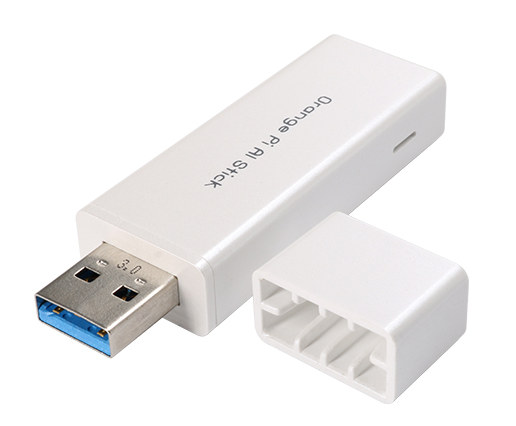
Laceli 2.8 TOPS at 0.3W ( in the form of Orange Pi AI , SDK ? bit hard to get )
$69 Orange Pi AI Stick 2801, based on the same Lightspeeur 2801S ASIC found in PLAI Plug
With sdk
https://www.cnx-software.com/2018/11/22/orange-pi-ai-stick-2801-neural-compute-stick-sdk/
MrJBSwe
on 18 Nov 2018
I've got the openVINO SDK installed on an old i3 running Ubuntu-Mate 16.04. There were some path issues between the install doc on the website and where things ended up, but once I figured this out, all the tests passed and the demos I've tried all appear to run fine. Looks like GPU support is broken for this old i915 motherboard, but the good news is it auto-detects Modivius vs Movidius2.
Not played with much yet, but with the interactive_facedetection_demo sample code and a USB WebCam the performance looks to be significantly better with the NCS2
NCS facedetection: ~16 fps face analysis: ~3 fps
NCS2 ~42 fps ~10 fps
CPU ~17 fps ~5.4 fps
Note that the CPU needed an FP32 model where the NCS used fp16. As with my MobleNet-SSD Python code, the CPU on the i3 is about the same as the Movidius NCS.
But I've an project using multiple NCS and MobileNet-SSD on where these old i3 systems would be the target (since I have them) so my first exercise will be to attempt to modify it to use the openVINO SDK and see if: 1) the original NCS does a bit better (library improvements) and 2) how much improvement I get with the NCS2 vs original NCS. Next I'll investigate if perhaps this "face detection" works better than the "person detector" for my security system purposes -- an image with a face would be better when Emailed than an image of perhaps a person's back or an image with the head cut off :)
IMHO the Intel software support will blow away anything you will be able to get from those Chinese companies
To download the openVINO I had to "register" and they sent me an activation code that I was supposed to need. But the installation never asked me for it, maybe I missed it and its why the GPU code doesn't work? I've no real feel for the "power" of this old i3-i915 integrated graphics as a co-processor so its not a priority for me to pursue this.
FYI, Intel says they only support Ubuntu 16.04 and Windows 10, I initially tried installing it on Ubuntu 18.04 which I had already installed on this old i3, and it didn't get very far (library version conflict)
wb666greene
on 20 Nov 2018
@wb666greene
Does NCS2 work with NCSDK 2.x ? ( meaning, I could run it on an ARM )
FYI, Intel says they only support Ubuntu 16.04
For the NCSDK 2.x they had put an version control in the script, it could actually run on 18.04
( maybe the same issue with openvino)
Have you tried Yolov2 ? ( not tiny )
What type of low energy board do you see as an realistic alternative to ARM based ?
Like the upcoming odroid-h2-intel-celeron
https://www.cnx-software.com/2018/10/19/odroid-h2-intel-celeron-j4150-development-board/
https://cpu.userbenchmark.com/Compare/Intel-Core-i7-7500U-vs-Intel-Celeron-J4105/m171274vsm444211
MrJBSwe
on 20 Nov 2018
I plan on trying my NCS2 with the v2 SDK I've installed on a Pi3B+,
unfortunately my router has acted up and I'm barely running. With
Thanksgiving tomorrow it will be a while before I can get to it.
I've got some i3 "NUC" class boxes that with the V1 SDK and multi-threaded
Python are getting near linear speed up with multiple NCS (10.5 fps 1 NCS,
20 fps 2 NCS, 29fps 3 NCS, 4 NCS was starved for data) and seem to run the
openVINO pretty well although the i915 GPU support seems broken. They are
not really suitable for battery power but they are less than 50W fully
loaded with a SATA hard drive and run off a single 12V DC supply.
See the comments section in this tutorial/blog:
https://www.pyimagesearch.com/2018/11/12/yolo-object-detection-with-opencv/
With yolo v3 this i3 took about 1.5 seconds per image. This v3 yolo
worked well on security camera images that original tiny yolo (available
for eh NCS) failed miserably on.
When I tried installing openVINO on 18.04 the initial install
prerequisites failed with apt-get errors. Not wanting to fight initially,
I installed 16.04 to a spare partition on the disk and got some of the
demos running without too much hassle. On this i3 with MobileNet-SSD CPU
only was about the same fps as with the NCS. Not the same network, but
on the USB webcam face detection openVINO demo code the CPU and NCS were
again about the same frame-rate (17fps vs 16fps) but plugging in the NCS2
it was significantly faster at 42 fps.
On Tue, Nov 20, 2018 at 2:06 AM MrJBSwe notifications@github.com wrote:
@wb666greene https://github.com/wb666greene
Does NCS2 work with NCSDK 2.x ? ( meaning, I could run it on an ARM )FYI, Intel says they only support Ubuntu 16.04
For the NCSDK 2.x the had put an version control in the script, it could
actually run on 18.04
( maybe the same issue with openvino)Have you tried Yolov2 ? ( not tiny )
What type of low energy board do you see as an realistic alternative to
ARM based ?
Like the upcoming odroid-h2-intel-celeronhttps://www.cnx-software.com/2018/10/19/odroid-h2-intel-celeron-j4150-development-board/
—
You are receiving this because you were mentioned.
Reply to this email directly, view it on GitHub
https://github.com/ccrisan/motioneyeos/issues/1505#issuecomment-440179984,
or mute the thread
https://github.com/notifications/unsubscribe-auth/AeB7JqkqEIKkPgb4TwFxkAFkvkVD-HtUks5uw7f_gaJpZM4Tt4m3
.
wb666greene
on 22 Nov 2018
@MrJBSwe The Laceli based Orange Pi AI stick does come with an SDK. If you click through to the AliExpress page, you'll see that they'll supply the SDK as well. I haven't seen any feedback on how good the SDK is, but at least it runs on ARM ! Cost of AI stick + SDK is prohibitive, at $218.
jasaw
on 4 Dec 2018
@jasaw
I have ordered one + sdk and I have also decided to keep my 2x NCS2 ( Intel seems to have a plan to support ARM ) and if not I have bought an Odroid H2.
MrJBSwe
on 6 Dec 2018
News flash, OpenVINO release 5 to support Raspberry Pi!
https://software.intel.com/en-us/articles/OpenVINO-RelNotes
Just got a Email notification of its release. Downloading it now.
Fine print, looks like we'll need Raspbian 9 for the Movidius host.
wb666greene
on 21 Dec 2018
Santa visited Chiny Towers early and delivered a sacrificial R Pi 3b and a Movidius. So, I have had the @jasaw recipe working with no problems for 12 hours and all appears well, although far too early to comment on reliability. I'm sure the postman delivering today could not imagine the excitement he generated 😄
Like many others, I'm plagued with unwanted motion triggers; cats, foxes, spiders, dawn, dusk, trees in wind, all of which have been eliminated by this AI system, so far. Over the holiday period, I'll be looking at how motionEye can deliver remote alerts, something I could not contemplate before, for fear of being overwhelmed.
I'd like to be able to contribute but I'm just an experienced user, occasionally dabbling in scripts, not a developer. I did notice that at 1024x576 resolution, motionEye needed multiple restarts, but at 704x576, a single start is OK. Whether that is relevant/general, I don't know how to ascertain.
 Chiny91
on 21 Dec 2018
Chiny91
on 21 Dec 2018
I've got yolov3 running on myriad ( NCS2 ) 1.7 fps ( 3fps with CPU mode )
https://software.intel.com/en-us/articles/OpenVINO-Using-TensorFlow#inpage-nav-8
https://github.com/mystic123/tensorflow-yolo-v3
–data_type FP16 & latest openvino => will work in MYRIAD mode ( using ubuntu 18.04 )
https://richardstechnotes.com/category/techniques/
More ways to do it
https://github.com/PINTO0309/OpenVINO-YoloV3
Beer seeker =)
https://github.com/leswright1977/RPi3_NCS2/
https://www.youtube.com/watch?v=YYW4xARiQ7U
I have also converted YOLOv2 608×608 with
https://github.com/thtrieu/darkflow
but I can’t run yolov2 with object_detection_demo_yolov3_async
=> throw std::logic_error(“This demo only accepts networks with three layers”
Any ideas on how to make yolov2 run ?
New stuff ( The perfect board for MotionEyeOs ? )
http://www.lindeni.org/lindenis-v5.html
toybrick-rk3399pro Its on-chip NPU offers up to 3.0TOPs
https://www.96rocks.com/blog/2018/12/11/toybrick-rk3399pro-board-is-pre-order-now/
CPU: RISC-V Dual Core 64bit, with FPU
https://kendryte.com/
https://www.seeedstudio.com/Sipeed-MAix-BiT-for-RISC-V-AI-IoT-1.html
Laceli / Orange Pi / Lightspeeur SPR2801S
https://www.seeedstudio.com/USB-Neural-Network-Computing-Card.html
MrJBSwe
on 30 Dec 2018
I've had my sacrificial R Pi 3b and a Movidius running for 2 months now, most successfully. The @jasaw recipe has been 100% reliable, no mystery crashes or hangups, plus all running unattended whilst I was off site for 4 weeks. On all but one day there were zero false positives; with 3 false positives being triggered in one hour on a single day by snow fall (a rare event round here). There were zero missed events, based on reviewing a non-Movidius motionEyeOS cam covering a similar area. To my Movidius Pi, I added some Python triggering a Pushover notification to my phone, giving me near real time notification of someone approaching my front door.
For my purposes (domestic security cams), this is a game changing development with false triggers being practically eliminated. It does come at a cost of a Movidius but the benefits are well worth it for my use. I do hope this development continues in the motion project and in due course, reaches motioneye and motionEyeOS.
Chiny91
on 19 Feb 2019
@Chiny91 Thank you for doing extensive testing on it. I'm glad that the Movidius detection system has been working well for you. I would love to see motion officially support Movidius as well, but unfortunately Intel has decided to deprecate the NCSDK in preference of Intel's own OpenVINO framework. I haven't got time to look into getting motion to support OpenVINO yet, so there's still more work to be done.
jasaw
on 21 Feb 2019
Google Edge TPU
https://coral.withgoogle.com/
https://blog.hackster.io/say-hello-to-google-coral-cdbb49183864
MrJBSwe
on 5 Mar 2019
@MrJBSwe
Thanks for the info, I thought I'd signed up for an Email when they became available, seems you can get them now from Mouser. I would order one now, but I've got an Odroid 4UX arriving today which should be a worthwhile speedup over the Pi3B+ at about the same price, actually about 50% more when you factor in the price difference and the fact it needs about twice the power of the Pi3B+
After I've seen what benefits I get form this Odroid, I may order one of these edge dev boards, $150 seems pretty reasonable.
Although I'm using Caffe model MobileNetSSD, so moving to a tensorflow model will be an extra step
wb666greene
on 6 Mar 2019
@Chiny91
I believe jasaw is using the same MobileNetSSD modle as I am. I initially started using motioneyeos as a "frontend" to ftp images to my AI system, but my ultimate goal was to use images from our commercial security DVR which I've accomplished. After running for almost a year I've had very few false alarms, most are in static locations and are typically plants and hanging baskets or clothes left on chairs, generally at night or as the sun rises or sets.
I'd be curious to see your snow induced false alarm images.
We haven't had any snow here (rare, but had some last year before I had the system up) I'd wager snow in the top of plants would trigger the false alarms similar as I got when we covered some plants in the camera field of view for a freeze warning.
As time goes by I'm developing a set of "spacial" filters to reject detections in certain x-y image areas of certain widths and heights. With 15 cameras I've only needed about 8 rejection filters, most cameras have needed none, the camera that sees the pool deck has needed filters for most of the plants on the sides. Cropping the image first, or masking it is another adhoc fix once I find out where these infrequent but statically located false detections are. But since the AI gives me x-y location and object h&w this was very easy to do with a function where I pass in x,y,h,w of the detection with the x,y,h,w of the false detection and a tolerence, default 10%
wb666greene
on 6 Mar 2019
We Have a Lift-Off !? ( looks very promising .. just got it running )
https://github.com/PINTO0309/TPU-MobilenetSSD
Fast and very decent behavior, not as good as yolo3 but a lot better than yolo-tiny... does the job close enough !? Currently only PI3 ( ARM32 ) supported .....
https://twitter.com/PINTO03091/status/1104761310976176128
https://twitter.com/generuso/status/1104291117074444289
https://www.youtube.com/watch?v=LERXuDXn0kY
https://heartbeat.fritz.ai/edge-tpu-google-coral-usb-accelerator-cf0d79c7ec56
Nvidia nano 99$
https://www.nvidia.com/en-us/autonomous-machines/embedded-systems/jetson-nano/
https://devblogs.nvidia.com/jetson-nano-ai-computing/
https://www.youtube.com/watch?v=Y43W04sMK7I
MrJBSwe
on 16 Mar 2019
@MrJBSwe
The Coral TPU Accelerator USB stick is supported on most any Linux, I assume for the USB support compared to needing Windows drivers. Its only a Python API at the moment. I just got one, and getting the software installed and running their demos was about as easy as it gets. I did it on my i7 Desktop with Python 3.5.2
I've learned a lot form PINOT0309's code.
Now I've got more work to do to decide between the Coral or NCS2 for the next stage of my project. The Coral was far easier to get going than was the NCS2, so unless its a dog performance wise I will likely go with it over the NCS 2 since they are competitive in price, if I recall the Coral was a bit less enpensive.
I just also got an Odroid UX4 Pi-like computer that runs Ubuntu-Mate 18.04 out of the box, it has USB3 and GigE. Patches have just been posted to build OpenVINO on Ubuntu 18.04 so I hope to compare these two soon on this Pi-like processor after I get my NCS code up on GitHub.
The code I plan to share supports multiple NCS sticks, can also use CPU AI threads in addition to or instead of the NCS (not useful on the PI), and also runs on Windows 7 and 10. It works very well with MotioneyeOS or Motion ftping motion detection images to the AI for analysis. Input images can be a mix of jpeg images via MQTT (which is fed by node-red ftp server) or "live" Onvif-type http web request jpeg snapshots or rtsp streams. It is heavily threaded.
I would like to plant the seed of a request for a feature to be added to either Motioneye/OS or Motion (not sure where would be most efficient) to add an option to transfer motion images via MQTT instead of ftp. I use node-red to implement an ftp-server and a localhost MQTT broker feeds them into my Python AI code.
Another Motioney/OS or Motion feature that would tie in nicely with sending motion detection images via MQTT would be to include the "box points" of the motion detection region like is an option to be drawn on the images. This would be very useful to the AI especially with 1080p and above cameras since the AI is done on a 300x300 pixel resize, cameras better than 1080p are too much of a good thing. Having the motion detection box points would make a good place to crop the image to feed to the AI instead of shrinking the entire frame.
I would be happy to help with the MQTT code (Python or C) if someone knows their way around Motion or Motioneye/OS well enough to integrate it. Diving into Motion is way to much for me to bite off at the moment.
wb666greene
on 24 Mar 2019
@Chiny91 Thank you for doing extensive testing on it. I'm glad that the Movidius detection system has been working well for you. I would love to see motion officially support Movidius as well, but unfortunately Intel has decided to deprecate the NCSDK in preference of Intel's own OpenVINO framework. I haven't got time to look into getting motion to support OpenVINO yet, so there's still more work to be done.
@jasaw
Turns out the latest OpenVINO makes it pretty trivial to modify CPU only OpenCV dnn module AI to use the NCS and or NCS2.
Details are here:
https://www.pyimagesearch.com/2019/04/08/openvino-opencv-and-movidius-ncs-on-the-raspberry-pi/#comment-515277
Since you seem to know your way around the Motion software very well, instead of integrating the AI into Motion, I think it'd be better to modify Motion (or MotioneyeOS) to have an extra option, similar to ftp motion snapshots, where instead of ftp it sends them to an MQTT broker and includes the "box points" of the motion detection region (corners of the red box overlaid on the images) as part of the message. This way the AI could be a separate add-on to Motion or MotioneyeOS and "focus" on the region where the motion was detected.
I'm already doing this (minus the box points) with a node-red flow to implement the ftp server and send the snapshots to the AI via MQTT here:
https://github.com/wb666greene/AI_enhanced_video_security/blob/master/README.md
I've already modified this code to use OpenVINO, but NCS and OpenVINO code doesn't mix, so I haven't posted it yet.
MQTT is much more efficient than ftp so doing it directly as an alternative option to ftp would be a win.
I can definitely help with getting MQTT working in either Python or C, I just don't know my way around Motion or MotioneyOS well enough to know where to start.
wb666greene
on 1 May 2019
@wb666greene Great work ! Sending jpeg images to an AI sub-system is definitely a worthwhile add-on. I would go further and send recorded videos to the AI sub-system too, but feeding video frames to the neural net requires the video to be decoded first. How we transfer the images/videos to the AI sub-system can be independent of the AI sub-system. Adding MQTT as an option alongside FTP sounds like a good idea. If we were adding MQTT, I would add it to MotionEyeOS.
As for the "focus" box, I don't think that is necessary. From my testing so far, MobileNet SSD neural net seems to do a damn good job of recognizing humans without telling it where to focus. I would not apply an "AND" operation to the detection which increases false negatives. It's better to have false positives rather than false negatives to be on the safe side.
Just an update on my finding on replacing motion traditional detection with neural net based detection.
I previously modified motion to directly support the NCSDK and that worked really well in terms of performance and detection. Problem with my approach is that it only works with C based neural net libraries because motion is written in C. Since then, we have OpenVINO, Coral, etc, and all of them support python. Even OpenVINO C++ library is a problem for motion because motion developers are unlikely to move to C++. One way around this problem is to use shared memory between motion (C) and neural net module (python). This will give the best performance because we are going to be transferring raw images at high frame rate. The shared memory implements a generic interface between motion and the neural net module, i.e. motion sticks raw images in, expects detection bounding boxes back. This should allow us to replace the neural net module with anything we want.
jasaw
on 2 May 2019
@jasaw
I'm very familiar with shared memory, and that was to be my initial approach until I discovered MQTT. I'm using MQTT as a form of IPC as its very efficient with minimal programming burden, and makes for an easy "split" of functions across multiple machines if one encounters performance issues.
I prefer the idea of splitting the AI to a different system with multiple ways of getting frames to process instead of my initial "monolithic" approach, that is the direction I'm moving for my next version. But the beauty of MQTT is you can use it on the local host for IPC and then split the function to multiple machines if necessary to get desired performance targets.
My understanding is Motion processes "frames" and pipelines them to ffmpeg to make videos, dumping them via MQTT to the AI subsystem basically just requires a "tee" in front of the pipeline, if no MQTT subscription for them the Broker just dumps them. The more I learn and play with MQTT the more I appreciate the beautiful simplicity of it.
I was less than clear in my need for the motion focus. The MobileNet-SSD actually works way better than seems reasonable (considering the image is resized to 300x300 for processing) on everything from QIF to full HD, but I've been trying some 4K cameras and there its not so good at detecting people.
My bias is against false positives, if the frame rate is decent, false negatives will become true positives if the person lingers in the field of view. I want "drop what you are doing and respond" alerts which requires near zero false positive rate.
Did I post the link to this clip here? Its basically my motivation, its a clip lifted from a local TV news website and ran through a very early version of my AI code (Using OpenCV to decode the mp4 video file): https://youtu.be/nnSTCG6u3ck Basically when my system is armed in "at home" mode I get a loud audio alert on the first "green box" from the AI, If in "not home" mode it sends SMS texts and Email images of the detection frames in addition to the audio alerts (hope is the voice alert could scare them away).
I agree that if MotioneyeOS can send snapshots (and/or) videos via MQTT as an option instead of using ftp that would be a great place to start. Motioneye already handles the archiving, reviewing, etc. functions very nicely and an AI addon would really push the false alert rate towards zero. MotioneyeOS wouldn't need to implement the Broker, I'd envision the Broker to be either a standalone (or cloudbased middleman HiveMQ, IBM, etc. sells MQTT broker services) as the AI machine would generally be more powerful -- basically a decent i3 (4025U or better) is about as fast as the NCS with CPU AI and the OpenCV DNN module, a decent i5 (4200U or better) is basically as fast as the NCS2. Refurb systems with these specs are easy to find in the $150-250 price range.
I could have had a video file "front end" option for the code on my GitHub (what I used for the video clip) but I decided not to, as video file formats are a potential nightmare to deal with. Decoding rtsp streams (basically mp4 h264/5) Works well on i5 or better machines, not so great on the Pi3B+ but usable for a couple of HD streams if the frame rate is reduced to ~5 fps for each stream.
I'm definitely interested in contributing to get MotioneyeOS sending frames via MQTT as an option along side ftp. I just need some guidance as to where to start.
wb666greene
on 3 May 2019
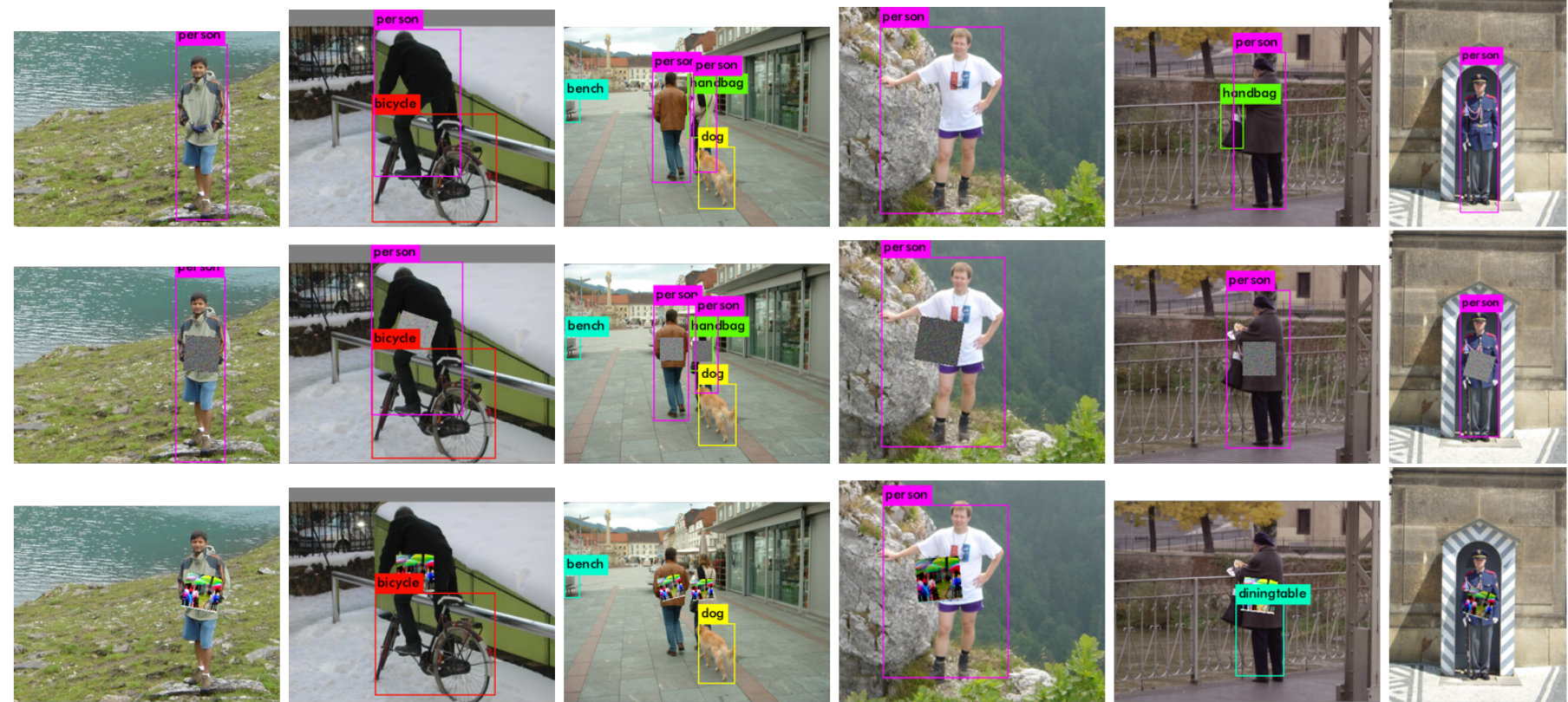 MrJBSwe
on 4 May 2019
MrJBSwe
on 4 May 2019
@MrJBSwe
This is most interesting, but folks using Raspberry Pi and MotioneyeOS are not protecting Ft Knox!
Just two nights ago scumbags stole the tires and rims from two large Chevy/GMC pickup trucks parked in their driveways just down the street from me. These mopes just ain't that smart.
If my neighbors had my AI enhanced security system looking at their driveway, the audio alerts would have quickly introduced the perps to Mr. 12Gauge before they got the first wheel off! (this is Texas, being a thief in the night is extremely dangerous work!)
I have downloaded the pdf file, thanks for passing it on.
wb666greene
on 5 May 2019
[I hope no one minds my popping into this thread. I'm not a motionEyeOS user; I hadn't even heard about it until this thread popped up in search results. But I'd like to do similar things with my own NVR software and am really interested in what folks are saying here.]
I'd love to have high-quality motion detection on, say, 8 video streams at 10 fps each, with cheap hardware. The obvious approach is to have each camera responsible for its own motion detection, but the cheap cameras' built-in motion detection is crappy, manufacturers are apparently hostile to firmware modification / open source, and I think said cameras don't have NPUs (yet at least), so that doesn't seem feasible. I'd be thrilled if I could do everything with one of these sticks plugged into the NVR machine. There also seem to be some SBCs coming out with NPUs built in (eg the upcoming Khadas VIM3), which might be even cheaper (given that you're buying an SBC anyway for the NVR itself).
The comments above seem to be describing object detection networks (like YOLO), which apparently isn't as fast as I'd like on current hardware. (Thanks for posting numbers!) Hardware will get better over time, but I'd also guess that pure motion detection (aka change detection, background segmentation, background subtraction, foreground segmentation; they seem to be near-synonyms) would be significantly faster.
Has anyone tried using a change detection network instead? (There are some listed at changedetection.net.) I'd be very interested to hear what performance numbers you get and if you were happy with the results. I think these networks are significantly better (in terms of false positives and false negatives) than classical approaches like what motion does today.
I don't (yet) have any of this hardware to see for myself. I'll probably buy one to experiment with after I check off some other things on my software's todo list.
For the change detection approach, I don't think dropping frame rate too much would be feasible. changedetection.net has a "Low framerate" category, and the results are significantly worse than the "Baseline" category. I think low resolution is less problematic. (The current top-ranked method, FgSegNet_v2, was apparently run at 320x240. In terms of bandwidth, 8 uncompressed 10 fps grayscale streams at that resolution total under 50 Mbps.)
 scottlamb
on 4 Jun 2019
scottlamb
on 4 Jun 2019
@scottlamb Check out the performance table here: https://github.com/weiliu89/caffe/tree/ssd
Single Shot Multibox Detector (SSD) is faster and more accurate than YOLO. I've been playing with MobileNet SSD (300 x 300 pixel) and it has the best balance between speed and accuracy, certainly better than tiny-YOLO in every way when it comes to security camera application. I used Tiny-YOLO because the full YOLO neural net model is either too big to run on NPU, or way too slow to be practical.
I'm not sure what you mean about the dropping frame rate feasibility. For real world security camera application, I have cameras running at high frame rate, but running inference at a much lower frame rate (5 fps), and it works great at detecting people. If someone can walk in and out of a camera view within 200ms (5fps), then this person won't be detected. This real world scenario is very different from the "change detection" tests. Anyway, 5 fps is limited by NPU hardware capability. When NPU hardware gets more powerful, this 5 fps won't be a problem anymore.
The low resolution of these detection neural nets is not a problem at all. Lower resolution buys you a lot of speed at the cost of some accuracy. Checkout the comparison between SSD 300x300 pixels vs 512x512 pixels. The higher resolution buys you 2% increase in VOC2007 test score at the expense of halving the frame rate.
jasaw
on 4 Jun 2019
@jasaw
Anyway, 5 fps is limited by NPU hardware capability. When NPU hardware gets more powerful, this 5 fps won't be a problem anymore.
We may be getting there pretty quickly. My initial tests with an Nvidia Jetson Nano (~$100) and a Coral USB TPU (~$75) I'm getting ~40 fps inference using MobileNetSSD,
IMHO "change detection" is worthless, I don't care about changes in the image, I care about the presence of people when and where they shouldn't be. You want object detection, particularly "people detection" not change detection.
I'm of the opinion that ~2 fps per camera is fine for the "sentry duty" of AI person detection, refer to the video I linked in my comment on May 2
I run my 16 channel Lorex DVR at 5 fps per camera for 24/7 recording and the AI runs about 1 fps per camera. I can improve the AI frame rate by processing the 5 fps rtsp streams but that adds 2-3 seconds to the detection latency. I'm actually more interested in reducing detection latency that improving frame rate.
wb666greene
on 4 Jun 2019
@jasaw Yeah, I saw your comments above about MobileNet SSD. As I understand it, that does object detection—tells where in the image each instance of N classes (humans, cars, monkeys, etc.) of object is.
And of course on the other hand motion's current approach is change detection based on relatively simple classical algorithms: basically "x pixels changed" (by more than a certain luminance, after applying erode/dilate, correcting for "light switch", etc), which has trouble filtering out "boring" changes (shadows, insects, spider webs, trees blowing in the wind, rain, small mammals, etc). I have this same trouble with cheap proprietary cameras' built-in motion detection.
changedetection.net has a variety of other methods (both more sophisticated classical approaches and neural net-based ones) that I believe are supposed to be something between. Not necessarily able to label human vs car but able to distinguish a large object crossing the frame from a smaller one or uncoordinated movement. I think if these live up to their promise, they'd be sufficient for my needs and perhaps those of other people here. And I'm wondering if they're significantly faster than objection detection—enough so that one accelerator stick could handle many video streams rather than just one. A caveat I'm noting is that they may need a higher framerate than the object detection approach you're using, so they'd have to be considerably faster on a frame-by-frame basis to have the benefit I hope.
My question is: has anyone evaluated the changedetection.net methods? It sounds like you and @wb666greene are skeptical of them. Fair enough. Is that based on intuition or experience? I'd be very interested to know if anyone has tried them and if so what they found.
@wb666greene 40 fps of object detection sounds exciting! At 5 fps per stream, that's the 8 streams I was hoping for. (I also hear you suggest even 2 fps is sufficient.) This may make my question above moot, but I'm still curious.
I agree with both of you that the frame rate (and resolution) you do detection on can be considerably less than what you retain for viewing. Currently I save two H.264 streams per camera: 1080p/30fps (main) and 704x480/10fps (sub). I'd definitely do the H.264 decoding and detection only on the sub stream and could downscale it to 300x300 or whatever on the CPU before sending to the NPU, could only send every other frame if doing object detection, etc.
scottlamb
on 4 Jun 2019
"My question is: has anyone evaluated the changedetection.net methods? It
sounds like you and @wb666greene https://github.com/wb666greene are
skeptical of them"
Circa 2013 I put a lot of effort trying to improve the false alert rate of
my Lorex HD security DVR system using a combination of PIR motion sensors
and "traditional" image processing with OpenCV, none were close to good
enough. AI became accessible circa 2015 when Google open sourced
TensorFlow. My first tests with AI, while far too slow for my needs at the
time, the results of the detections on real security camera images from my
system told me this was the future. It became "practical" with the release
of the Intel Movidius NCS circa 2017. Improvement has been dramatic since
then. I also don't care about detecting anything other than people,
MobileNetSSD is laughable if you draw boxes for all its 21 "objects" but it
seems to be the best so far for detecting people with resource constrained
AI.
Its still not perfect. My main interest in "doubling" the frame rate is
for an attempt to further reduce the false detection rate. My idea is to
us the initial detection bounding box to "zoom in" on the image and rerun
the detection. I'm collecting test images and working on batch processing
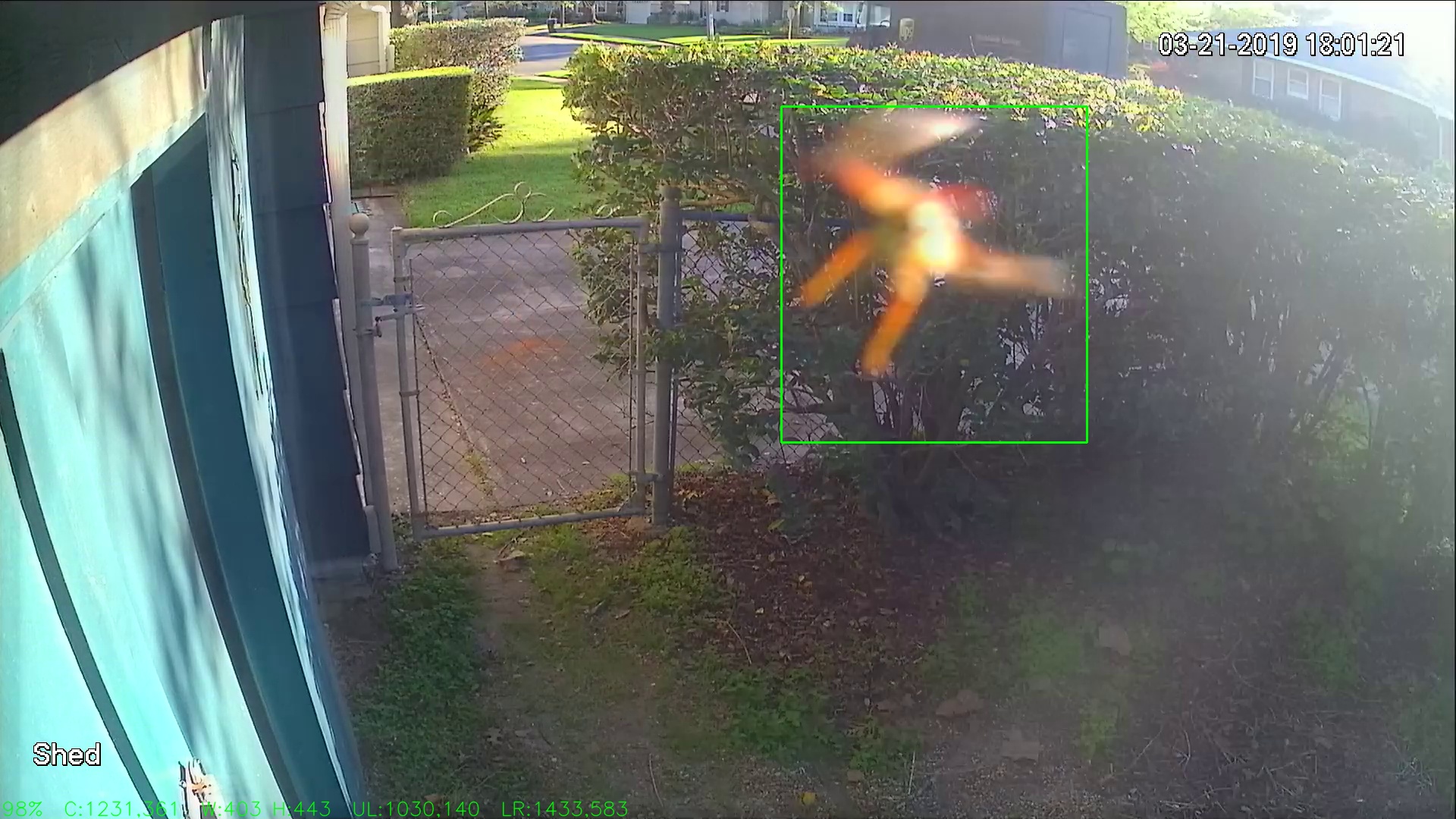
code to test the idea, Attached is a rare false detection, apparently a
bug flying near the camera lining up with background "clutter" and the
harsh lighting of the setting sun. Only got this once, the system has been
running 24/7 for almost a year now, but I've other "bug" events. Some
"static location" false detections from plants are being filtered out by
the location and size of the bounding box. But the insects issue needs a
dynamic solution.
Edit: I tried to upload an image of a false detection, seems it didn't come through via my Email reply.
wb666greene
on 4 Jun 2019
I agree neural network-based methods are the way to go. Your report of 40 fps and very few false positives just convinced me to buy a Coral USB accelerator—it should be here Thursday. I may experiment a bit with change detection neural networks if no one else has, but it's great to know the object detection path is working out well.
I also wonder if an object detection model trained to detect only people (and not MobileNet SSD's 20 other classes) would be significantly faster. This is all a little outside my comfort zone but I'd like to develop an understanding of it sooner or later...
scottlamb
on 4 Jun 2019
I need to point out the 40 fps is running on an i3-4200 or an Nvidia Tegra
Jetson Nano. I'm getting about 20 fps on an Odroid XU-4 and only about 6.5
fps on a Pi3B+ (lack of USB3 hurts much more for the Coral than it does for
the NCS)
On Tue, Jun 4, 2019 at 11:46 AM Scott Lamb notifications@github.com wrote:
I agree neural network-based methods are the way to go. Your report of 40
fps and very few false positives just convinced me to buy a Coral USB
accelerator—it should be here Thursday. I may experiment a bit with change
detection neural networks if no one else has, but it's great to know the
object detection path is working out well.I also wonder if an object detection model trained to detect only people
(and not MobileNet SSD's 20 other classes) would be significantly faster.
This is all a little outside my comfort zone but I'd like to develop an
understanding of it sooner or later...—
You are receiving this because you were mentioned.
Reply to this email directly, view it on GitHub
https://github.com/ccrisan/motioneyeos/issues/1505?email_source=notifications&email_token=AHQHWJX4DP6246WPC7RWR7TPY2L4TA5CNFSM4E5XRG32YY3PNVWWK3TUL52HS4DFVREXG43VMVBW63LNMVXHJKTDN5WW2ZLOORPWSZGODW5FT2Q#issuecomment-498751978,
or mute the thread
https://github.com/notifications/unsubscribe-auth/AHQHWJVUXCU37FXCPVKNW3TPY2L4TANCNFSM4E5XRG3Q
.
wb666greene
on 4 Jun 2019
Thanks for pointing that out; my main installation is on a ODROID-XU4 now. Do you happen to know what the bottleneck is there, given that the ODROID-XU4 has USB3? I can try to figure it out if not.
scottlamb
on 4 Jun 2019
I can't say for sure at this point, but the Jetson Nano has a Cuda capable
GPU so some of the OpenCV image conversion stuff may be accelerated, and it
has a lot more RAM.
On Tue, Jun 4, 2019 at 3:14 PM Scott Lamb notifications@github.com wrote:
Thanks for pointing that out; my main installation is on a ODROID-XU4 now.
Do you happen to know what the bottleneck is there, given that the
ODROID-XU4 has USB3? I can try to figure it out if not.—
You are receiving this because you were mentioned.
Reply to this email directly, view it on GitHub
https://github.com/ccrisan/motioneyeos/issues/1505?email_source=notifications&email_token=AHQHWJS4DIBBKA3O77NTYC3PY3EIZA5CNFSM4E5XRG32YY3PNVWWK3TUL52HS4DFVREXG43VMVBW63LNMVXHJKTDN5WW2ZLOORPWSZGODW5XRHY#issuecomment-498825375,
or mute the thread
https://github.com/notifications/unsubscribe-auth/AHQHWJSAGMFJV7MCKRZFX6TPY3EIZANCNFSM4E5XRG3Q
.
wb666greene
on 4 Jun 2019
I already have a Nvidia NANO with motion / motioneye onboard ... Ive gone a different route here then this project as generating images with yocto was far easier to accomplish, hence there is no raspbian or other for the Nano... yocto it is.... that being said, i have an image with the software onboard, now im running down cuda / opencv into the build. Stay tuned....
 bsdwatch
on 10 Jun 2019
bsdwatch
on 10 Jun 2019
I'm certainly interested in your results with YOLO.
YOLO or tinyYOLO?
YOLO was great in my early tests but at 14 second per inference on my i7
desktop I gave up on it immediately. My tests with tinyYOLO showed that
while it was closer to being fast enough, it performed terrible on "people
detection" with test images from real security cameras.
On Mon, Jun 10, 2019 at 4:28 AM bsdwatch notifications@github.com wrote:
I already have a Nvidia NANO with motion / motioneye onboard ... Ive gone
a different route here then this project as generating images with yocto
was far easier to accomplish, hence there is no raspbian or othher for the
Nano... yocto it is.... that being said, i have an image with the software
onboard, now im running down cuda / opencv into the build. Stay tuned....—
You are receiving this because you were mentioned.
Reply to this email directly, view it on GitHub
https://github.com/ccrisan/motioneyeos/issues/1505?email_source=notifications&email_token=AHQHWJX3LOUYNSDGFZ22WADPZYNEFA5CNFSM4E5XRG32YY3PNVWWK3TUL52HS4DFVREXG43VMVBW63LNMVXHJKTDN5WW2ZLOORPWSZGODXJMMEA#issuecomment-500352528,
or mute the thread
https://github.com/notifications/unsubscribe-auth/AHQHWJQ2AIXEIJD4222W7DDPZYNEFANCNFSM4E5XRG3Q
.
wb666greene
on 10 Jun 2019
24TOPS 0.7W
https://www.youtube.com/watch?v=yQvVqaVZUQ4
MrJBSwe
on 13 Jun 2019
Its nice to have options, and at $69 "pre-order" price its competitive, but
its all going to depend on the tools and systems supported.
I'm working on adding the Coral TPU to my AI code, pretty impressive in
simple tests. The learning curve on these things is not insignificant.
On Thu, Jun 13, 2019 at 2:53 AM MrJBSwe notifications@github.com wrote:
24TOPS 0.7W
https://www.youtube.com/watch?v=yQvVqaVZUQ4https://www.gyrfalcontech.ai/solutions/2803s/
—
You are receiving this because you were mentioned.
Reply to this email directly, view it on GitHub
https://github.com/ccrisan/motioneyeos/issues/1505?email_source=notifications&email_token=AHQHWJWHJFOANEYJML75GCDP2H4IVA5CNFSM4E5XRG32YY3PNVWWK3TUL52HS4DFVREXG43VMVBW63LNMVXHJKTDN5WW2ZLOORPWSZGODXS3DKA#issuecomment-501592488,
or mute the thread
https://github.com/notifications/unsubscribe-auth/AHQHWJQI4DS4AURFE3BLC3TP2H4IVANCNFSM4E5XRG3Q
.
wb666greene
on 13 Jun 2019
The Gyrfalcon stuff seems really exciting—even the older 2801—but a word of caution: not only do you have to buy the hardware, but you need a "premium membership" (contact sales for pricing sort of thing...) to download the Caffe or TensorFlow MDKs. And the PyTorch thing is apparently just for the 2801 (so far?).
btw, I bought both a Coral USB Accelerator and the 2801 Plai Plug to try last week, but I haven't done anything with them yet other than run the demos.
scottlamb
on 13 Jun 2019
How much are the SDK tools? The price of the USB stick is competitive, but
without knowing the full cost I didn't place a pre-order, which I did for
the NCS, NCS2, Coral TPU and Jetson Nano as it was clear at least the basic
tools were freely downloadable.
On Thu, Jun 13, 2019 at 11:29 AM Scott Lamb notifications@github.com
wrote:
The Gyrfalcon stuff seems really exciting—even the older 2801—but a word
of caution: not only do you have to buy the hardware, but you need a
"premium membership" (contact sales for pricing sort of thing...) to
download the Caffe or TensorFlow MDKs. And the PyTorch thing is apparently
just for the 2801 (so far?).btw, I bought both a Coral USB Accelerator and the 2801 Plai Plug to try
last week, but I haven't done anything with them yet other than run the
demos.—
You are receiving this because you were mentioned.
Reply to this email directly, view it on GitHub
https://github.com/ccrisan/motioneyeos/issues/1505?email_source=notifications&email_token=AHQHWJU6CTA3DV5AQGW6ENTP2JYWZA5CNFSM4E5XRG32YY3PNVWWK3TUL52HS4DFVREXG43VMVBW63LNMVXHJKTDN5WW2ZLOORPWSZGODXUIG5Y#issuecomment-501777271,
or mute the thread
https://github.com/notifications/unsubscribe-auth/AHQHWJUFWPNTL3UBW572UNDP2JYWZANCNFSM4E5XRG3Q
.
wb666greene
on 13 Jun 2019
Not sure. For the 2801 the free PyTorch thing looks like a viable path (although a bit annoying—PyTorch doesn't seem to have binary packages for arm, and compiling it is causing OOM kills on my odroid, so I don't have it setup yet). For the 2803, the free PyTorch isn't available (yet?) so I think someone would have to contact sales and find out.
The Orange Pi AI Stick 2801 page says "PLAI training tools and related Files need to be purchased separately (USD149)", so maybe $149? if you can trust the third party to say. [edit: and they didn't clarify that they're talking about the TensorFlow/Caffe stuff, and this is also for the 2801 rather than the 2803, so I really don't trust this statement.]
My impression Gyrfalcon isn't trying to sell the Plai Plug at scale. Besides the premium membership thing, even the free membership requires a university or company email address. So I'd say they want to find some researchers who will write a paper saying how great it is and some partner companies who will negotiate to put the chip in their own high-volume boards for some product. Possibly the "contact sales" thing is more about starting a relationship with those people than about actually getting money for the tools. And they probably haven't thought much about or don't care about that language deterring hobbyists.
[edit: to be precise, I mean they probably think a developing a hobbyist community themselves is more trouble than it's worth. And they probably haven't thought or don't care about how not making the tools free makes it hard/impossible for their customers like Orange Pi to develop one. It's a shame because their hardware appears to be really good and really affordable.]
scottlamb
on 13 Jun 2019
@scottlamb
You are probably right...
"And they probably haven't thought or don't care about how not making the tools free makes it hard/impossible for their customers like Orange Pi to develop one. It's a shame because their hardware appears to be really good and really affordable.]"
I received this from Gyrfalcon...
"Hello: Thank you for registering with the GTI Developer Portal. Unfortunately, you were not approved for access. You may have been denied for the following reasons: 1. You did not provide an email address from a valid company or university. (We do NOT accept Gmail, Yahoo, or any other personal email address). 2. Your company does not have a valid website. 3. You did not pass our screening process. If you reply to this email from your company or university email address, we may accept your registration. We may also reconsider your registration if you reply with more information about your company. In the meantime, you are more than welcome to explore our documentation and information on the GTI Developer Portal, as well as our company website."
I have the previous AI orange PI stick, but not yet explored it for the same reason you have described, "nothing" has happened in that direction by the community. For that reason I have been playing with NCS2, CORAL, Nvidia nano and waiting for Rockchip pro.
But 24TOPS 0.7W could be worth some trouble...maybe I'll explore it at work, but I prefer do it on my spare time for fun. I think Gyrfalcon is making a huge error by not allowing curious "hobbyist" explore it. The don't have a clue where the real "mind power" is. If they want to take lead there must be a reliable code base easy accessible. But I guess they prefer to lose that advantage to Intel, Google etc.. Anyway I'm glad for the intense competition as a "customer".
MrJBSwe
on 14 Jun 2019
ARM64 + Coral tips & trix ( in my case nanopi neo4 1GB with Armbian )
After installation of Coral
cd /usr/local/lib/python3.6/dist-packages/edgetpu/swig/
sudo cp _edgetpu_cpp_wrapper.cpython-35m-aarch64-linux-gnu.so _edgetpu_cpp_wrapper.so
Add minimum 1GB file swap for compilation OpenCV
https://linuxize.com/post/how-to-add-swap-space-on-debian-9/
MobileNet SSD v2 (COCO) 300x300 Time per inference on average 0.02s
( 40-50% load & peak 8.5W Coral stick included while live streaming to screen desktop mode )
MrJBSwe
on 28 Jun 2019
I believe sudo ln -s is preferred over cp to fix the swig error. I've not
had to explicitly add swap unless compiling OpenCV.
There is a lot more than just the inference time to having a useful system,
but the Coral is the best yet! Using this tutorial code (something we can
all download and start with)
https://www.pyimagesearch.com/2019/05/13/object-detection-and-image-classification-with-google-coral-usb-accelerator/
I get the following frame rates using a USB webcam as input source:
Pi3B+ ~ 6.5 fps
Odroid XU4 ~19.8 fps (Mate16, 32-bit, USB3)
i3-4025 ~46.4 fps (Mate16, USB3)
Jetson Nano ~44.5 fps (Ubuntu18, 64-bit, USB3)
Atomic Pi ~28 fps (Mate 18, USB3)
Pi4B ~30 fps (Raspbian 10, USB3)
On Fri, Jun 28, 2019 at 3:59 AM MrJBSwe notifications@github.com wrote:
ARM64 + Coral tips & trix ( in my case nanopi neo4 1GB )
After installation of Coral
cd /usr/local/lib/python3.6/dist-packages/edgetpu/swig/
sudo cp _edgetpu_cpp_wrapper.cpython-35m-aarch64-linux-gnu.so
_edgetpu_cpp_wrapper.soAdd minimum 1GB file swap för OpenCV
https://linuxize.com/post/how-to-add-swap-space-on-debian-9/MobileNet SSD v2 (COCO) 300x300 Time per inference on average 0.02s
—
You are receiving this because you were mentioned.
Reply to this email directly, view it on GitHub
https://github.com/ccrisan/motioneyeos/issues/1505?email_source=notifications&email_token=AHQHWJVFMXZRXJLY7V4DKYTP4XHIRA5CNFSM4E5XRG32YY3PNVWWK3TUL52HS4DFVREXG43VMVBW63LNMVXHJKTDN5WW2ZLOORPWSZGODYZQMNQ#issuecomment-506660406,
or mute the thread
https://github.com/notifications/unsubscribe-auth/AHQHWJR32MOFRM5C2TWHG6TP4XHIRANCNFSM4E5XRG3Q
.
wb666greene
on 1 Jul 2019
@wb666greene
impressing work !!
Have you any tips on how to convert models to tf-light ? ( for Coral )
I really would like human_pose_estimation to run with Coral
https://docs.openvinotoolkit.org/2018_R5/_samples_human_pose_estimation_demo_README.html
This should be possible to convert !?
https://github.com/ildoonet/tf-pose-estimation
Anyway human_pose_estimation does an excellent job in detecting people ...and would like it as a complement
NCS2 on ARM64 - this guide works ( with a bit of patience and a few adjustments ;-)
https://software.intel.com/en-us/articles/ARM64-sbc-and-NCS2
3 fps samples_human_pose_estimation ( USB2 or USB3 makes no difference )
MrJBSwe
on 1 Jul 2019
I've not done any model conversions, I'm just using models that others
have converted.
I believe for the Coral the only way to convert a model is to use Google's
"cloud based" tool and it has to be a tensorflow-lite model. I'm not yet
at the point of fully understanding these distinctions: TensorFlow models
on Edge TPU https://coral.withgoogle.com/docs/edgetpu/models-intro/ Edge
TPU Compiler https://coral.withgoogle.com/docs/edgetpu/compiler/
I don't think there is any support for OpenVINO on 64-bit ARM, but it has
recently been "open sourced"
https://github.com/opencv/dldt/blob/2019/inference-engine/README.md so
perhaps it could be compile on ARM-64.
I'm just starting to look into this, although not on ARM-64, as there are
serious performance issues in decoding rtsp streams in the OpenVINO
versions of OpenCV -- like less than half the frame rate with
opencv-4.1.0-openvino compared to even 3.3.0 which was the first version to
have the dnn module included.
I'm certainly interested in human_pose_estimation, as I'm looking for a
"verification" step to further lower the false detection rate, right now I
"zoom in" on the detection box and re-run the inference, this helps a lot
but still gets fooled. I've a couple of heuristics that can reject most of
these, but I'm still looking for improvements.
On Mon, Jul 1, 2019 at 3:05 PM MrJBSwe notifications@github.com wrote:
@wb666greene https://github.com/wb666greene
impressing work !!Have you an tips on how to convert models to tf-light ? ( for Coral )
I really would like human_pose_estimation to run with Coral
https://docs.openvinotoolkit.org/2018_R5/_samples_human_pose_estimation_demo_README.html
This should be possible to convert !?
https://github.com/ildoonet/tf-pose-estimationAnyway human_pose_estimation does an excellent job in detecting people
...and would like it as a complementHave you managed to run ncs2 on ARM64 ? ( any tips and trix ? )
https://software.intel.com/en-us/articles/ARM64-sbc-and-NCS2—
You are receiving this because you were mentioned.
Reply to this email directly, view it on GitHub
https://github.com/ccrisan/motioneyeos/issues/1505?email_source=notifications&email_token=AHQHWJWZG7CXOC4P6274ITTP5JPO3A5CNFSM4E5XRG32YY3PNVWWK3TUL52HS4DFVREXG43VMVBW63LNMVXHJKTDN5WW2ZLOORPWSZGODY7GIEY#issuecomment-507405331,
or mute the thread
https://github.com/notifications/unsubscribe-auth/AHQHWJRQKOKQCU2FLBI3R5DP5JPO3ANCNFSM4E5XRG3Q
.
wb666greene
on 3 Jul 2019
@wb666greene
I don't think there is any support for OpenVINO on 64-bit ARM
It works, I have compiled C++ samples ...Intel has done a great job !
https://software.intel.com/en-us/articles/ARM64-sbc-and-NCS2
opencv-4.1.0-openvino compared to even 3.3.0
Interesting !
My next goal
run x2 NCS2 pose_estimation + 1 Coral ( or 2 for face detection also ;-)
pos estimation on Coral ( probably major work )
Nvme boot
MrJBSwe
on 3 Jul 2019
Thanks for the link. I'm only interested in Python at the moment, I didn't
see anything in the instructions about building the python bindings. Are
there some extra cmake commands to do it? I'm not very familiar with cmake
and building OpenCV, although I've followed various recipes and succeed and
failed multiple times :)
I'm trying to track down this performance degradation, Pi3B+ decoding two
5 fps 1920x1080 rtsp streams using pypi installed OpenCV 3.4.4 gets ~7.5
fps. But using OpenCV 4.1.0-openvino (supplied with the 2019R1.1 release)
only gets ~4.2 fps. It not confined to the Pi, an i7-4500U (15, 5 fps
streams) gets ~35 fps using pypi OpenCV 4.0.0 but only ~15 fps with
4.4.0-openvino. At this point its a serious front-end bottleneck for me.
On Wed, Jul 3, 2019 at 11:51 AM MrJBSwe notifications@github.com wrote:
@wb666greene https://github.com/wb666greene
I don't think there is any support for OpenVINO on 64-bit ARM
It works, I have compiled C++ samples ...Intel has done a great job !
https://software.intel.com/en-us/articles/ARM64-sbc-and-NCS2opencv-4.1.0-openvino compared to even 3.3.0 which was t
Interesting !My next goal
-
run x2 NCS2 pose_estimation + 1 Coral ( or 2 for face also ;-)
-pos estimation on Coral ( probably major work )
—
You are receiving this because you were mentioned.
Reply to this email directly, view it on GitHub
https://github.com/ccrisan/motioneyeos/issues/1505?email_source=notifications&email_token=AHQHWJWLTBA5P4752CQJM4DP5TKKJA5CNFSM4E5XRG32YY3PNVWWK3TUL52HS4DFVREXG43VMVBW63LNMVXHJKTDN5WW2ZLOORPWSZGODZFBRHI#issuecomment-508172445,
or mute the thread
https://github.com/notifications/unsubscribe-auth/AHQHWJRUOVOYJ76PN74AK43P5TKKJANCNFSM4E5XRG3Q
.
wb666greene
on 3 Jul 2019
I forgot to mention, the arm-64 link should help me get OpenVINO running on
the Jetson Nano. But my priority right now is to try and track down the
source of the OpenVINO poor rtsp decoding performance in its OpenCV so I
don't propagate it. So thanks again for dropping it.
On Wed, Jul 3, 2019 at 11:51 AM MrJBSwe notifications@github.com wrote:
@wb666greene https://github.com/wb666greene
I don't think there is any support for OpenVINO on 64-bit ARM
It works, I have compiled C++ samples ...Intel has done a great job !
https://software.intel.com/en-us/articles/ARM64-sbc-and-NCS2opencv-4.1.0-openvino compared to even 3.3.0 which was t
Interesting !My next goal
-
run x2 NCS2 pose_estimation + 1 Coral ( or 2 for face also ;-)
-pos estimation on Coral ( probably major work )
—
You are receiving this because you were mentioned.
Reply to this email directly, view it on GitHub
https://github.com/ccrisan/motioneyeos/issues/1505?email_source=notifications&email_token=AHQHWJWLTBA5P4752CQJM4DP5TKKJA5CNFSM4E5XRG32YY3PNVWWK3TUL52HS4DFVREXG43VMVBW63LNMVXHJKTDN5WW2ZLOORPWSZGODZFBRHI#issuecomment-508172445,
or mute the thread
https://github.com/notifications/unsubscribe-auth/AHQHWJRUOVOYJ76PN74AK43P5TKKJANCNFSM4E5XRG3Q
.
wb666greene
on 3 Jul 2019
Here is a guide on how to install NCS2 with python support on "any" ARM64
https://github.com/MrJBSwe/NCS2-and-Coral-TPU-on-aarch64/blob/master/README.md
And you can choose any OpenCV you want....
Very interesting code
https://github.com/PINTO0309/MobileNetV2-PoseEstimation
https://towardsdatascience.com/review-mobilenetv2-light-weight-model-image-classification-8febb490e61c
But this gives very good results even on hard images
https://github.com/Daniil-Osokin/lightweight-human-pose-estimation.pytorch
MrJBSwe
on 5 Jul 2019
https://cacophony.org.nz/technology
https://cacophony.org.nz/why-specialised-thermal-cameras-are-well-suited-nz-predator-management
MrJBSwe
on 12 Sep 2019
Thanks for posting this. I may look into body segment detection as a
verification step, but with 15 outside looking cameras processing ~45 fps
aggregate I'm getting about one false positive per 10 million frames, still
too many. Mosty they are as the sun rises or sets and generally fixed
locations of trees, shrubs, etc. so a camera specific table of bad
locations or region masking seems adequate for the time being.
The PINTO link was most useful as it seems very clear example of using
multiple TPU. I also didn't know about the call to detect how many
On Thu, Sep 12, 2019 at 2:38 AM MrJBSwe notifications@github.com wrote:
https://cacophony.org.nz/technology
https://cacophony.org.nz/why-specialised-thermal-cameras-are-well-suited-nz-predator-management
https://github.com/PINTO0309/TPU-Posenet
—
You are receiving this because you were mentioned.
Reply to this email directly, view it on GitHub
https://github.com/ccrisan/motioneyeos/issues/1505?email_source=notifications&email_token=AHQHWJW7AC4VVSXG6DYPAXLQJHWYHA5CNFSM4E5XRG32YY3PNVWWK3TUL52HS4DFVREXG43VMVBW63LNMVXHJKTDN5WW2ZLOORPWSZGOD6Q6X6Y#issuecomment-530705403,
or mute the thread
https://github.com/notifications/unsubscribe-auth/AHQHWJX7UU3PQN6VKVKLTLTQJHWYHANCNFSM4E5XRG3Q
.
wb666greene
on 12 Sep 2019
Trail guard ( myriad 2 ) it's a pity Intel doesn't offer more "DIY" solutions
https://newsroom.intel.com/news/intel-ai-tech-stops-poachers/#gs.49o1xs
https://simplecore.intel.com/ai/wp-content/uploads/sites/69/Fighting_Illegal_Poaching-1.pdf
https://www.indiegogo.com/projects/camect-world-s-smartest-most-private-camera-hub#/
Released
http://beagleboard.org/ai
MrJBSwe
on 17 Sep 2019
I finally got a chance to try human pose estimation on Raspberry Pi 4 + Movidius NCS2 and I'm not impressed with the performance. It started at 5.5fps, and eventually dropped down to 3.5 fps when the NCS2 starts to thermal throttle. I could add 3 more NCS2 sticks, but that's not ideal.
Do you guys know how the nVidia Jetson Nano compares to the RPi4 + NCS2 combo in terms of performance? nVidia claims the Jetson Nano can run human pose estimation at 15 fps, but I'm skeptical. I read this blog where it's only running 7~8 fps. https://qiita.com/karaage0703/items/1f6f4f19e623102715bb
I would love to try Google Coral USB stick, read a lot of good things about it, but there's export restriction to my country. :-(
Have you guys tried human pose estimation on any of the platforms?
jasaw
on 18 Oct 2019
@jasaw
I can try your pose estimation on the TPU if I can find it compiled for it.
MrJBSwe posted a link to a PINTO0309 TPU-Posenet that I have been meaning to try.
My Lorex security DVR died and I've not yet finished installing its replacement, but I will now have six 4K UHD cameras to go along with the HD cameras that I'm keeping. I never knew they made "analog" 4K cameras or I'd have updated before the failure as pulling new cables (along with higher prices for netcams, although price gap is shrinking) was the main difficulty -- this is only possible during Jan-Feb without potentially life-threatening heat up in the attic.
Running six Onvif snapshots cameras on my Pi4 (with fan) and MobilenetSSD-v2 on the TPU I'm getting about 18 fps or ~ 3fps per camera. No evidence of overheating or throttling. I installed the TPU libraries for the "full speed" option.
Running the NCS2 with what seems to be the same SSD-v2 model compiled for the NCS/NCS2 OpenVINO I'm only getting about 12 fps. A pair of original NCS does about the same.
Let me know if the PINTO Posenet is what you are wanting and I'll move trying it up on my priority to do list if it is.
I'm "zooming in" on the detection box and re-running the inference to reduce false positives, I'm thinking that making the second inference be a Pose Estimation or some other model could be better, so I'm motivated to try it.
Some Jetson Nano TPU performance, rtsp stream decoding on the Nano:
2 4k and 2 1080p : ~11.8 fps (12 would be every frame)
5 4k : ~14.7 fps (15 would be every frame)
5 4K and 3 1080p : ~21.6 fps
6 4K and 2 1080p : ~18.7 fps
6 4K : ~16.8 fps (6 4K streams seems to be a tad too much), repeat
Pi4-2GB with fan, TPU, Pi4 doing rtsp decoding:
3 1080p and 1 4K : ~11.8 fps, 1 4K and 3 1080p, about every frame
5 1080p and 1 4K : ~11.6 fps
6 1080p : ~17.4 fps, is 4K is too much for the pi4?
8 1080p : ~13.9 fps, seems 6 1080p rtsp streams is about the optimum.
2 4K : ~6.0 fps
My rtsp streams are set for 3 fps.
wb666greene
on 19 Oct 2019
depthai
https://www.crowdsupply.com/luxonis/depthai
https://github.com/Luxonis-Brandon/DepthAI/blob/master/README.md
Gen 3, Movidius Keem Bay
https://fuse.wikichip.org/news/2990/intel-announces-keem-bay-3rd-generation-movidius-vpu/
MrJBSwe
on 6 Nov 2019
@jasaw
I finally had some time to start on pose estimation with the TPU. I went to the original Google posenet project, https://github.com/google-coral/project-posenet since the PINTO TPU-Posenet had an issue.
Using the "simple_pose.py" example with some bogus person detection images and some valid person detection images.
The pose estimation discriminated by detecting segments in the person images and no segments in the bogus images. Inference time was ~14mS.
Very encouraging! Especially since it rejected my "gold standard" false detection images that are still wrongly detected by other "person detection" AI that I've tried.
Spider in front of the camera with just the right "glint" from the sun, the spider was there a rather long time, but only a single bogus detection.
Bird flying in front of the camera, again just the right "glint" but only one detection in the three frames it was in.
Harsh tree limb shadows on the sidewalk, this produced many as the sun and clouds moved. But I could "filter" these as the location was out of camera view that was to be considered an intrusion (I live on the corner, lots of traffic that is normal on the sidewalks at the camera view borders).
Next I need to make it loop through all the images in a directory so I can evaluate a large number of bogus detects and valid detects to verify if it will be worth the effort or not.
For what I'm doing, the NCS/NCS2 can't compete with the Coral TPU.
But a new Gen3 Movidius is supposed to be out in early 2020 according to links posted above by @MrJBSwe that is "up to 10 times faster".
If a new OpenVINO release lets you "drop-in" the new Gen3 to your existing code they will sell a ton of them, It handles NCS vs NCS2 if anything too transparently as there doesn't seem to be a way to "probe" how many or what kind of NCS are installed, although I'm a couple of OpenVINO releases behind so maybe its been addressed.
Here is a sample verification of a person detection image:
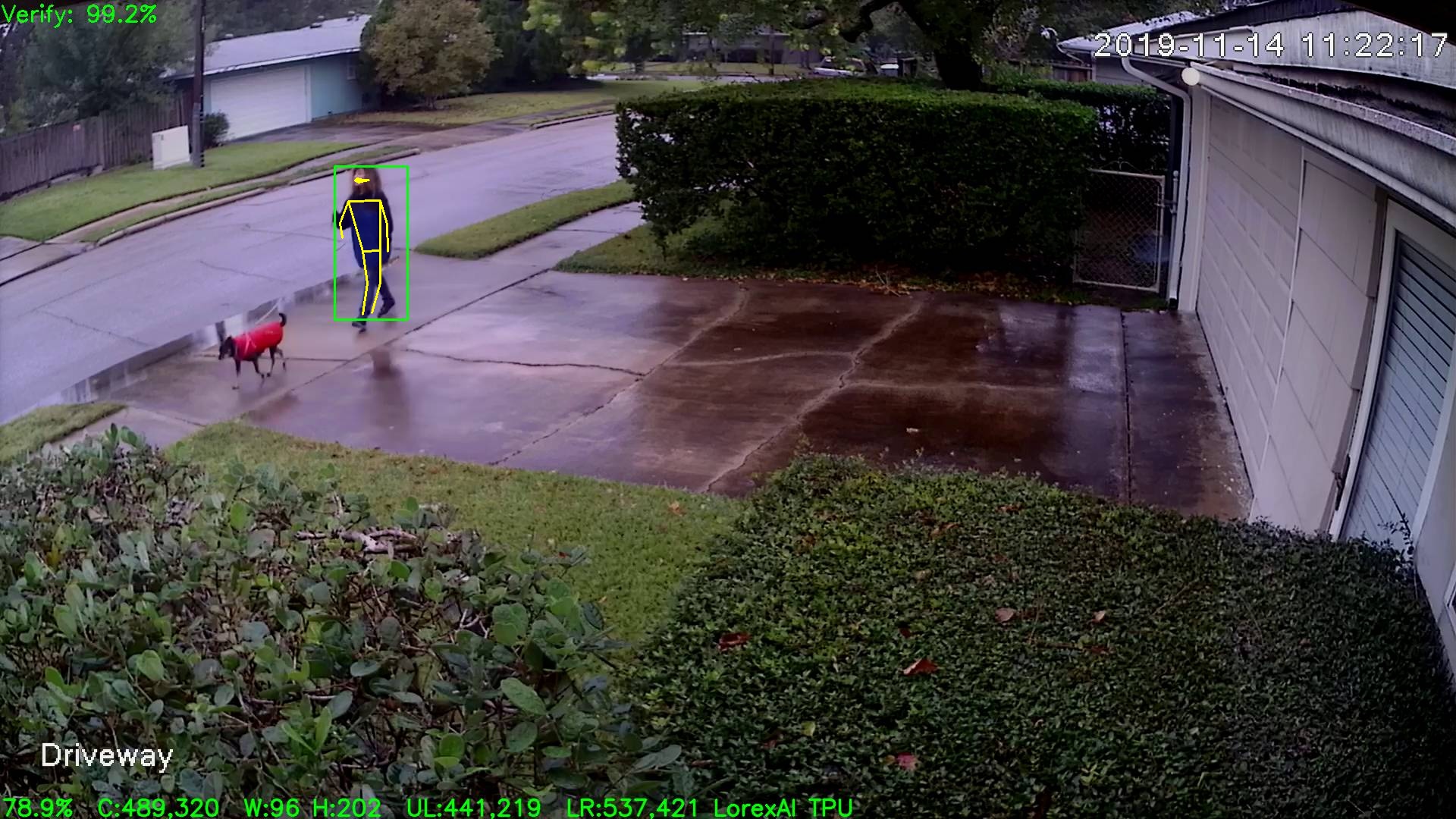
Using the 1280x720 vesion of the model the inference time is ~38mS
wb666greene
on 14 Nov 2019
@wb666greene I've read a lot of good things about the Google TPU, and you've just confirmed how great it is compared to the alternatives. It's unfortunate that Google doesn't sell the TPU to my country.
Are you running a person classifier neural net then feeding the bounding box to posenet? It's encouraging to hear that Google posenet is quite accurate.
I've been trying OpenVino with a single NCS2 stick, running Intel provided posenet called Human Pose Estimation. What I've done is I have motion pushing YUV frames directly into the Human Pose Estimation net. There is minimal overhead, but I'm getting inference time of about 250ms (on RPi4), which is very disappointing. NCS1 inference time is about 450ms. If NCS3 is 10 times faster, I expect to get 25ms inference time, but I'm skeptical. I'm also not impressed with the accuracy of Intel's posenet. The neural net tends to give false positives (bogus detection). Next thing I want to try is to run multiple sticks and see how it performs.
I'm running latest version of OpenVino, and you're right that it handles NCS and NCS2 too transparently. There is no way of defining which stick runs which neural net. When NCS3 comes out, I expect it to be a drop-in without any need to change my code. It should be as simple as upgrade to latest openvino and recompile my code. fingers crossed
jasaw
on 15 Nov 2019
@wb666greene
Cool !
what kind of NCS are installed
will probably never be addressed...which is sad
how many
keep open until exception ... !?
@jasaw
I'm also not impressed with the accuracy of Intel's posenet.
Intel "Human Pose" is way better then google int terms of accuracy ...personally I think it outperforms yolo3 in person detection.
depthai could probably be interesting ( since the camera is connected directly to ncs2 )
https://www.crowdsupply.com/luxonis/depthai
Comparing google vs intel is not completely fair since google is 8bit at ncs2 is 16bit.
NCS3 seems to support 8bit ( an hopefully keep 16bit )....
I think the big question for future "AI-sticks" is, can you load several algorithms and switch fast between them !? Or do you have to use one stick for each task, in that case it's wasteful to go for faster sticks....
For low energy system it would be nice to download into some kind of eeprom for fast start ( to compete with FPGA ). There seems to be lots of goodies in the movidius ( but you need a commercial MDK to access them )
MrJBSwe
on 15 Nov 2019
@jasaw
The tests I'm running are from images ran through either the TPU or NCS with an MobileNet SSD model. I'm just sending the entire frame to the PoseNet AI, its all off-line processing of saved jpg images at the moment.
As I said its been great at rejecting my false SSD detections with a 0.6 Pose Score threshold, but it also rejects about 1/3rd of my real detections. This seems be mostly cameras with high viewing angles and the person close in. Performance under IR illumination seems much worse as well.
Since I'm feeding in the entire frame and plotting all >0.6 pose estimators I see some that would be false positives if PoseNet were the only thing used -- i.e. if there were no person in the frame.
I've got my false positive rate to about 1 in 10 million frames processed using a detect, zoom and re-detect procedure. But they tend to come in "bursts" at certain sun angles and/or as plants grow/recede during the seasons.
I may make the zoom and redetect use Posenet instead of simply re-running the DSSD-v2 model. But it looks like this would need two sticks.
@MrJBSwe
I don't really care about the internal details like 8 vs 16 bits. I only care about the results and the system overall cost. Fact is with 15 "real world" outdoor security cameras I'm getting better results with the TPU than the NCS/NCS2
wb666greene
on 16 Nov 2019
@MrJBSwe
Exactly what Intel Human Pose model are you referring to? I have the full OpenVINO installed and an NCS2 stick.
It would be pretty easy to take my "batch program" and make it use OpenVINO instead of the TPU and run it against my false positive collection (whereTPU PoseNet at 0.6 pose score threshold was 100% rejection) and my current MobilenetSSD-v2 AI deteciton to get an idea of false negatives.
Here is an image where The PoseNet detection would have created a false detection if it was the primary. It failed to verify (false negative) the MobilenetSSD-v2 detection so if it was the primary detector it's be generating a lot of false positives on these static objects. This was under very flat and benign lighting where MobileNetSSD-v2 false positives are so close to zero I don't think I have an example (usually they are in harsh bright sunlight or about when the camera switches to or from IR illumination).
Under real use this detection would be rejected by the spatial filter before calling the PoseNet verification as its so far out of my Region Of Interest that it might upset my neighbors. :)
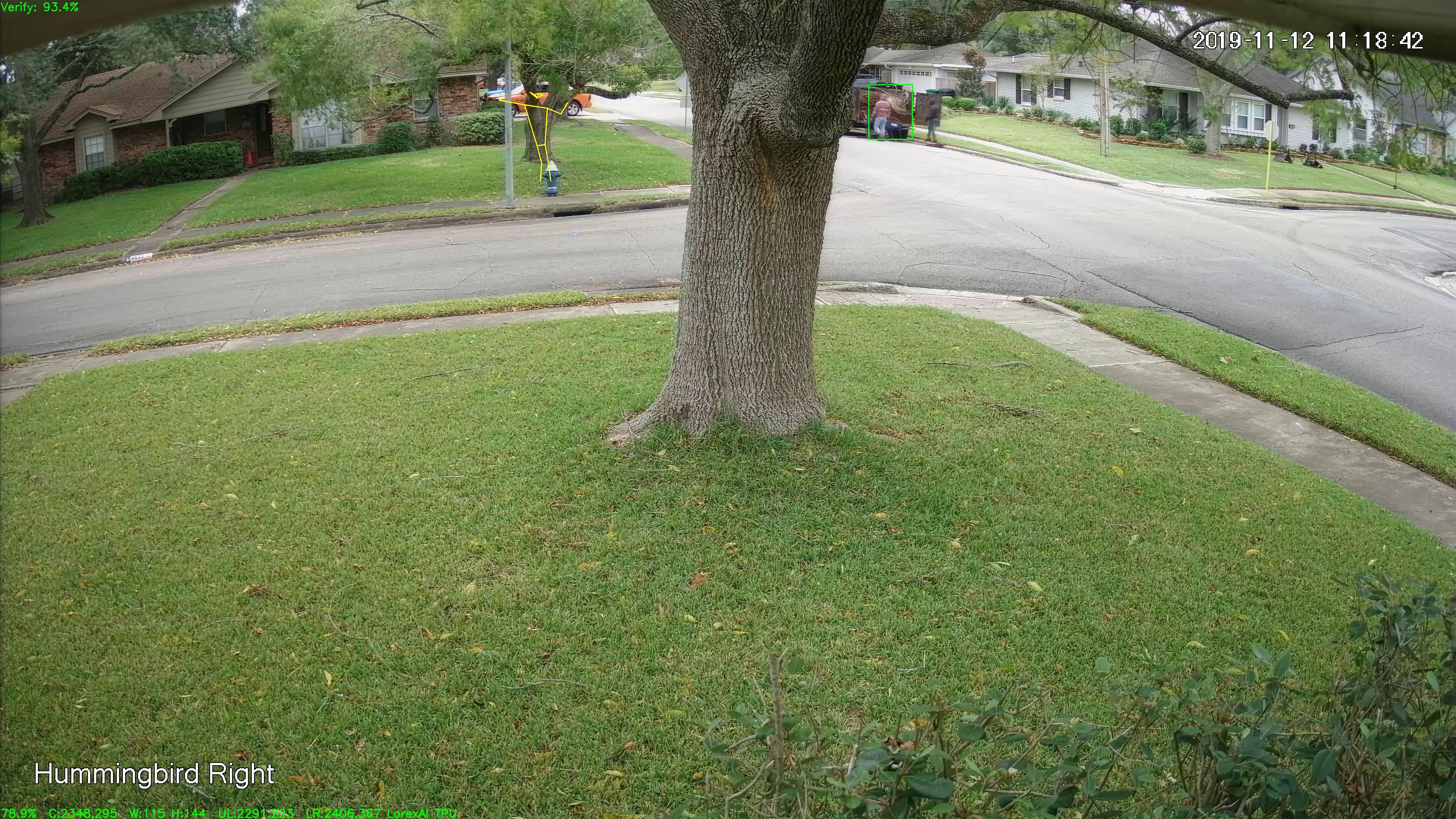
The false detection is to the left of the tree, the unverified real detection is to the right of the tree.
wb666greene
on 17 Nov 2019
@wb666greene
Exactly what Intel Human Pose model are you referring to? I
https://docs.openvinotoolkit.org/2019_R1/_human_pose_estimation_0001_description_human_pose_estimation_0001.html
I get false positives with intel as well, but my focus is detecting people.TPU has a lot better frame rate....but I'm more worried about what it doesn't see than false positives. The drawback of Intel is it more unstable in terms of drivers....
I have made a mix of videos in different lightning and some really bad recordings. "Intel" is a lot better in finding humans and estimating pos ( way better ) but slower. In the end it's not the hardware but the algorithm. My guess is when google had to adjust/train for 8 bit something was lost.
If you take the original model intel used and convert it to google TPU, it wont work ( at least not for https://qiita.com/PINTO, he tried before google released a 8 bit model )
I don't really care about the internal details like 8 vs 16 bits
I agree, a prefer to ignore it if possible. But I think you have to be aware of potential problems. Currently most pretrained algorithms seems to work "best" converted down to 16 bits. For 8 bit my guess is you have to retrain them from "scratch". Personally I'm aiming for ncs3 ( especially if it supports both 8-16) and I like "all" the source for https://github.com/opencv/dldt
lightspeeur-5801 ( low energy ..probably "slow" )
https://www.gyrfalcontech.ai/solutions/lightspeeur-5801/
Lightspeeur 5801 has four times the image input size when compared to the Lightspeeur 2801, meaning higher resolution images are supported which should lead to increased accuracy !?
MrJBSwe
on 18 Nov 2019
@MrJBSwe
I'd like try this Intel model with an NCS2. It'll be interesting to see how it performs on the same images I've run through the Google Posenet. But all I can find is a C++ example and no clear description of the data layout of the two "output blobs". Is their a Python example of this? I don't have time to reverse engineer C++ spaghetti.
Thanks for the info on the Lightspeeur devices, the price is nice, but its usefulness is going to depend on the quality and clarity of the sample code.
My experience with 4K images and 300x300 pixel MobilenetSSD-v2 means I won't hazard a guess about what increases or decreases accuracy.
Some of my early tests with MobilenetSSD.v1 and 4 Mpixel cameras made me think higher input resolutions that 1080p was too much of a good thing as to get usable Person Detection sensitivity I had to crop out sub images 1080p size or less.
Hardware failure a few months ago gave me the opportunity to upgrade to a 4K capable system. I figured a virtual PTZ by cropping the image would be very convenient and minimize how much I had to be on a ladder adjusting things so I got a 4K UHD camera and mounted it as close as I could to an existing HD camera so as to have nearly the same vield of view, Running MobilenetSSD-v2 (which I'd switched to a few months before the failure) totally blew me away in terms of how many more detections I got with the UHD camera.
I use a full frame detect, crop (zoom in) and re-detect with higher threshold to reduce false positives. I suspect I get better results with UHD images because the cropped image for verification is "better", but I expected it to perform very poorly as I expected the initial detections would be greatly reduced, which seems not to be the case.
wb666greene
on 18 Nov 2019
2020 feb, h7 plus med 32 MB of SDRAM, 32 MB of flash 5MP
https://openmv.io/blogs/news/luxonis-depthai-an-industrial-openmv-cam-and-more
Low Energy, UVC support, nice IDE
https://youtu.be/166JRLueCwc?t=84
https://www.youtube.com/watch?v=PdWi_fvY9Og
Simple AI support
https://github.com/openmv/tensorflow-lib
https://community.arm.com/developer/ip-products/processors/b/processors-ip-blog/posts/new-neural-network-kernels-boost-efficiency-in-microcontrollers-by-5x
MrJBSwe
on 27 Nov 2019
I'm running latest version of OpenVino, and you're right that it handles NCS and NCS2 too transparently. There is no way of defining which stick runs which neural net.
Turns out that I was wrong. The new undocumented API supports querying all the inference capable hardware. I have 2x NCS2 and 2x NCS1 sticks, and the API gives me the name of each device that has the USB path in it, e.g. MYRIAD.1.2-ma2480. I can then choose which model to load to which stick, but for my use case, I loaded the same model to all the sticks. After a lot of effort, I managed to run motion with multiple Myriad sticks on my Raspberry Pi 4. The performance scales quite linearly, which is great. Can't wait to try out NCS3 !
For anyone who is interested, sample code that uses the new query API is documented here
Python: https://docs.openvinotoolkit.org/latest/_inference_engine_ie_bridges_python_sample_hello_query_device_README.html
C++: https://docs.openvinotoolkit.org/latest/_inference_engine_samples_hello_query_device_README.html
jasaw
on 3 Dec 2019
@jasaw
Thanks for this, maybe I'm dense, but I can't find the python sample code on the linked site.
wb666greene
on 4 Dec 2019
@wb666greene The python example is in your openvino install directory.
/opt/intel/openvino/deployment_tools/inference_engine/samples/python_samples/hello_query_device/hello_query_device.py
jasaw
on 5 Dec 2019
@jasaw
Thanks, I looked there after not finding it on the website link. Problem was I looked on my main development system which I've not yet updated to the latest OpenVINO. Found it on the system I'd updated to 2019.R3.1
Sorry for the me culpa stupidity.
wb666greene
on 5 Dec 2019
I have just tested openvino + motion + two NCS2 + chuanqi's MobileNetSSD, very similar setup as my previous 1st gen NCS with NCSDK framework. With openvino and two NCS2 sticks attached to a RPi4, I'm only getting 16 fps, but with NCSDK and a single NCS on RPi3, I got 8 fps on average (after getting into level 1 thermal throttle). This is very disappointing because I expected NCS2 to be twice as fast as the NCS. This experiment suggests that openvino is less efficient compared to NCSDK. @wb666greene @MrJBSwe Do you guys feel that openvino is less efficient as well?
Next I'm going to replace NCS2 with the 1st gen NCS, see what NCS + openvino combo gives me. This will tell me how much less efficient openvino is.
Turns out that the low fps with two NCS2 was caused by my camera reducing frame rate because I was testing it in dark environment and auto-brightness feature reduced shutter speed thus reduced the frame rate. I tested it again in the morning and I managed to get 25 fps with two NCS2. With a single NCS, I get 8.5 fps, similar to NCSDK.
I also tried the VGG_VOC0712Plus_SSD_300x300_ft_iter_160000 SSD model (that Intel uses in their SSD examples), but found that it is a lot less accurate than chuanqi's MobileNetSSD. It false detects a dog as a person, and runs very slow too. I only get 4 fps on my RPi4 with two NCS2 sticks.
I had a quick look at chuanqi's MobileNetSSD github project and the model hasn't been updated for 2 years now. Do you guys know if there's a better trained MobileNetSSD that I can use?
jasaw
on 11 Dec 2019
Here's a new recipe for getting motion to work with Intel NCS2 on raspberry Pi, using OpenVINO framework and ChuanQi's MobileNetSSD neural net model. I set one system up for my own use, thought it might be useful to someone else too.
Compile and Install ffmpeg (optional)
This ffmpeg step is only needed if you want to use h264_omx hardware accelerated video encoder.
ffmpeg dependencies
sudo apt-get -y install autoconf automake build-essential cmake git-core libass-dev libfreetype6-dev libsdl2-dev libtool libva-dev libvdpau-dev libvorbis-dev libxcb1-dev libxcb-shm0-dev libxcb-xfixes0-dev pkg-config texinfo wget zlib1g-dev libx264-dev
sudo apt-get -y install libavformat-dev libavcodec-dev libavutil-dev libswscale-dev libavdevice-dev
cd ~
wget https://ffmpeg.org/releases/ffmpeg-4.2.tar.bz2
tar xf ffmpeg-4.2.tar.bz2
wget https://raw.githubusercontent.com/ccrisan/motioneyeos/master/package/ffmpeg/disable-rpi-omx-input-zerocopy.patch
wget https://trac.ffmpeg.org/raw-attachment/ticket/7687/0001-avcodec-omx-Fix-handling-of-fragmented-buffers.patch
patch -p1 -d ffmpeg-4.2 < 0001-avcodec-omx-Fix-handling-of-fragmented-buffers.patch
patch -p1 -d ffmpeg-4.2 < disable-rpi-omx-input-zerocopy.patch
cd ffmpeg-4.2
./configure --enable-mmal --enable-omx --enable-omx-rpi --enable-avfilter --enable-optimizations --enable-avdevice --enable-avcodec --enable-avformat --enable-network --enable-swscale-alpha --enable-dct --enable-fft --enable-mdct --enable-rdft --enable-runtime-cpudetect --enable-hwaccels --disable-doc --enable-gpl --enable-nonfree --enable-ffprobe --enable-swscale --enable-pthreads --enable-libx264 --enable-armv6 --enable-vfp --enable-neon --enable-pic --enable-shared --extra-cflags="-I/opt/vc/include/IL -fPIC"
make -j4
sudo make install
How to install and run motion software with MobileNetSSD alternate detection library on Raspbian
- Install OpenVINO raspbian release (2019-R3) on your Raspberry Pi. Follow the instructions. Alternatively, you could download the OpenVINO raspbian release here and unpack into
/opt/intel/openvinodirectory.
sudo mkdir -p /opt/intel/openvinosudo tar -xf l_openvino_toolkit_runtime_raspbian_p_2019.3.334.tgz --strip 1 -C /opt/intel/openvino- Replace
INSTALLDIR="..."withINSTALLDIR="/opt/intel/openvino".sudo vi /opt/intel/openvino/bin/setupvars.sh - Source setupvars.sh file.
. /opt/intel/openvino/bin/setupvars.sh - Make sure current user is in "users" group.
sudo usermod -a -G users "$(whoami)" - Install NCS udev rules.
sh /opt/intel/openvino/install_dependencies/install_NCS_udev_rules.sh - Plug in your Intel Movidius Neural Compute Stick.
- Git clone the lib_openvino_ssd library.
git clone https://github.com/jasaw/lib_openvino_ssd
- Build the lib_openvino_ssd library.
- Install dependencies.
sudo apt-get install libjpeg libavutil-dev libswscale-dev cd lib_openvino_ssdmake -j4
- Install dependencies.
- Test the lib_openvino_ssd library.
cd openvino_ssd_testmake -j4- Copy a few jpg files with people in the images.
- Edit
../libopenvino.confto make sure the MODEL_BIN and MODEL_XML point to the mobilenet_iter_73000.bin and mobilenet_iter_73000.xml respectively. - Test the SSD library by running
./ssd_test -l ../libopenvinossd.so -c ../libopenvino.conf photo_1.jpg photo_2.jpg. Replace photo_1.jpg and photo_2.jpg with your own jpg files. Make sure your NCS stick is connected. - If the test is successful, it will output png files with the detection result drawn on the png image.
- Git clone my motion alt_detection motion branch.
git clone -b alt_detection https://github.com/jasaw/motion.git
- Build and install motion.
- Install dependencies.
sudo apt-get install autoconf autopoint automake build-essential pkgconf libtool libzip-dev libjpeg-dev git libwebp-dev gettext libmicrohttpd-dev cd motionwget https://raw.githubusercontent.com/ccrisan/motioneyeos/dev/package/motion/0002-enable-h264-omx-codec.patchpatch -p1 -d . < 0002-enable-h264-omx-codec.patchautoreconf -fiv./configuremake -j4sudo make install
- Install dependencies.
- Install MotionEye.
- Run MotionEye to set up camera configuration, then stop MotionEye.
- Specify which alternate detection library to load by adding the below lines in
motion.conffile.
alt_detection_library /home/pi/lib_openvino_ssd/libopenvinossd.soalt_detection_conf_file /home/pi/lib_openvino_ssd/libopenvino.conf
- Specify which camera to use alternate detection by adding the below lines in the camera config file, e.g.
camera-1.conffile.
alt_detection_enable onalt_detection_threshold 75
- Restart MotionEye.
jasaw
on 17 Dec 2019
@jasaw
I also tried the VGG_VOC0712Plus_SSD_300x300_ft_iter_160000 SSD model (that Intel uses in their SSD examples), but found that it is a lot less accurate than chuanqi's MobileNetSSD. It false detects a dog as a person, and runs very slow too. I only get 4 fps on my RPi4 with two NCS2 sticks.
I had a quick look at chuanqi's MobileNetSSD github project and the model hasn't been updated for 2 years now. Do you guys know if there's a better trained MobileNetSSD that I can use?
I used the OpenVINO model down-loader and model optimizer to convert the MobileNetSSD-v2_coco tensorflow lite model that I use with the Coral TPU so I can use it with OpenVINO. I've made my python code be able run both an NCS2 and Coral TPU simultaneously. For a several long runs (~1.5 day) with 15 rtsp at 3 fps cameras (5 are 4K UHD and 10 are 1080p HD) I get ~44.9 fps total with ~32.8 fps from the TPU thread, and ~12.5 fps from the NCS2 thread. This is on an i7 laptop.
In these tests I got zero false positives from the TPU and "bursts" of bogus detections from the NCS2 SSD-v2_coco thread around 11AM. I don't know what to draw from this besides the TPU seems better in every regard. I get many fewer of these "featureless blob" false positives with MobilenetSSD-v2_coco and the NCS/NCS2 than I did with chuanqi's MobileNetSSD, but the TPU is not totally immune, it just takes "wierder" lighting:

NCS2 false positive that the TPU has so far never detected:

If you don't want to mess with the model optimizer, PM me and I can upload it to my oneDrive and send you a link that you can download the bin and xml files from, its about 34MB.
wb666greene
on 18 Dec 2019
@wb666greene You are right that ChuanQi's MobileNetSSD model accuracy is not satisfactory. I am also getting a lot of false positives under certain lighting conditions. I would like to try the MobileNetSSD-v2_coco tensorflow lite model that you are using, but I can't find a way to PM you. If you could point me to where I can download the model, that would be great. I have Intel's Model Optimizer too, so I can do the model conversion. Is there any specific option that you had to use during Model Optimizer conversion?
I just discovered MobileNetSSDv3. The difference between v3 and v2 is the v3 has more optimizations that improve the accuracy without affecting the speed. I haven't got time to look for a v3 model. I may even consider training my own model, only if time permits.
jasaw
on 21 Dec 2019
You can download my converted ssd-v2 model here:
https://1drv.ms/u/s!AnWizTQQ52YzgT-8qDa1-DqgSsAT?e=tH2qEj
Hope this helps.
On Fri, Dec 20, 2019 at 6:40 PM jasaw notifications@github.com wrote:
@wb666greene https://github.com/wb666greene You are right that
ChuanQi's MobileNetSSD model accuracy is not satisfactory. I am also
getting a lot of false positives under certain lighting conditions. I would
like to try the MobileNetSSD-v2_coco tensorflow lite model that you are
using, but I can't find a way to PM you. If you could point me to where I
can download the model, that would be great. I have Intel's Model Optimizer
too, so I can do the model conversion. Is there any specific option that
you had to use during Model Optimizer conversion?I just discovered MobileNetSSDv3. The difference between v3 and v2 is the
v3 has more optimizations that improve the accuracy without affecting the
speed. I haven't got time to look for a v3 model. I may even consider
training my own model, only if time permits.—
You are receiving this because you were mentioned.
Reply to this email directly, view it on GitHub
https://github.com/ccrisan/motioneyeos/issues/1505?email_source=notifications&email_token=AHQHWJWXYXCPS6VAEFZWEK3QZVQZBA5CNFSM4E5XRG32YY3PNVWWK3TUL52HS4DFVREXG43VMVBW63LNMVXHJKTDN5WW2ZLOORPWSZGOEHOQ3DQ#issuecomment-568135054,
or unsubscribe
https://github.com/notifications/unsubscribe-auth/AHQHWJUCRHUTLLTLGDBFJQTQZVQZBANCNFSM4E5XRG3Q
.
wb666greene
on 21 Dec 2019
@wb666greene sorry for disturbing you again, but can you please share the model before it was converted to xml and bin files?
I tried your precompiled model, but my code is expecting input bgr values from 0 to 255 rather than 0 to 1. I normally just get model optimizer to scale the input as part of the compilation process .
jasaw
on 22 Dec 2019
Thanks guys for what you re doing, keep it up. Cant wait for my new ordered coral usb accelerator to come. I am curious how it will work with rpi 4 with motioneye + few pi zeros with cameras.
 ssutaj
on 23 Dec 2019
ssutaj
on 23 Dec 2019
If I send you my model downloader command will that work?
~/intel/openvino/deployment_tools/tools/model_downloader$ ./downloader.py
--name ssd_mobilenet_v2_coco
I then just followed the model optimizer "recipe" using all the defaults.
I do have a saved_model.pb file that is ~70MB but I believe it was created
by the model downloader.
I recently switched from "installing" OpenVINO to using apt and the Intel
repos so I may have lost the stuff in the default directories
Here is my model optimizer command line:
./mo_tf.py --input_model /home/wally/ssdv2/frozen_inference_graph.pb
--tensorflow_use_custom_operations_config
/home/wally/ssdv2/ssd_v2_support.json
--tensorflow_object_detection_api_pipeline_config
/home/wally/ssdv2/pipeline.config --data_type FP16 --log_level DEBUG
I ran it twice once for FP16 (for NCS) and again with FP32 (for CPU), I
believe newest OpenVINO CPU module can now use FP16 models. I have no idea
how to get the model optimizer to change much of anything, beyond this
option.
On Sun, Dec 22, 2019 at 7:12 AM jasaw notifications@github.com wrote:
@wb666greene https://github.com/wb666greene sorry for disturbing you
again, but can you please share the model before it was converted to xml
and bin files?
I tried your precompiled model, but my code is expecting input bgr values
from 0 to 255 rather than 0 to 1. I normally just get model optimizer to
scale the input as part of the compilation process .—
You are receiving this because you were mentioned.
Reply to this email directly, view it on GitHub
https://github.com/ccrisan/motioneyeos/issues/1505?email_source=notifications&email_token=AHQHWJR7LSGV3YYMKSCDKFDQZ5RULA5CNFSM4E5XRG32YY3PNVWWK3TUL52HS4DFVREXG43VMVBW63LNMVXHJKTDN5WW2ZLOORPWSZGOEHPPQ6Y#issuecomment-568260731,
or unsubscribe
https://github.com/notifications/unsubscribe-auth/AHQHWJST365M2PAOFBC23RDQZ5RULANCNFSM4E5XRG3Q
.
wb666greene
on 24 Dec 2019
Thanks guys for what you re doing, keep it up. Cant wait for my new ordered coral usb accelerator to come. I am curious how it will work with rpi 4 with motioneye + few pi zeros with cameras.
If you don't already have the Pi Cameras, IMHO you should rethink this. You can buy IP cameras (aka netcams) for about the price of the Pi Camera Module and they have solved the weatherproofing and mounting issues for you
Here are some test recent test results of my Python code running on Pi4B, Jetson Nano, and Coral Development board decoding multiple 3 fps rtsp streams:
` 5DEC2019wbk some Pi4B tests with rtsp cameras, 3fps per stream:
4 UHD (4K) : ~2.8 fps (hopelessly overloaded)
4 HD (1080p): ~11.8 fps (basically processing every frame)
2 UHD 2 HD : ~6.7 fps (Pi4B struggles with 4K streams)
5 HD : ~14.7 fps (basically processing every frame)
6 HD : ~15.0 fps, -d 0 (no display) ~16.7 fps
8 HD : ~11.6 fps, -d 0 ~14.6 fps
6DEC2019wbk Some UHD tests on Jetson Nano
5 UHD (4K) : ~14.6 fps (effectively processing every frame!)
5 UHD 3 HD : ~10.3 fps, jumps to ~19.1 fps if -d 0 option used (no live image display)
4 UHD 4 HD : ~16.3 fps, ~22.5 fps with -d 0 option
5 UHD 10 HD (1080p): ~4.4 fps, ~7.6 fps with -d 0 option (totally overloaded, get ~39 fps with running on i7-4500U MiniPC)
7DEC2019wbk Coral Development Board
4 HD (1080p) : ~11.9 fps (basically processing every frame)
2 UHD 2 HD : ~11.7 fps
2 UHD 3 HD : ~14.6 fps
2 UHD 4 HD : ~12.3 fps, -d 0 (no display) ~16.7 fps
3 UHD : ~8.8 fps (basically processing every frame)
4 UHD : ~0.1 fps on short run, System locks up eventually!
3 UHD 2 HD : ~0.27 fps Hopelessly overloaded, extremely sluggish.
6 HD : ~17.9 fps
8 HD : ~16.8 fps, -d 0 (no display) ~20.5 fps
`
I can supply links to some inexpensive (~$30-100) netcams I've been happy with.
Note that with the Pi4B and these kind of workloads a fan is essential to keep from thermal throttling. The Coral Development board has a built in fan, the Jetson Nano has a rather massive heat-sink that is almost the size of the entire Coral Dev board :)
Edit: What is causing the "strikeout" text?
wb666greene
on 24 Dec 2019
If you don't already have the Pi Cameras, IMHO you should rethink this. You can buy IP cameras (aka netcams) for about the price of the Pi Camera Module and they have solved the weatherproofing and mounting issues for you
Well, i already bought most of the stuff i needed in belief i will get better "system" for same money, but with that coral stick + small additional stuff like pi camera cable reductions i am at 300€, and it is not over yet. I would maybe do better with some classic ip camera system, but meh, it is what it is 😄
3x Pi Zero W
3x Pi NoIR Camera V2
1x Pi 4B 4GB
Coral USB stick will come this week and i believe it can be nice combo with Pi 4. I will need to buy some fake camera housing + make it waterproof. Also router, and if i will get some reasonable fps during testing (>15 fps at 720p - 1080p), i will also buy some IR lighting and SSD/HDD(will have to think it trough). I am only sad that H.265 is not possible with this setup.
I am worried that i will have too much problems with motion/motioneyeos orwith pi zeros -> i will have to write a lot of custom code. Regarding heating, i have just bigger heatsink, maybe it will hold on 😁
I am pretty big newbie, not even coding python (java mostly), with small experience with opencv from school. With that in mind i really appreciate what you re doing 🙂
ssutaj
on 24 Dec 2019
I hope you have better results with PizeroW and PiCamera module and
MotioneyeOSs than I have had.
The IR illumination issue is yet another thing in favor of purpose built
"IP cams".
If you can return the PiCamera modules to the vendor I'd recommend doing
so, the PiZeroW are cheap enough and useful enough for other things, like
volumeIO music players, etc. that its not an unacceptable loss.
Using MotioneyeOS 20190119 I can't get 5 fps to a web browser with "fast
network camera enabled" and 720p. Latency is horrible at 5-6 seconds when
viewed in Chrome browser.
After the holidays, I'll set this up as an rtsp netcam in my AI system and
report how it performs. But I expect little after viewing the http//:8081
stream in VLC or a browser.
IMHO there would have to be miraculous improvements in current motioneeyOS
to make this viable on a PiZeroW.
MotioneyeOS on a PizeroW ftp of motion detected "snapshots" to my initial
AI running on a Pi2B was my initial starting point, but but it was of
little use beyond proof of principle demos.
Merry Christmas!
Happy Hanukka, etc. whatever you celebrate this time of year!
My wife gets a paid holiday for Kwansaa so we are celebrating that too!
On Tue, Dec 24, 2019 at 2:00 PM Samuel Šutaj notifications@github.com
wrote:
If you don't already have the Pi Cameras, IMHO you should rethink this.
You can buy IP cameras (aka netcams) for about the price of the Pi Camera
Module and they have solved the weatherproofing and mounting issues for youWell, i already bought most of the stuff i needed in belief i will get
better "system" for same money, but with that coral stick + small
additional stuff like pi camera cable reductions i am at 300€, and it is
not over yet. I would maybe do better with some classic ip camera system,
but meh, it is what it is 😄3x Pi Zero W
3x Pi NoIR Camera V2
1x Pi 4B 4GBCoral USB stick will come this week and i believe it can be nice combo
with Pi 4. I will need to buy some fake camera housing + make it
waterproof. Also router, and if i will get some reasonable fps during
testing (>15 fps at 720p - 1080p), i will also buy some IR lighting and
SSD/HDD(will have to think it trough). I am only sad that H.265 is not
possible with this setup.I am worried that i will have too much problems with motion/motioneyeos
orwith pi zeros -> i will have to write a lot of custom code. Regarding
heating, i have just bigger heatsink, maybe it will hold on 😁I am pretty big newbie, not even coding python (java mostly), with small
experience with opencv from school. With that in mind i really appreciate
what you re doing 🙂—
You are receiving this because you were mentioned.
Reply to this email directly, view it on GitHub
https://github.com/ccrisan/motioneyeos/issues/1505?email_source=notifications&email_token=AHQHWJUKXABW7JES7ESXXBLQ2JS6HA5CNFSM4E5XRG32YY3PNVWWK3TUL52HS4DFVREXG43VMVBW63LNMVXHJKTDN5WW2ZLOORPWSZGOEHTSOYQ#issuecomment-568797026,
or unsubscribe
https://github.com/notifications/unsubscribe-auth/AHQHWJXSGKSNXXXTCL7TVBTQ2JS6HANCNFSM4E5XRG3Q
.
wb666greene
on 25 Dec 2019
@SamuelSutaj
I fired up my old PiZeroW with MotioneyeOS and it was not working. I re-flashed the SD card with the current version (20190911). I used the default settings except for turning off motion detection, setting image size to 1280x720 and setting frame rate to 10 fps for both camera and streaming.
I get ~5.2 fps with it as a "netcam" (http://MeyeOS:8081). Using the "fast network camera" setting may help (especially if you want higher than 720p resolution), but 5 fps per camera is more than good enough -- IMHO 2-3 fps/camera is generally fine. Seems the current verison works better than I remembered on the PiZeroW.
But the PiZeroW WiFi is not the best, in the same room with the WiFi Router running overnight, I had three camera outages lasting from 8 to 19 minutes. My AI code automatically recovers from camera outages, but the camera is blind during these outages.
"short runs" without the camera drop outs, can hit ~8 fps, I know its camera limited as my AI on this test system can hit ~24 fps with multiple cameras and an NCS2.
wb666greene
on 28 Dec 2019
@wb666greene Thank you for sharing the model optimizer command for converting ssd_mobilenet_v2_coco. I tried the same command but added --mean_values [127.5,127.5,127.5] --scale_values [127.5] arguments so I can feed BGR pixel values in the 0 - 255 range, rather than the default 0 - 1 range. The model optimizer ran successfully, but when I test the model, I couldn't get any result from it. Since you are using the model, can you please tell me what input you are feeding in, and what output format you are getting from it?
Is this the correct input and output format?
- Input: image in BGR format, 0 to 1 value per colour?
- Output: Each group of 7 float (16-bit) values describes an object/box. These 7 values in order.
- float 0: image_id (always 0)
- float 1: class_id (this is an index into labels)
- float 2: score (this is the probability for the class)
- float 3: box left location within image as number between 0.0 and 1.0
- float 4: box top location within image as number between 0.0 and 1.0
- float 5: box right location within image as number between 0.0 and 1.0
- float 6: box bottom location within image as number between 0.0 and 1.0
I also tried ChuanQi's mobilenet_iter_73000 model. It appears to have a more accurate detection compared to the MobileNetSSD_deploy model, but I can't quantify the accuracy because I haven't got test videos to formally test the models. Since Christmas, mobilenet_iter_73000 has been giving me roughly 1 false positive every 3 days.
jasaw
on 10 Jan 2020
@jasaw
I'm uisng Python and the OpenCV DNN interface which obscures the low level details (16-bt float vs 32-bit float, etc).
But, I also got no results with SSDv2 when I did the mean subtractions. Not doing it fixed the issues for me, only difference in my Python code for using SSD v1 vs v2:
    if SSDv1:
        blob = cv2.dnn.blobFromImage(cv2.resize(image, PREPROCESS_DIMS), 0.007843, PREPROCESS_DIMS, 127.5)
        personIdx=15
    else:
        blob = cv2.dnn.blobFromImage(image, size=PREPROCESS_DIMS)
        personIdx=1
Hello, is there a guide to set this up a test of this? I have docker running on a x86 machine, sadly no dongle right now but I have an Intel GPU and of course an option to add an Nvidia GPU card. I was thinking to try to use the CPU first round just to test and then add GPU later. I also have a few Raspberries so ARM could be an option as-well. If there would be a dev-release from GIT or a step-by-step guide to add a object detection model I would be very interested in testing. :D
 corvy
on 27 Mar 2020
corvy
on 27 Mar 2020
With Intel GPU, you could try Intel's OpenVINO. Here's my guide: https://github.com/ccrisan/motioneyeos/issues/1505#issuecomment-566547912 Obviously ignore the whole Raspbian part because you're running on x86 machine.
To use Intel GPU, you'll need to update libopenvino.conf file in my lib_openvino_ssd project, change TARGET_DEVICE=MYRIAD to TARGET_DEVICE=GPU
jasaw
on 27 Mar 2020
Hello @jasaw get stuck on the
Git clone the lib_openvino_ssd library
I cannot compile as this is for ARM not Intel X86. Could you please offer some guidance?
root@ubuntu-server:~/temp/lib_openvino_ssd# make -j4
ls: cannot access '/opt/intel/openvino/deployment_tools/inference_engine/lib': No such file or directory
g++ -fPIC -c -o ssd.o ssd.cpp -W -Wall -pthread -g -std=c++17 -O3 -march=armv7-a -DNDEBUG -I. -I/opt/intel/openvino/deployment_tools/inference_engine/include -I/opt/intel/openvino/opencv/include -Wl,-rpath -Wl,/opt/intel/openvino/inference_engine/lib/ -Wl,-rpath -Wl,/opt/intel/openvino/opencv/lib -Wl,-rpath -Wl,/usr/local/lib
g++ -fPIC -c -o ssd_obj.o ssd_obj.cpp -W -Wall -pthread -g -std=c++17 -O3 -march=armv7-a -DNDEBUG -I. -I/opt/intel/openvino/deployment_tools/inference_engine/include -I/opt/intel/openvino/opencv/include -Wl,-rpath -Wl,/opt/intel/openvino/inference_engine/lib/ -Wl,-rpath -Wl,/opt/intel/openvino/opencv/lib -Wl,-rpath -Wl,/usr/local/lib
g++ -fPIC -c -o job.o job.cpp -W -Wall -pthread -g -std=c++17 -O3 -march=armv7-a -DNDEBUG -I. -I/opt/intel/openvino/deployment_tools/inference_engine/include -I/opt/intel/openvino/opencv/include -Wl,-rpath -Wl,/opt/intel/openvino/inference_engine/lib/ -Wl,-rpath -Wl,/opt/intel/openvino/opencv/lib -Wl,-rpath -Wl,/usr/local/lib
g++ -fPIC -c -o log.o log.cpp -W -Wall -pthread -g -std=c++17 -O3 -march=armv7-a -DNDEBUG -I. -I/opt/intel/openvino/deployment_tools/inference_engine/include -I/opt/intel/openvino/opencv/include -Wl,-rpath -Wl,/opt/intel/openvino/inference_engine/lib/ -Wl,-rpath -Wl,/opt/intel/openvino/opencv/lib -Wl,-rpath -Wl,/usr/local/lib
cc1plus: error: bad value (‘armv7-a’) for ‘-march=’ switch
cc1plus: error: bad value (‘armv7-a’) for ‘-march=’ switch
Tried to edit the Makefile to -march=x86-64 but it still fails. :D
corvy
on 12 Apr 2020
Sorry, I forgot my makefile was hard coded for ARM. Try removing -march=armv7-a from the makefile.
jasaw
on 13 Apr 2020
Related issues
 jangix
·
5Comments
jangix
·
5Comments
 manianac
·
5Comments
manianac
·
5Comments
 CLUB777ONE
·
4Comments
CLUB777ONE
·
4Comments
 jl2008
·
5Comments
jl2008
·
5Comments
 kmckmc01
·
7Comments
kmckmc01
·
7Comments
Most helpful comment
I have implemented Movidius support into motion and used ChuanQi's MobileNetSSD person detector to work alongside the classic motion detection algorithm. If "Show Frame Changes" in motionEye is enabled, it will also draw a red box around the detected person and the confidence percentage at the top right corner.
I have only tested on a Raspberry Pi with Pi camera with single camera stream. If you have multiple camera streams, the code expects multiple Movidius NC sticks, one stick per mvnc-enabled camera stream. Camera streams with mvnc disabled will use the classic motion detection algorithm.
Code is here:
https://github.com/jasaw/motion/tree/movidius
How to use:
sudo make api(I have not tested this one).git clone -b movidius https://github.com/jasaw/motion.gitautoreconf -fiv./configuremakesudo make installthread-1.conffile.mvnc_enable on: This will bypass the original motion detection algorithm and use MVNC instead.mvnc_graph_path /home/pi/MobileNetSSD.graph: Path to MobileNetSSD graph. Other neural net models are not supported.mvnc_classification person,cat,dog,car: A comma separated classes of objects to detect.mvnc_threshold 75: This is confidence threshold in percentage, which takes a range from 0 to 100 as integer. A detected person is only considered valid if the neural net confidence level is above this threshold.75seems like a good starting point.Note: There seems to be some issue getting motionEye front-end to work reliably with this movidius motion. Quite often motionEye is not able to get the mjpg stream from motion, but accessing the stream directly from web browser via port 8081 works fine. Restarting motionEye multiple times seems to workaround this problem for me. Maybe someone can help me look into it?