Motioneyeos: motionEye not detecting RPI camera
When i try to add a camera motionEye doesn't detect my RPI camera. The camera is definitely working because i checked it in terminal with the "vcgencmd get_camera" command and it returned "supported = 1 detected = 1". I'm also able to take pictures with raspistill. Anyone have any idea what the problem is?
 jwlondon98
All 51 comments
motionEyeOS or Raspbian + motionEye?
 ccrisan
on 10 May 2016
ccrisan
on 10 May 2016
Well I was having trouble getting motionEyeOS to boot from the burnt img file so I ended up installing it in Raspbian with this tutorial - https://youtu.be/G7DwPzSbLlc
jwlondon98
on 10 May 2016
In that case, make sure you have loaded the bcm2835-v4l2 module.
ccrisan
on 10 May 2016
Can you please explain how I would go about doing that. Also, do you know the commands to shutdown motion and eye motion. They boot on startup which is fine but in the future I may not want them on since they use significant processing power.
jwlondon98
on 10 May 2016
modprobe bcm2835-v4l2 would be the process to load the module.
I would suggest thought to use motioneyeos instead of Raspbian. Try to redownload the img and then copy it to your SD via WIN32DiskImager.
 invisan
on 21 May 2016
invisan
on 21 May 2016
I use motioneyeos that I've just installed for the first time and my raspberry pi module camera doesn't seem to be detected. However, bcm2835-v4l2 is loaded while "vcgencmd get_camera" command returns "supported = 1 detected = 1".
 manthis
on 20 Dec 2016
manthis
on 20 Dec 2016
How do you know the camera isn't detected?
ccrisan
on 20 Dec 2016
@ccrisan I have no image on the web interface. I'm using a RPi Noir Camera. Anything I could try to make it work?
manthis
on 20 Dec 2016
What happens when you try to add a new camera? Screenshots always help.
ccrisan
on 20 Dec 2016
When just setup I already have a camera but no image. If I try to add another camera, it says I have no camera. I think the screenshots speak for themselves.


manthis
on 20 Dec 2016
In your case the camera is detected by both the OS and motionEye, but it doesn't work, for some reason. Please try using Raspbian and see if it works. It might be broken.
ccrisan
on 21 Dec 2016
I was getting the same issue. Motioneye not detecting my camera even though the camera was functioning (able to take pics n vids via terminal).
It took a few hours but after an upgrade to motion, it's picking it up fine.
Great work on the interface ccrisan. Clean, intuitive and so many options.
 dottired
on 1 Jan 2017
dottired
on 1 Jan 2017
Hi,
i just installed your build of motion and on a pi2. I have tested the local camera using raspistill and it take pics and video's with no issues.
Camera type - Raspberry Pi NoIR Camera Module V2
I've installed the latest version of Raspbian. Can you provide any some trouble shooting steps.
Also do you know if a xbox 360 kinect cam will work with this software?
Thanks
S

 seanlee77
on 5 Jan 2017
seanlee77
on 5 Jan 2017
I've noticed on two different installs that if I click "You have not configured any camera yet. Click here to add one..." I am unable to add a local camera. HOWEVER, if I click on the settings icon in the upper left and the camera dropdown box appears, I am able to click "add camera" and the local camera is recognized.
 armastaja
on 5 Jan 2017
armastaja
on 5 Jan 2017
I had the exact same issue as the OP and managed to solve it.
Have a look here: https://github.com/ccrisan/motioneye/wiki/Install-On-Raspbian
On bullet point # 4, at the top of the article labelled "Before Proceeding", the author clearly states that "If you want to use the CSI camera module for the Raspberry PI, you need to add bcm2835-v4l2 to /etc/modules and reboot."
Just sudo nano /etc/modules and add the single entry: bcm2835-v4l2.
Reboot and you should be able to see the camera module load and be available to select in the drop-down menu.
 teddysim
on 5 Mar 2017
teddysim
on 5 Mar 2017
I attempted to:
Just sudo nano /etc/modules and add the single entry: bcm2835-v4l2.
But I am met with the error that the sudo command is not found.
I am using Putty to log into the Pi and using the admin username with no password which allowed me to get into the file system but I am unable to write over the read only file modules.
 iamkeq
on 28 Mar 2017
iamkeq
on 28 Mar 2017
@iamkeq the command is for Raspbian + motionEye, not for motionEyeOS. In motionEyeOS that happens automatically.
ccrisan
on 28 Mar 2017
@ccrisan first off thank you for the ridiculously fast response. Secondly, is there a way then to add the bcm2835-v412 camera easily when motioneyeos is already installed and running?
Sorry if I am missing something here I am still a novice.
iamkeq
on 28 Mar 2017
@iamkeq it is added by default. It should be there. If it's not loaded, is because the camera could not be physically detected. You can chech its presence using the command lsmod.
ccrisan
on 28 Mar 2017
Having the exact same problem. Running motionEyeOS on a rpi3. Raspberry Pi NoIR Camera Module V2 not showing up under "add Camera..." but lsmod shows it's connected.
 trolleypoleking
on 29 Mar 2017
trolleypoleking
on 29 Mar 2017
@trolleypoleking do you have a /dev/video0?
ccrisan
on 29 Mar 2017
Thanks for the quick reply.
No /dev/video0 that i can see.
trolleypoleking
on 29 Mar 2017
So lsmod shows a bcm2835-v4l2 but you don't have a /dev/video0? What's the output of the commands lsmod, ls /dev/video* and v4l2-ctl --list-devices?
ccrisan
on 29 Mar 2017
[root@HomeEye dev]# ls /dev/video*
ls: /dev/video*: No such file or directory
[root@HomeEye dev]# v4l2-ctl --list-devices
Failed to open /dev/video0: No such file or directory
[root@HomeEye dev]# lsmod
Module Size Used by Not tainted
ipv6 346619 0 [permanent]
sha256_generic 9327 1
hmac 2959 1
drbg 13648 1
ctr 3757 1
ccm 8240 1
snd_soc_bcm2835_i2s 6290 0
snd_soc_core 126350 1 snd_soc_bcm2835_i2s
snd_bcm2835 20395 0
snd_pcm_dmaengine 3391 1 snd_soc_core
snd_pcm 75620 3 snd_soc_core,snd_bcm2835,snd_pcm_dmaengine
brcmfmac 186310 0
snd_timer 19476 1 snd_pcm
brcmutil 5661 1 brcmfmac
snd 52522 4 snd_soc_core,snd_bcm2835,snd_pcm,snd_timer
i2c_bcm2708 4834 0
bcm2835_gpiomem 2972 0
spi_bcm2835 6690 0
arc4 1958 2
rt2800usb 17618 0
rt2800lib 72217 1 rt2800usb
rt2x00usb 8879 1 rt2800usb
rt2x00lib 37289 3 rt2800usb,rt2800lib,rt2x00usb
mac80211 533369 3 rt2800lib,rt2x00usb,rt2x00lib
cfg80211 430868 3 brcmfmac,rt2x00lib,mac80211
uio_pdrv_genirq 3164 0
uio 8192 1 uio_pdrv_genirq
crc_ccitt 1278 1 rt2800lib
rfkill 16134 2 cfg80211
bcm2835_wdt 3225 1
bcm2835_v4l2 38417 0
videobuf2_vmalloc 5187 1 bcm2835_v4l2
videobuf2_memops 1332 1 videobuf2_vmalloc
videobuf2_v4l2 16471 1 bcm2835_v4l2
videobuf2_core 20996 2 bcm2835_v4l2,videobuf2_v4l2
v4l2_common 3865 2 bcm2835_v4l2,videobuf2_v4l2
videodev 133090 4 bcm2835_v4l2,videobuf2_v4l2,videobuf2_core,v4l2_common
media 11573 1 videodev
trolleypoleking
on 29 Mar 2017
Nevermind, i'm an idiot. Had the camera plugged into the display dsi.
trolleypoleking
on 30 Mar 2017
@trolleypoleking I just did the same damn thing and didn't understand until you owned up to it... thank you for sharing!
 gabe31415
on 25 Apr 2017
gabe31415
on 25 Apr 2017
@ccrisan Still having issues, camera not detected in the GUI. Pi is B+, camera module is a chinese knockoff of the PiNoir. I tested it with raspistill in Rasbian and it takes photos fine, so the camera is functional. Here's the output from the commands you requested above.
[root@meye-18c9f311 ~]# lsmod
Module Size Used by Not tainted
ipv6 320776 0 [permanent]
snd_soc_bcm2835_i2s 5979 0
regmap_mmio 2846 1 snd_soc_bcm2835_i2s
evdev 10453 0
snd_bcm2835 19199 0
snd_soc_core 128432 1 snd_soc_bcm2835_i2s
snd_pcm_dmaengine 3996 1 snd_soc_core
snd_pcm 76635 3 snd_bcm2835,snd_soc_core,snd_pcm_dmaengine
snd_timer 18927 1 snd_pcm
i2c_bcm2708 4943 0
spi_bcm2835 6556 0
snd 52443 4 snd_bcm2835,snd_soc_core,snd_pcm,snd_timer
bcm2835_gpiomem 2969 0
uio_pdrv_genirq 3146 0
uio 7720 1 uio_pdrv_genirq
bcm2835_wdt 3218 1
bcm2835_v4l2 37283 0
videobuf2_vmalloc 5068 1 bcm2835_v4l2
videobuf2_memops 1418 1 videobuf2_vmalloc
videobuf2_v4l2 17014 1 bcm2835_v4l2
videobuf2_core 20295 2 bcm2835_v4l2,videobuf2_v4l2
v4l2_common 4279 2 bcm2835_v4l2,videobuf2_v4l2
videodev 140303 4 bcm2835_v4l2,videobuf2_v4l2,videobuf2_core,v4l2_common
media 12111 1 videodev
 shiz1
on 28 Apr 2017
shiz1
on 28 Apr 2017
Hi @ccrisan, I have A Raspberry Pi 3 and a Raspberry Pi NoIR Camera Module V2.1, after installing motioneyeOS (taken from here https://github.com/ccrisan/motioneyeos/releases/download/20170212/motioneyeos-raspberrypi3-20170212.img.gz), i read that was the last stable version, the camera was detected but doesn't work... However i tried the camera and it's working but doesn't work with motion eye...
In terminal with the "vcgencmd get_camera" command and it returned "supported = 1 detected = 1


And those are the outputs of your requested commands (lsmod, ls /dev/video* and v4l2-ctl --list-devices):


Any suggestion? thanks a lot for your availability!
 france193
on 7 May 2017
france193
on 7 May 2017
Does it work with Raspbian? Did you tweak the GPU memory?
ccrisan
on 7 May 2017
The camera with raspbian works, i read this guide and it works... https://www.raspberrypi.org/learning/getting-started-with-picamera/
i tried a lot of other guides but i never be capable of do a stream from the camera but only photo taken with python library
france193
on 7 May 2017
No, i didn't tweak GPU memory, and now i'm with motioneyeOS, and i didn't modify anything
france193
on 7 May 2017
Hmm that's odd. Power supply good enough? Log files complaining about anything?
ccrisan
on 7 May 2017
I tried this code:
from picamera import PiCamera
from time import sleep
camera = PiCamera()
camera.start_preview()
sleep(10)
camera.stop_preview()
with raspbian (with same camera) with a Raspberry Pi 2 and the camera it's working, the same with a raspberry pi zero W... With the Raspberry Pi 3 i have some problems:

So, the problem is only with Raspberry Pi3, or only with my Raspberry Pi 3 camera interface...How to be sure that the interface is broken or not? (i used the same cable for RPi2 and RPi3 and the cable it's ok).
Now i'll try motionPiOS on the Raspberry Pi Zero ...
france193
on 7 May 2017
I solved, there was a problem with the Raspberry pi 3 and i contacted the assistance to substitute the raspberry, the it works perfectly! thanks @ccrisan !
france193
on 1 Jun 2017
@france193 how did you solve it ?!
 ahmedyounes
on 22 Sep 2017
ahmedyounes
on 22 Sep 2017
@cahmedc I contacted the shop where i bought the raspberry and they provided me a replacing unit because the other has a problem on the camera connection cable
france193
on 28 Sep 2017
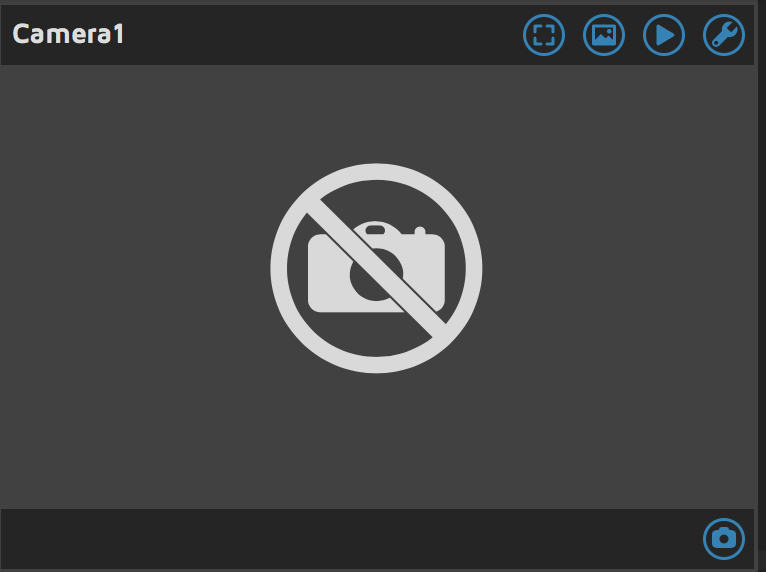
I am having a similar issue with the Raspberry Pi Zero W and Motion Eye with Raspbian
 scotttetrick
on 3 Oct 2017
scotttetrick
on 3 Oct 2017
@scotttetrick Which version of motionEyeOS are you running?
Please make sure your camera flat cable is connected correctly.
SSH into your Pi Zero W and check whether /dev/video0 exists.
 jasaw
on 4 Oct 2017
jasaw
on 4 Oct 2017
@scotttetrick were you able to get yours working? I'm having the same problem. I was about to take a picture using raspistill so I know the camera is connected and working
 ksauln
on 14 Jan 2018
ksauln
on 14 Jan 2018
My issue was a bad/broken camera. Working now with new camera
Sent from my iPhone
On Jan 13, 2018, at 7:03 PM, Beast K notifications@github.com wrote:
@scotttetrick were you able to get yours working? I'm having the same problem. I was about to take a picture using raspistill so I know the camera is connected and working
—
You are receiving this because you were mentioned.
Reply to this email directly, view it on GitHub, or mute the thread.
scotttetrick
on 14 Jan 2018
Camera not recognised - Pi1 - running out of ideas.
I started with MotioneyeOS. No camera seen or addable. Terminal, vcgencmd get_camera, supported=1 detected=1
So the Pi sees the camera but the software does not.
After various attempts I gave up and tried installing Raspbian Stretch Lite, updated, install Motioneye.
Same as before! Maybe something missing in Lite?
I am now on Raspbian Stretch FULL., updated, Motioneye installed. STILL NO CAMERA.
I have tried everything I can find without luck so far.
pip install motioneye --upgrade
<snip>
Successfully installed MarkupSafe-1.0 jinja2-2.10 pillow-5.1.0 six-1.11.0

root@Pi-CAM:/home/pi# vcgencmd get_camera
supported=1 detected=1

root@Pi-CAM:/home/pi# lsmod
Module                  Size  Used by
bluetooth             366751  0
ecdh_generic           17649  1 bluetooth
fuse                   92214  3
ctr                     4422  6
ccm                    10611  9
arc4                    2332  2
rt2800usb              18197  0
rt2800lib              95872  1 rt2800usb
rt2x00usb              12185  1 rt2800usb
rt2x00lib              47540  3 rt2800lib,rt2800usb,rt2x00usb
mac80211              650839  3 rt2800lib,rt2x00lib,rt2x00usb
cfg80211              542242  2 rt2x00lib,mac80211
rfkill                 21476  4 bluetooth,cfg80211
crc_ccitt               1654  1 rt2800lib
snd_bcm2835            23054  0
snd_pcm                89526  1 snd_bcm2835
snd_timer              22396  1 snd_pcm
snd                    59578  3 snd_timer,snd_bcm2835,snd_pcm
uio_pdrv_genirq         3718  0
fixed                   3033  0
uio                     9901  1 uio_pdrv_genirq
bcm2835_v4l2           42574  0
v4l2_common             5762  1 bcm2835_v4l2
videobuf2_vmalloc       5689  1 bcm2835_v4l2
videobuf2_memops        1802  1 videobuf2_vmalloc
videobuf2_v4l2         15667  1 bcm2835_v4l2
videobuf2_core         30680  2 bcm2835_v4l2,videobuf2_v4l2
videodev              169983  4 v4l2_common,videobuf2_core,bcm2835_v4l2,videobuf2_v4l2
media                  26672  1 videodev
i2c_dev                 6674  0
ip_tables              12395  0
x_tables               21417  1 ip_tables
ipv6                  399486  22

root@Pi-CAM:/home/pi# ls /dev/video*
/dev/video0

root@Pi-CAM:/home/pi# v4l2-ctl --list-devices
mmal service 16.1 (platform:bcm2835-v4l2):
        /dev/video0

root@Pi-CAM:/home/pi#

raspistill -o image.png  (SUCCESS! image taken, 2592x 1944 pixels)

raspivid -o video.h264    (SUCCESS!)
MP4Box -add video.h264 video.mp4 (viewable, hi-def video)
So, I can take stills and video from the command line but Motioneye still looks like this.
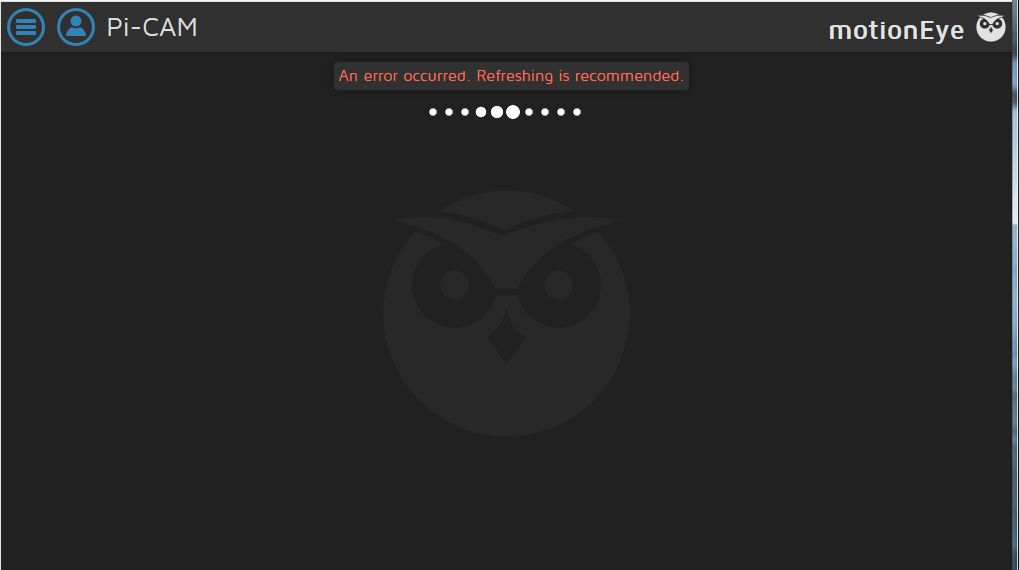
bcm2835-v4l2 is present
ANY help would be appreciated. Thanks.
 Gladfelder
on 12 Apr 2018
Gladfelder
on 12 Apr 2018
@Gladfelder Can you attach your log files here? thread-1.conf too.
jasaw
on 13 Apr 2018
@jasaw, sorry but NooB, how do I get these?
I edited /etc/motioneye/motioneye.conf and set logging to debug then rebooted. Nothing in /var/log?
sudo find / -name thread-1.conf
find: ‘/run/user/1000/gvfs’: Permission denied
sudo ls -al /run/user/1000
ls: cannot access '/run/user/1000/gvfs': Permission denied
total 0
drwx------ 5 pi pi 120 Apr 13 18:23 .
drwxr-xr-x 3 root root 60 Apr 13 18:21 ..
srw-rw-rw- 1 pi pi 0 Apr 13 18:21 bus
drwx------ 2 pi pi 120 Apr 13 18:21 gnupg
d????????? ? ? ? ? ? gvfs
drwxr-xr-x 3 pi pi 100 Apr 13 18:21 systemd
Now somewhat confused.
Gladfelder
on 13 Apr 2018
@Gladfelder I don't know where your conf files are on your distro. Maybe this might help you find the conf files: https://github.com/ccrisan/motioneye/wiki/Configuration-File
jasaw
on 16 Apr 2018
I had this same problem: everything was supported and recognised by the Pi, but not by motioneye. The problem was that motion was not installed (copy paste failure). /var/log/daemon.log told me this. After I installed it, everything worked.
 btong
on 27 Nov 2018
btong
on 27 Nov 2018
Nevermind, i'm an idiot. Had the camera plugged into the display dsi.
I had made the same mistake. I guess the human error is still one of the most annoying.
 wiskywalker
on 24 Dec 2018
wiskywalker
on 24 Dec 2018
Hi, I'm trying to get motion eye to work on my pi zero w but am having problems with seeing the camera. The camera is attached directly to the board and works when I enable 'fast network camera' in the 'expert settings'. When I turn the 'fast network camera' off, I get no picture at all. its a cheap chinese camera. Is there a setting that i need to set or am i being a complete idiot. Thanks
 thewaver007
on 5 Sep 2019
thewaver007
on 5 Sep 2019
Hello!
I know it's an old post, but i had the same problem.
"vcgencmd get_camera" shows "supported = 1 detected = 1
The same camera works on another Motioeyeos without problems.
If i enable the "Fast Network Camera" option, it's working, but not in normal mode.
The Problem was NOT MotioneyeOS or the Raspi, it was Google Chrome browser.
I tried Firefox or MS Edge and it worked.
I hope this helps someone! :-)
 Stofferl
on 22 Nov 2019
Stofferl
on 22 Nov 2019
Hello!
I know it's an old post, but i had the same problem.
"vcgencmd get_camera" shows "supported = 1 detected = 1
The same camera works on another Motioeyeos without problems.
If i enable the "Fast Network Camera" option, it's working, but not in normal mode.
The Problem was NOT MotioneyeOS or the Raspi, it was Google Chrome browser.
I tried Firefox or MS Edge and it worked.
I hope this helps someone! :-)
This absolutely helped me! Thank you!
 dborden0
on 26 Nov 2019
dborden0
on 26 Nov 2019
I'm having this issue as well. I am using a Pi Zero W with motioneyeOS and a camera connected to the CSI. If I use fast network camera, I get a video image. If I turn off fast network camera, it says it can't open the camera. I have tried multiple browsers on both mobile and Windows (Chrome, Firefox, Edge) and multiple camera modules.
Update: it worked fine on a Pi 3B, but I still have this issue on the 0W
 ajones-19
on 23 Jan 2020
ajones-19
on 23 Jan 2020
It's going to be at port 80 (motionEyeOS, or port 8765 if running
motion/motionEye on another OS like Ubuntu.
On Mon, Sep 14, 2020 at 10:38 AM ebolisa notifications@github.com wrote:
Hi,
I had to reinstall motion and I lost control over the web interface. Where
should I start to look?
TIAPort 8080 (shown in motion.conf) is streaming
Port 8081 (where the motionEye web should come up, I get what is shown in
the img.[image: Captura]
https://user-images.githubusercontent.com/17126140/93099572-710f7b00-f6a8-11ea-92da-29aba6cae929.PNG—
You are receiving this because you are subscribed to this thread.
Reply to this email directly, view it on GitHub
https://github.com/ccrisan/motioneyeos/issues/288#issuecomment-692100973,
or unsubscribe
https://github.com/notifications/unsubscribe-auth/AEZTUHPBJWMZEWST33NQ2PLSFYTFBANCNFSM4CDK5N4A
.
--
Thanks
Kevin Shumaker
Personal Tech Support https://kevinshumaker.wixsite.com/thethirdlevel
N38° 19' 56.52"
W85° 45' 8.56"
Semper Gumby
“Don't tell people how to do things. Tell them what to do and let them
surprise you with their results.” - G.S. Patton, Gen. USA
Ethics are what we do when no one else is looking.
Quis custodiet ipsos custodes?
“There is no end to the good you can do if you don’t care who
gets the credit.” - C Powell
You know we're sitting on four million pounds of fuel, one nuclear weapon
and a thing that has 270,000 moving parts built by the lowest bidder. Makes
you feel good, doesn't it?
 starbasessd
on 14 Sep 2020
starbasessd
on 14 Sep 2020
Related issues
 JasonMorris1
·
5Comments
JasonMorris1
·
5Comments
 darrenc90
·
3Comments
darrenc90
·
3Comments
 kmckmc01
·
7Comments
kmckmc01
·
7Comments
 SuneBielefeldt
·
4Comments
SuneBielefeldt
·
4Comments
 CLUB777ONE
·
4Comments
CLUB777ONE
·
4Comments
Most helpful comment
Nevermind, i'm an idiot. Had the camera plugged into the display dsi.